
inBox Note icon

inBox Note

Version:2.7.0 (build 51)
inBox Note QRcode
Installing...
App download will begin in a moment, please wait... If it doesn\'t, please restart the download.
Install
  • This is not the latest version. Switch to the latest versionx
  • Or use your mobile to scan the QR code to install

    Cannot install/install the app? Check now

    About inBox Note

    Size
    17.7 MB
    Publish at
    20 Hours ago
    Version
    2.7.0
    Build
    51

    What's new in inBox Note

    2.7.0 测试版

    【新功能】
    · 删除全面跨端生效:彻底删除/回收站删除同步到所有设备(含网页端),离线设备上线后不再让已删笔记复活
    · 选图换全新半屏快选面板,最近照片即点即用
    · PRO 开通页全新升级:弹层内直接选套餐,支付宝一步完成

    【体验优化】
    · 换头像:选图→圆形裁剪→立即生效,长按恢复默认
    · 编辑页删图即时生效+二次确认;图片区卡片化
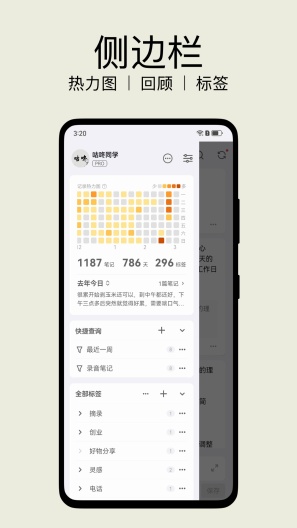
    · 侧边栏新增皇冠会员入口
    · API 接口地址完整展示、点击复制
    · 关于页精简改版

    【问题修复】
    · 早期「批注显示在主页」下线后消失的笔记,升级后自动恢复
    · 本地缺失的云端图片自动回源,不再「加载失败」
    · Android 10 相册选图坏图修复
    · 侧边栏 PRO 状态/登录昵称刷新修复
    · 咚记与 inBox 共装云端数据互串修复

    需 Android 6.0 及以上

    Other versions of inBox Note

    2.7.0 (build 53) 2.7.0 测试版(更新:修复 JSON 解析问题,请重新下 9 Hours ago
    2.7.0 (build 52) 2.7.0 测试版(重传:包体 18M→7.9M,修 JSO 9 Hours ago
    2.6.8 (build 50) 新增:归档状态接入云同步,安卓与电脑保持一致 新增:收藏/取 2026-10-22
    2.6.7 (build 49) 【重要】修复从本地备份恢复后笔记时间偏移几小时、时间线顺序错 2026-10-21
    2.6.7 (build 48) 【重要】修复从本地备份恢复后笔记时间偏移几小时、时间线顺序错 2026-10-21
    View more

    Introduction of inBox Note

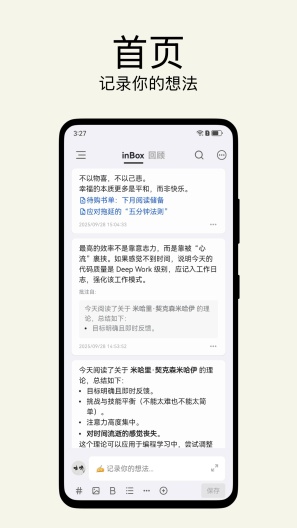
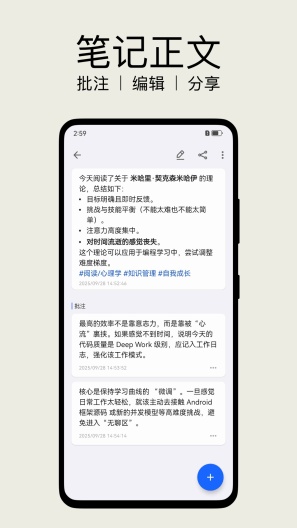
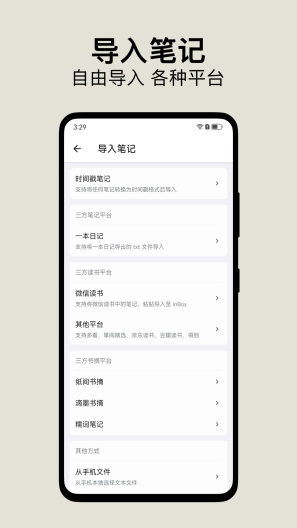
    inBox笔记是一个记录灵感、想法的笔记软件。 它有如下几个特点: 数据离线,纯本地,操作体验流畅,灵活的数据导入导出。 聊天式输入,打开应用就记录。 无分类,使用标签管理笔记。 去中心化,使用 WebDAV 对自己的数据云存储(免费功能) 随机回顾,支持应用内随机回顾和桌面小组件回顾,回顾以帮助我们更好的思考。
    Expand

    Screenshots of inBox Note

    inBox Note Screenshots1
    inBox Note Screenshots2
    inBox Note Screenshots3
    inBox Note Screenshots4