
Flight Dark Pro - Icon Pack
Rating
Jul 30, 2024Latest update
3.5.6Version
About Flight Dark Pro - Icon Pack
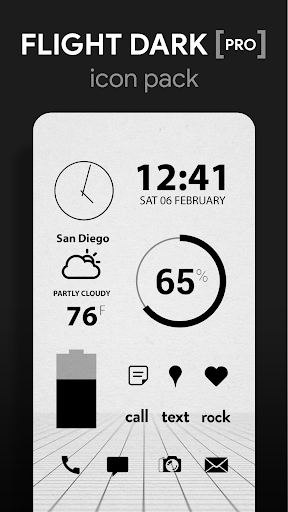
Flight Dark Pro is a simple minimalist, clean, flat & dark black icon pack with semi-transparent icons that blend in well with your backgrounds. Icons feature a clean and flat handmade design. Custom wallpapers featuring scenic skies, and clouds are included.
QUICK TIPS
You can manually edit icons in most launchers by long-pressing the icon you would like to edit.
Widgets: If your widget stops updating, please check your system or battery settings to make sure the app is exempt from battery optimization. More info at https://dontkillmyapp.com/
PRO VERSION
This is the pro version of the Flight Dark icons. Get the free version here: https://play.google.com/store/apps/details?id=com.natewren.darkflightfree
HOW-TO GUIDE
http://natewren.com/apply
FEATURES
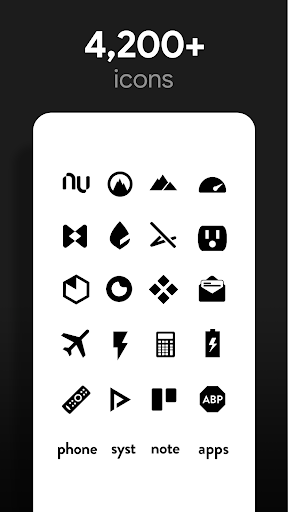
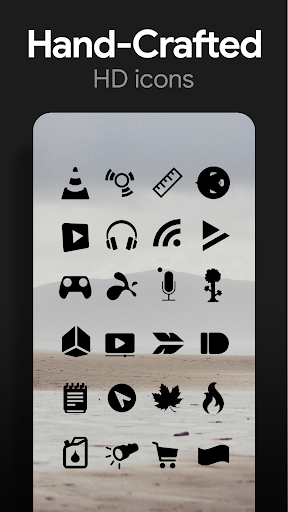
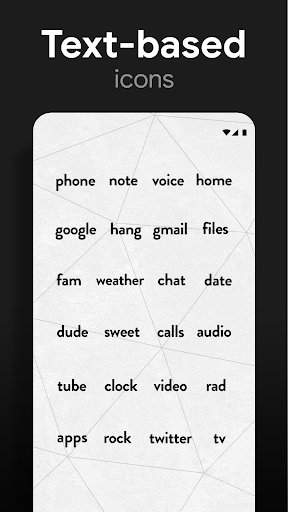
• 5,300+ hand crafted flat, clean & simple dark black flat HD Icons
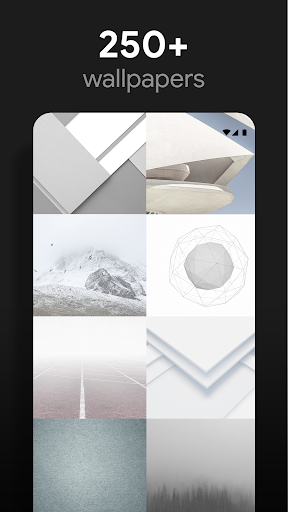
• 200+ wallpapers included. Downloadable from the cloud. Browse and save the ones you want. All wallpapers shown are included!
• XXXHDPI high definition black icons included for super large HD screens. All black icons are 192x192
• Customized cloud/sky/landscape wallpapers. Wallpapers have been edited to show off the black icons nicely
• Some parts of the flat icons are transparent letting each show the provided sky/landscape backgrounds or to your own backgrounds
• Wallpaper chooser comes installed
• Request icons via "Request" tab
• Clean, dark black icons work best with light wallpapers
• Muzei support for rotating wallpapers
• New icons added regularly
WIDGETS
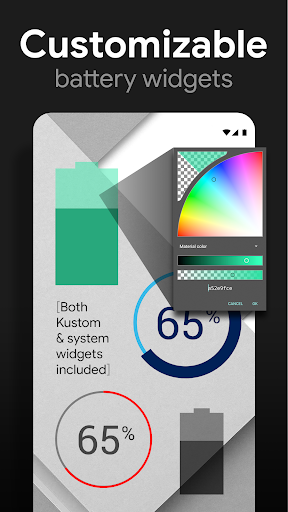
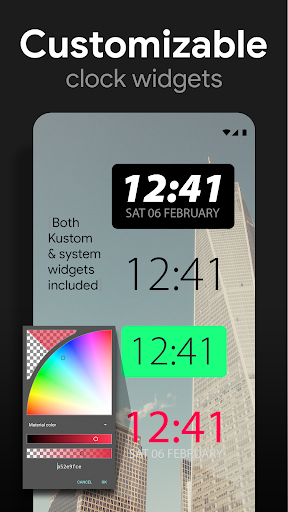
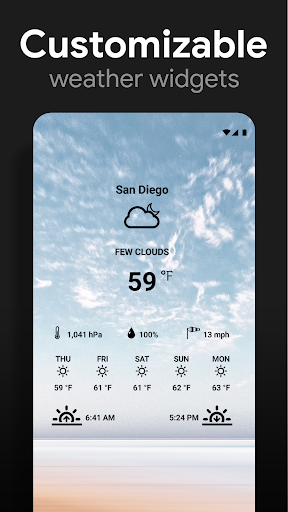
System widgets as well as editable KWGT widgets are included.
• Battery widgets
• Digital clock widgets
• Analog clock widget
• Weather widgets
HOW TO APPLY ICONS VIA ICON PACK
1. Open the app after installing
2. Navigate to "Apply" tab
3. Select your Launcher
DISCLAIMER
You may need a 3rd party launcher to apply the icon pack. Please download a launcher (Nova, Total, Microsoft, etc.) before installing.
Nova is recommended for the best experience and supports icon name search when manually applying icons. For more info on searching while manually applying icons please visit https://natewren.com/manually-edit-icons/.
HOW TO APPLY ICONS VIA LAUNCHER
1. Open Launcher settings by tapping + holding on an empty area of home screen
2. Select personalization options
3. Select icon pack
FOLLOW ME
Twitter: https://twitter.com/natewren
QUESTIONS/COMMENTS
natewren@gmail.com
http://www.natewren.com
Gameplay
Flight Dark Pro - Icon Pack Screenshots
Old Versions of Flight Dark Pro - Icon Pack


Editor's Recommendation


Apps Like Flight Dark Pro - Icon Pack
 Flight Dark Pro - Icon Pack
 Flight Pro - Icon Pack
 Lines Dark Pro - Icon Pack
 ATOMIC - Dark Retro Icon Pack
 Pixelation - Dark Icon Pack
 Color Line DARK Icon Pack
 Lumos Dark Rounded Icon Pack
 Mellow Dark Icon Pack
 Sagon Circle: Dark Icon Pack
 Sagon: Dark Icon Pack
 Timus Spin: Dark Icon Pack
 Timus: Rounded Dark Icon Pack
Apps by Nate Wren Design


Flight Dark Pro - Icon Pack FAQ
How do I download Flight Dark Pro - Icon Pack from PGYER APK HUB?
Is the Flight Dark Pro - Icon Pack on PGYER APK HUB free to download?
Do I need an account to download Flight Dark Pro - Icon Pack from PGYER APK HUB?
How can I report a problem with Flight Dark Pro - Icon Pack on PGYER APK HUB?
Did you find this helpfull
Yes
No
User Reviews
+ Reviews
4.6
5
4
3
2
1
C
Cherry
2025-02-13
1
0
Flight Dark Pro - Icon Pack is a game-changer for customizing my phone's look. The icons are sleek and modern, perfectly matching my dark theme aesthetic.
C
Cherry
2024-12-15
20
0
I absolutely love Flight Dark Pro - Icon Pack! The variety of icons and the attention to detail is incredible. It has completely transformed my home screen.
H
Helen
2025-01-08
7
0
Using Flight Dark Pro - Icon Pack has been a delightful experience. The icons are sharp, and the app is easy to use. Highly recommend it to anyone looking for a stylish upgrade.
Most Popular

Downloader by AFTVnews
AFTVnews.com

Character AI: AI-Powered Chat
Character.AI

Google Chrome
Google LLC

YouTube
Google LLC

X
X Corp.

Telegram
Telegram FZ-LLC

Netflix
Netflix, Inc.

Tubi: Movies & Live TV
Tubi TV

Disney+
Disney

VPN Proton: Fast & Secure VPN
Proton AG

Microsoft 365 (Office)
Microsoft Corporation

Reddit
reddit Inc.

Signal Private Messenger
Signal Foundation

Vinted - Buy and sell clothes
Vinted

Grand Theft Auto: San Andreas
Rockstar Games

Football League 2024
MOBILE SOCCER

Toca Life World: Build a Story
Toca Boca

EA SPORTS FC™ Mobile Soccer
ELECTRONIC ARTS

Roblox
Roblox Corporation

Free Fire MAX
Garena International I

PUBG MOBILE LITE
Level Infinite

Fortnite
Epic Games, Inc

Free Fire: The Chaos
Garena International I

Block Blast!
Hungry Studio