
Audio Evolution Mobile Studio Review 2026: A Serious Android DAW With Real Studio Depth

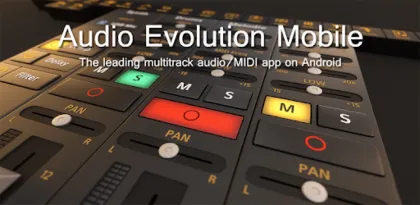

Audio Evolution Mobile Studio is what happens when an Android recording app stops pretending that every project is a quick voice memo. It combines multitrack audio and MIDI recording, non-destructive editing, virtual instruments, drum sequencing, real-time effects, automation, tempo changes, vocal tuning, USB audio, and mixdown in a single portable digital audio workstation.
The result is closer to desktop production software than a simplified beat maker. A songwriter can capture an idea with the phone microphone, replace it with a proper vocal through a USB interface, add MIDI instruments, automate a mix, export stems, and continue work elsewhere. A podcaster can edit speech, apply processing, and deliver a finished file without opening a laptop.
That power carries costs. The interface is dense on a small screen, Android audio latency and device compatibility remain complicated, and several important instruments, effects, vocal tools, and the developer's low-latency USB driver are optional purchases. Audio Evolution is inexpensive compared with a desktop DAW, but the base price is not the complete price of every advertised workflow.
Google Play showed a $11.99 purchase price, more than 100,000 downloads, a 4.3-star rating, and an October 8, 2026 update when reviewed. It is actively maintained and one of the deepest production environments available natively on Android.

The Arranger Is the Center of the Workflow
Projects open in a timeline-based arranger where audio recordings, imported clips, MIDI regions, groups, and markers can be organized. This is the familiar language of a DAW: time runs horizontally, tracks stack vertically, and clips can be moved, trimmed, split, copied, faded, stretched, or processed without permanently rewriting the source.
The app supports unlimited audio and MIDI tracks in principle, but the practical limit is the phone or tablet's processor, memory, storage speed, instruments, and effects. A modest voice project may run comfortably on older hardware, while a dense arrangement with virtual instruments, pitch processing, convolution-like effects, and automation can demand far more.
Unlimited undo and redo make experimentation safer. Markers help navigate long podcasts or songs, and tempo plus time-signature changes can be gradual or immediate. Punch-in and punch-out recording allows a performer to replace a defined section while preserving the surrounding take.
Editing by touch works surprisingly well after learning the gestures. Pinch zoom, selection modes, handles, context menus, and the time marker support precise work. The difficulty is not missing capability; it is fitting that capability on a phone. Buttons hidden by limited space move into a More menu, so a tablet or foldable provides a much clearer overview.
The app offers interface behavior for different experience levels. Beginners benefit from starting with a small project rather than enabling every expert option. Record two tracks, trim a clip, adjust levels, and export a mix before attempting MIDI routing or complex effect grids.
Audio Recording Ranges From Quick Ideas to Multichannel Sessions
The built-in microphone is enough for song sketches, interviews, lectures, and field ideas. Headphones are important when overdubbing because speaker playback can leak into the next recording. The phone mic also captures handling noise, room reflections, wind, and device processing, so it should not be mistaken for a studio signal path.
Connecting a class-compliant USB audio interface changes the proposition. Microphones, instruments, balanced inputs, hardware gain, direct monitoring, and multiple channels can turn a tablet into the center of a portable recording rig. The Android device must support USB host mode, the interface must be class compliant, and the connection must supply enough power.
Power is the common hidden problem. A phone may recognize a small interface but fail when phantom power, several preamps, or additional USB devices increase demand. A powered hub or separately powered interface is safer than asking the phone battery to operate the entire studio.
The manual recommends connecting USB hardware before launching the app. It also suggests disabling battery saving, closing unnecessary tasks, and keeping Audio Evolution in the foreground because Android may restrict CPU time or USB behavior when another app takes over. Airplane mode reduces interruption risk during critical recording, provided no required cloud or network service is in use.
Record at conservative levels. Digital clipping cannot be repaired by turning a fader down later. Aim for healthy peaks with headroom, monitor from the interface when possible, and make a short test that includes the loudest expected performance.
The Optional USB Driver Is Important but Not Universal
Android provides a system USB audio path, and the app allows its use without buying the developer's custom driver. The Play listing warns that the system route can have higher latency and may be limited to 16-bit audio. For casual recording, that may be acceptable.
The optional eXtream USB audio driver is designed to bypass those limits and provide low-latency, high-quality multichannel recording and playback at the rates and resolutions supported by the interface, including configurations such as 24-bit/96 kHz. It is a separate in-app purchase.
Do not buy the driver merely because an interface has a USB socket. The official manual advises testing with the trial or the limited full-version mode first. Compatibility depends on the Android device, OTG behavior, interface class compliance, power, sample-rate support, and sometimes firmware.
Low latency matters when monitoring through software or playing a virtual instrument from a MIDI keyboard. It matters less when recording a line input while listening through direct hardware monitoring. Choose the simplest stable path instead of chasing the smallest buffer number.
Small buffers reduce delay but increase CPU pressure and crackle risk. High sample rates multiply storage and processing demands without automatically improving a mobile production. A stable 24-bit session at a conventional rate is more valuable than an ambitious setting that drops audio.

MIDI and Virtual Instruments Make It a Composition Tool
Audio Evolution is not limited to recorded waveforms. MIDI tracks can be programmed in a piano-roll editor, entered through an onscreen keyboard or drum pads, or recorded from class-compliant USB MIDI hardware. External synthesizers can also be driven through MIDI output.
The drum pattern editor supports custom samples and triplets, making it useful for rhythm programming beyond rigid four-beat grids. SoundFont instruments provide sample-based playback, while Evolution One supplies virtual-analog synthesis. Flowtones and additional SoundFonts are available as optional purchases, with some instruments requiring newer Android versions.
MIDI preserves notes, velocity, duration, and controller information rather than committing immediately to sound. That makes it easy to change instruments, correct timing, transpose a passage, or edit individual notes after recording. Eventually freezing or rendering demanding parts can save processor resources.
For live keyboard performance, latency is decisive. The manual recommends the custom USB audio path or a device with sufficiently low native latency. Without an interface, selecting the Oboe/AAudio system, native sample rate, and an appropriate buffer may improve response.
Connect hardware before opening the app and verify both input and output routing. A MIDI keyboard can be recognized while audio still plays from an undesirable destination. Label tracks clearly and test sustain, pitch bend, modulation, and channel assignments before recording a complex performance.
Editing and Time Processing Are Substantial
Audio and MIDI clips can be split, copied, looped, normalized, and arranged without destroying the source. Auto-split assists material with identifiable sections or silence, while time stretch can fit audio to a project tempo. Properly named loops can be matched in tempo and pitch during import.
Time stretching is never free. Extreme changes produce transient smearing, metallic texture, or unstable low frequencies. Make modest adjustments and audition soloed material as well as the full mix. Percussion, vocals, and sustained pads reveal different artifacts.
Vocal Tune Studio adds detailed pitch and time correction as an optional purchase. The tool can adjust note pitch, retune amount, timing, volume, formants, and vibrato. It is capable of transparent repair or obvious creative effects, but neither replaces a well-recorded performance.
Editing speech on a touchscreen is efficient when waveforms are large enough. Add markers for sections, preserve room tone, and use short fades at cuts to avoid clicks. Noise reduction should be conservative; aggressive processing can make voice sound watery or hollow.
Import support includes WAV, MP3, AIFF, FLAC, OGG, and MIDI. Android 11 and later use scoped storage, so selecting project and media folders through the system picker is safer than assuming unrestricted file access. Maintain an external backup before reorganizing storage.

Mixing, Effects, and Automation Go Beyond Mobile Basics
The mixer provides level, pan, routing, grouping, sends, and real-time effects. Built-in processing includes EQ, compression, chorus, delay, reverb, gate, pitch shifting, and other production tools. Sidechain support allows one signal to control compression on another.
The FX Grid is a distinguishing feature. Effects can be arranged in flexible serial and parallel paths instead of a simple fixed insert chain. Parallel processing enables techniques such as blending a heavily compressed duplicate with the dry signal or creating different effect branches before recombining them.
Automation can change mixer, instrument, and effect parameters over time. Curves may be plotted manually or recorded through touch movement. LFO modulation and tempo locking extend motion beyond static control. This depth is powerful but can overwhelm a small processor and a new user.
Start a mix with gain balance and panning. Add corrective EQ and dynamics only when a problem is identified. Reverb, widening, and mastering tools cannot fix clipping, poor arrangement, or an untreated recording room. Check the result through headphones, phone speakers, and another playback system.
ToneBoosters effects and advanced vocal products are optional purchases. They can raise the quality ceiling, but buying every module immediately is unnecessary. Learn the included tools, then add a processor only when its specific function is understood.
Groups simplify large sessions by controlling related tracks together. Automation should be named and organized because hidden curves can make a fader appear to “fight back.” When troubleshooting unexpected level or effect changes, check automation before blaming the audio engine.
Export, Stems, and Cross-Device Projects
Finished work can be mixed down to WAV, MP3, AIFF, FLAC, or OGG and shared from the device. Lossless WAV or FLAC is appropriate for archiving and transfer; compressed formats are convenient for review copies and distribution where supported.
Exporting stems renders tracks separately for another DAW. Agree on project start time, sample rate, bit depth, tempo, and whether effects are printed. Every stem should begin at the same reference point even if its sound starts later, making alignment effortless on desktop software.
Projects are interchangeable with the iOS edition, and Google Drive cloud sync supports backup, transfer, and collaboration. Cloud synchronization is not a replacement for versioned backups. Duplicate the project before major edits and verify that uploads finish before opening the same session on another device.
Name projects with song, version, and date rather than relying on “final” and “final2.” Recordings grow rapidly, particularly in multichannel high-resolution sessions. Check available space before a take and periodically archive unused material to reliable storage.
A phone loss, damaged project, or mistaken overwrite can erase irreplaceable performances. Keep at least one copy outside the recording device and another in a separate location. Test restoration before assuming a backup strategy works.

The Interface Rewards a Tablet
The app retains its features on phones, but the experience is denser. Toolbar functions can move behind More, automation points require careful touch, and a large mixer needs horizontal movement. A stylus can help with precise MIDI and automation editing.
Tablets and foldables reveal more tracks and controls simultaneously. They also pair more naturally with a keyboard, hub, interface, and stand. A larger display does not change processing power, so the device's chipset and thermal design still matter.
The learning curve is appropriate for a real DAW. Anyone new to recording must learn gain staging, monitoring, latency, routing, MIDI, effects, and file management in addition to the interface. The official manual and tutorial series are not optional decorations; they are part of using the product well.
Recent reviews praise the amount of desktop-like functionality while acknowledging that precision on a small display takes practice. The October 2026 update specifically addressed screen-size issues on Samsung devices with One UI 9 and possibly Google Pixel hardware, evidence that display compatibility continues to receive attention.
Pricing and Optional Purchases
The base Android app was listed at $11.99 in the US. It includes a substantial DAW, but the custom USB driver, Vocal Tune tools, ToneBoosters processors, Flowtones, loops, and SoundFonts can add cost. Prices vary by region and may change.
This modular approach is reasonable for users who do not need every studio function. A podcaster may need recording and editing but no synthesizer. A producer working entirely with MIDI may never need the custom USB audio driver. A vocalist may value pitch editing more than additional instruments.
Budget around a workflow, not a feature list. Test hardware with Audio Evolution Mobile Trial, confirm the interface and USB path, then buy only the modules required for real projects. Keep Play receipts associated with the correct Google account so purchases can be restored.
Compared with desktop software, the package is inexpensive. Compared with casual Android apps, the combined total can surprise buyers who interpreted the store description as one all-inclusive price. The Play listing identifies optional products, so read it before purchasing.
Reliability, Privacy, and Recording Safety
Google Play's developer-provided Data Safety panel says no data is shared with third parties, device or other identifiers may be collected, data is encrypted in transit, and deletion is not available. Cloud sync and collaboration introduce separate Google account considerations.
Microphone and file permissions are essential to a recording app. Grant access to the intended project folders rather than broad unrelated storage when Android provides that choice. Do not install modified builds; music projects and cloud credentials are too valuable to expose to unknown code.
For important sessions, restart the device, disable battery saving, enable airplane mode when appropriate, connect and power hardware first, confirm storage, and record a test. Monitor the test file from beginning to end. Mobile convenience does not eliminate professional redundancy.
The app must remain foregrounded for the most reliable USB operation. Notifications, calls, thermal throttling, cable movement, and power loss are real production risks. A second recorder is wise for an unrepeatable interview or performance.

Who Should Use It?
Audio Evolution Mobile Studio is ideal for musicians, producers, podcasters, and engineers who want a traditional multitrack workflow on Android. It is especially compelling for users with class-compliant USB interfaces, MIDI controllers, tablets, or projects that must move between mobile and desktop environments through stems.
It may be excessive for a person who only needs one-button voice recording, automatic podcast publishing, or a loop-based beat toy. New producers willing to learn will grow into it; users wanting immediate templates and simplified decisions may prefer a narrower app.
The Trial edition is the correct first step for anyone buying hardware around the app. Confirm USB host support, interface recognition, power, inputs, monitoring, latency, and stable recording before spending on the full package and driver.
Verdict
Audio Evolution Mobile Studio earns its reputation by treating Android as a serious production platform. Multitrack audio and MIDI, detailed editing, virtual instruments, flexible effects, sidechaining, automation, tempo control, Vocal Tune, USB interfaces, cloud exchange, stems, and lossless export provide enough depth for finished work.
Its weaknesses are consequences of ambition: dense phone interaction, a meaningful learning curve, device-dependent latency, careful USB power requirements, and an ecosystem of optional purchases. It can replace a simple recorder easily; replacing a desktop studio requires compatible hardware and disciplined setup.
Start with the trial, use a tablet when possible, test every USB component, and build purchases around actual needs. For Android musicians who want a full linear DAW rather than a sketchpad, Audio Evolution Mobile Studio is among the strongest choices in 2026.
Rating: 8.9/10
Reviewed using the Android listing and official manual available in October 2026. Pricing, purchases, device support, and features can change.


