

Octopus - Gamepad, Keymapper
Bewertung
Jul 12, 2024Neuestes Update
7.2.2Version
Über Octopus - Gamepad, Keymapper
Play Android games with Gamepad/Controller, Mouse & Keyboard!
Map peripherals to touchscreen.
No root or activator required!
※ Octopus is the most professional and easy-use keymapper. ※
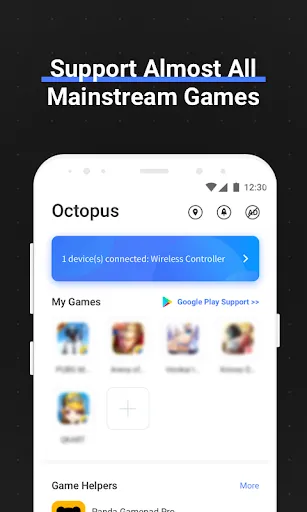
Support almost all apps
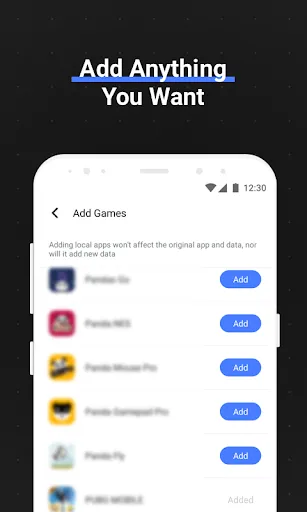
Octopus Gaming Engine supports most apps and games, you can add whatever you want to play.
Peripherals Compatibility
Octopus supports gamepads, keyboards & mouses.
Xbox, PS, IPEGA, Gamesir, Razer, Logitech...
Preset Key Mapping
Preset key configuration for 30+ featured games. No time wasting on setup.
Different modes for various Games
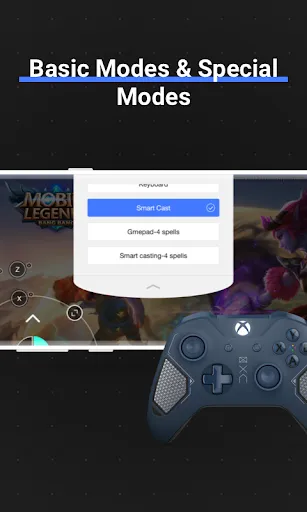
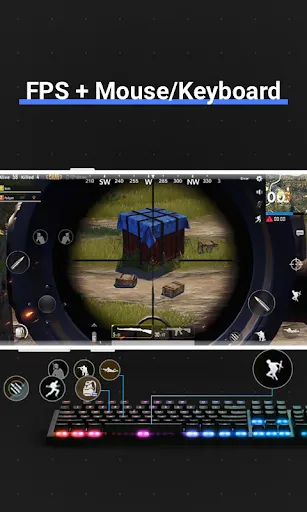
2 basic modes: Gamepad and Keyboard and many special modes for specific games like Advanced Shooting mode for FPS games, Smart Casting mode for MOBA games.
Highly customizable
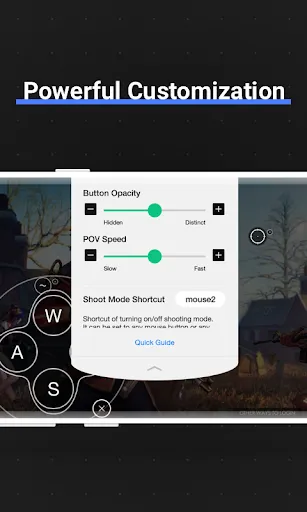
Besides preset keymap, you can define your own keymap. Octopus provides 20+ various control component to power up your gaming experience.
Gaming Recorder
Octopus integrated with Screen Recorder, letting you record each of your combat.
Gamepad Calibration
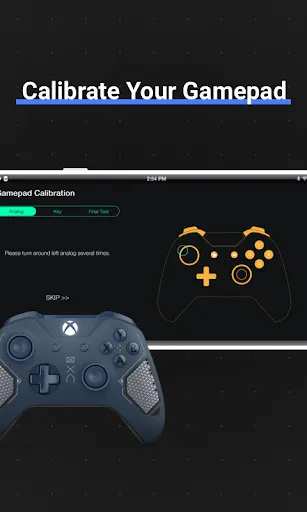
For some unstandard gamepad or controller, Octopus provides the Gamepad Calibration feature allowing you to calibrate your device.
Google Play login (Needed download octopus plugin)
Suppore Play store account login.Synchronize games data.Needed download octopus plugin.
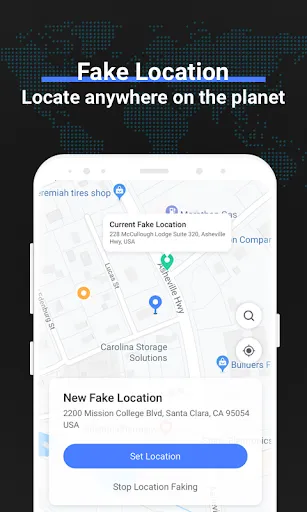
Fake Location function
Support Fake Location function.
About Permissions
Due to the working mechanism of Octopus, it requires the same permissions with games you play. In order to cover all games, Octopus needs many permissions to work properly. We guarantee Octopus won't abuse these permissions!
Octopus Pro
Support more functions. e.g.
Swipe
Draw any path and run it! For games require swipe gestures or pattern drawing. Duration is customizable.
Multiply
Hit a position multiple times. Times and duration is customizable.
Order Key
Set multiple keys with hit sequence. For example, you have 3 order keys with key value A. When you press A first time, No.1 A will act. Second time for No.2 A and third time for No.3 A, then loops. It's pretty useful for some scenes like open/close bag button on different positions.
Analog Deadzone
Deadzone is the area where your analog movement is ignored. For example, set deadzone to 0 to 20 and 70 to 100, that means all displacement less than 20% or greater thant 70% will be invalid, thus when you push your analog to 20% position it will act as 0% and 70% as 100%. Left and right analog can set different deadzone respectively.
Profile
One game with multiple different keymaps for various situation? Profile is what you needed. Under keyboard or gamepad mode, profiles can be created respectively.
Customizable Virtual Mouse Shortcut
While play with gamepad, press LS+RS to invoke the virtual mouse and move it with L/R analog and perform click with LT or A. This is quite practical for TV or some situation you don't want to touch your screen. Now, in Pro version, the shortcut for invoking is customizable.
Pick your gears and start a brand new mobile gaming experience!
Have fun!
Map peripherals to touchscreen.
No root or activator required!
※ Octopus is the most professional and easy-use keymapper. ※
Support almost all apps
Octopus Gaming Engine supports most apps and games, you can add whatever you want to play.
Peripherals Compatibility
Octopus supports gamepads, keyboards & mouses.
Xbox, PS, IPEGA, Gamesir, Razer, Logitech...
Preset Key Mapping
Preset key configuration for 30+ featured games. No time wasting on setup.
Different modes for various Games
2 basic modes: Gamepad and Keyboard and many special modes for specific games like Advanced Shooting mode for FPS games, Smart Casting mode for MOBA games.
Highly customizable
Besides preset keymap, you can define your own keymap. Octopus provides 20+ various control component to power up your gaming experience.
Gaming Recorder
Octopus integrated with Screen Recorder, letting you record each of your combat.
Gamepad Calibration
For some unstandard gamepad or controller, Octopus provides the Gamepad Calibration feature allowing you to calibrate your device.
Google Play login (Needed download octopus plugin)
Suppore Play store account login.Synchronize games data.Needed download octopus plugin.
Fake Location function
Support Fake Location function.
About Permissions
Due to the working mechanism of Octopus, it requires the same permissions with games you play. In order to cover all games, Octopus needs many permissions to work properly. We guarantee Octopus won't abuse these permissions!
Octopus Pro
Support more functions. e.g.
Swipe
Draw any path and run it! For games require swipe gestures or pattern drawing. Duration is customizable.
Multiply
Hit a position multiple times. Times and duration is customizable.
Order Key
Set multiple keys with hit sequence. For example, you have 3 order keys with key value A. When you press A first time, No.1 A will act. Second time for No.2 A and third time for No.3 A, then loops. It's pretty useful for some scenes like open/close bag button on different positions.
Analog Deadzone
Deadzone is the area where your analog movement is ignored. For example, set deadzone to 0 to 20 and 70 to 100, that means all displacement less than 20% or greater thant 70% will be invalid, thus when you push your analog to 20% position it will act as 0% and 70% as 100%. Left and right analog can set different deadzone respectively.
Profile
One game with multiple different keymaps for various situation? Profile is what you needed. Under keyboard or gamepad mode, profiles can be created respectively.
Customizable Virtual Mouse Shortcut
While play with gamepad, press LS+RS to invoke the virtual mouse and move it with L/R analog and perform click with LT or A. This is quite practical for TV or some situation you don't want to touch your screen. Now, in Pro version, the shortcut for invoking is customizable.
Pick your gears and start a brand new mobile gaming experience!
Have fun!
Octopus - Gamepad, Keymapper Screenshots
Alte Versionen von Octopus - Gamepad, Keymapper






Empfehlung des Herausgebers


Apps wie Octopus - Gamepad, Keymapper


Apps von Octopus Gaming Studio


Octopus - Gamepad, Keymapper FAQ
Wie lade ich Octopus - Gamepad, Keymapper von PGYER APK HUB herunter?
Ist das Octopus - Gamepad, Keymapper auf PGYER APK HUB kostenlos zum Download?
Benötige ich ein Konto, um Octopus - Gamepad, Keymapper von PGYER APK HUB herunterzuladen?
Wie kann ich ein Problem mit Octopus - Gamepad, Keymapper auf PGYER APK HUB melden?
Haben Sie dies hilfreich gefunden
Ja
Nein
Benutzerbewertungen
+ Bewertungen
4.7
5
4
3
2
1
O
Old School Gamer Master
2018-10-06
3
0
Absolutely the best one out there. Unmatched performance and reliability.
F
Furqan Sai
2021-08-25
0
0
Great app for gaming with keyboard, mouse, and gamepad, especially for Free Fire.
N
Naresh Naidu
2021-08-17
1
0
App works well for gaming, though I'm having trouble playing Free Fire.
Am beliebtesten

Finger Football
Gamotronix

Talking Pierre the Parrot
Outfit7 Limited

Tips Dream League Soccer 2017
amorphisnguyen

Poppo Live
Poppo Team

StarMaker: Sing Karaoke Songs
SKYWORK AI PTE. LTD.

CookieRun: OvenBreak
Devsisters Corporation

Netflix
Netflix, Inc.

TikTok
TikTok Pte. Ltd.

Legend of Solgard
Snowprint Studios AB

X
X Corp.

Clash Royale
Supercell

Plague Inc.
Ndemic Creations

Relic Bag: Shadow Hunter
Fansipan Limited

PUBG MOBILE
Level Infinite

Red Dead redemption 2 Mobile
Tarik EL hamdi

War Thunder Mobile
GAIJIN NETWORK LTD

Off Road 4x4 Driving Simulator
Azur Interactive Games Limited

Call of Duty: Warzone Mobile
Activision Publishing, Inc.

GunboundM
DargomStudio

Car Parking Multiplayer 2
olzhass

Marvel Spider Man
Welcome to the Marvel Spider-Man APK, your gateway to the exciting world of Spider-Man, now adapted

Pure Sniper: Gun Shooter Games
Miniclip.com

Shadow Fight 2 Special Edition
NEKKI

Reddit
reddit Inc.