
Watch Faces - Pujie
Bewertung
Jun 21, 2024Neuestes Update
4.1.12Version
Über Watch Faces - Pujie
Pujie Watch Faces is the ultimate watch face design application for Wear OS watches. With Pujie, you can take full control of your watch face design by customizing everything from the watch hands, complications, and base plates to the smallest details.
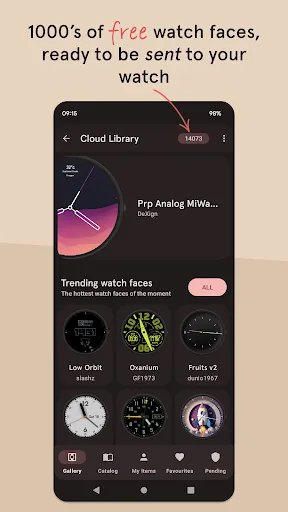
Sharing your unique designs with other users is easy and fun, and you can discover new designs from users all over the world. All of the 1000's of watch faces in the library are included with the one time price for purchasing the app. With Pujie Watch Faces, your watch will always be a reflection of your personal style.
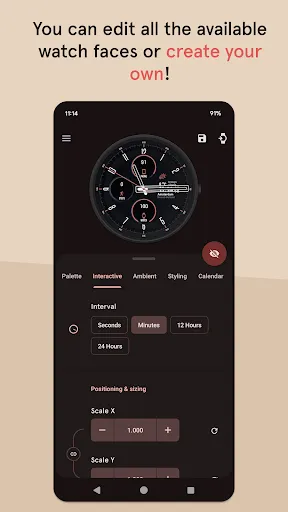
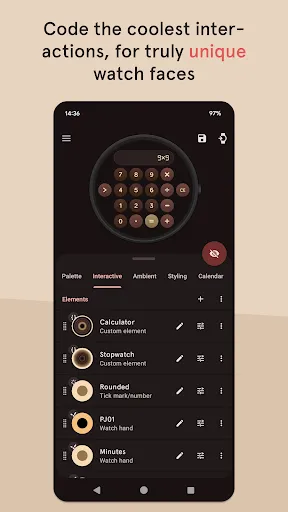
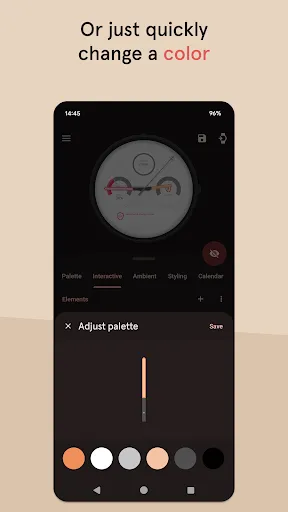
For the advanced user, Pujie offers the ability to automate your watch elements, unlocking endless possibilities for customization. For more modest users, you can easily change the colors of elements or add simple elements like a digital clock in your favorite font.
Upgrade your wrist game today and experience the power of Pujie.
→ ONLINE
https://pujie.io
Tutorials:
https://pujie.io/help/tutorials
Cloud Library:
https://pujie.io/library
Documentation:
https://pujie.io/documentation
→ SMART WATCH COMPATIBILITY
Pujie Watch Faces is fully compatible with all WearOS 2.x, 3.x & 4.x devices.
This includes the following devices:
• Samsung Galaxy Watch 4, 5 & 6
• Google Pixel Watch
• Fossil smartwatches
• Mobvoi TicWatch Series
• Oppo Watch
• TAG Heuer Connected
• Diesel & Montblanc watches
• And many more!
In the configuration app on the watch you can assign external data provider to custom complications the indicators, and the tap drawers targets.
→ STANDALONE
• Pujie Watch Faces can run Fully standalone! ( iPhone and Android compatible )
→ INTERACTIVE WATCH FACE / LAUNCHER
Pujie Watch Faces allows you to assign custom actions to a huge number of possible tap targets. The Tap drawer, a panel with 6 tap targets and all your custom elements make up to unlimited assignable tap targets! It's a watch face and launcher in one!
Choose from:
• The Calendar, Fitness, Weather view or The Tap Drawer
• Any installed watch or phone app or shortcut
• Tasker tasks!
• Watch or phone actions (volume, play/pause music, etc)
→ DESIGN
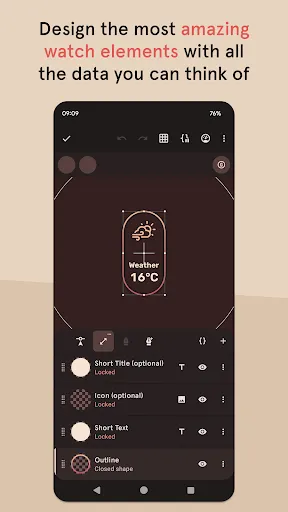
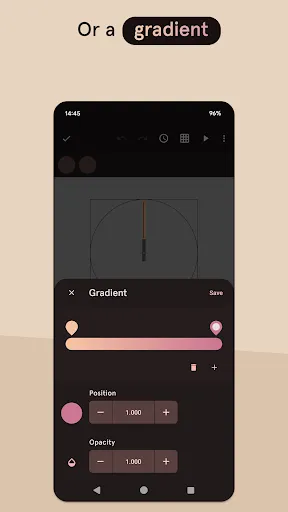
Design your own watch elements (watch hands, backgrounds, complications, custom elements) with the included watch element designer! Pujie Watch Faces has the most advanced watch face maker, supporting true vector graphics and images.
→ CLOUD LIBRARY
The cloud library is an online social library of watch faces and watch parts. You can use it to safely store your creations and share them with others.
Read more:
https://pujie.io/library
→ WIDGET
Even when you don't own a smartwatch you can use Pujie Watch Faces. Use the same app to create a home screen clock widget!
→ KEY FEATURES
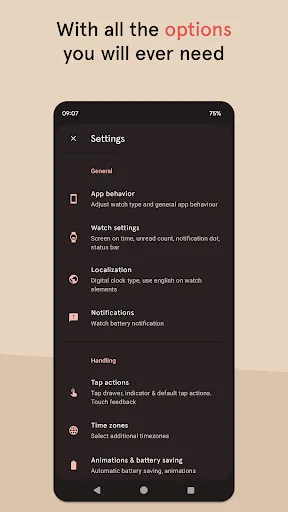
All settings are available using the Pujie Watch Faces phone app. Some settings are available from the configuration menu on the watch.
• 20+ watch faces to get you started
• Choose from 1500+ fonts
• Design your own watch elements
• Animated
• Tasker integration (variables & tasks)
• Start any watch or phone app
• Square, rectangular and round watches
• Calendar integration!
• Weather data, Celsius or Fahrenheit
• Phone and smartwatch battery status
• Multiple time zones
• Share your watch faces with others
• And much more
→ SUPPORT
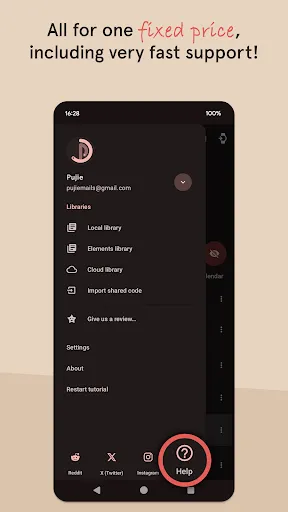
!! Please don't rate us 1-star, just contact us. We respond mighty fast !!
https://pujie.io/help
How do I install the watch face?
1 Wear OS 2.x & Wear OS 3.x: Download the watch app from the Play Store on the watch.
2. Long press your watch and choose Pujie Watch Faces as your watch face, or select it using the WearOS app.
How do I activate a widget?
1. Long press your home screen or go to the widget section in the app drawer (depends on your launcher)
2. Choose Pujie Watch Faces.
3. Design a new style, or choose one of your designs
4. Place and re-size to your liking
Sharing your unique designs with other users is easy and fun, and you can discover new designs from users all over the world. All of the 1000's of watch faces in the library are included with the one time price for purchasing the app. With Pujie Watch Faces, your watch will always be a reflection of your personal style.
For the advanced user, Pujie offers the ability to automate your watch elements, unlocking endless possibilities for customization. For more modest users, you can easily change the colors of elements or add simple elements like a digital clock in your favorite font.
Upgrade your wrist game today and experience the power of Pujie.
→ ONLINE
https://pujie.io
Tutorials:
https://pujie.io/help/tutorials
Cloud Library:
https://pujie.io/library
Documentation:
https://pujie.io/documentation
→ SMART WATCH COMPATIBILITY
Pujie Watch Faces is fully compatible with all WearOS 2.x, 3.x & 4.x devices.
This includes the following devices:
• Samsung Galaxy Watch 4, 5 & 6
• Google Pixel Watch
• Fossil smartwatches
• Mobvoi TicWatch Series
• Oppo Watch
• TAG Heuer Connected
• Diesel & Montblanc watches
• And many more!
In the configuration app on the watch you can assign external data provider to custom complications the indicators, and the tap drawers targets.
→ STANDALONE
• Pujie Watch Faces can run Fully standalone! ( iPhone and Android compatible )
→ INTERACTIVE WATCH FACE / LAUNCHER
Pujie Watch Faces allows you to assign custom actions to a huge number of possible tap targets. The Tap drawer, a panel with 6 tap targets and all your custom elements make up to unlimited assignable tap targets! It's a watch face and launcher in one!
Choose from:
• The Calendar, Fitness, Weather view or The Tap Drawer
• Any installed watch or phone app or shortcut
• Tasker tasks!
• Watch or phone actions (volume, play/pause music, etc)
→ DESIGN
Design your own watch elements (watch hands, backgrounds, complications, custom elements) with the included watch element designer! Pujie Watch Faces has the most advanced watch face maker, supporting true vector graphics and images.
→ CLOUD LIBRARY
The cloud library is an online social library of watch faces and watch parts. You can use it to safely store your creations and share them with others.
Read more:
https://pujie.io/library
→ WIDGET
Even when you don't own a smartwatch you can use Pujie Watch Faces. Use the same app to create a home screen clock widget!
→ KEY FEATURES
All settings are available using the Pujie Watch Faces phone app. Some settings are available from the configuration menu on the watch.
• 20+ watch faces to get you started
• Choose from 1500+ fonts
• Design your own watch elements
• Animated
• Tasker integration (variables & tasks)
• Start any watch or phone app
• Square, rectangular and round watches
• Calendar integration!
• Weather data, Celsius or Fahrenheit
• Phone and smartwatch battery status
• Multiple time zones
• Share your watch faces with others
• And much more
→ SUPPORT
!! Please don't rate us 1-star, just contact us. We respond mighty fast !!
https://pujie.io/help
How do I install the watch face?
1 Wear OS 2.x & Wear OS 3.x: Download the watch app from the Play Store on the watch.
2. Long press your watch and choose Pujie Watch Faces as your watch face, or select it using the WearOS app.
How do I activate a widget?
1. Long press your home screen or go to the widget section in the app drawer (depends on your launcher)
2. Choose Pujie Watch Faces.
3. Design a new style, or choose one of your designs
4. Place and re-size to your liking
Gameplay
Watch Faces - Pujie Screenshots
Alte Versionen von Watch Faces - Pujie





Empfehlung des Herausgebers


Apps wie Watch Faces - Pujie


Apps von Pujie
Watch Faces - Pujie FAQ
Wie lade ich Watch Faces - Pujie von PGYER APK HUB herunter?
Ist das Watch Faces - Pujie auf PGYER APK HUB kostenlos zum Download?
Benötige ich ein Konto, um Watch Faces - Pujie von PGYER APK HUB herunterzuladen?
Wie kann ich ein Problem mit Watch Faces - Pujie auf PGYER APK HUB melden?
Haben Sie dies hilfreich gefunden
Ja
Nein
Benutzerbewertungen
+ Bewertungen
4.6
5
4
3
2
1
N
Nathaniel
2024-12-31
20
0
Watch Faces - Pujie is an exceptional app for customizing watch faces. The variety of options and ease of use make it a must-have for any smartwatch user.
F
Frieda
2025-02-24
1
0
I love Watch Faces - Pujie! The app offers endless customization possibilities, and the interface is incredibly user-friendly.
S
Steven
2024-12-19
5
0
Watch Faces - Pujie has completely transformed my smartwatch experience. The designs are stunning, and the app is very intuitive.
Am beliebtesten

Finger Football
Gamotronix

Talking Pierre the Parrot
Outfit7 Limited

Tips Dream League Soccer 2017
amorphisnguyen

Poppo Live
Poppo Team

StarMaker: Sing Karaoke Songs
SKYWORK AI PTE. LTD.

CookieRun: OvenBreak
Devsisters Corporation

Netflix
Netflix, Inc.

TikTok
TikTok Pte. Ltd.

Legend of Solgard
Snowprint Studios AB

X
X Corp.

Clash Royale
Supercell

Plague Inc.
Ndemic Creations

Relic Bag: Shadow Hunter
Fansipan Limited

PUBG MOBILE
Level Infinite

Red Dead redemption 2 Mobile
Tarik EL hamdi

War Thunder Mobile
GAIJIN NETWORK LTD

Off Road 4x4 Driving Simulator
Azur Interactive Games Limited

Call of Duty: Warzone Mobile
Activision Publishing, Inc.

GunboundM
DargomStudio

Car Parking Multiplayer 2
olzhass

Marvel Spider Man
Welcome to the Marvel Spider-Man APK, your gateway to the exciting world of Spider-Man, now adapted

Pure Sniper: Gun Shooter Games
Miniclip.com

Shadow Fight 2 Special Edition
NEKKI

Miracle City 2
DroidHen