
Roblox Android Review 2026: Performance, Robux, and What Parents Need to Know

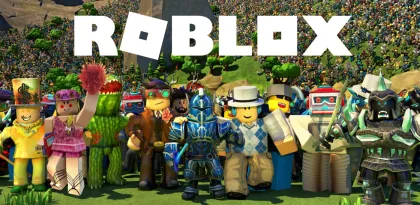

Roblox is difficult to review like an ordinary mobile game because it is not one game. It is a platform containing millions of user-created experiences, from obstacle courses and role-playing towns to competitive shooters, survival games, fashion contests, sports, and social spaces. The Android app acts as the doorway to that ecosystem, combining discovery, multiplayer, avatar customization, chat, virtual purchases, and cross-platform play in one download.
Its scale is extraordinary. Google Play showed more than one billion downloads, over 50 million reviews, and a 4.2-star rating at the time of this review. The store highlights popular experiences such as Dress to Impress, RIVALS, Steal a Brainrot, Brookhaven RP, and Adopt Me!, while new experiences appear constantly. That variety is Roblox’s greatest strength and the reason a simple recommendation is impossible.
Roblox can be creative, social, and surprisingly sophisticated. It can also be confusing, demanding on Android hardware, aggressive about virtual spending inside individual experiences, and unpredictable because most content is made by third-party creators. For families, the correct question is not “Is Roblox safe?” as a universal yes-or-no judgment. The useful question is whether the account, device, content restrictions, chat settings, spending controls, and family expectations are configured for the person using it.
This review examines the Android experience in 2026, including performance, battery life, controls, Robux purchases, privacy, content maturity, and Roblox’s current parental-control system.

One App, Millions of Very Different Experiences
The quality range inside Roblox is wider than in almost any conventional game store. A polished experience from a professional studio can sit next to a teenager’s first project, a temporary meme, or a copy designed mainly to attract clicks. Screenshots and player counts help with discovery, but neither guarantees that an experience will be well designed, appropriate, or fair about monetization.
This variety creates genuine value. Installing Roblox does not require downloading a separate full app for every racing game, tycoon, horror experience, or social world. Friends using phones, tablets, PCs, consoles, or VR devices can often join the same experience. A player can move from a five-minute obstacle course to a long-running role-playing game without leaving the platform.
The downside is inconsistency. Controls, camera behavior, visual clarity, difficulty, save systems, purchases, and moderation can differ dramatically. An experience that works beautifully with keyboard and mouse may feel cramped on a phone. Another may be designed around touch and perform well on modest hardware. Ratings and descriptions should be treated as starting points, not quality guarantees.
Roblox’s recommendation system makes discovery easy but can encourage endless hopping. Younger users may chase whatever is trending instead of learning whether an experience deserves their time or money. Families can improve the experience by creating a small list of approved favorites and discussing why certain games are fun, frustrating, or designed to encourage spending.
Android Performance Depends on the Experience
The Roblox app must render games created by thousands of teams with different technical skills and ambitions. There is no single performance result. A simple block-based obstacle course may run smoothly on an older phone, while a large high-fidelity city with many players, effects, and scripts can overheat a newer device.
Google Play reviews frequently mention battery drain, heat, connection warnings, camera glitches, or audio problems. These reports do not mean every device will fail, but they reflect the platform’s variable workload. Roblox updates regularly for reliability and performance, yet creators are also constantly pushing more detailed environments and systems.
Start with automatic graphics quality. If frame rate is unstable, switch to manual graphics and lower the level until movement becomes consistent. A smooth 30 frames per second is more playable than unstable high detail. Close screen recorders, floating windows, and other heavy apps. Remove thick cases during a long session only if it is safe for the device, and never cool a hot phone abruptly with ice or a refrigerator.
Battery use can be substantial because Roblox combines 3D rendering, networking, audio, and continuous interaction. Lower brightness, use Wi-Fi with a strong signal, and avoid playing while fast charging if the phone becomes uncomfortably warm. Heat can reduce performance through thermal throttling and accelerate battery wear over time.
Storage usage also grows. The base application downloads additional assets as experiences are opened, and Android may retain cached content. If Roblox consumes excessive space, use the operating system’s storage tools rather than random cleaner apps. Clearing all app data can sign the user out and remove local settings, so confirm account recovery information first.
Touch Controls Work, but Design Quality Varies
Roblox provides a shared mobile input layer, but each creator decides how an experience uses it. Basic movement and camera rotation are familiar: a virtual thumbstick on the left, camera swipes on the right, and contextual action buttons. Well-designed mobile experiences keep important buttons large, separated, and within reach.
Poorly adapted experiences may stack too many buttons, cover critical information, or require precision that a touchscreen cannot provide. Competitive shooters are especially challenging because the same fingers must move, aim, fire, jump, reload, and activate abilities. A tablet provides more room but also requires a wider grip.
Some Android devices support controllers, and individual experiences may recognize them. Controller behavior is not uniform across the entire platform. Test menu navigation, camera, movement, and experience-specific actions before assuming compatibility. Keyboard and mouse support on an Android tablet or Chromebook also depends on the device and experience.
Roblox’s cross-platform nature can create an uneven competitive field. A mobile player may face someone using a mouse, high-refresh monitor, or controller. Some creators separate input types or add aim assistance; others do not. For casual and cooperative experiences, this is usually acceptable. For serious competition, check the specific game’s rules and matchmaking system.

Robux and the Real Cost of “Free”
Roblox is free to install, but Robux powers much of its economy. Players can buy avatar items, access passes, private servers, boosts, abilities, and products inside experiences. The Google Play rating warns that in-game purchases can include random items, which deserves special attention because chance-based rewards can make value difficult to understand.
A virtual item’s price should always be translated into real currency before approval. Small Robux amounts feel abstract and can be spent rapidly across several experiences. A purchase may be permanent, consumable, limited to one experience, tied to a private server subscription, or offered by a third-party creator rather than Roblox itself. Read the confirmation screen and product description.
The platform’s optional Roblox Plus subscription advertises benefits such as discounts on certain items, fee-free Robux transfers, a profile badge, unlimited private servers, and expanded marketplace abilities. Subscription value depends heavily on how the account is used. Do not subscribe merely because an experience places the offer prominently. Check renewal terms and cancel through the same store or payment system used to subscribe.
Parents should combine Roblox settings with Google Play purchase authentication and, where suitable, Android family controls. Roblox’s own monthly spending limit does not necessarily cover every platform or gift-card redemption. A store-level approval requirement adds another layer.
Establish a rule before the first purchase. For example, use a fixed monthly entertainment budget, require a waiting period, and discuss whether the item changes gameplay or only appearance. Never buy Robux from unofficial sellers, accept “free Robux” generators, or share credentials for a promised reward. These are common routes to account theft.
Understanding Content Maturity in 2026
Roblox experiences use content maturity labels to describe what players may encounter. Current official guidance lists Minimal, Mild, Moderate, Content May Vary, and Restricted categories. The labels consider factors such as violence, blood, fear, crude humor, social hangouts, free-form creation, gambling-like content that is not playable, alcohol, language, and romantic themes.
Labels are helpful, but they are not the same as a parent personally reviewing an experience. User-created environments change, multiplayer behavior is unpredictable, and content can move between spaces through portals or social features. A creator may also make a mistake in a questionnaire or update an experience after a family first approves it.
Google Play rates the Roblox app Teen and notes “Diverse Content: Discretion Advised,” user interaction, and in-game purchases. That app-level rating describes a platform with variable content; it does not promise that every experience is suitable for every teenager or child.
Roblox’s parental controls allow an adult to choose a content maturity level and to allow or block specific experiences. Content May Vary experiences and Restricted experiences have additional age-related limits. The exact availability can depend on age checking, region, account type, and Roblox policy updates.
The best practice is layered: select a conservative maturity level, approve specific experiences after reviewing them, look at the child’s recently played and top games, and have regular conversations about anything confusing or upsetting. Technical controls work best when a child knows they can ask for help without being punished for reporting a problem.
Linking a Parent Account
Roblox currently offers two ways to manage controls: link a parent’s Roblox account to the child’s account, or use Parent mode on the child’s device. A linked account provides remote management and additional activity or notification features. Parent mode can manage many settings locally without requiring the adult to maintain a separate account, but some real-time alerts require linking.
On mobile, the parental-control area is reached through More, Settings, and Parental controls. A linked parent can select the child’s account and review pending requests, Robux balance, screen time, top experiences, and friends. Available controls depend on the child’s age, and responsibility for some settings shifts as the user gets older.
The parent account should use a unique password and strong recovery information. Do not share the parent login with the child, because that defeats the separation of permissions. If Roblox offers additional verification for sensitive changes, enable it. Protect the email account connected to Roblox as carefully as the Roblox password.
Enter the child’s real age during account creation. Falsifying age to unlock content can remove protections and may be difficult to reverse. Age checking and parent permission exist because communication, content, and spending features change across age groups.

Chat, Parties, Voice, and Social Risk
Roblox is a social platform. Text chat, parties, friends, private spaces, and voice features can turn a game into a place where strangers communicate. The official store listing says age-verified users can use real-time voice or text communication, while Roblox’s current controls let parents choose who a child can chat and party with.
Automated filtering and moderation reduce risk but cannot interpret every context instantly. Players may encounter insults, attempts to move conversation to another app, requests for personal information, scams, or role-play that crosses a boundary. Voice introduces tone and spontaneous speech that are harder to pre-screen than text.
Teach users not to share a real name, school, location, phone number, passwords, one-time codes, private photos, or travel plans. They should not continue a conversation on another platform simply because a new friend asks. A person claiming to be a creator, moderator, or celebrity should not be trusted without official verification.
Blocking and reporting are essential skills, not punishments. Practice the steps before a problem occurs. Capture only the information needed for a report, and avoid reposting harmful content publicly. For immediate threats or exploitation concerns, preserve relevant evidence and contact appropriate local authorities or child-safety services rather than trying to investigate alone.
Parents should choose chat settings based on maturity, not peer pressure. A child can still enjoy many Roblox experiences with restricted communication. Gradual access can be expanded after the user demonstrates good judgment.
Screen Time Controls and Healthy Play
Roblox’s parental controls include daily screen-time limits and a view of recent usage. Official guidance says the dashboard can show a seven-day average and top experiences from the previous week. Once a limit is reached, the child cannot continue using Roblox for the rest of that day.
Time limits are useful because Roblox has no natural ending. One experience leads to another, friends remain online, and events create pressure to stay. A clear daily boundary prevents negotiation during every session. Give warnings before the limit so a player can finish a round or save progress.
Not all hours are equal. Cooperative play with known friends may be more valuable than repeatedly opening reward screens. Review the top-experience list together and ask what the child enjoys, what causes frustration, and whether any game makes them feel pressured to buy or return at a particular time.
Roblox states that management changes as users get older. According to the current parental-control overview, from age 13 a child manages some settings such as their own screen-time limits and blocking, while linked parents retain selected insights and notifications. Families should review the account around birthdays instead of assuming old controls remain unchanged.
Device-level tools can supplement Roblox. Android family features may set app schedules, bedtime restrictions, and purchase approvals. Using both layers provides more consistent boundaries across Roblox and other apps.
Spending Controls Have Important Limits
Linked parents can set a monthly spending limit, receive spending notifications, view a child’s Robux balance, and manage certain Robux transfers. The official overview states that the monthly limit resets at the end of the calendar month and does not roll over. Gift-card redemption and certain console purchases may not be covered.
Age matters here as well. Roblox’s current documentation says spending limits no longer apply once a child turns 13, although spending notifications may remain available. That makes store-level purchase approval especially important for teenagers using a family payment method.
Notifications can be configured for all transactions or higher spending thresholds. An alert is not the same as prevention, so do not rely on email alone. Remove saved payment methods that are not needed and require authentication for each purchase.
Robux transfers and marketplace activity can create social pressure. A user may be asked to send currency to a “trusted” friend or purchase an item to prove loyalty. Discuss these situations in advance. Digital friendship does not create a financial obligation.

Privacy and Android Permissions
The Google Play data-safety section says Roblox may share location, personal information, and other data types with third parties, and may collect location, personal information, and several additional categories. The listing states that data is encrypted in transit and that users can request deletion. These are developer-provided disclosures and may change.
Roblox lists notifications, microphone, camera, and contacts as optional Android permissions. Microphone access supports voice chat, camera access can animate an avatar using movement, contacts can help find people, and notifications deliver service or experience updates. The app can be used without consenting to all optional permissions, although related features will not work.
Grant permissions one at a time when a specific feature is needed. A child who does not use voice chat does not need permanent microphone access. Contact importing is optional and can reveal social connections, so families should decide deliberately rather than tapping Allow during onboarding.
Review Android permissions periodically and after major updates. Turn off precise location if it is not required, limit background activity when battery use is excessive, and prevent notification overload. Privacy settings inside Roblox and permissions in Android solve different problems; both deserve attention.
Account Security and Scam Resistance
A valuable Roblox account may contain purchased Robux, limited items, private servers, creations, and years of social connections. Use a unique password, verified recovery email, and every suitable security feature Roblox offers. Never reuse a school or email password.
Phishing often arrives as a link to a fake login, an offer to test a new experience, a trade that must be completed on another site, or a browser extension promising benefits. Inspect domain names and open Roblox through the official app rather than a message link. Roblox staff will not need the account password or a one-time code.
Do not install modified Roblox APKs. A file promising unlimited Robux cannot legitimately change the server-side balance. It can steal credentials, display malicious ads, or use the device for other activity. Install from Google Play and verify the developer is Roblox Corporation.
If an account is compromised, change the password from a trusted device, secure the email account, sign out other sessions where available, review purchases and linked information, and contact official Roblox Support. Act quickly without paying anyone who claims they can “recover” the account privately.
Is Roblox Good on Android?
Roblox is at its best on Android when the selected experience is designed for touch, the device can maintain stable performance, and friends are using the platform responsibly. The convenience is excellent: one app provides an enormous variety of games and supports cross-platform groups. Avatar customization and user creation give players a stronger sense of identity than a fixed traditional game.
It is weakest when a demanding experience overheats the phone, controls are copied from PC without adaptation, or monetization interrupts every few minutes. A billion-download platform cannot guarantee consistent design across millions of creator projects.
For adults and older teens, the solution is selective discovery. Favorite creators who respect the player’s time, ignore manipulative experiences, and keep payment information protected. For younger users, installation should be the beginning of setup, not the end: link parental controls, restrict content and chat, configure spending and screen time, and review activity together.
Verdict
Roblox remains one of Android’s most creative and complicated entertainment platforms. Its endless library, cross-platform multiplayer, avatar system, and creator ecosystem provide more variety than almost any standalone mobile game. No purchase is required to explore many experiences, and a careful user can enjoy the platform without buying every promoted item.
The cost of that variety is inconsistency. Performance, controls, content, moderation, and monetization depend heavily on individual creators. The Android app can consume significant battery, data, storage, and attention. Robux makes spending easy, while social features create risks that cannot be solved by automated filtering alone.
For families, Roblox can be a reasonable choice when controls match the child’s age and adults remain involved. Use content maturity restrictions, allow or block specific experiences, limit communication, set screen-time boundaries, protect purchases at both Roblox and Google Play levels, and teach reporting and scam resistance. Those steps do not guarantee a perfect experience, but they turn Roblox from an unbounded platform into a more manageable one.


