

Video Splitter
Valutazione
Jun 19, 2024Ultimo aggiornamento
1.8Versione
Come installare il file XAPK / APK
Condividi
Informazioni su Video Splitter
Split and Post your complete stories by splitting long videos into parts of 30 second videos or custom duration videos.
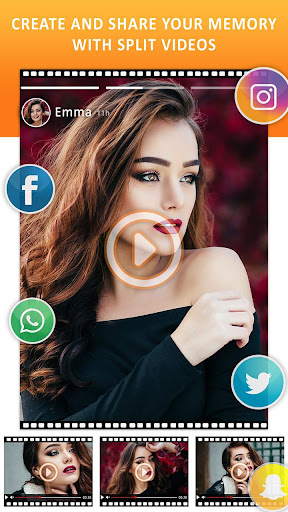
You don't need to use multiple apps to Split videos for updating your status. With Video Splitter you can split your videos and directly update status or post on Social Media.
Video Splitter allows you to do
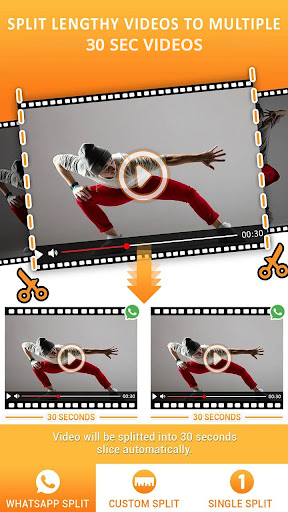
1. 30 Second Split
- Split your video into 30 seconds slice automatically.
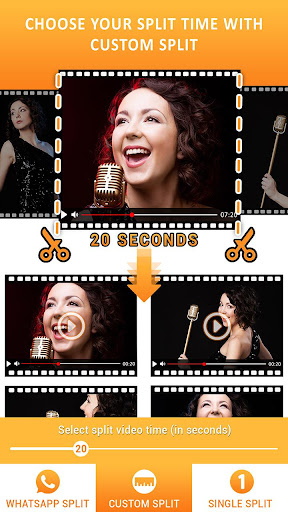
2. Custom Split
- Customize time duration of videos to be split.
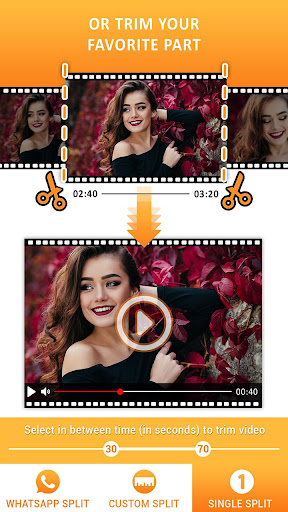
3. Single Split
- Select start & end time and cut your video.
Video Splitter works offline, so no data waste or needed by this app.
Split/trim videos for Social Media.
Video Splitter splits your videos with simple steps and save files to your phones memory(Gallery). Video Splitter/Slicer maintains the original quality of the video after processing.
Features:
★ One mobile application to update video status on all social media platforms.
★ Very useful when you need to share large video in social network in small parts.
★ 30 Second Split option Automatically split video into 30 second parts to post as status.
★ By Custom Split option You can split the videos to the length you need.
★ Option to set the duration manually.
★ Single Split option provides you awesome video status cutter.
★ Video Splitter provide to split video as same size that you want.
★ Split video store into file storage.
★ Trim your video right on your device
★ Split the video into any parts based on the duration you set for each part.
★ Preview the video result from the App directly.
★ No watermark in output.
★ Share single or multiple video directly from the App.
★ No time limit in 'Video Splitter'.
How to Use:
➤ Select Split Video Option.
➤ Select videos from custom gallery
➤ Choose option from Split Video page i.e. 30 Second Split, Custom Split, Single Split.
- 30 Second Split : This option split your video into 30 seconds slice automatically.
- Custom Split : Select time(in seconds) of video slice as you want.
- Single Split : Select in between time (in seconds) of video you want to trim.
➤ Save Split video
➤ Wait for complete process or choose "notify me When completed" option when process is running.
➤ "notify me When completed" option provides you to let do other things.
➤ Notification feature also shows you progress of your video processed. It will automatically notify you when splitting completed.
➤ Select single or multiple files to share on any social media networks.
If you struggle every time for splitting video while posting your videos to social media, then Video Splitter is the perfect app for you. It is very quick, easy app for sending BIG VIDEOS to Social Media Networks. TRY NOW!!!!
You don't need to use multiple apps to Split videos for updating your status. With Video Splitter you can split your videos and directly update status or post on Social Media.
Video Splitter allows you to do
1. 30 Second Split
- Split your video into 30 seconds slice automatically.
2. Custom Split
- Customize time duration of videos to be split.
3. Single Split
- Select start & end time and cut your video.
Video Splitter works offline, so no data waste or needed by this app.
Split/trim videos for Social Media.
Video Splitter splits your videos with simple steps and save files to your phones memory(Gallery). Video Splitter/Slicer maintains the original quality of the video after processing.
Features:
★ One mobile application to update video status on all social media platforms.
★ Very useful when you need to share large video in social network in small parts.
★ 30 Second Split option Automatically split video into 30 second parts to post as status.
★ By Custom Split option You can split the videos to the length you need.
★ Option to set the duration manually.
★ Single Split option provides you awesome video status cutter.
★ Video Splitter provide to split video as same size that you want.
★ Split video store into file storage.
★ Trim your video right on your device
★ Split the video into any parts based on the duration you set for each part.
★ Preview the video result from the App directly.
★ No watermark in output.
★ Share single or multiple video directly from the App.
★ No time limit in 'Video Splitter'.
How to Use:
➤ Select Split Video Option.
➤ Select videos from custom gallery
➤ Choose option from Split Video page i.e. 30 Second Split, Custom Split, Single Split.
- 30 Second Split : This option split your video into 30 seconds slice automatically.
- Custom Split : Select time(in seconds) of video slice as you want.
- Single Split : Select in between time (in seconds) of video you want to trim.
➤ Save Split video
➤ Wait for complete process or choose "notify me When completed" option when process is running.
➤ "notify me When completed" option provides you to let do other things.
➤ Notification feature also shows you progress of your video processed. It will automatically notify you when splitting completed.
➤ Select single or multiple files to share on any social media networks.
If you struggle every time for splitting video while posting your videos to social media, then Video Splitter is the perfect app for you. It is very quick, easy app for sending BIG VIDEOS to Social Media Networks. TRY NOW!!!!
Gameplay
Screenshot di Video Splitter

Vecchie versioni di Video Splitter

Raccomandazione dell'editore


App Simili a Video Splitter


App di photoshop mobile apps


Video Splitter FAQ
Come faccio a scaricare Video Splitter da PGYER APK HUB?
Il Video Splitter su PGYER APK HUB è gratuito?
Ho bisogno di un account per scaricare Video Splitter da PGYER APK HUB?
Come posso segnalare un problema con Video Splitter su PGYER APK HUB?
Hai trovato utile questo suggerimento?
Sì
No
Recensioni degli utenti
+ Recensioni
4.7
5
4
3
2
1
A
Alyssa
2025-02-12
15
0
I love using Video Splitter for all my video editing needs. The interface is user-friendly and the features are top-notch. Great job!
K
Katy
2025-02-12
25
0
If you’re looking for a reliable video splitting app, Video Splitter is the one. It’s fast, accurate, and very intuitive. I’m really impressed!
C
Claudia
2024-12-15
2
0
Video Splitter is the best app I’ve used for video editing. It’s packed with features and works flawlessly. I can’t recommend it enough!
Più popolare

X
X Corp.

Google Chrome
Google LLC

Telegram
Telegram FZ-LLC

YouTube
Google LLC

inDrive. Rides with fair fares
® SUOL INNOVATIONS LTD

Netflix
Netflix, Inc.

Downloader by AFTVnews
AFTVnews.com

Reddit
reddit Inc.

Chai: Chat AI Platform
Chai Research Corp.

Tubi: Movies & Live TV
Tubi TV

Vinted - Buy and sell clothes
Vinted

Life360: Live Location Sharing
Life360

EA SPORTS FC™ Mobile Soccer
ELECTRONIC ARTS

Roblox
Roblox Corporation

PUBG MOBILE LITE
Level Infinite

Free Fire MAX
Garena International I

Among Us
Innersloth LLC

Car Parking Multiplayer 2
olzhass

Block Blast!
Hungry Studio

Township
Playrix

Car Parking Multiplayer
olzhass

Super Bear Adventure
Earthkwak Games

MONOPOLY GO!
Scopely

Subway Surfers
SYBO Games