
Leaf Spy Pro for Android Review 2026: Essential Battery Insight for Nissan LEAF Owners

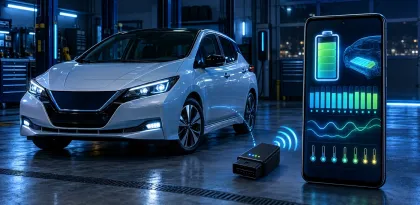

Leaf Spy Pro turns an Android phone and a compatible OBD-II adapter into a detailed diagnostic display for the Nissan LEAF. It exposes traction-battery information, cell-pair voltages, temperatures, state-of-charge data, energy estimates, charging history, tire-pressure readings on supported models, and diagnostic trouble codes that the car's normal dashboard does not show. For an informed owner, that visibility can be extremely valuable.
The app is not a magic battery test, an official Nissan product, or a substitute for trained service work. Its readings need context, compatible hardware matters, and the Pro edition includes controls that can change vehicle settings or clear diagnostic codes. Used carefully, Leaf Spy Pro can help monitor long-term battery behavior, compare used vehicles, investigate a warning light, and understand how temperature and driving affect range. Used carelessly, it can encourage false conclusions or erase useful fault evidence before a technician sees it.
In 2026, the Android version remains a specialized paid tool rather than a polished consumer dashboard. The interface is dense, the learning curve is real, and some functions apply only to particular model years. Yet few apps give LEAF owners this much direct insight. Our review explains what the numbers mean, what the app can and cannot establish, how to choose an adapter, and when to stop interpreting data and call a professional.

What You Need Before the App Works
Leaf Spy Pro does not connect to the car through ordinary internet services. It requires a physical OBD-II adapter plugged into the LEAF's diagnostic port and a compatible Android device. The adapter reads data from the vehicle and sends it to the phone, typically over Bluetooth or Bluetooth Low Energy.
Compatibility is the first hurdle. Products advertised generically as “ELM327” vary dramatically in hardware, firmware, power behavior, and command support. Cheap clones may connect to basic automotive apps yet fail with the LEAF data Leaf Spy expects. Others disconnect intermittently, report communication errors, or remain powered in a way that can draw from the car's 12-volt system.
The Google Play listing recommends a LELink Bluetooth Low Energy adapter and notes that approved BLE hardware can avoid traditional pairing while using less power. That recommendation should carry more weight than a random marketplace title claiming universal compatibility. Before purchasing, consult the app's current help documentation and choose a model specifically confirmed for the Android version and the target LEAF generation.
Installation is otherwise straightforward: connect the adapter to the OBD-II port, prepare the car in the state described by the manual, select the correct connection settings, and wait for communication. Owners should never obstruct pedals or driver movement with cables, and configuration should be completed while safely parked.
Battery State of Health: Useful, Not an Absolute Verdict
Many owners buy Leaf Spy for one number: state of health, commonly shown as SOH. It is an estimate of the traction battery's current usable capacity relative to a reference condition. A higher percentage generally suggests more remaining capacity; a lower figure generally aligns with reduced driving range.
SOH is valuable for tracking a vehicle over months and for comparing similar cars, but it should not be treated as a laboratory certificate. The battery-management system calculates values from operating history and current conditions. Temperature, recent charging behavior, balancing, software changes, and measurement updates can influence what is displayed. Small day-to-day movements are less meaningful than a sustained trend.
The app can also display amp-hour capacity, an internal health indicator, state of charge, and energy estimates. These metrics overlap but are not interchangeable. Dashboard state of charge is designed for drivers; Leaf Spy may expose a more technical value and additional reserve context. A displayed kilowatt-hour estimate is not necessarily identical to energy measured at the wall because charging losses and vehicle consumption sit elsewhere in the system.
For a used-car inspection, record the vehicle identification, odometer, battery temperature, charge level, SOH, amp-hours, quick-charge count, and Level 1/Level 2 charge count. Then combine those readings with a real road test, charging test, dashboard warnings, service records, physical inspection, and professional evaluation. A single attractive screenshot should never outweigh evidence of faults or neglect.

Cell-Pair Voltage Screen
One of Leaf Spy's most recognizable displays charts the voltage of each of the LEAF battery's 96 cell pairs. The screen can show minimum, average, and maximum values, highlight shunt activity, and calculate the spread between the highest and lowest readings. This offers a view of balance that the dashboard does not provide.
A small spread under stable conditions generally looks healthier than one pair consistently separating from the rest, but interpretation depends on context. Voltage differences can widen under heavy acceleration, low charge, cold conditions, or other loads. Measurements taken at different state-of-charge levels are not directly comparable. A snapshot taken immediately after charging can tell a different story from one recorded during a demanding drive.
Shunt indicators relate to the battery-management system's balancing activity. Their presence is not automatically proof of a defect. Likewise, one unusual bar does not by itself identify a replaceable physical cell or justify opening the high-voltage battery pack.
The best use is repeatable observation. Capture the chart under similar conditions and watch for persistent behavior. If one pair repeatedly becomes an outlier, the car shows isolation or battery warnings, range drops suddenly, or performance is limited, preserve the evidence and consult a qualified high-voltage technician. Do not attempt traction-battery repairs based only on an app graph.
Temperature and Charging History
Battery temperature strongly affects an electric vehicle. Very cold cells can limit power and charging speed; high temperatures accelerate stress and can trigger protective behavior. The number and placement of sensors differ across LEAF model years, and the app can display the available minimum, average, and maximum temperature readings.
Temperature data is particularly helpful before and after rapid charging. Repeated quick charges, sustained highway speeds, hot weather, and limited cooling time can raise pack temperature. Leaf Spy helps the driver observe that pattern instead of relying only on dashboard bars. It does not change the battery's thermal design or guarantee that another rapid charge is advisable.
Charge counters record quick-charge connections and Level 1/Level 2 connections. They provide history but require careful interpretation. A large number of short plug-in sessions may be gentler than a smaller number of deep cycles. The counters do not reveal every detail of charge power, temperature, duration, or state of charge. They are supporting clues, not a simple score.
Owners can use logs to connect behavior with conditions: temperature before charging, energy added, estimated range, route demands, and ambient weather. Over time, that record becomes more informative than an isolated count.
Range and Energy Estimates
Leaf Spy can calculate distance-to-empty using available energy and a selected efficiency assumption. This gives an owner more control than the dashboard's familiar estimate, sometimes nicknamed the “guess-o-meter.” If the driver knows a realistic miles-per-kWh or kilometers-per-kWh value for the route, the app can estimate remaining distance to selected energy thresholds.
The output is still an estimate. Speed, elevation, headwind, rain, cabin heating, air conditioning, tire pressure, payload, battery temperature, and driving style can change consumption quickly. A value calculated on city efficiency can be dangerously optimistic before a cold, fast motorway trip.
Use the range screen for planning, not for consuming every last unit of energy. Maintain a reserve, especially when chargers are sparse or weather is severe. Charger availability also needs independent confirmation; Leaf Spy monitors the car and does not guarantee that a destination charger is working or accessible.
An energy-use meter can help compare trips and teach efficient driving. Owners may discover how strongly heating affects an early LEAF, how tire pressure changes consumption, or how elevation dominates a short route. That education is more valuable than chasing one perfect predicted range number.

Tire Pressure and Other Vehicle Data
On supported LEAF model years, Leaf Spy can display individual tire pressures and identify their positions after registration. That is more informative than a generic low-pressure warning. The app may also show ambient temperature, odometer data, VIN, charging information, and values from several vehicle systems.
Tire readings do not replace a reliable physical pressure gauge. Sensor data can update slowly, positions can be wrong after rotation, and the pressure target should come from the vehicle's placard—not from a value found in a forum. Adjust tires when appropriate for the manufacturer's specified conditions.
The Pro edition can register tire positions after rotation or seasonal changes on compatible vehicles. This is a useful service feature, but model-year compatibility should be confirmed before making changes. If the result is unclear, a tire shop or dealer with the correct diagnostic equipment is safer than repeated experimentation.
Diagnostic Trouble Codes
Leaf Spy Pro can read diagnostic trouble codes from supported electronic control units. This is one of its most valuable features because a dashboard warning may represent several possible systems. A recorded code gives the owner and technician a better starting point.
A code is not the same thing as a diagnosis. It identifies a condition detected by a controller, not necessarily the failed part. Low 12-volt battery voltage, interrupted communication, previous repairs, or a temporary event can produce multiple codes. Replacing the component named in a search result can waste money and leave the actual cause unresolved.
The app can clear DTCs from selected ECUs. Clearing a code does not repair the condition, and it can erase evidence a technician needs. Before clearing anything, save screenshots or a report, note the circumstances, and understand why the code appeared. Safety-related, high-voltage, braking, restraint, or persistent faults deserve professional attention.
Leaf Spy also documents the ability to clear P3102 after a battery replacement. That is a specific service scenario, not permission to reset unfamiliar codes until warning lights disappear. If a fault immediately returns, the vehicle is reporting an unresolved problem.
Pro Service Functions: Powerful but Model-Specific
Beyond monitoring, the Pro edition can change certain automatic door lock and unlock behaviors, register tire positions, access service information, and control Vehicle Sound for Pedestrians settings on some older LEAF models. The Play listing explicitly says Nissan disabled the VSP-control function on 2018 and newer vehicles.
These features make the Pro edition more than a dashboard. They also increase the need for restraint. Menu availability does not guarantee that every action is appropriate for every car, country, or regulation. Pedestrian warning sounds exist for safety and may be legally required. Disabling or altering them can endanger others and may violate local rules.
Users should read the relevant manual section before any write operation, verify the model year, and record the original setting. Keep the vehicle parked and stable. If a screen describes a function as experimental, treat it that way. Monitoring carries relatively low risk; writing configuration or clearing service information is a different class of action.

Interface and Learning Curve
Leaf Spy Pro prioritizes information density over modern visual polish. Screens contain abbreviations, charts, units, status indicators, and small controls. Experienced owners appreciate seeing many values at once, but a new user can easily confuse state of health with state of charge or focus on a number without understanding its measurement conditions.
The built-in help is essential. The Google Play description explains how to request the Android PDF help file by email, while the Leaf Spy site also hosts documentation. Read the overview, connection instructions, screen definitions, and service warnings before drawing conclusions.
Once learned, navigation is efficient. Swiping between screens makes it possible to monitor battery, energy, vehicle, and service data during a structured check. Customization lets users emphasize the units and estimates relevant to them. The app feels designed by and for enthusiasts, which is both its strength and its accessibility problem.
Do not study dense diagnostic screens while driving. Set up logging or let a passenger observe. A phone display full of cell voltages is more distracting than a normal navigation instruction, and the data is rarely so urgent that it needs continuous driver attention.
Logging and Long-Term Tracking
Leaf Spy can record vehicle information to files, with optional location data depending on settings. Logs make trends visible: SOH movement, temperature exposure, energy use, cell balance, and charging behavior. For an owner keeping a LEAF for several years, consistent records can be more useful than any one reading.
Logging also creates privacy and data-management responsibilities. A file containing timestamps, routes, vehicle identification, and location can reveal sensitive travel patterns. Store logs securely, remove location data before sharing when it is not necessary, and inspect files before posting them publicly.
Use a consistent test routine for meaningful comparisons. Similar state of charge, battery temperature, route, and load produce more comparable results. Note app version, adapter, vehicle software changes, major repairs, and seasonal conditions. Otherwise, a graph may reflect a changed test rather than changed battery health.
Privacy, Offline Use, and Adapter Security
The current Google Play Data safety declaration says the developer reports no data collection and no sharing with third parties. That disclosure is encouraging, but users should still review the live listing because declarations can change. Optional logs and location information remain the user's responsibility even if they are stored locally.
The OBD adapter itself deserves security attention. Do not leave an unknown or poorly secured adapter connected indefinitely. A wireless diagnostic interface creates another path to the vehicle's networks, draws power, and may be discoverable by nearby devices. Unplug it when monitoring is complete unless the manufacturer and app documentation clearly support the intended long-term use.
Buy the adapter from a trustworthy seller, update it only through the manufacturer's official method, and avoid reused hardware of unknown origin. The cheapest part of a diagnostic setup should not become the least examined component.
Strengths
- Exposes detailed traction-battery information unavailable on the standard dashboard.
- Shows cell-pair voltages, temperature sensors, SOH, amp-hours, and charge counters.
- Provides configurable range and energy estimates.
- Reads diagnostic trouble codes from supported controllers.
- Adds useful Pro service functions for compatible model years.
- Supports logging for long-term trend analysis.
- Can be extremely valuable during a used-LEAF evaluation.
- Paid once rather than tied to an ongoing subscription.
Limitations and Risks
- Requires a separate, specifically compatible OBD-II adapter.
- Dense terminology and charts have a significant learning curve.
- Battery figures are estimates that need context, not absolute certification.
- Feature support varies across LEAF generations and regions.
- Clearing codes can erase diagnostic evidence without fixing a fault.
- Write functions can change vehicle behavior and should be used cautiously.
- Wireless adapters can create power and security concerns if left connected.
- The app cannot replace high-voltage training, Nissan service information, or professional inspection.

Who Should Buy Leaf Spy Pro?
Leaf Spy Pro is best for technically curious Nissan LEAF owners, used-EV shoppers, independent EV specialists, and enthusiasts who want to track battery behavior over time. The purchase can pay for itself by improving a used-car inspection or preventing an uninformed parts replacement, provided the user interprets the information responsibly.
It is less suitable for someone who only wants a prettier state-of-charge display, dislikes technical documentation, or expects the app to declare a battery “good” or “bad” automatically. Casual owners may be satisfied with the vehicle dashboard and scheduled professional inspections. People uncomfortable with service functions should restrict themselves to monitoring screens.
Final Verdict
Leaf Spy Pro for Android earns 8.8 out of 10. For the narrow audience it serves, the app provides exceptional value: detailed battery visibility, useful energy and temperature information, DTC access, logging, and model-specific service tools. It can transform LEAF ownership from guesswork into informed observation.
The score reflects a specialist tool, not a consumer-friendly one. Adapter compatibility is confusing, presentation is dense, and several numbers are easy to overinterpret. The ability to clear faults or change settings also demands more caution than an ordinary monitoring app.
Buy Leaf Spy Pro if you own or are seriously evaluating a Nissan LEAF and are willing to read the manual. Choose the recommended adapter, capture baseline data under repeatable conditions, protect your logs, and preserve DTC evidence. Most importantly, use the app to ask better questions—not to pretend that a phone and dongle replace a qualified high-voltage technician.


