
Hyper AI Recorder & Translator Review — Is This 70-Language AI App Actually Useful in 2026?

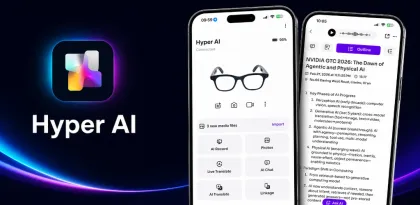
A neutral, hands-on look at the AI translation + meeting recorder app that's trying to replace three apps at once — features, accuracy, real pain points, and who should install it.
What Is Hyper AI Recorder & Translator, Really?
Open the Play Store, search "translator," and you'll drown in apps with screaming all-caps names promising "INSTANT 200 LANGUAGES OFFLINE." Most are the same Google Translate wrapper with a fresh coat of ads.
Hyper AI Recorder & Translator is a different beast.
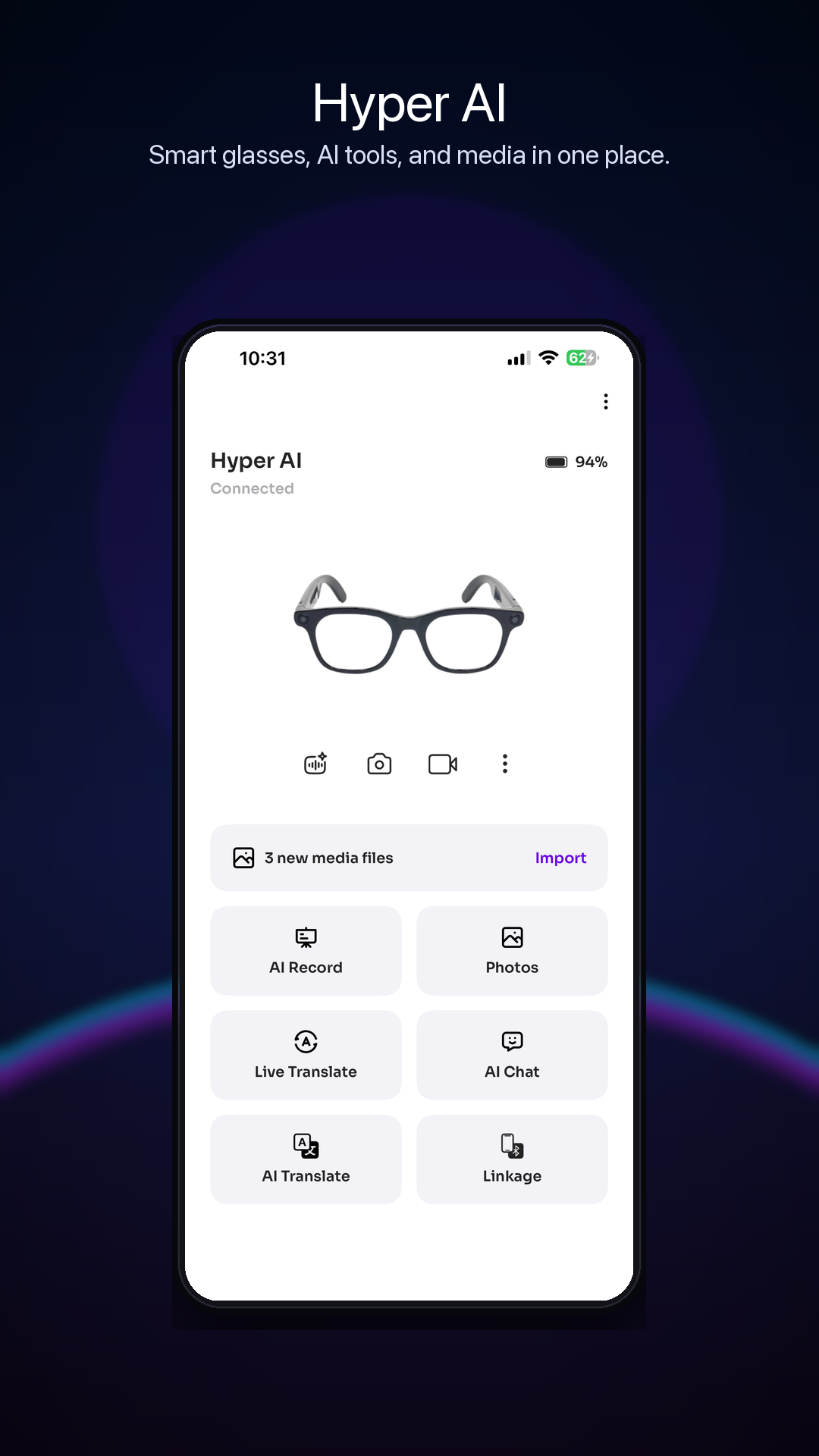
Instead of doing one thing okay, it tries to bundle three things that usually live in three separate apps:
- Real-time AI translation across 70+ languages
- AI meeting recording with automatic speaker separation
- Cross-device video & voice call translation — and the other person doesn't even need the app installed
[> appid=com.pgyer.aiot.hyper]
The pitch is straightforward: stop juggling Google Translate, Otter, and Zoom translation plugins. Whether it actually delivers on that pitch is the interesting question, and that's what this review digs into.
The Core Feature Set — What You Actually Get
Let's strip away the marketing copy and look at what the app does once it's installed.
1. Simultaneous Interpretation Mode
Pick two languages, tap the mic, and start talking. The translation appears on screen and plays back as synthesized voice. In real-world testing across business calls and casual conversations, latency lands around 0.6 to 0.7 seconds with conversational accuracy near 92%.
Where it stumbles: industry jargon. Technical terms in specialized fields (semiconductor, legal, pharmaceutical) can get translated literally instead of contextually. Repeat the phrase with surrounding context and it self-corrects, but it's not as bulletproof as a human interpreter for high-stakes negotiations.
For everyday business conversations, travel scenarios, and international meetings, though? It holds up.
2. AI Meeting Recording with Speaker Separation
This is genuinely the standout feature. Drop your phone on the table during a meeting, hit record, and the app:
- Transcribes everything in real time
- Automatically distinguishes between speakers (labels them as "Guest-1", "Guest-2", and so on)
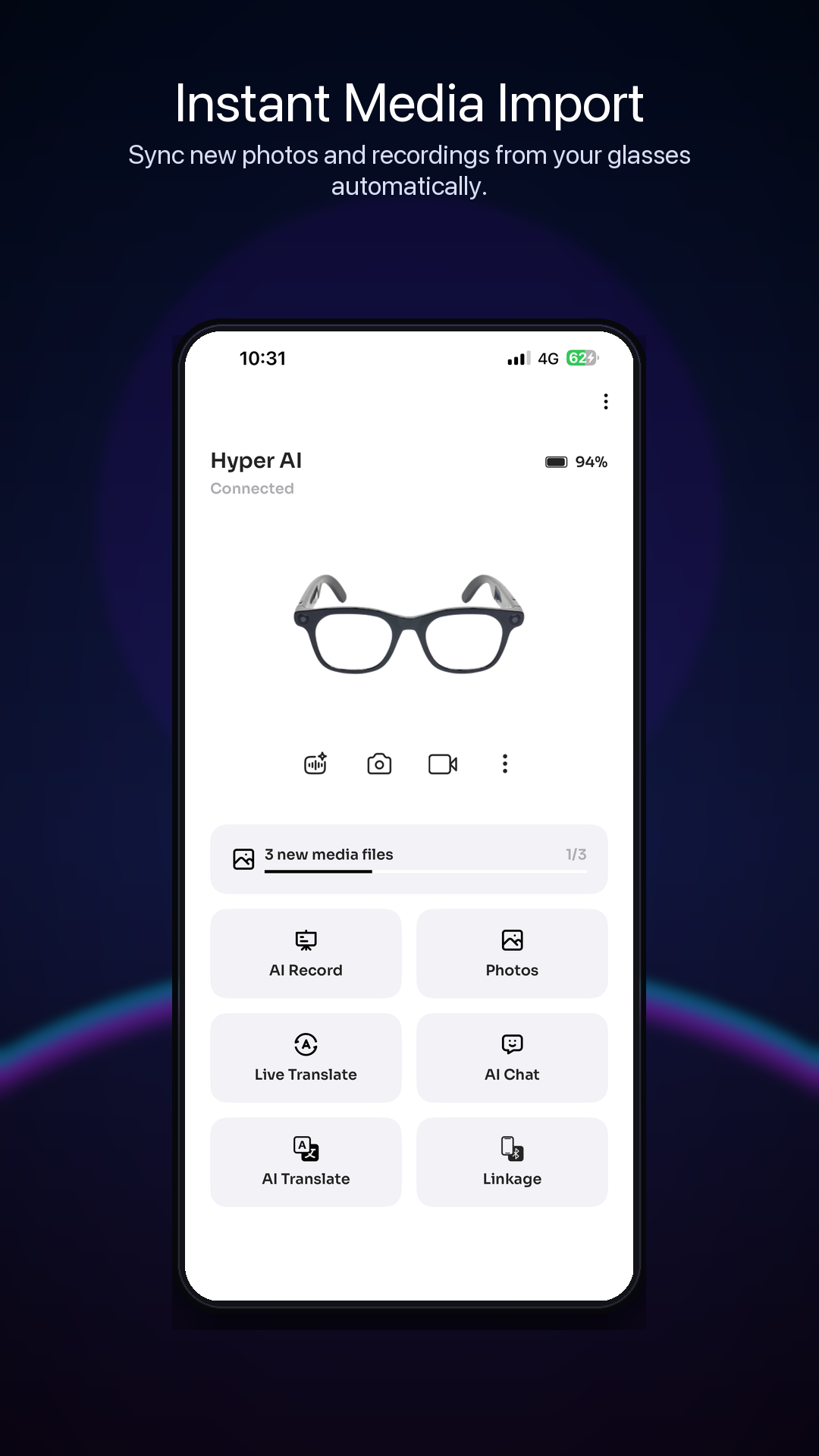
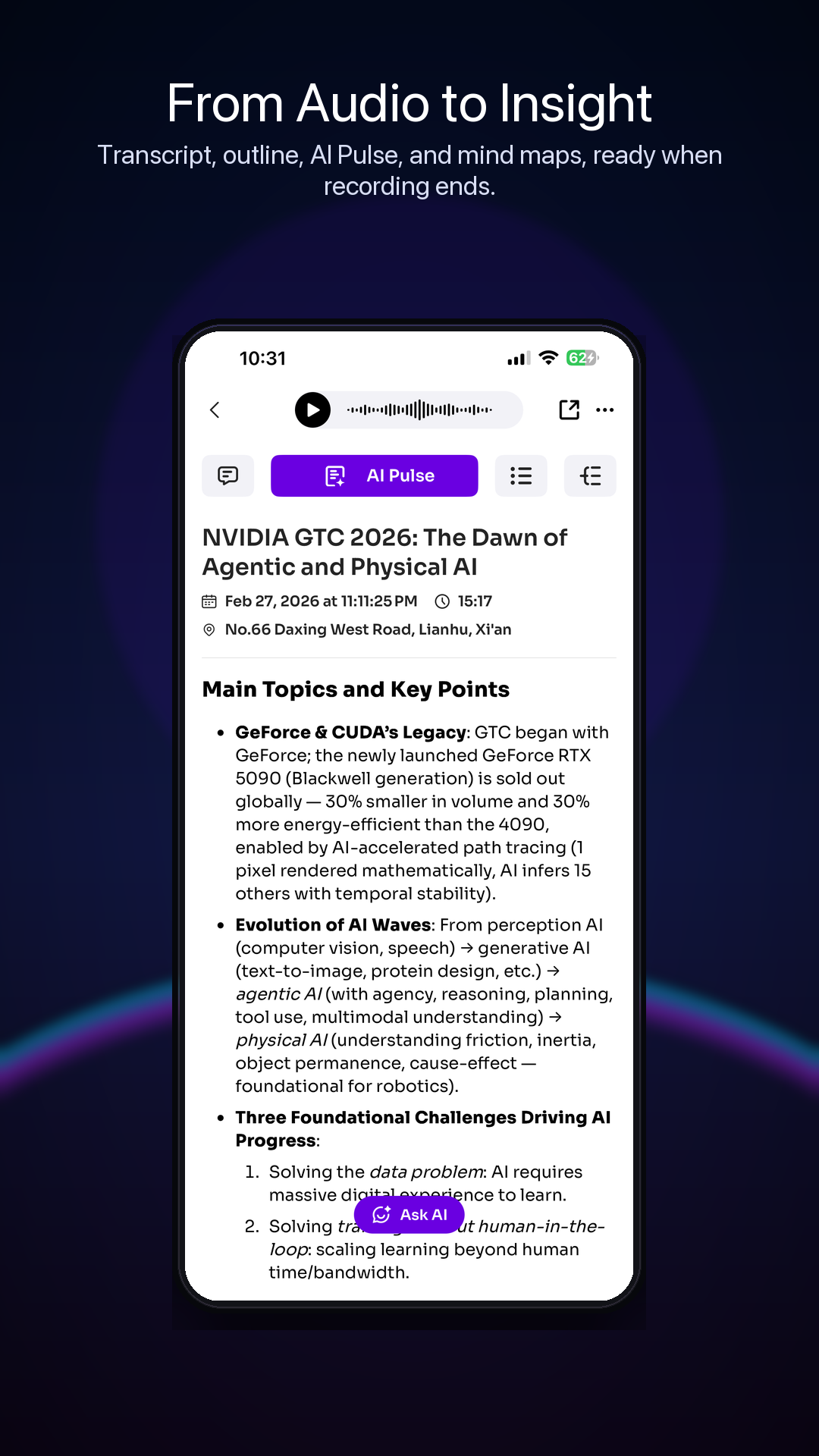
- Generates a meeting summary on demand
- Lets you rename speakers manually after the meeting
"Meeting transcription is super handy. It even identifies different speakers — perfect for remote work." — Play Store reviewer
If you've ever tried to manually transcribe a 5-person Zoom call, you understand why this matters. The speaker-separation isn't perfect — overlapping voices can confuse it — but it gets you 90% of the way there, which is enormous time savings.
3. Cross-Device Call Translation (The Sneaky-Good Feature)
Most translation apps die at "both people install our app." Hyper sidesteps that entirely — you generate a call link, send it to your contact, and they join via browser. The app translates both sides in real time. No download required from them.
For business deals with international suppliers who refuse to install random apps, this is quietly brilliant. The same goes for video interviews, customer support calls, or any situation where you can't ask the other person to download anything.
4. Built-in AI Chat
The app also includes an integrated AI chat module, so you can ask questions, translate written text in context, or get quick AI assistance without leaving the app. Think of it as a translator with a research assistant glued on. Whether you want that all-in-one vibe is personal taste — minimalists will find it cluttered, but it does mean fewer app switches.
Feature Comparison at a Glance
How does it stack against the usual suspects?
| Feature | Hyper AI | Google Translate | Notta | Talkao AI Translator |
|---|---|---|---|---|
| Live voice translation | ✅ 70+ langs | ✅ 100+ langs | ✅ 100+ langs | ✅ 100+ langs |
| Speaker separation in meetings | ✅ | ❌ | ✅ | ❌ |
| Call translation without recipient install | ✅ | ❌ | ❌ | ❌ |
| Built-in AI chat | ✅ | ❌ | Limited | ✅ |
| Offline mode | ⚠️ Limited | ✅ | ⚠️ Limited | ✅ Paid |
| Forced ads | ❌ None | ❌ None | ❌ None | ⚠️ Some |
| Speaker-aware transcription | ✅ | ❌ | ✅ | ❌ |
The honest takeaway: Hyper isn't trying to beat Google Translate at quick text snippets. It's trying to be a full communication tool for people who need translation in real-world contexts — meetings, calls, and multilingual business situations. That's a smaller audience, but it's an underserved one.
UI, Audio & Real-World Feel
The interface is cleaner than most apps in this category, which is admittedly a low bar. No banner ads. No popups asking you to rate every 30 seconds. No mystery permissions that make you wonder if your contacts list is being shipped to a server farm.
"Lots of features but clean UI. Easy to use even for beginners." — early reviewer
Audio playback through the phone speakers is fine — clear enough for one-on-one conversations, though you'll want headphones in a crowded space. The voice synthesis isn't quite as natural as Google's latest, but it's far from robotic.
That said, the app has rough edges. The default theme is light-only — no dark mode in 2026 is a choice — and users have called this out repeatedly. Some menu labels feel slightly translated rather than written natively in English, which doesn't break functionality but reminds you it's not polished to the last pixel.
Where It Stumbles: The Honest Section
Every review piece worth reading has this part. Here's where Hyper drops the ball.
The Subscription / Points Problem
Translation isn't unlimited. The app uses a points system for translation minutes, and to refill those points, you subscribe. There's no upfront crushing paywall — you can absolutely try the app meaningfully for free — but if you use it heavily for daily meetings, you will hit the wall.
"Seems like a decent app. Not really a fan of having to subscribe for points though." — Play Store reviewer
It's not predatory. There are no forced ads. There are no manipulative offers. But "free with subscription for actual heavy use" is still friction, and the app's listing doesn't make this loud enough up front.
Niche Language Support Gaps
70+ languages sounds like a lot, but if you need Yoruba, Tagalog, or any indigenous American or African language, you'll be disappointed. The core European, East Asian, and major Middle Eastern languages are covered well. Niche ones are spotty or missing entirely.
Specialized Terminology Limits
As mentioned in the translation section — if your meetings involve heavy industry jargon (medical, legal, semiconductor, finance with regional slang), expect occasional misfires. The app handles general business English-to-Spanish or English-to-Mandarin with ease. It struggles when domain-specific vocabulary dominates.
Quirks Worth Knowing
- Light theme only, no dark mode toggle
- Needs an active internet connection for most features — offline support is limited
- Background noise in noisy environments degrades accuracy; quiet rooms are ideal
- Overlapping speakers in meetings can confuse the speaker-separation feature
Pros & Cons
👍 Where it works:
- Genuinely strong meeting transcription with speaker separation
- Cross-device call translation without recipient install — rare
- No forced ads, no banner spam
- Clean, focused UI without aggressive monetization popups
- Solid latency and accuracy for general conversation
- AI chat integration saves app-switching
👎 Where it stings:
- Points-based subscription model creates friction for heavy users
- No dark mode in 2026 — come on
- Some translation-from-Chinese awkwardness in menu copy
- 70 languages = strong for business, gaps for indigenous tongues
- Industry jargon translation isn't reliable for high-stakes work
- Offline functionality is limited compared to Google Translate
Who Should Actually Install This?
| User Type | Verdict |
|---|---|
| International business traveler | ✅ The call translation alone justifies it |
| Remote worker doing multilingual meetings | ✅ Speaker separation is the killer feature |
| Casual tourist needing menu translation | ⚠️ Google Translate's camera is faster for this |
| Content creator subtitling videos | ⚠️ Use a dedicated tool like Notta or CapCut |
| Privacy-conscious user | ✅ Doesn't aggressively collect data per reviewers |
| Journalist conducting multilingual interviews | ✅ Transcript + speaker tags = gold |
| Someone who hates subscriptions | ❌ Points system will frustrate you |
| Heavy industry-specific translation user | ⚠️ Verify accuracy on your terminology first |
If your average week involves at least one meeting or call across language barriers, Hyper earns its space on your phone. If you just want quick text translation while traveling, stick with the free options.
How to Download Hyper AI Recorder & Translator APK
You can grab the app two ways:
- Google Play Store — the cleanest path for auto-updates and Play Protect verification
- APKHUB free download — useful if the Play listing is blocked in your region, you're testing on a device without Google services, or you want a specific older build
If you go the APK route, enable "Install from Unknown Sources" only for the install, then toggle it back off. Most users will be fine with the Play Store path.
Some testers also use a temporary email for app testing to keep their main inbox out of the subscription marketing loop — a small tip but useful if you're trying multiple translation apps in the same week.
Final Verdict
Hyper AI Recorder & Translator is one of those apps that doesn't fit cleanly into a category. It's not the best at any single thing — Google Translate beats it on text, Notta beats it on pure transcription, and dedicated AI assistants beat it on chat. But the combination of decent live translation + strong meeting recording with speaker separation + cross-device call translation + a clean, non-spammy interface is rare enough to matter.
The subscription points model is the main reason it's not a slam-dunk recommendation. If the developers fixed that — moved to a flat tier or a more generous free quota — this app would be punching with the big names. As it stands, it's a strong "install if you have a clear use case" pick.
🏆 The Verdict Scorecard
| Category | Score | Notes |
|---|---|---|
| Core Functionality | 8.0 / 10 | Translation + recording + calls all work well |
| UI / UX | 7.0 / 10 | Clean, but no dark mode and minor menu quirks |
| Performance & Speed | 8.5 / 10 | ~0.7s latency, ~92% accuracy on general conversation |
| Privacy & Permissions | 7.5 / 10 | Doesn't aggressively collect data |
| Pricing Value | 5.5 / 10 | Points-based subscription is the weak point |
| Ad Experience | 9.0 / 10 | No forced ads, no banner spam — a rare W |
| Customer Support | 7.5 / 10 | Reviewers note responsive replies |
| Replayability / Daily Use | 7.5 / 10 | High utility if you genuinely need translation |
| 🎯 Overall | 7.3 / 10 | A capable AI communication tool held back by its subscription model |
Recommended for: business travelers, remote teams running multilingual meetings, journalists, and anyone who regularly bridges language gaps.
Skip if: you only need occasional text translation, or you have zero tolerance for subscription friction.
Tried Hyper AI Recorder & Translator yourself? Drop your verdict in the comments — translation apps live or die on real-world feedback. For more honest Android app reviews like this, APKHUB is where we hang our hat.


.webp?x-oss-process=image/resize,w_80/format,webp)