
Graveyard Keeper Android Review 2026: A Brilliant Management Sim in an Aging Mobile Port

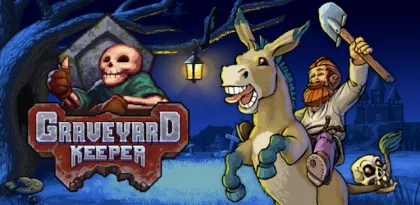

Graveyard Keeper begins with a wonderfully absurd proposition: after an unexplained accident, an ordinary man wakes in a medieval world and is told to manage its neglected cemetery. Getting home means restoring graves, dealing with a talking skull, helping eccentric villagers, conducting questionable autopsies, preaching sermons, growing crops, and gradually building an industrial network around the dead.
That mixture of cozy routine, dense production chains, and black comedy remains distinctive. Beneath the jokes is a substantial management RPG in which nearly every system feeds another. Better graves improve the cemetery, a better cemetery unlocks the church, sermons generate faith, faith supports research, research opens technologies, and those technologies create more efficient workshops. Progress is satisfying precisely because a chaotic collection of chores eventually becomes an organized machine.
The Android edition, however, needs a major warning in 2026. Google Play still lists the game as a premium purchase with optional in-app purchases, but the store page shows its last update as July 15, 2019. Its visible rating is only 2.8 stars, and the listing contains reports of crashes and launch failures. Graveyard Keeper is still an excellent game; this specific mobile port is old enough that compatibility should be checked before buying.
This review separates the quality of the underlying game from the reliability of the Android release. It covers progression, cemetery work, crafting, quests, touch controls, performance, DLC, and the precautions modern phone owners should take.
A Management Game That Refuses to Stay in One Genre
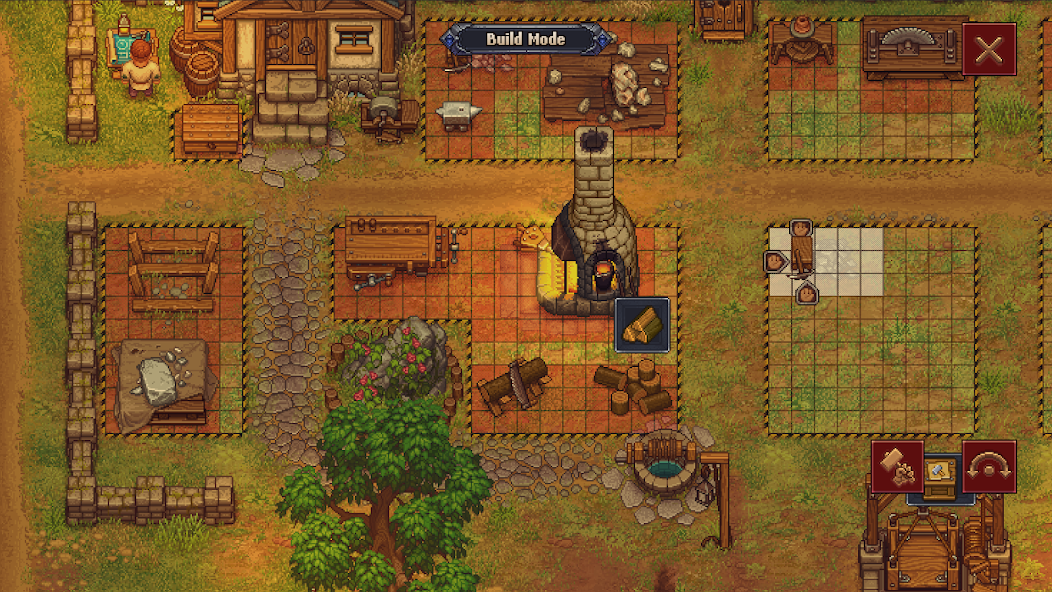
Calling Graveyard Keeper a cemetery simulator is accurate but incomplete. The graveyard provides the initial objective, yet the game quickly expands into farming, cooking, blacksmithing, woodworking, theology, alchemy, trading, exploration, fishing, combat, and relationship-driven quests. It feels less like running one business than rebuilding a small economy by hand.
Most days begin with a practical plan. Perhaps the cemetery needs two repaired fences and a new headstone. Making those items requires wood and stone, so the player heads into the forest, gathers materials, returns to the workyard, converts logs into billets or planks, and uses the finished components at another station. A corpse may arrive halfway through the process, forcing an immediate decision before decomposition reduces its value. Then an important NPC appears only on one day of the weekly cycle, changing the priority again.
This structure also explains why the game can feel grindy. Travel is slow at first, energy limits continuous work, and essential recipes may be hidden behind several technology branches. Players who want a clear sequence of missions may find the constant detours frustrating. Players who enjoy making lists, optimizing routes, and turning scarcity into infrastructure will probably lose entire evenings to it.
Cemetery Work Is More Strategic Than It Looks
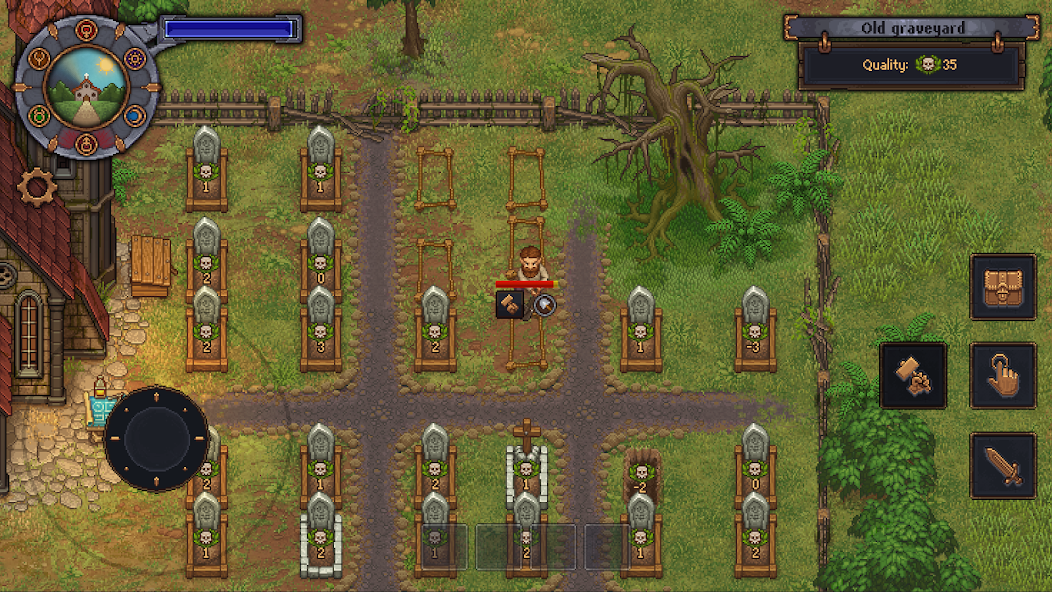
The graveyard is not a simple decoration score. Each body arrives with skull ratings representing the potential quality of its grave. Autopsy choices can remove or alter parts, sometimes improving the body and sometimes making it worse. Burial quality then depends on both the corpse and the grave decorations placed above it.
This creates a compact puzzle around limited knowledge. At first, the keeper does not fully understand how every organ affects a body. Experimentation can damage valuable corpses, while caution slows progress. Later technologies provide greater control, transforming a grotesque guessing game into a production discipline.
There is also an intentionally uncomfortable economic question: not every body needs to be buried. Cremation can avoid a bad grave, produce useful resources, and still provide the paperwork needed for payment. Other uses for body parts fit the game's bleak satire of efficiency. Graveyard Keeper repeatedly asks what a rational manager would do when morality becomes another cost in a spreadsheet.
The humor works because the pixel art remains colorful and the writing rarely treats its horrors realistically. The game is macabre rather than terrifying. Even so, organ removal, corpses, blood, witch-burning jokes, alcohol, and fantasy violence make it unsuitable for younger players who expect a harmless farming game. Google Play rates it Teen and lists fantasy violence, mild blood, mild language, and alcohol references.
Crafting Chains Deliver the Best and Worst Moments
Graveyard Keeper's crafting system rewards planning. Raw materials become intermediate parts, those parts become stations or finished goods, and improved tools make the entire loop faster. Red, green, and blue technology points unlock different areas of development. Physical work tends to generate red points, interacting with nature produces green, and studying or performing more intellectual tasks supplies the comparatively scarce blue points.
The elegance comes from overlap. A better church is not isolated from the workshop: it can improve sermons, which produce faith, which enables study, which generates knowledge needed elsewhere. Farming provides ingredients for food and energy. Mining supports tools and grave decorations. Alchemy can serve quests and production. The player is always building bridges between systems.
The weakness is poor explanation. The technology tree shows possibilities without always making prerequisites or practical uses obvious. An item needed for a quest may require a station that requires another technology, which itself depends on points the player does not yet know how to earn efficiently. Inventory descriptions are terse, and the game expects experimentation or outside reference material.
This opacity was more acceptable when the game had an active community discovering its systems together. In 2026, a new Android player should be comfortable consulting a wiki or taking notes. Avoid following a complete efficiency guide from the first hour, because discovery is part of the appeal, but look up a blocked recipe before wasting several in-game weeks.
Quests Run on a Weekly Clock
The village's major characters appear according to symbols on a six-day cycle rather than conventional weekday names. The bishop visits on one day, the inquisitor on another, and other figures follow their own schedules. Missing someone often means waiting through the entire cycle.
That schedule gives the world structure, but it can also turn a forgotten item into dead time. A quest may require delivering an object to a character who has already left, while another quest remains blocked by the first. The game rarely pushes the player toward a single critical path, so advancement depends on remembering who needs what and when they will return.
Use the calendar-like wheel near the interface and maintain a short task list. Before sleeping, check whether tomorrow's visitor requires an item that can be crafted immediately. When traveling to town, combine trading, dialogue, and resource collection instead of making a separate journey for each objective.
The main story is long and deliberately tangled. This is not a management sandbox that can be “completed” after upgrading the central property. Expect dozens of hours, layered quest lines, and periods when progress seems to stall because one missing technology or conversation connects several objectives.
Energy, Time, and Travel Shape Every Decision
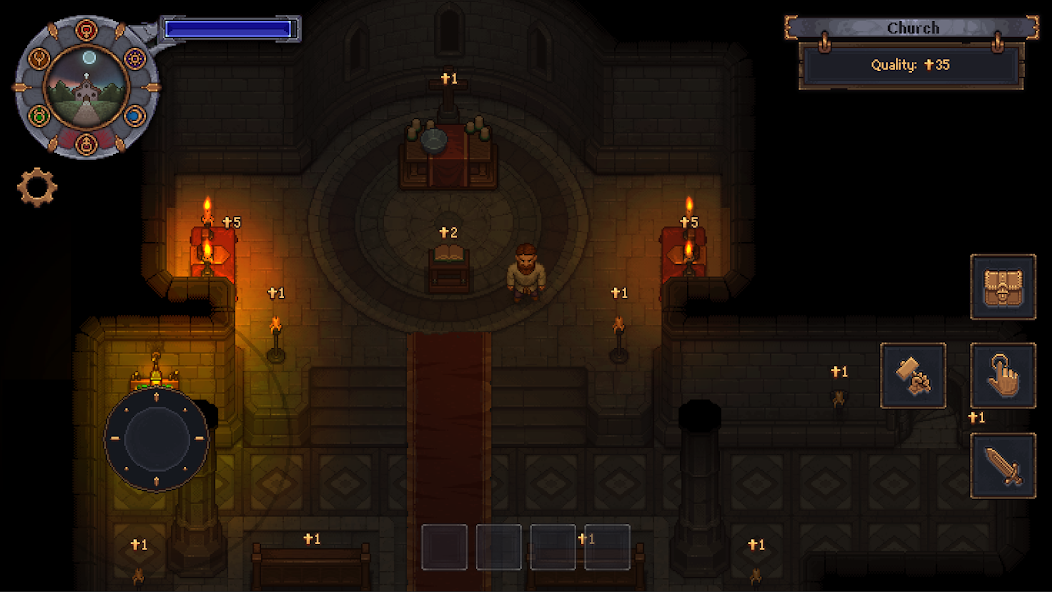
Most manual actions consume energy. Food restores it, while sleeping refills the bar and saves progress. Unlike many farming games, Graveyard Keeper does not force the day to end at a fixed hour. The player can work through the night, sleep briefly, or operate on an eccentric schedule.
That freedom reduces pressure but does not eliminate time management. Bodies decay, NPCs rotate, crops grow, and energy still determines how much work can be completed without preparation. Cooking reliable food turns a restrictive early game into a much more flexible one.
Travel is the greater long-term irritation. Important locations sit far apart, and the keeper's base contains multiple work zones separated by loading transitions or walking routes. Shortcuts and teleportation options eventually help, but early quests involve a great deal of backtracking.
On a phone, repetitive travel feels more noticeable because a portable session is often short. Ten minutes spent organizing materials can be satisfying; ten minutes spent walking between forgotten objectives is not. Graveyard Keeper works best on mobile when the player enters each session with a compact goal rather than attempting to improvise across every open quest.
Touch Controls Are Functional, Not Effortless
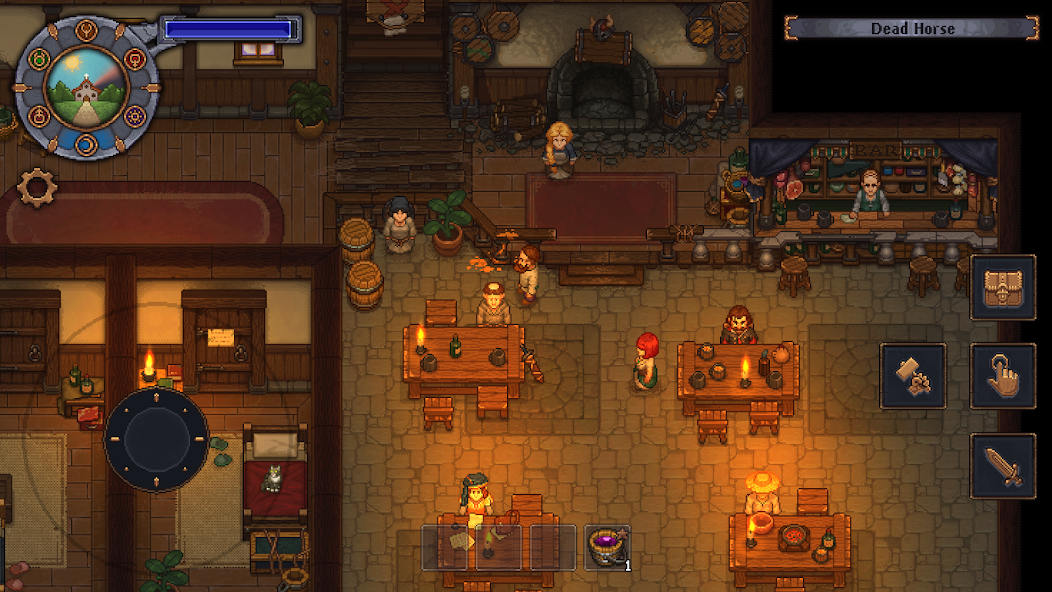
The Android port translates a game designed around controllers and keyboards onto a touchscreen. A virtual movement control handles navigation, while contextual buttons support actions and menus. Basic gathering and crafting are easy to understand, and the slow pace means the experience does not demand constant precision.
The problems appear when interaction points are close together or interface elements become dense. Selecting the intended station, grave, container, or object can take an extra adjustment. Inventory management involves many small icons, and longer sessions cover part of the attractive pixel-art world with fingers and controls.
A larger phone or tablet is preferable. On a compact display, text and item symbols may require uncomfortable attention, especially when comparing recipes. The game supports offline single-player play according to its current Google Play tags, which is valuable for travel, but a long management session still feels more natural on a larger screen with physical controls on another platform.
Autosave expectations also need care. Sleeping is central to saving, and old store reviews describe crashes around that process on some devices. Save through normal in-game routines frequently and confirm that progress resumes correctly before investing in a long session. The Google Play page does not prominently promise cloud synchronization, so do not assume a reinstall or device change will restore the save.
The Android Port's Age Is the Deciding Issue
The live Google Play page shows more than 50,000 downloads, approximately 6,410 total reviews, a 2.8-star headline rating, and a US price of $9.99 when checked. Pricing, availability, ratings, and tax vary by account and region, so the purchase screen is the final authority.
More important, the listing says the Android build was last updated on July 15, 2019. Its “What's new” notes mention optimized memory use and fixes for crashes on low-memory devices, but there is no visible evidence on that page of subsequent Android maintenance. Seven years is a very long gap across Android platform changes.
Google Play compatibility is device-specific. A listing visible in a browser does not guarantee that the store will allow installation on a particular phone. New Android releases may warn that an app was designed for an older version, hide it from search, or prevent installation entirely. Even when installation succeeds, launch, saving, audio, scaling, or background behavior may vary.
The low rating should therefore be taken seriously. Visible user reviews mention freezing, crashes, and failure to reopen the game on devices ranging from older Galaxy hardware to a Pixel 6. Individual reviews do not prove that every phone will fail, but they align with the objective fact that the release has not been updated since 2019.
tinyBuild's official support page offers an unusual Android launch workaround: if the game fails to start, decline all permissions and run it again. That advice is worth trying because it comes from the publisher, but it is not a substitute for a maintained build. If the title remains incompatible, use Google Play's official refund process where eligible rather than downloading a modified APK from an unknown site.
Before buying, open the listing from the intended device, read recent reviews filtered for a similar model, confirm the install button is available, and check the refund rules for the account's region. After installing, test launch, sleep/save, loading, touch scaling, and audio promptly. These checks matter more than benchmark specifications: the official support page merely lists Android 4.1 and up, an old minimum that says little about current compatibility.
Mobile Content May Not Match PC and Console
Graveyard Keeper received expansions after the original release, and current videos or wikis may describe content that is not included in the Android version. The Play page declares in-app purchases but does not present the mobile edition as a complete bundle containing every later expansion.
The Android release is associated with the early Breaking Dead content, which introduces zombie workers and automation. Zombies can reduce repetitive labor by handling certain resource and production tasks, making them a meaningful improvement for a grind-heavy game. Availability and purchase presentation can depend on the live store build.
Later expansions released for maintained PC and console editions should not be assumed to exist on Android. This distinction affects more than optional stories: guides may reference characters, mechanics, locations, and quality-of-life features unavailable on the phone version. Check the in-game store and Google Play description before paying, and use mobile-specific guides when possible.
Visuals and Audio Suit Portable Play
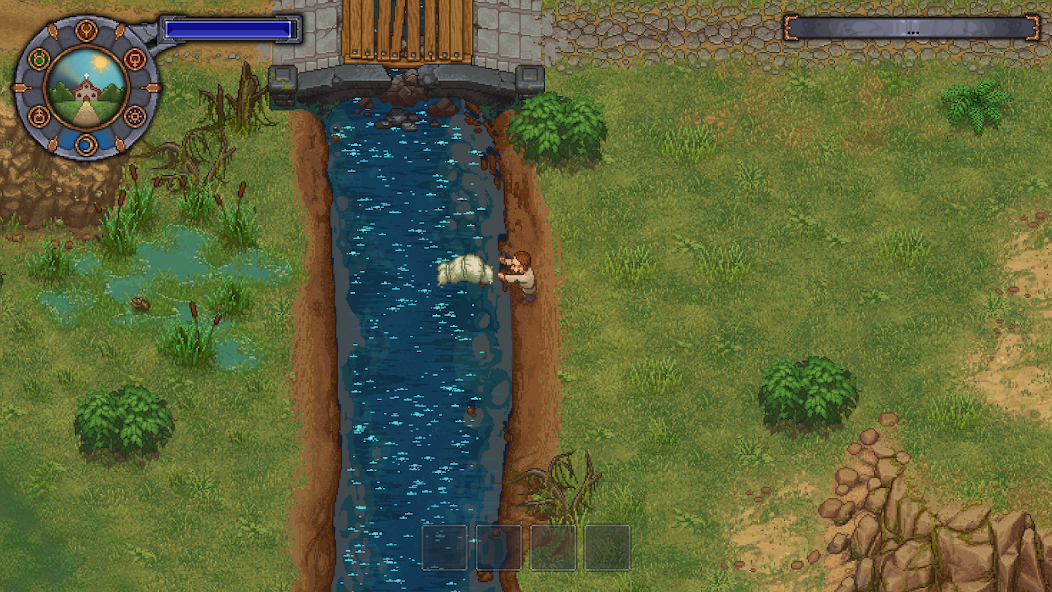
The detailed pixel art is one of the game's enduring strengths. Weather, lighting, cluttered workshops, grave decorations, forests, farms, and underground spaces make the world feel handmade. Characters are readable at a glance, while small environmental animations keep repetitive work visually pleasant.
The cheerful presentation contrasts effectively with the subject matter. A bright afternoon can involve repairing a church garden and preparing a corpse within minutes, and the game treats both as ordinary labor. That contradiction supports its satire better than a grim realistic style would.
Performance is harder to generalize. The graphics are not technically demanding by modern standards, yet software compatibility and memory behavior can matter more than visual complexity. Closing heavy background apps may help an older device, but a powerful new processor cannot guarantee that a 2019 build behaves correctly on a much newer Android release.
Practical Advice for a Better First Playthrough
Begin by following the early objectives closely enough to unlock essential facilities, then slow down and organize. Repairing everything immediately wastes energy and materials. Improve the cemetery toward the next required quality threshold, build storage where resources are used, and invest in food production before attempting long work sessions.
Treat blue technology points as valuable. Study appropriate items when the system becomes available and avoid unlocking advanced recipes simply because they look interesting. A technology is most useful when it removes a current bottleneck.
Keep a note for scheduled NPCs and quest items. The game does not punish missing a day permanently, but repeated full-cycle waits create unnecessary frustration. Carry basic tools, food, and a teleport option when available, while leaving inventory space for gathered resources.
Do not try to maximize every corpse early. The autopsy system becomes easier with knowledge and technologies. Cremation is often better than preserving a badly prepared body that lowers the cemetery's quality. Likewise, do not expand production faster than storage and energy can support it.
For Android specifically, test stability before optimizing anything. Complete the opening, sleep, quit normally, reopen the game, and confirm the save. Avoid force-closing during a save or loading transition. Keep the official purchase associated with the correct Google account, and never grant unrelated permissions merely because an unofficial guide requests them.
Who Should Buy It?
Graveyard Keeper suits players who enjoy interconnected crafting, long-term optimization, dark humor, and progression that must be discovered rather than explained. Fans of farming and workshop games may appreciate it, provided they accept that the cemetery theme is more than cosmetic and that quests often interrupt the ideal production plan.
It is a poor fit for players who dislike backtracking, time-gated NPC schedules, vague objectives, inventory management, or consulting external references. It is also difficult to recommend as an Android purchase without checking the intended device first. Someone with access to a maintained PC or console version may receive broader content, better input, and fewer compatibility questions there.
For an Android device that the store identifies as compatible—and only after a prompt launch-and-save test—the mobile edition can still provide an unusually deep offline management game. Portability complements its short gathering and crafting loops. The danger is paying for the promise of that experience and discovering that an aging build cannot deliver it reliably.
Verdict
Graveyard Keeper itself remains clever, funny, and compulsively interconnected. Cemetery quality, corpse preparation, technology points, sermons, farming, alchemy, crafting, and quests form a progression web that few mobile management games attempt. Its slow opening and poor explanations can frustrate, but turning the disordered property into an efficient enterprise is deeply rewarding.
The Android port is much harder to praise in 2026. A last update in July 2019, a 2.8-star Play rating, old crash reports, uncertain support for modern Android releases, and incomplete parity with later PC and console content all reduce confidence. The official “decline all permissions” launch workaround underlines how unusual the situation is.
Buy only if Google Play offers the title to the exact device, recent device-specific feedback is acceptable, and the game can be tested immediately within applicable refund terms. Otherwise, choose a currently maintained platform. The underlying classic deserves an audience; the aging mobile port no longer deserves an unconditional recommendation.
Rating: 7.2/10 for the game, 5.0/10 for the Android port in 2026
Reviewed using the Android store listing and official game and publisher information available in October 2026. Price, compatibility, ratings, purchases, and content availability can change by device and region.


