

Fully Exam Kiosk
평점
Jul 02, 2024최신 업데이트
1.6.2버전
Fully Exam Kiosk 정보
STUDENTS! Fully Exam Kiosk shows you the exam website as configured and provided by your teacher. If the exam website is slow, overloaded, buggy or has a bad user experience please complain at your teacher. This is completely out of control of this app or its makers.
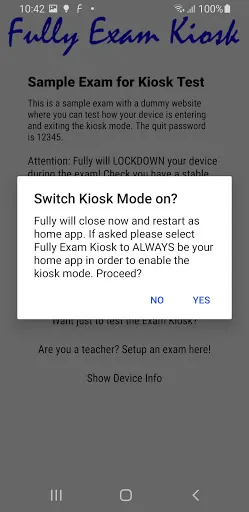
STUDENTS! The exam website can require your login. Please have your credentials at hand. When the kiosk mode is started you won't be able to access other apps in your device.
If you encounter any issues please send a screenshot with short description to info@fully-kiosk.com
Fully Exam Kiosk is a safe exam browser to use with your Online Learning Management System (LMS) to lock down the Android device during the exam. With our exam browser students can only use the configured quiz website and features, but can't use other websites, apps or other device features. To use with your school's devices or students can bring their own Android devices (BYOD).
INFORMATION FOR STUDENTS
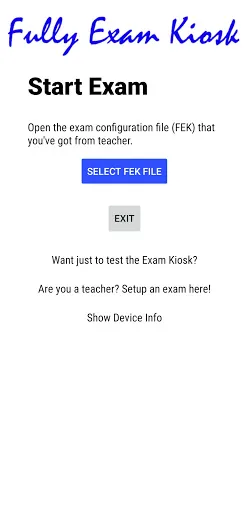
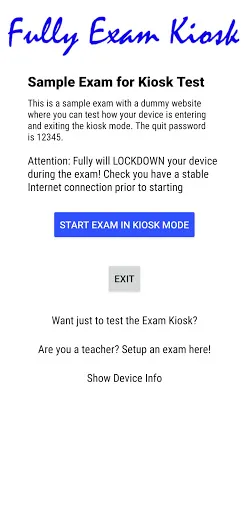
Students have to get an FEK exam file or link from the teacher. You can easily open the FEK file/link in the Fully Exam Kiosk and start the exam in the safe kiosk mode. When asked please grant the show on top and usage data access permissions needed for the safe kiosk mode.
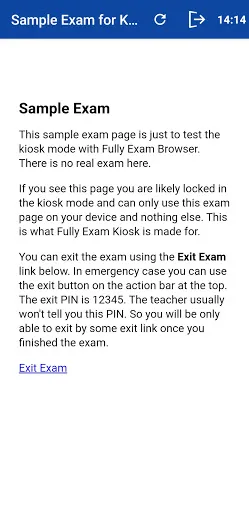
The kiosk mode will be stopped by:
* Configured Quit Link - you should find a button at the end of the exam
* Quit button with password - for emergency kiosk unlock by the teacher
* Device Reboot
Please update the Android Webview on your device for the best browsing experience if asked. Sometimes this app uses the Device Administrator permission for activating certain features. Administration permission must be withdrawn before the app can be uninstalled if granted.
INFORMATION FOR TEACHERS
Fully Exam Kiosk browser supports safe exams with all learning management systems (LMS) that support Safe Exam Browser (SEB) including Moodle. You can use Fully Exam Kiosk as replacement of Safe Exam Browser for Android.
Teachers Quick Howto for Moodle:
* Create a Quiz in Moodle
* Enable Require the use Safe Exam Browser - Configure Manually in quiz settings
* Configure and save the quiz in Moodle
* Download configuration file (.seb) from Moodle
* Import .seb file at https://exam.fully-kiosk.com/
* Configure exam and get the .fek file or permalink
* Test yourself and give .fek file/link to your students
Teachers Quick Howto for other SEB compliant LMS:
* Create a New Exam Configuration at https://exam.fully-kiosk.com/
* Configure exam and get .fek file or permalink
* Copy the Browser Exam Key and put it to your LMS exam config
* Test yourself and give .fek file/link to your students
You can also use Fully Exam Kiosk with any other exam website. Important: You have to keep your exam URL secret, otherwise your students will just open that URL in another browser.
Teachers Quick Howto for other LMS:
* Create a New Exam Configuration at https://exam.fully-kiosk.com
* Configure exam and get .fek file or permalink
* Test yourself and give .fek file/link to your students
Enjoy! Your feedback on our Exam Kiosk Browser is very welcome at info@fully-kiosk.com
STUDENTS! The exam website can require your login. Please have your credentials at hand. When the kiosk mode is started you won't be able to access other apps in your device.
If you encounter any issues please send a screenshot with short description to info@fully-kiosk.com
Fully Exam Kiosk is a safe exam browser to use with your Online Learning Management System (LMS) to lock down the Android device during the exam. With our exam browser students can only use the configured quiz website and features, but can't use other websites, apps or other device features. To use with your school's devices or students can bring their own Android devices (BYOD).
INFORMATION FOR STUDENTS
Students have to get an FEK exam file or link from the teacher. You can easily open the FEK file/link in the Fully Exam Kiosk and start the exam in the safe kiosk mode. When asked please grant the show on top and usage data access permissions needed for the safe kiosk mode.
The kiosk mode will be stopped by:
* Configured Quit Link - you should find a button at the end of the exam
* Quit button with password - for emergency kiosk unlock by the teacher
* Device Reboot
Please update the Android Webview on your device for the best browsing experience if asked. Sometimes this app uses the Device Administrator permission for activating certain features. Administration permission must be withdrawn before the app can be uninstalled if granted.
INFORMATION FOR TEACHERS
Fully Exam Kiosk browser supports safe exams with all learning management systems (LMS) that support Safe Exam Browser (SEB) including Moodle. You can use Fully Exam Kiosk as replacement of Safe Exam Browser for Android.
Teachers Quick Howto for Moodle:
* Create a Quiz in Moodle
* Enable Require the use Safe Exam Browser - Configure Manually in quiz settings
* Configure and save the quiz in Moodle
* Download configuration file (.seb) from Moodle
* Import .seb file at https://exam.fully-kiosk.com/
* Configure exam and get the .fek file or permalink
* Test yourself and give .fek file/link to your students
Teachers Quick Howto for other SEB compliant LMS:
* Create a New Exam Configuration at https://exam.fully-kiosk.com/
* Configure exam and get .fek file or permalink
* Copy the Browser Exam Key and put it to your LMS exam config
* Test yourself and give .fek file/link to your students
You can also use Fully Exam Kiosk with any other exam website. Important: You have to keep your exam URL secret, otherwise your students will just open that URL in another browser.
Teachers Quick Howto for other LMS:
* Create a New Exam Configuration at https://exam.fully-kiosk.com
* Configure exam and get .fek file or permalink
* Test yourself and give .fek file/link to your students
Enjoy! Your feedback on our Exam Kiosk Browser is very welcome at info@fully-kiosk.com
게임 플레이 방법
Fully Exam Kiosk 스크린샷
Fully Exam Kiosk의 이전 버전





에디터의 추천


Fully Exam Kiosk와 비슷한 앱


Fully Factory Kiosk Solutions 제작 앱
사용자 리뷰
+ 리뷰
4.7
5
4
3
2
1
K
Katherine
2024-12-23
17
0
Fully Exam Kiosk is a game-changer in the educational sector. Its reliability and efficiency have made our exam sessions more productive and less stressful.
S
Spark
2024-12-17
12
0
The developers of Fully Exam Kiosk have done an exceptional job. The app is intuitive, secure, and highly effective for managing exams.
G
Glen
2025-01-04
29
0
Fully Exam Kiosk is a top-notch app that has significantly improved our exam procedures. Its features are well-designed and cater to all our needs.
가장 인기 있는

Hole.io
VOODOO

Super Mario Odyssey
Super Mario Odyssey APK - Explore the World Like Never Before!
Embark on an exhilarating adventure w

Plague Inc.
Ndemic Creations

StarMaker: Sing Karaoke Songs
SKYWORK AI PTE. LTD.

Poppo Live
Poppo Team

CookieRun: OvenBreak
Devsisters Corporation

Netflix
Netflix, Inc.

TikTok
TikTok Pte. Ltd.

Legend of Solgard
Snowprint Studios AB

X
X Corp.

Clash Royale
Supercell

Tips Dream League Soccer 2017
amorphisnguyen

Relic Bag: Shadow Hunter
Fansipan Limited

PUBG MOBILE
Level Infinite

Pure Sniper: Gun Shooter Games
Miniclip.com

War Thunder Mobile
GAIJIN NETWORK LTD

Off Road 4x4 Driving Simulator
Azur Interactive Games Limited

Call of Duty: Warzone Mobile
Activision Publishing, Inc.

GunboundM
DargomStudio

Car Parking Multiplayer 2
olzhass

Talking Pierre the Parrot
Outfit7 Limited

Red Dead redemption 2 Mobile
Tarik EL hamdi

Shadow Fight 2 Special Edition
NEKKI

Reddit
reddit Inc.