

One Hand Operation +
Penilaian
Aug 15, 2024Kemas kini terkini
4.1.21.0Versi
Tentang One Hand Operation +
With this app you can easily use your device with your thumb gesture.
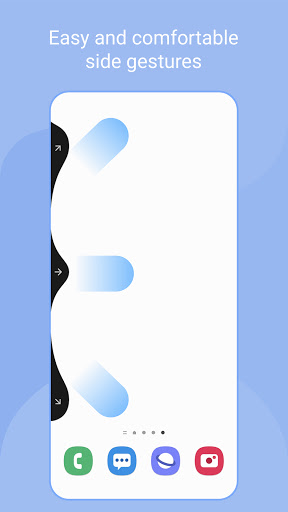
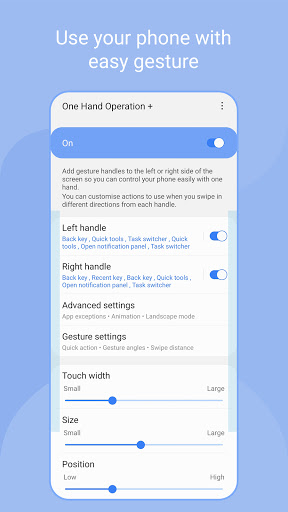
When the feature is set, a thin gesture handle is added to the left/right side of the screen.
Swipe this handle to execute the defined functions. The default function is the most frequently used back button.
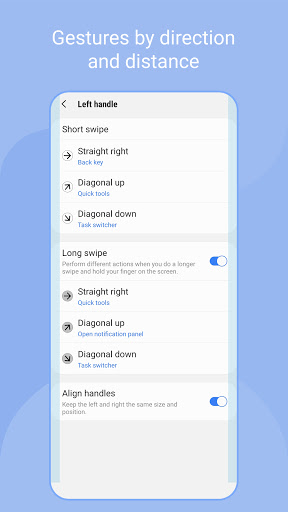
You can set various functions for horizontal/diagonal up/down diagonal gestures.
Once you get used to using short swipe gestures, you can set more features for long swipe gestures.
Depending on the size of your hand, the thickness of your thumb, or the shape of the bumper case you are using, different handle settings are provided to optimize gesture recognition.
The handle receives the user's touch event on top of the running app. It can interfere with running applications. Therefore, it is recommended to set the handle as thin as possible for gesture recognition.
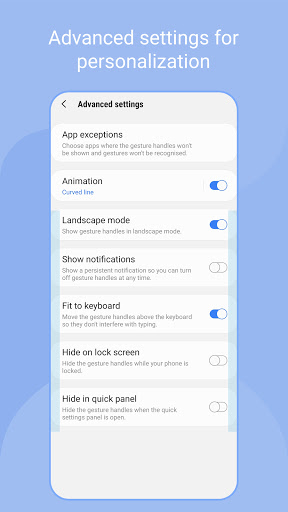
If the touch interference is severe with running application such as game, you can set [App exceptions] in [Advanced Settings], then the gesture handles will not work when the app is running.
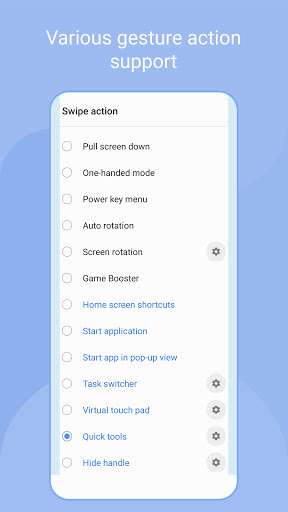
Currently available functions are as follows, and we plan to provide additional function upgrades.
- Back key
- Home key
- Recent key
- Menu key
- Apps screen
- Previous app
- Forward ( web browser )
- Open notification panel
- Open quick panel
- Screen off
- Close app
- Flashlight
- Split screen view
- Assistance app
- Finder search
- Screenshot
- Show/hide navigation bar
- Pull screen down
- One-handed mode
- Power key menu
- Home screen shortcuts
- Start application
- Start app in pop-up view
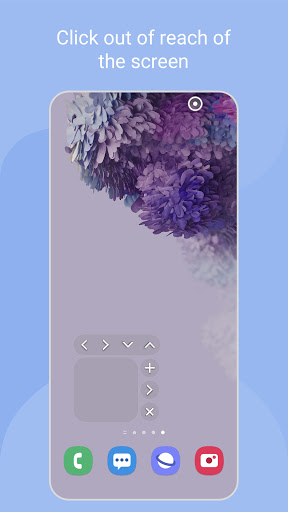
- Move screen
- Widget pop-up
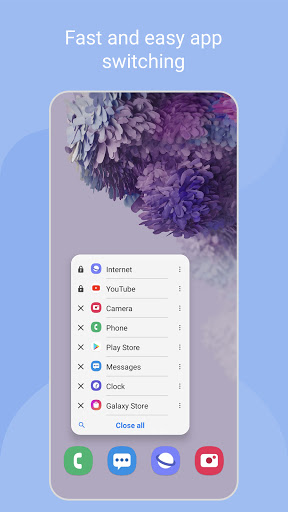
- Task switcher
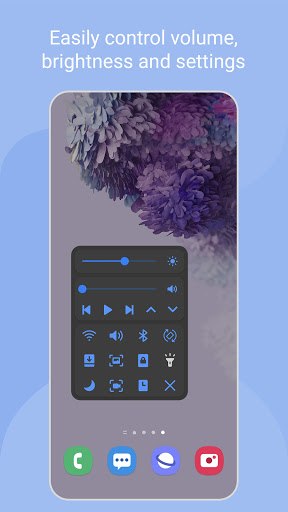
- Quick tools
- Virtual touch pad
- Floating navigation buttons
- Keyboard shortcuts
Enjoy the convenience of gestures on your phone and tablet with this app.
Thank you.
When the feature is set, a thin gesture handle is added to the left/right side of the screen.
Swipe this handle to execute the defined functions. The default function is the most frequently used back button.
You can set various functions for horizontal/diagonal up/down diagonal gestures.
Once you get used to using short swipe gestures, you can set more features for long swipe gestures.
Depending on the size of your hand, the thickness of your thumb, or the shape of the bumper case you are using, different handle settings are provided to optimize gesture recognition.
The handle receives the user's touch event on top of the running app. It can interfere with running applications. Therefore, it is recommended to set the handle as thin as possible for gesture recognition.
If the touch interference is severe with running application such as game, you can set [App exceptions] in [Advanced Settings], then the gesture handles will not work when the app is running.
Currently available functions are as follows, and we plan to provide additional function upgrades.
- Back key
- Home key
- Recent key
- Menu key
- Apps screen
- Previous app
- Forward ( web browser )
- Open notification panel
- Open quick panel
- Screen off
- Close app
- Flashlight
- Split screen view
- Assistance app
- Finder search
- Screenshot
- Show/hide navigation bar
- Pull screen down
- One-handed mode
- Power key menu
- Home screen shortcuts
- Start application
- Start app in pop-up view
- Move screen
- Widget pop-up
- Task switcher
- Quick tools
- Virtual touch pad
- Floating navigation buttons
- Keyboard shortcuts
Enjoy the convenience of gestures on your phone and tablet with this app.
Thank you.
Permainan
Tangkapan skrin One Hand Operation +
Versi Lama One Hand Operation +

Cadangan Editor


Aplikasi Seperti One Hand Operation +


Aplikasi oleh Samsung Electronics Co., Ltd.


One Hand Operation + FAQ
Bagaimana saya boleh memuat turun One Hand Operation + dari PGYER APK HUB?
Adakah One Hand Operation + di PGYER APK HUB percuma untuk dimuat turun?
Adakah saya perlu akaun untuk memuat turun One Hand Operation + dari PGYER APK HUB?
Bagaimana saya boleh melaporkan masalah dengan One Hand Operation + di PGYER APK HUB?
Adakah anda dapati ini membantu
Ya
Tidak
Ulasan Pengguna
+ Ulasan
4.6
5
4
3
2
1
G
GesturesGuruVlad
2021-05-31
1
0
'One Hand Operation' is a game-changer for my Samsung, simplifying gestures and enhancing efficiency.
M
MidRangeMasterAkash
2021-02-25
1
0
Impressed with 'One Hand Operation', particularly tailored for midrange Samsung devices, boosting user experience.
C
CR7Efficiency
2024-03-05
1
0
Loved 'One Hand Operation'. It's simply the best, making multitasking a breeze on my device.
Paling Popular

X
X Corp.

Google Chrome
Google LLC

Telegram
Telegram FZ-LLC

YouTube
Google LLC

inDrive. Rides with fair fares
® SUOL INNOVATIONS LTD

Netflix
Netflix, Inc.

Downloader by AFTVnews
AFTVnews.com

Reddit
reddit Inc.

Chai: Chat AI Platform
Chai Research Corp.

Tubi: Movies & Live TV
Tubi TV

Vinted - Buy and sell clothes
Vinted

Life360: Live Location Sharing
Life360

EA SPORTS FC™ Mobile Soccer
ELECTRONIC ARTS

Roblox
Roblox Corporation

PUBG MOBILE LITE
Level Infinite

Free Fire MAX
Garena International I

Among Us
Innersloth LLC

Car Parking Multiplayer 2
olzhass

Block Blast!
Hungry Studio

Township
Playrix

Car Parking Multiplayer
olzhass

Super Bear Adventure
Earthkwak Games

MONOPOLY GO!
Scopely

Subway Surfers
SYBO Games