
PV Output
Beoordeling
Jul 21, 2024Laatste update
2.56Versie
Over PV Output
If you use www.pvoutput.org then this app is for you!
See the Getting Started guide at http://pvoutputapp.mcdonalds.id.au/
General features include:
- Pull out the navigation draw from the left.
- Search for and Add any System or Team from pvoutput.org.
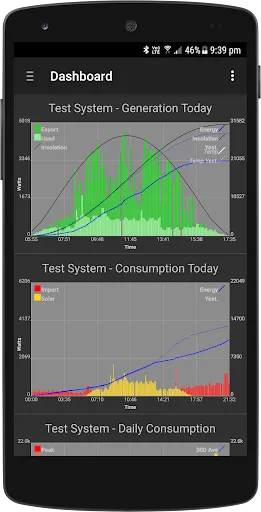
- Build your own dashboard with your favourite graphs. Click on the dashboard graphs to jump to the system page.
System Pages:
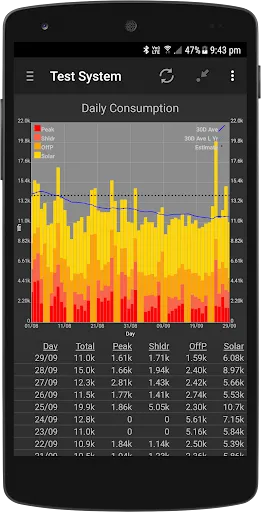
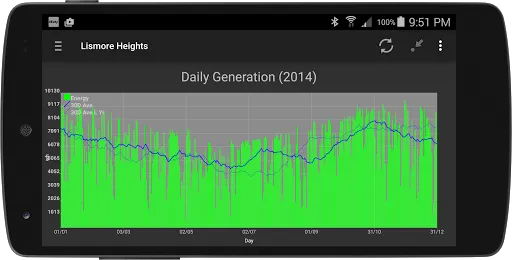
- Intraday, Daily, Weekly, Monthly and Yearly system pages.
- Swipe left/right to move between Intradays, Daily, Weekly, Monthly and Yearly graphs.
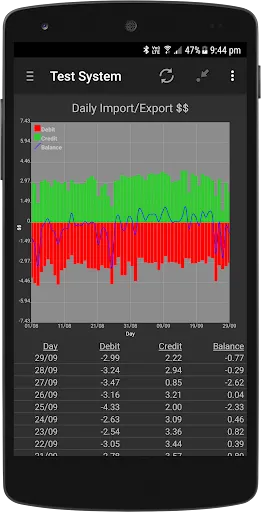
- Swipe up/down to move between Generation, Consumption, Import/Export kWH, Import/Export Monetary and Extended Data.
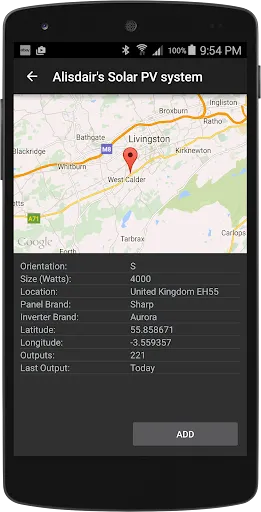
- Use menu on the system page to Add to Dashboard, View/Edit System Details, Edit TOU Tariffs, manually add outputs, refresh all data or delete the system from the app.
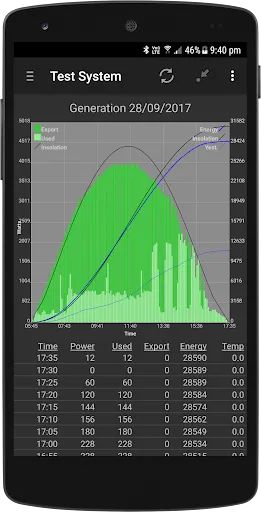
- Portrait shows graph and data grid. Click on data heading to hide the graph to view data list in full screen. Click heading line again to restore the graph.
- Rotate to landscape to see full screen graph.
- Drill using a list click or long press.
System Pages Drill Mode:
- Indicated by drill period in round brackets in page heading.
- When in drill mode, swipe left/right to move period. eg: move from month to month, year to year etc.
- Use the back button to exit Drill Mode.
- Access Drill Mode via list click or long press.
Home Screen Widgets:
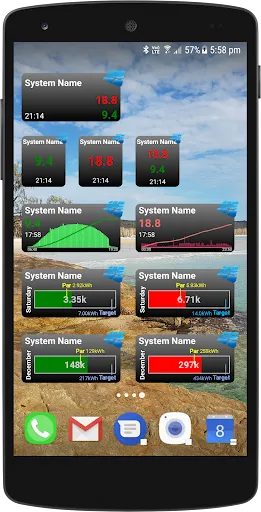
- Keep informed by nice homescreen widgets.
- A basic 1x1 text widget for free.
- In-app subscription (7 day free trial) for additional Text, Graph and Progress Bar home screen widget options.
- Place a 2x1, resize and then adjust the width/height via the widget configuration screen.
- Click on the system name to re-enter the widget configuration screen.
- Click on the widget to enter the app.
Live Feeds:
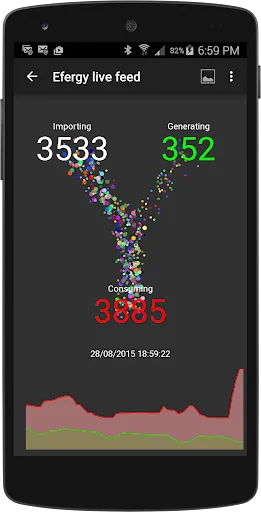
- Be mesmerised by the animated dots that represent electricity flowing between the grid (import or export) your solar panel generation and your household comsumption.
- In-app subscription (7 day free trial).
- Great for an in-home display to help your family visualise their real-time power consumption and reduce those bills. Cook some toast and watch those dots fly!
- Currently supports Efergy (Energyhive), VeraLite, SolarEdge and Fronius.
Access to pvoutput.org data is governed by the pvoutput.org API limits and restrictions. If your system has access to the API bonus features, this app can take advantage of higher rate limits and retrieve detail data for other systems.
Don't hesitate to drop me an email (pvoutput@mcdonalds.id.au) with any problems or suggestions.
See the Getting Started guide at http://pvoutputapp.mcdonalds.id.au/
General features include:
- Pull out the navigation draw from the left.
- Search for and Add any System or Team from pvoutput.org.
- Build your own dashboard with your favourite graphs. Click on the dashboard graphs to jump to the system page.
System Pages:
- Intraday, Daily, Weekly, Monthly and Yearly system pages.
- Swipe left/right to move between Intradays, Daily, Weekly, Monthly and Yearly graphs.
- Swipe up/down to move between Generation, Consumption, Import/Export kWH, Import/Export Monetary and Extended Data.
- Use menu on the system page to Add to Dashboard, View/Edit System Details, Edit TOU Tariffs, manually add outputs, refresh all data or delete the system from the app.
- Portrait shows graph and data grid. Click on data heading to hide the graph to view data list in full screen. Click heading line again to restore the graph.
- Rotate to landscape to see full screen graph.
- Drill using a list click or long press.
System Pages Drill Mode:
- Indicated by drill period in round brackets in page heading.
- When in drill mode, swipe left/right to move period. eg: move from month to month, year to year etc.
- Use the back button to exit Drill Mode.
- Access Drill Mode via list click or long press.
Home Screen Widgets:
- Keep informed by nice homescreen widgets.
- A basic 1x1 text widget for free.
- In-app subscription (7 day free trial) for additional Text, Graph and Progress Bar home screen widget options.
- Place a 2x1, resize and then adjust the width/height via the widget configuration screen.
- Click on the system name to re-enter the widget configuration screen.
- Click on the widget to enter the app.
Live Feeds:
- Be mesmerised by the animated dots that represent electricity flowing between the grid (import or export) your solar panel generation and your household comsumption.
- In-app subscription (7 day free trial).
- Great for an in-home display to help your family visualise their real-time power consumption and reduce those bills. Cook some toast and watch those dots fly!
- Currently supports Efergy (Energyhive), VeraLite, SolarEdge and Fronius.
Access to pvoutput.org data is governed by the pvoutput.org API limits and restrictions. If your system has access to the API bonus features, this app can take advantage of higher rate limits and retrieve detail data for other systems.
Don't hesitate to drop me an email (pvoutput@mcdonalds.id.au) with any problems or suggestions.
Gameplay
PV Output Screenshots






Aanbeveling van de redactie


Apps zoals PV Output


Apps door Mark McDonald AU
Gebruikersrecensies
+ Recensies
4.7
5
4
3
2
1
K
Kayla
2024-11-29
30
0
PV Output is an incredibly useful app for monitoring solar energy production. It's user-friendly and provides detailed insights.
J
Joseph
2024-12-03
20
0
I highly recommend PV Output to anyone interested in tracking their solar panel efficiency. It's a game-changer!
J
Jane
2025-01-22
19
0
The data accuracy on PV Output is impressive. It's helped me save on energy costs and understand my system better.
Meest Populair

Plague Inc.
Ndemic Creations

Super Mario Odyssey
Super Mario Odyssey APK - Explore the World Like Never Before!
Embark on an exhilarating adventure w

Hole.io
VOODOO

StarMaker: Sing Karaoke Songs
SKYWORK AI PTE. LTD.

Poppo Live
Poppo Team

CookieRun: OvenBreak
Devsisters Corporation

Netflix
Netflix, Inc.

TikTok
TikTok Pte. Ltd.

Legend of Solgard
Snowprint Studios AB

X
X Corp.

Clash Royale
Supercell

Tips Dream League Soccer 2017
amorphisnguyen

Relic Bag: Shadow Hunter
Fansipan Limited

PUBG MOBILE
Level Infinite

Pure Sniper: Gun Shooter Games
Miniclip.com

War Thunder Mobile
GAIJIN NETWORK LTD

GunboundM
DargomStudio

Call of Duty: Warzone Mobile
Activision Publishing, Inc.

Off Road 4x4 Driving Simulator
Azur Interactive Games Limited

Car Parking Multiplayer 2
olzhass

Talking Pierre the Parrot
Outfit7 Limited

Red Dead redemption 2 Mobile
Tarik EL hamdi

Shadow Fight 2 Special Edition
NEKKI

Reddit
reddit Inc.