

Moonlight Game Streaming
Ocena
Aug 11, 2024Najnowsza aktualizacja
12.0.2Wersja
Jak zainstalować plik XAPK / APK
Udostępnij
O Moonlight Game Streaming
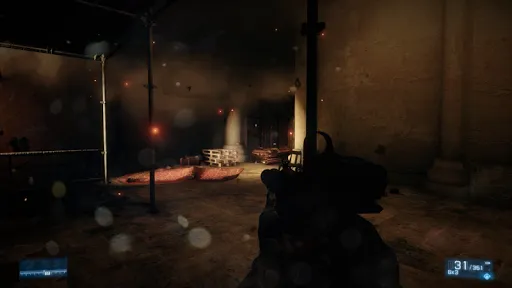
This app streams games, programs, or your full desktop from a PC on your local network or the Internet running NVIDIA GeForce Experience (NVIDIA-only) or Sunshine (all GPUs). Mouse, keyboard, and controller input is sent from your Android device to your PC.
Streaming performance may vary based on your client device and network setup. HDR requires an HDR10-capable device, a GPU that can encode HEVC Main 10, and HDR10-enabled game. Games that use DXGI/OS HDR also require an HDR display connected to your host PC.
Features
• Open-source and completely free (no ads, IAPs, or "Pro")
• Streams games purchased from any store
• Works on your home network or over the Internet/LTE
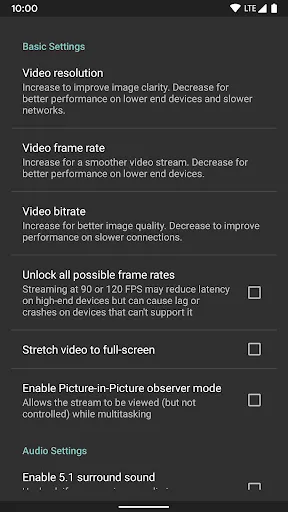
• Up to 4K 120 FPS HDR streaming with 7.1 surround sound
• H.264, HEVC, and AV1 codec support (AV1 requires Sunshine and a supported host GPU)
• Keyboard and mouse support (best with Android 8.0 or later)
• Stylus/S-Pen support
• Supports PS3/4/5, Xbox 360/One/Series, and Android gamepads
• Force feedback and gamepad motion sensor support (Android 12 or later)
• Local co-op with up to 16 connected controllers (4 with GeForce Experience)
• Mouse control via gamepad by long-pressing Start
Quick Setup Host Instructions for GeForce Experience (NVIDIA-only)
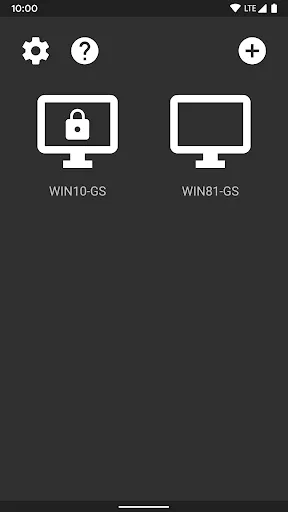
• Make sure GeForce Experience is open on your PC. Turn on GameStream in the SHIELD settings page.
• Tap on the PC in Moonlight and type the PIN on your PC
• Start streaming!
Quick Setup Host Instructions for Sunshine (all GPUs)
• Install Sunshine on your PC from https://github.com/LizardByte/Sunshine/releases
• Navigate to the Sunshine Web UI on your PC for first-time setup
• Tap on the PC in Moonlight and type the PIN in the Sunshine Web UI on your PC
• Start streaming!
To have a good experience, you need a mid to high-end wireless router with a good wireless connection to your Android device (5 GHz highly recommended) and a good connection from your PC to your router (Ethernet highly recommended).
Detailed Setup Instructions
See the full setup guide https://bit.ly/1skHFjN for:
• Adding a PC manually (if your PC is not detected)
• Streaming over the Internet or LTE
• Using a controller connected directly to your PC
• Streaming your full desktop
• Adding custom apps to stream
Troubleshooting
A detailed troubleshooting guide is available here: https://bit.ly/1TO2NLq
If you still can't solve your issue or just have a question, join our Discord server to chat with the Moonlight community: https://moonlight-stream.org/discord
Disclaimer: This app is not affiliated with NVIDIA Corporation. Please do not contact them for support. Instead, use the troubleshooting link at the bottom of the app description.
This app is open-source under the GPL. The code can be found here: https://github.com/moonlight-stream/moonlight-android
Legal: All trademarks cited here are the property of their respective owners.
Streaming performance may vary based on your client device and network setup. HDR requires an HDR10-capable device, a GPU that can encode HEVC Main 10, and HDR10-enabled game. Games that use DXGI/OS HDR also require an HDR display connected to your host PC.
Features
• Open-source and completely free (no ads, IAPs, or "Pro")
• Streams games purchased from any store
• Works on your home network or over the Internet/LTE
• Up to 4K 120 FPS HDR streaming with 7.1 surround sound
• H.264, HEVC, and AV1 codec support (AV1 requires Sunshine and a supported host GPU)
• Keyboard and mouse support (best with Android 8.0 or later)
• Stylus/S-Pen support
• Supports PS3/4/5, Xbox 360/One/Series, and Android gamepads
• Force feedback and gamepad motion sensor support (Android 12 or later)
• Local co-op with up to 16 connected controllers (4 with GeForce Experience)
• Mouse control via gamepad by long-pressing Start
Quick Setup Host Instructions for GeForce Experience (NVIDIA-only)
• Make sure GeForce Experience is open on your PC. Turn on GameStream in the SHIELD settings page.
• Tap on the PC in Moonlight and type the PIN on your PC
• Start streaming!
Quick Setup Host Instructions for Sunshine (all GPUs)
• Install Sunshine on your PC from https://github.com/LizardByte/Sunshine/releases
• Navigate to the Sunshine Web UI on your PC for first-time setup
• Tap on the PC in Moonlight and type the PIN in the Sunshine Web UI on your PC
• Start streaming!
To have a good experience, you need a mid to high-end wireless router with a good wireless connection to your Android device (5 GHz highly recommended) and a good connection from your PC to your router (Ethernet highly recommended).
Detailed Setup Instructions
See the full setup guide https://bit.ly/1skHFjN for:
• Adding a PC manually (if your PC is not detected)
• Streaming over the Internet or LTE
• Using a controller connected directly to your PC
• Streaming your full desktop
• Adding custom apps to stream
Troubleshooting
A detailed troubleshooting guide is available here: https://bit.ly/1TO2NLq
If you still can't solve your issue or just have a question, join our Discord server to chat with the Moonlight community: https://moonlight-stream.org/discord
Disclaimer: This app is not affiliated with NVIDIA Corporation. Please do not contact them for support. Instead, use the troubleshooting link at the bottom of the app description.
This app is open-source under the GPL. The code can be found here: https://github.com/moonlight-stream/moonlight-android
Legal: All trademarks cited here are the property of their respective owners.

Zrzuty ekranu Moonlight Game Streaming
Stare wersje Moonlight Game Streaming






Rekomendacja redakcji


Aplikacje podobne do Moonlight Game Streaming
 Moonlight Game Streaming
 Room Escape Game: MOONLIGHT
 Gekko Moonlight Masks Run Game
 Twitch: Live Game Streaming
 Moonlight Lovers: Beliath - Da
 Moonlight Lovers: Ethan - Otom
 Moonlight Lovers: Ivan - Datin
 Moonlight Lovers: Raphael - Da
 Moonlight Blade
 PJ Masks™: Moonlight Heroes
 Moonlight Sculptor: DarkGamer
 Moonlight Fantasy
Aplikacje autorstwa Cameron Gutman


Moonlight Game Streaming FAQ
Jak pobrać Moonlight Game Streaming z PGYER APK HUB?
Czy Moonlight Game Streaming na PGYER APK HUB jest darmowy do pobrania?
Czy potrzebuję konta, aby pobrać Moonlight Game Streaming z PGYER APK HUB?
Jak mogę zgłosić problem z Moonlight Game Streaming na PGYER APK HUB?
Czy uważasz to za pomocne?
Tak
Nie
Opinie użytkowników
+ Recenzje
4.4
5
4
3
2
1
K
Kate
2025-01-22
15
0
Moonlight Game Streaming is an absolute game-changer! The seamless streaming and low latency make it a must-have for any gamer.
E
Eleanor
2024-12-30
2
0
If you're looking for a reliable game streaming app, Moonlight Game Streaming is the way to go. It's simply the best!
J
Jerry
2025-01-17
29
0
The user interface of Moonlight Game Streaming is intuitive, and the streaming quality is top-notch. Love it!
Najbardziej popularne

Plague Inc.
Ndemic Creations

Super Mario Odyssey
Super Mario Odyssey APK - Explore the World Like Never Before!
Embark on an exhilarating adventure w

Hole.io
VOODOO

StarMaker: Sing Karaoke Songs
SKYWORK AI PTE. LTD.

Poppo Live
Poppo Team

CookieRun: OvenBreak
Devsisters Corporation

Netflix
Netflix, Inc.

TikTok
TikTok Pte. Ltd.

Legend of Solgard
Snowprint Studios AB

X
X Corp.

Clash Royale
Supercell

Tips Dream League Soccer 2017
amorphisnguyen

Relic Bag: Shadow Hunter
Fansipan Limited

PUBG MOBILE
Level Infinite

Pure Sniper: Gun Shooter Games
Miniclip.com

War Thunder Mobile
GAIJIN NETWORK LTD

GunboundM
DargomStudio

Call of Duty: Warzone Mobile
Activision Publishing, Inc.

Off Road 4x4 Driving Simulator
Azur Interactive Games Limited

Car Parking Multiplayer 2
olzhass

Talking Pierre the Parrot
Outfit7 Limited

Red Dead redemption 2 Mobile
Tarik EL hamdi

Shadow Fight 2 Special Edition
NEKKI

Reddit
reddit Inc.