
Roblox for Android Review 2026: Endless Games, Uneven Quality, Better Family Controls

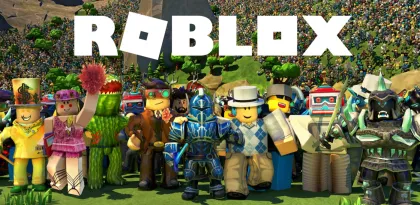

Roblox is best understood as a platform, not a single game. Install one Android app and it opens the door to millions of user-created experiences: role-playing worlds, obstacle courses, horror games, competitive shooters, fashion contests, sports simulations, tycoons, social spaces, and projects that resist any familiar genre. Friends can move between many of them without downloading a separate app each time.
That variety is Roblox’s extraordinary advantage. A polished studio production and a teenager’s first experiment can appear in the same search result. New ideas emerge faster than a traditional store could review and package them, and popular experiences can evolve every week. The cost of that openness is inconsistency. Controls, performance, monetization, moderation, and design quality vary from one experience to another.
In 2026, Roblox for Android is more capable—and more complicated—than ever. Google Play lists more than one billion downloads, over 50 million reviews, a Teen rating, user interaction, and in-app purchases that include random items. The app supports cross-platform multiplayer with phones, tablets, computers, consoles, televisions, and VR devices. Roblox has also expanded content maturity labels, age checks, chat restrictions, daily screen-time limits, spending controls, and linked parent accounts.
Roblox can be a wonderful creative playground, especially with friends. For children, it should be treated as a large social platform with games inside, not as a box of automatically child-safe mini-games.

One App Contains Almost Every Genre
The Home screen recommends experiences based on popularity, friends, recent activity, and likely interests. Search can find a specific title or broad theme, while charts and curated areas surface current trends. The official Play listing highlights experiences such as Dress to Impress, RIVALS, Brookhaven RP, Adopt Me!, and other frequently changing hits.
This makes discovery exciting. A group can play a cooperative survival game, switch to a racing experience, and end the evening decorating a house without leaving Roblox. The account retains friends, avatar identity, purchases, and platform settings across those worlds.
Quality varies dramatically. Some experiences have professional art, clear tutorials, responsive controls, and years of updates. Others are unfinished, copied, confusing, or designed mainly to push purchases. A compelling thumbnail does not guarantee good gameplay, and popularity can reflect marketing or social trends as much as design quality.
Before spending Robux, play long enough to understand the loop. Check the experience page, content maturity label, creator identity, update history, and community feedback. Parents should try a child’s favorite experiences themselves; the difference between two games with similar colorful artwork can be substantial.
Roblox’s platform model also means reviews of “Roblox gameplay” are necessarily incomplete. Performance and enjoyment depend on the selected experience, server population, developer skill, device, network, and monetization choices.
Android Is Convenient, but Touch Design Is Inconsistent
Roblox launches quickly into most experiences and automatically maps general actions to touch controls. A virtual stick handles movement, the right side controls the camera, and contextual buttons appear for jumping, interacting, tools, vehicles, or game-specific abilities.
When creators design carefully for mobile, the result can feel natural. Large buttons, clear camera behavior, readable menus, and limited simultaneous actions suit a phone. Many social, role-playing, obstacle-course, and collection experiences work well with touch.
Problems appear when a game was designed around keyboard, mouse, or controller input. Small icons can overlap the screen, aiming may lack precision, vehicle controls can be awkward, and complex inventories consume too much space. A creator may technically enable mobile access without fully adapting the interface.
Screen size matters. Tablets provide more room for controls and text but can place virtual buttons far apart. Phones are easier to hold but make dense menus difficult to read. Bluetooth controller support depends partly on the experience; even when Roblox recognizes a controller, every creator must make the game’s interactions understandable.
The platform’s Experience Controls provide quick access to chat, voice, reporting, capture, emotes, inventory, leaderboards, and respawning when those features are enabled. The Report Abuse option remains available, which is essential in a platform centered on user interaction.

Performance Depends More on the Experience Than the App
Roblox must run content created by teams with very different technical skill levels. One experience may hold a stable frame rate while another overheats the same phone within minutes. Detailed environments, large player counts, physics, lighting, scripts, voice features, and network activity all add load.
The app can choose graphics quality automatically, or the player can lower it manually. Reducing quality is the first fix for stutter, heat, rapid battery drain, or delayed touch response. Closing background apps and avoiding simultaneous screen recording can also help.
Network quality matters because most experiences are online. High latency can make movement rubber-band, delay interactions, or disconnect the player even when the phone renders the scene smoothly. Wi-Fi congestion and distant servers can produce problems that look like device performance issues.
Roblox updates frequently, and the Play listing describes ongoing reliability and speed improvements rather than a fixed feature changelog. That cadence helps compatibility but makes occasional regressions possible. If one experience fails while others work, the problem is likely specific to that game or server. If every experience fails, check the Roblox service status, update the app, restart the device, and test another network.
Storage use grows as the app caches assets from different experiences. Android’s app settings can clear the cache when it becomes excessive, though the next session will need to download assets again. Clearing all app data may sign the user out, so verify account recovery first.
Avatars Create a Persistent Identity
An avatar follows the player between experiences that support the standard character system. Clothing, hair, accessories, faces, emotes, animation packages, and body options let users build an identity recognizable to friends.
The Marketplace contains items from Roblox and independent creators. This supports a real creator economy and produces remarkable variety, but it also turns self-expression into a powerful purchase incentive. Limited availability, trends, social comparison, and branded collaborations can create pressure to spend.
Young users may not understand the difference between owning an avatar item across Roblox and buying a temporary benefit inside one experience. Parents should ask what a purchase does, where it works, whether it expires, and whether an equivalent free option exists.
Copycat items and misleading names require care. Confirm the creator and preview the asset on the avatar before buying. Roblox transactions are digital purchases with platform-specific refund rules; “I changed my mind” may not be enough to reverse one.
The avatar system is at its best when creativity comes from combining inexpensive or earned items rather than chasing every trend. A distinctive character does not require a large Robux balance.

Robux Makes the Economy Easy to Enter—and Easy to Misread
Robux is the platform’s virtual currency. It can buy avatar items, private servers, access, passes, consumable products, and benefits defined by individual creators. Roblox Premium can provide recurring Robux and other account benefits, while pricing and availability vary by region and billing platform.
The major risk is abstraction. A button may display a few hundred Robux instead of a familiar currency amount, making repeated small purchases feel less significant. Some experiences sell power, faster progression, spins, crates, or random items. Google Play explicitly notes that Roblox contains in-app purchases including random items.
Families should set rules before the first purchase. Linked parental controls can set a monthly spending limit, send spending notifications, show a child’s Robux balance, and manage transfers. Android purchase authentication adds another layer and should require a password or biometric confirmation that the child cannot bypass.
Gift-card and Robux scams are common. No legitimate stranger needs an account password, login code, browser cookie, or remote screen access to deliver currency. “Free Robux generators” and modified APKs are frequent routes to account theft or malware. Use only Roblox’s official purchase and redemption channels.
Spending is not required to access the platform. Many excellent experiences are playable for free. Monetization becomes a problem when a game deliberately creates frustration and sells relief, or when social pressure makes cosmetics feel compulsory.
Social Play Is the Magic and the Main Safety Challenge
Roblox is most memorable with friends. Parties help users join experiences together, while in-experience chat, direct communication, voice, emotes, and quick phrases support coordination. Cross-platform access means friends do not need the same device.
Interaction with strangers introduces risks including harassment, sexual behavior, discriminatory language, manipulation, scams, and attempts to move conversations to less moderated platforms. Roblox uses filtering, reporting, blocking, moderation, age checks, and communication controls, but no large live platform can prevent every harmful interaction before it appears.
Current Roblox support documentation says communication access depends on age checks, region, privacy settings, and parental consent. Younger users face stricter defaults. Users aged 5–9 require parental consent for experience chat; direct chat and other features have additional age requirements. Voice access is restricted to eligible age-checked users in supported regions and experiences.
Parents should teach practical responses: leave an uncomfortable server, do not continue a private conversation out of politeness, block the user, preserve relevant details, and report the specific message or behavior. Children need to know that reporting is not getting someone in trouble—it gives moderators the context needed to investigate.
Creator-built chat or interaction systems can differ from Roblox’s standard controls. The parental overview warns that platform communication settings may not cover every feature created inside an experience. This is another reason to inspect individual games rather than judging only the app shell.

Parental Controls Are Much More Useful in 2026
Roblox now lets a parent link a separate adult account to a child’s account and manage settings from another device. Parent mode can also handle many settings directly on the child’s device, though linked accounts are needed for features such as real-time spending notifications.
The current controls cover five practical areas:
- Content: Set a maturity level and allow or block individual experiences.
- Communication: Control experience chat, direct chat, parties, friends, and eligible voice features.
- Spending: Set monthly limits, receive notifications, view Robux, and manage transfers.
- Screen time: Set a daily limit and review recent usage.
- Friends and privacy: View friends, mark trusted relationships, block users, and control activity visibility.
Content maturity levels include Minimal, Mild, Moderate, and Restricted. Restricted experiences are for age-checked adults. “Content May Vary” indicates that the creator has not completed the full maturity questionnaire; access is limited for younger users. Labels help, but they are based substantially on creator disclosures and cannot describe every interaction that may occur live.
The parent dashboard can show seven-day screen-time averages and frequently played experiences. That evidence supports better conversations than a generic argument about “too much Roblox.” A parent can ask why a particular game is appealing and agree on limits appropriate to homework, sleep, and family routines.
Do not configure controls once and forget them. Account capabilities change as a child reaches age milestones, Roblox updates its systems, and new experiences become popular. Review settings together regularly and explain why boundaries exist.
Content Ratings Reduce Risk, Not Uncertainty
Roblox Kids and Roblox Select are designed to match younger users with age-appropriate experiences by default. Parents can still allow or block specific games, subject to age restrictions that cannot be overridden.
Minimal content may include occasional mild violence or fear. Mild can include repeated mild violence and heavier unrealistic blood. Moderate may include stronger violence, crude humor, social hangouts, or free-form user creation. Restricted content can include strong violence, realistic blood, romantic themes, alcohol, strong language, and other mature material, and is limited to verified adults.
An experience’s main rating cannot predict every user-generated message, avatar, drawing, or behavior. A friendly building game can still host an abusive player. Conversely, a higher action rating does not mean every server is socially unsafe.
Use ratings to narrow choices, then evaluate the actual experience. The best signal is a combination of maturity label, creator history, direct play, child feedback, and ongoing parent involvement.

Creating Is Transformative, but Studio Is Not the Android App
Roblox’s greatest long-term value may be the path from player to creator. Roblox Studio allows users to build 3D worlds, script behavior, collaborate, publish experiences, and potentially earn through the platform economy.
Roblox Studio is a separate creation environment for supported desktop systems, not a full development suite inside the Android player. The mobile app can inspire ideas, test published experiences, capture moments, and manage parts of the social ecosystem, but serious building and scripting require Studio on a compatible computer.
Parents and teachers can use that distinction productively. A child interested in a game’s mechanics can move from consuming content to asking how levels, rules, interfaces, or scripts are made. Creation introduces design, logic, art, writing, testing, and teamwork.
Publishing also creates responsibility. Creators must protect player data, describe purchases honestly, moderate communities, follow content rules, and avoid manipulative monetization. Earning Robux is possible, but it should not be presented as guaranteed income.
Account Security Should Be Set Up Before Valuable Purchases
Use a unique password and add a verified email or other recovery method supported by the account. Enable two-step verification, protect the associated email account, and never reuse login codes.
Session theft can occur through phishing pages, malicious browser extensions, unofficial launchers, and fake trading tools. A page that looks like Roblox may still be controlled by an attacker. Check the domain before entering credentials and avoid links promising free currency or rare items.
If an account contains purchased items or creator earnings, its value makes it a larger target. Review active sessions, sign out unfamiliar devices, and change credentials immediately after suspicious activity. Parents should retain enough recovery information to help a child without secretly sharing passwords through messages or notes that can be stolen.
The official Google Play app is the safest Android source. Modified APKs may bypass update checks, steal sessions, or expose a device to malware.
A Better Roblox Setup
For a new Android player or family account:
- Enter the correct birth date; do not age up an account to unlock features.
- Link a parent account or configure Parent mode before handing over the device.
- Set content maturity, communication, spending, and screen-time limits.
- Require Android purchase authentication for every transaction.
- Enable two-step verification and secure account recovery.
- Lower graphics quality if the device heats up or stutters.
- Turn off unnecessary microphone permissions when voice is not used.
- Try an experience before buying passes or random items.
- Block and report uncomfortable behavior instead of arguing with strangers.
- Review top experiences, friends, Robux balance, and screen time together.
The goal is not to remove every risk. It is to make expectations visible and ensure the player knows how to ask for help.

Verdict
Roblox for Android offers more playable variety than almost any conventional game. Its cross-platform identity, enormous creator community, persistent avatars, social play, and accessible entry point make it easy to understand why people spend years rather than weeks with it. The best experiences are imaginative, collaborative, and genuinely surprising.
The platform is also uneven by design. Mobile controls can be awkward, demanding games heat phones, monetization ranges from fair to aggressive, and public interaction requires judgment. Content ratings and modern parental controls are significant improvements, but they do not automatically make every user-created world or conversation appropriate.
Adults can enjoy Roblox as an endless experimental arcade. Families can also have a positive experience when they use linked controls, limit spending, review games, and keep communication open. The app deserves neither blanket fear nor blind trust. It deserves active setup and attention.
Rating: 8.4/10
Reviewed using Android product and safety information available in October 2026. Features, age requirements, content access, prices, and parental controls may vary by region and account.


