

Pixel Camera
คะแนน
Jun 21, 2024อัปเดตล่าสุด
6.2.030.244457635เวอร์ชัน
เกี่ยวกับ Pixel Camera
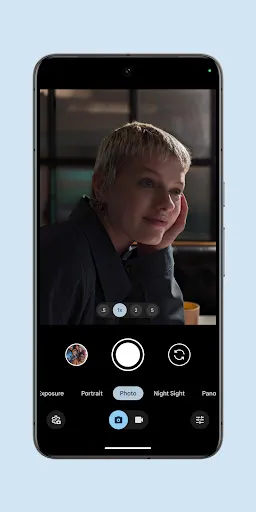
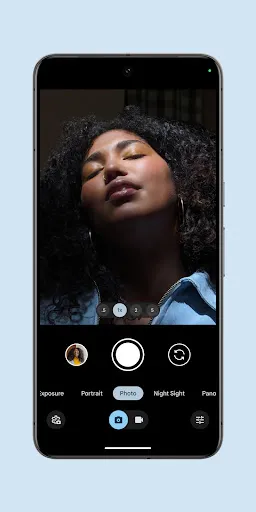
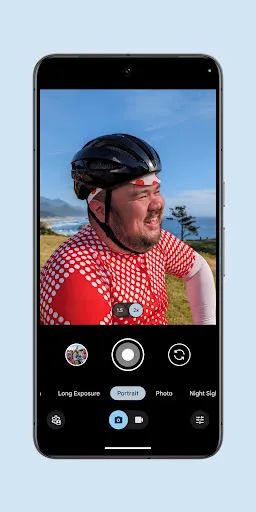
Never miss a moment with the fully redesigned Pixel Camera, and take fantastic photos and videos using features like Portrait, Night Sight, Time Lapse, and Cinematic Blur.
Take stunning photos
• HDR+ with Exposure and White Balance Controls - Take incredible photos using HDR+, especially in low-light or backlit scenes.
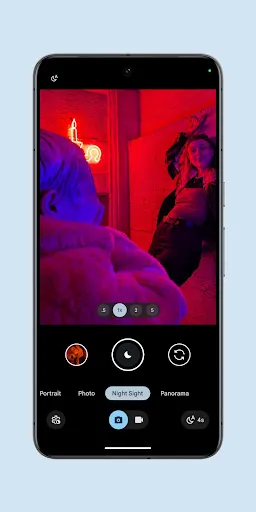
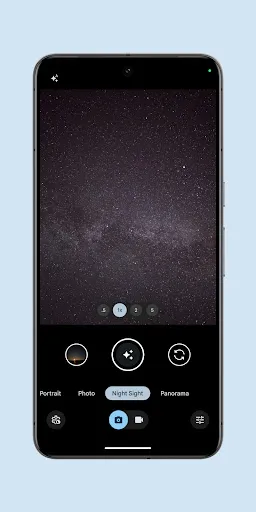
• Night Sight - You’ll never want to use your flash again. Night Sight brings out all the details and colors that get lost in the dark. You can even take photos of the Milky Way with Astrophotography!
• Super Res Zoom - Get way close from far away. Super Res Zoom makes your pictures sharper when you zoom in.
• Long Exposure - Add a creative blur to moving subjects in the scene
• Action Pan - Add a creative blur to the background while keeping your subject in focus
• Macro Focus - Vivid color and striking contrast in even the smallest subjects
Incredible videos on every take
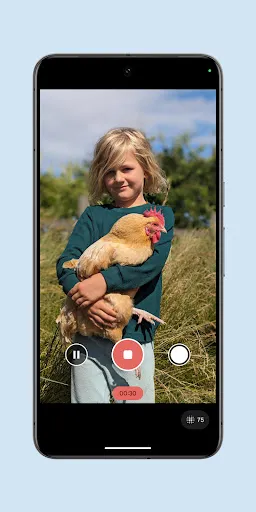
• Record smooth videos with stunning resolution and clear audio, even in crowded, dimly lit places
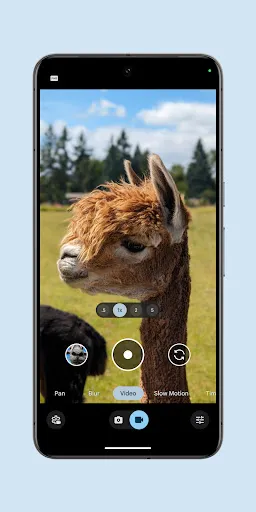
• Cinematic Blur - Create a cinematic effect by blurring the background behind your subject
• Cinematic Pan - Slow down your phone’s panning movements
• Long Shot - Take casual, quick videos by simply long-pressing the shutter key while in the default photo mode
Pixel 8 Pro Exclusive Features
• 50MP High Res - Take high resolution photos with richer detail
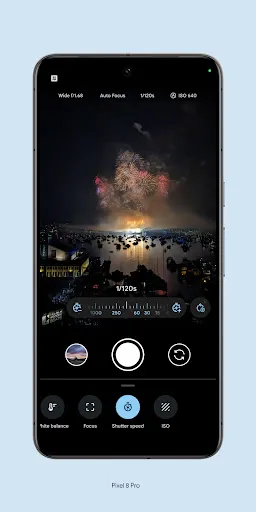
• Pro Controls - Take even more creative control with the ability to adjust things like focus, shutter speed, and more
Requirements - The latest version of Pixel Camera only works on Pixel devices running Android 14 and above. The latest version of Pixel Camera for Wear OS only works on Wear OS 3 (and above) devices connected to Pixel phones. Some features are not available on all devices.
Take stunning photos
• HDR+ with Exposure and White Balance Controls - Take incredible photos using HDR+, especially in low-light or backlit scenes.
• Night Sight - You’ll never want to use your flash again. Night Sight brings out all the details and colors that get lost in the dark. You can even take photos of the Milky Way with Astrophotography!
• Super Res Zoom - Get way close from far away. Super Res Zoom makes your pictures sharper when you zoom in.
• Long Exposure - Add a creative blur to moving subjects in the scene
• Action Pan - Add a creative blur to the background while keeping your subject in focus
• Macro Focus - Vivid color and striking contrast in even the smallest subjects
Incredible videos on every take
• Record smooth videos with stunning resolution and clear audio, even in crowded, dimly lit places
• Cinematic Blur - Create a cinematic effect by blurring the background behind your subject
• Cinematic Pan - Slow down your phone’s panning movements
• Long Shot - Take casual, quick videos by simply long-pressing the shutter key while in the default photo mode
Pixel 8 Pro Exclusive Features
• 50MP High Res - Take high resolution photos with richer detail
• Pro Controls - Take even more creative control with the ability to adjust things like focus, shutter speed, and more
Requirements - The latest version of Pixel Camera only works on Pixel devices running Android 14 and above. The latest version of Pixel Camera for Wear OS only works on Wear OS 3 (and above) devices connected to Pixel phones. Some features are not available on all devices.
วิธีการเล่น
ภาพหน้าจอของ Pixel Camera
เวอร์ชันเก่าของ Pixel Camera





คำแนะนำจากบรรณาธิการ


แอปที่คล้ายกับ Pixel Camera
 HD Camera - Selfie Camera & Beauty camera
 Car Logo Pixel Art - Pixel Car
 Pixel by Number™ - Pixel Art
 Pixel Dead - VR Pixel Gaming E
 Pixel Studio: pixel art editor
 Pixel Art Maker:Pixel Coloring
 Pixel by Color: Pixel Art
 Color by Pixel - Pixel Number
 Pixel Camera
 PixelMe: Pixel Art AI Camera
 Beauty Camera - Selfie Camera
 Beauty Camera X, Selfie Camera
แอปโดย Google LLC


Pixel Camera FAQ
1. How can I switch between modes in Pixel Camera?
In Pixel Camera, swipe left or right on the camera screen to easily switch between Photo, Video, and other available modes.
2. Is it possible to adjust focus and exposure individually in Pixel Camera?
Yes, in Pixel Camera, tap once on any part of your frame to set focus, then tap and hold until you see AE/AF lock appear at the top, allowing you to adjust exposure control by dragging up or down.
3. Does Pixel Camera support RAW image capture?
Yes, Pixel Camera supports RAW image capture, provided your device natively supports it. To activate this feature, navigate to settings, then advanced options, and toggle 'RAW format'.
4. What does Night Sight mode in Pixel Camera accomplish?
Night Sight in Pixel Camera utilizes machine learning to combine multiple frames, enabling users to take high-quality low-light photos with great detail, even in extremely dim lighting conditions.
คุณพบคำแนะนำนี้มีประโยชน์หรือไม่
ใช่
ไม่
รีวิวจากผู้ใช้
+ รีวิว
4.9
5
4
3
2
1
K
Katherine
2025-02-12
26
0
Pixel Camera is an amazing app! The photo quality is stunning and the interface is very user-friendly.
R
Randal
2024-12-05
11
0
I love using Pixel Camera for my daily photography. The filters and editing tools are top-notch.
A
Andra
2025-01-27
24
0
The best camera app I've ever used! Pixel Camera makes taking professional-looking photos so easy.
ยอดนิยมที่สุด

Plague Inc.
Ndemic Creations

Super Mario Odyssey
Super Mario Odyssey APK - Explore the World Like Never Before!
Embark on an exhilarating adventure w

Hole.io
VOODOO

StarMaker: Sing Karaoke Songs
SKYWORK AI PTE. LTD.

Poppo Live
Poppo Team

CookieRun: OvenBreak
Devsisters Corporation

Netflix
Netflix, Inc.

TikTok
TikTok Pte. Ltd.

Legend of Solgard
Snowprint Studios AB

X
X Corp.

Clash Royale
Supercell

Tips Dream League Soccer 2017
amorphisnguyen

Relic Bag: Shadow Hunter
Fansipan Limited

PUBG MOBILE
Level Infinite

Pure Sniper: Gun Shooter Games
Miniclip.com

War Thunder Mobile
GAIJIN NETWORK LTD

GunboundM
DargomStudio

Call of Duty: Warzone Mobile
Activision Publishing, Inc.

Off Road 4x4 Driving Simulator
Azur Interactive Games Limited

Car Parking Multiplayer 2
olzhass

Talking Pierre the Parrot
Outfit7 Limited

Red Dead redemption 2 Mobile
Tarik EL hamdi

Shadow Fight 2 Special Edition
NEKKI

Reddit
reddit Inc.