
Quadcopter FX Simulator Pro
Đánh giá
Jul 26, 2024Cập nhật mới nhất
1.1Phiên bản
Cách cài đặt tệp XAPK / APK
Chia sẻ
Về Quadcopter FX Simulator Pro
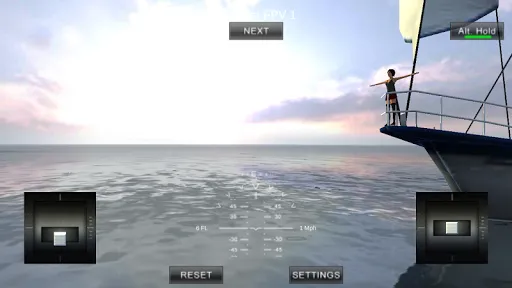
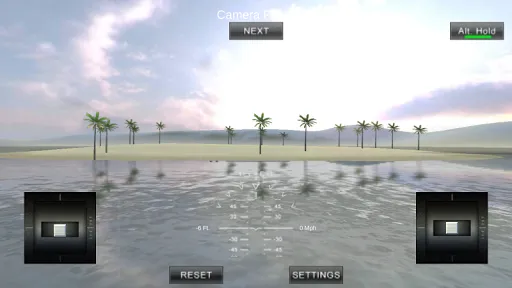
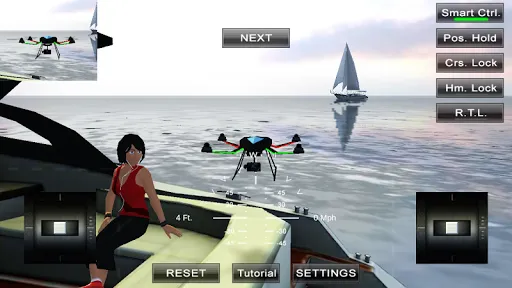
A Quadcopter / Multirotor RC Drone simulator with First Person View (FPV), HUD, Return Home, Course Lock, Home Lock, Camera Gimbal, Acro mode, Acro 3D mode and more..
Now Google Cardboard VR is also supported for immersive flying and FPV experience.
Support for Controllers
This is a pro version of our QuadcopterFX Simulator. There are No-inapp purchases. Everything is enabled at much lower cost. First time users can try our free Quadcopter FX Simulator to see if every thing works well.
https://play.google.com/store/apps/details?id=com.Creativeworld.QuadcopterFX
Minimum Screen resolution required is 800 x 480 px. Minimum Recommended RAM is 1 GB although we have seen it successfully running on 512mb ram. We are open to suggestions and problems. You can always email us at our support email.
Features:
1) Based on real physics Model of Quadcopter
2) Interactive selection of different cameras modes:
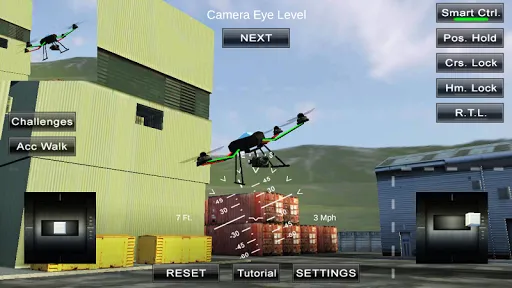
* Eye level Camera
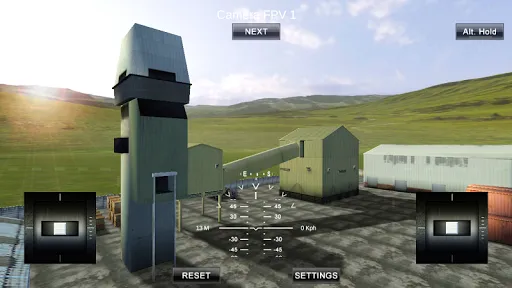
* First Person View Camera
* Stabilized Gimbal Camera
* Follow Camera
You can walk around while flying, looking at the quad either by dragging the middle of screen or by enabling accelerometer button on the left side in the Eye level Camera Mode..
3) Return to Location (RTL)
When on the Quad will automatically Return and Land back in its Landing Position. It will Automatically switch on when the Quad goes out of range.
4) Position Hold
When ON the Quad will try to Hold its position when both control sticks are released.
5) Course Lock
When ON the Forward, Backward, Left and Right will remain same regardless of orientation of Quad. e.g. Moving Right stick Forward will always make the Quad go forward in East Direction even if its pointing towards north.
6) Home Lock
When ON the Forward will always be Away from you and Backwards will always be towards you regardless of Quads Orientation.
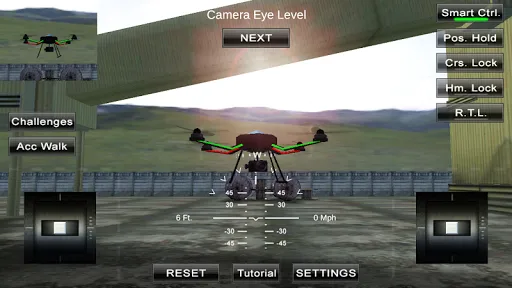
7) Heads up Display(HUD)
Displaying real-time Pitch, Roll, Heading, Altitude and Speed.
8) Adjustable Control sensitivity Settings
9) Auto Stabilizing adjustable
10) Altitude Hold Switch
If ON the quad will try to maintain the altitude when it was switched on.
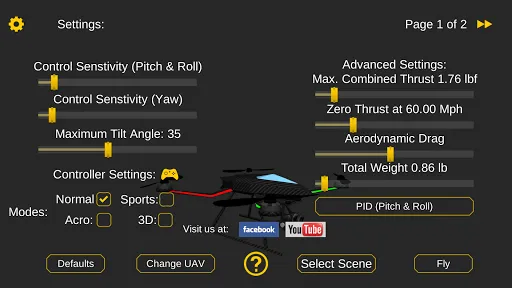
11) Advanced Settings
If enabled users can change the Total Weight, Static / Dynamic thrust, PID setting and Aerodynamic Drag values.
12) Multiple Quad / Scene Selection / Some basic Challenges for Time Pass..
13) Multiple mode Input Support.
Now it supports mode1, mode2. mode3, mode4 and accelerometers. You can change via settings page
14) Camera rotation in FPV and Gimbal camera.
Click and Drag from center of screen on FPV or Gimbal camera. Double click in center to reset.
15) Dynamic Wind
Wind effect will reduce when behind the building.
16) Google cardboard Support for immersive virtual reality and FPV experience.
Make sure that you have a controller attached to the device because the only way you can control the quadcopter is by controller once the Cardboard VR is enabled. After enabling you have to gaze at the buttons on the UI and press the trigger button on the cardboard to click it. Once you are flying then pressing the trigger anywhere will open the settings page. You can also touch on screen anywhere to execute trigger event instead of pressing the trigger button.
17) Max Tilt Angle / Auto Stabilize Sensitivity Slider
In Normal Mode the slider changes the Maximum Tilt angle setting. This settings determines the maximum roll / pitch angle the quadcopter will tilt. In Sports Mode it changes the Auto Stabilize sensitivity. The higher the settings the more force is applied to stabilize the quadcopter.
18) Acro / Acro 3d mode for expert flying
Auto stabilize will not be applied in these modes. You need to be expert to fly in this mode.In 3D Mode is mode in which the Quadcopter can fly upside down also. The throttle sticks will produce reverse thrust when moved down from the center position.
Enjoy Flying..
Credits: Some Arteria content is in use.
Now Google Cardboard VR is also supported for immersive flying and FPV experience.
Support for Controllers
This is a pro version of our QuadcopterFX Simulator. There are No-inapp purchases. Everything is enabled at much lower cost. First time users can try our free Quadcopter FX Simulator to see if every thing works well.
https://play.google.com/store/apps/details?id=com.Creativeworld.QuadcopterFX
Minimum Screen resolution required is 800 x 480 px. Minimum Recommended RAM is 1 GB although we have seen it successfully running on 512mb ram. We are open to suggestions and problems. You can always email us at our support email.
Features:
1) Based on real physics Model of Quadcopter
2) Interactive selection of different cameras modes:
* Eye level Camera
* First Person View Camera
* Stabilized Gimbal Camera
* Follow Camera
You can walk around while flying, looking at the quad either by dragging the middle of screen or by enabling accelerometer button on the left side in the Eye level Camera Mode..
3) Return to Location (RTL)
When on the Quad will automatically Return and Land back in its Landing Position. It will Automatically switch on when the Quad goes out of range.
4) Position Hold
When ON the Quad will try to Hold its position when both control sticks are released.
5) Course Lock
When ON the Forward, Backward, Left and Right will remain same regardless of orientation of Quad. e.g. Moving Right stick Forward will always make the Quad go forward in East Direction even if its pointing towards north.
6) Home Lock
When ON the Forward will always be Away from you and Backwards will always be towards you regardless of Quads Orientation.
7) Heads up Display(HUD)
Displaying real-time Pitch, Roll, Heading, Altitude and Speed.
8) Adjustable Control sensitivity Settings
9) Auto Stabilizing adjustable
10) Altitude Hold Switch
If ON the quad will try to maintain the altitude when it was switched on.
11) Advanced Settings
If enabled users can change the Total Weight, Static / Dynamic thrust, PID setting and Aerodynamic Drag values.
12) Multiple Quad / Scene Selection / Some basic Challenges for Time Pass..
13) Multiple mode Input Support.
Now it supports mode1, mode2. mode3, mode4 and accelerometers. You can change via settings page
14) Camera rotation in FPV and Gimbal camera.
Click and Drag from center of screen on FPV or Gimbal camera. Double click in center to reset.
15) Dynamic Wind
Wind effect will reduce when behind the building.
16) Google cardboard Support for immersive virtual reality and FPV experience.
Make sure that you have a controller attached to the device because the only way you can control the quadcopter is by controller once the Cardboard VR is enabled. After enabling you have to gaze at the buttons on the UI and press the trigger button on the cardboard to click it. Once you are flying then pressing the trigger anywhere will open the settings page. You can also touch on screen anywhere to execute trigger event instead of pressing the trigger button.
17) Max Tilt Angle / Auto Stabilize Sensitivity Slider
In Normal Mode the slider changes the Maximum Tilt angle setting. This settings determines the maximum roll / pitch angle the quadcopter will tilt. In Sports Mode it changes the Auto Stabilize sensitivity. The higher the settings the more force is applied to stabilize the quadcopter.
18) Acro / Acro 3d mode for expert flying
Auto stabilize will not be applied in these modes. You need to be expert to fly in this mode.In 3D Mode is mode in which the Quadcopter can fly upside down also. The throttle sticks will produce reverse thrust when moved down from the center position.
Enjoy Flying..
Credits: Some Arteria content is in use.
Cách chơi
Ảnh chụp màn hình của Quadcopter FX Simulator Pro
Các phiên bản cũ của Quadcopter FX Simulator Pro







Ứng dụng Tương tự Quadcopter FX Simulator Pro
 Quadcopter FX Simulator Pro
 Quadcopter FX Simulator
 Quadcopter Drone Parking 2017
 Toolbox PRO - Smart, Pro Tools
 One4KWGT Pro: KWGT Pro widgets
 Redmi Note 12 Pro & Pro+ Walls
 PS5 Simulator Pro
 Demolition Derby Simulator Pro
 Logic Circuit Simulator Pro
 Indian Cars Simulator Pro
 Take off Airplane Flight Simulator PRO
 Bus Simulator PRO 2016
Quadcopter FX Simulator Pro FAQ
Làm thế nào để tải Quadcopter FX Simulator Pro từ PGYER APK HUB?
Ứng dụng Quadcopter FX Simulator Pro trên PGYER APK HUB có miễn phí không?
Tôi cần tài khoản để tải Quadcopter FX Simulator Pro từ PGYER APK HUB không?
Làm thế nào để báo cáo vấn đề với Quadcopter FX Simulator Pro trên PGYER APK HUB?
Bạn có thấy thông tin này hữu ích không
Có
Không
Đánh giá của người dùng
+ Đánh giá
4.8
5
4
3
2
1
B
BenBenjamin
2025-02-07
21
0
Quadcopter FX Simulator Pro is the best drone simulator out there. The variety of environments and challenges keep me engaged.
H
Hilton
2025-02-13
15
0
If you're into drones, you need to try Quadcopter FX Simulator Pro. It's a fantastic way to learn and improve your piloting skills.
D
Duke
2024-12-29
14
0
Quadcopter FX Simulator Pro has exceeded my expectations. The physics are spot-on and the app runs flawlessly.
Phổ biến nhất

Hyper
Hyper

Microsoft Word: Edit Documents
Microsoft Corporation

PRX XIT MOBILE PANEL
PRX XIT MOBILE PANEL - Comprehensive Overview
Introduction
Discover the PRX XIT MOBILE PANEL, a cutt

Mega888
Mega888 APK - Ultimate Gaming Experience at Your Fingertips
Overview:
Discover the thrilling world o

KOPLO77
KOPLO77 APK - Comprehensive Overview
Discover the vibrant world of KOPLO77, an innovative applicatio

LostLife
Lost Life APK Download and Guide
Today, we're exploring Lost Life, a popular 3D simulation horror ga

PLN Mobile
P L N

MiChat - Chat, Make Friends
MICHAT PTE. LIMITED

WEBTOON
NAVER WEBTOON

SuperFishing Casino- Slots 777
Joyous.games

ChatGPT
OpenAI

Svipbet.club
TippoParty

WePlay(ويبلاي) - Game & Chat
WEJOY Pte. Ltd.

HeeSay - Blued LIVE & Dating
iRainbow

Max: Stream HBO, TV, & Movies
WarnerMedia Global Digital Services, LLC

App Market
Oppo

ENUYGUN
WINGIE ENUYGUN GROUP

Naruto Senki
Naruto Senki APK is a mobile fighting game inspired by the popular Naruto anime and manga series. It

Game Booster VIP Lag Fix & GFX
TOLAN

999+ Gamebox
AyYıldız

BIGO LIVE Lite – Live Stream
Bigo Technology Pte. Ltd.

InstaGold
Assem Mahgoob

GTA 6
RICHIEMANMARIO ALT