
eXport-it UPnP Client/Server
Đánh giá
Jun 22, 2024Cập nhật mới nhất
1.8.7Phiên bản
Cách cài đặt tệp XAPK / APK
Chia sẻ
Về eXport-it UPnP Client/Server
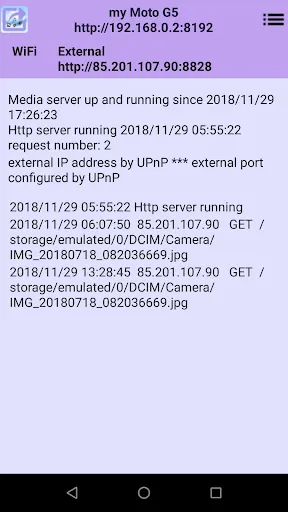
This application contains an UPnP and HTTP server, and an UPnP client. The server runs in the background as a long running service, and you can use another application simultaneously.
This server distributes by default all video, photo, music and eBooks (including .pdf) to clients over the local Wi-Fi network and, if configured, over Internet.
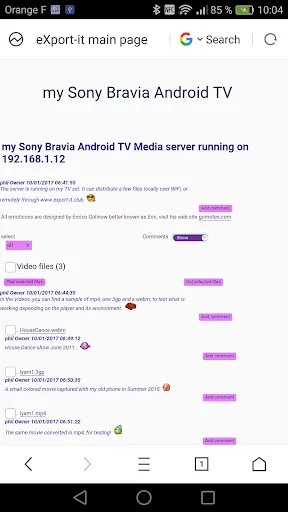
It can be used by standard UPnP clients on the Wi-Fi network, but you can also use your favorite Web browser for accessing your videos, music, photos and pdf on the Wi-Fi network.
The UPnP client, which is part of the application, gives support to all types of Android files, but if you prefer, you can use VLC (by sample) to play video or audio files remotely by UPnP.
With such an application, you can use all files exported by your Android device, from another Android device, a PC, a Mac, an iPhone or an IPad...
When using a Web browser as client you can write comments with emoticons everywhere in the page. Only the writer of a comment and the administrators can delete it. The files can be set in a categories to be distributed in shorter lists to some specific users. You can give details on your photos ,videos, ... in comments, and the users can write what they think about it.
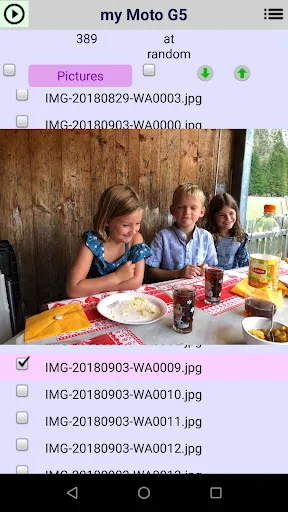
You can select multiple files of the same type on the web page to play these. Videos are played with HTML5 video support, webm and 3gp are working great, but mp4 can be limited depending on the device.
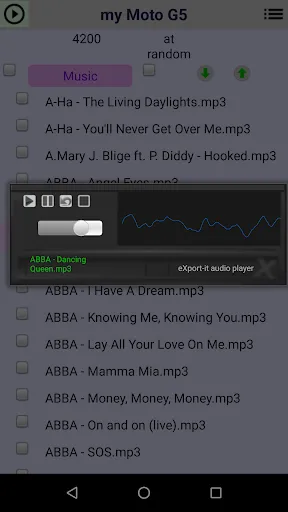
Audio is also played with HTML5 support and some formats can be not supported. All images work great on a web page, but only PDF is correctly supported with a Web browser, in the Ebook category.
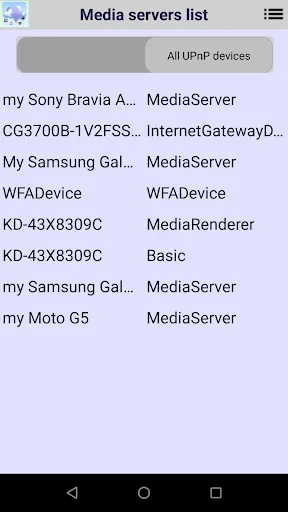
If you have already an UPnP server, you can use the client to access it.
The TV set with a Wi-Fi adapter (eventually through the DVD reader) can easily use the UPnP server for looking at videos and photos, but if you have an Android TV device, then you can also run the server and use the client directly on your TV set, permitting full exchange of files between phones, tablets and this TV set.
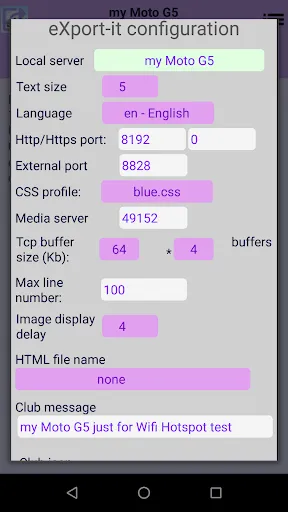
The HTTP server can be used over Internet from your WiFi network just configuring an external port number in the configuration. If a non null value is given, the application tries to configure your Internet Gateway dynamically by UPnP, otherwise you must configure it manually.
You can in addition, define usernames and passwords for accessing specific files over HTTP, and to limit access over Internet. The passwords are always encrypted over the network.
The configuration is dynamic but it looks better to override the default server name, font size, and, if you plan to use Internet, to create user names and passwords, before real use.
This application supports many languages (Amharic, Arabic, Armenian, Azerbaijani, Belarusian, Bengali, Bulgarian, Burmese, Catalan, Chichewa, Chinese, Croatian, Czech, Danish, Dutch, English, Filipino, French, Georgian, German, Greek, Hausa, Hebrew, Hindi, Hungarian, Igbo, Indonesian, Italian, Japanese, Kazak, Khmer, Korean, Kurdish, Kyrgyz, Malay, Mongolian, Nepali, Norwegian, Persian, Polish, Portuguese, Punjabi, Romanian, Russian, Slovak, Slovenian, Serbian, Spanish, Swahili, Swedish, Tagalog, Thai, Tajik, Turkish, Ukrainian, Uzbek, Vietnamese, Yoruba and Zulu).
By default this application uses the system language but you can use any of the languages, all user interfaces are configured dynamically including the Web page.
For reading eBooks on Wifi, another product is required: Acrobat Reader, qPDFViewer, FBReader, CoolReader or ZoReader. For reading eBooks remotely with HTTP, you need to use an eBook reader with OPDS catalogs support.
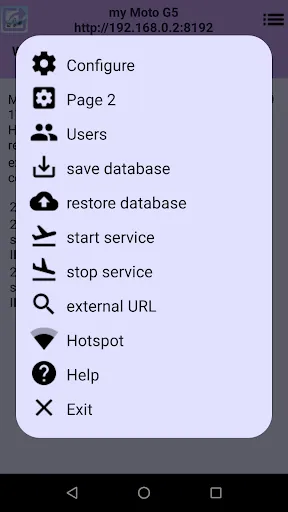
You can start and stop a Wifi hotspot clicking on the top right icon of the server window , but it does not work on all devices. It requires the WRITE_SETTINGS permission. Clicking on the same icon on your other devices permits to connect to a Wifi network dynamically. The password has to be given only the first time.
This server distributes by default all video, photo, music and eBooks (including .pdf) to clients over the local Wi-Fi network and, if configured, over Internet.
It can be used by standard UPnP clients on the Wi-Fi network, but you can also use your favorite Web browser for accessing your videos, music, photos and pdf on the Wi-Fi network.
The UPnP client, which is part of the application, gives support to all types of Android files, but if you prefer, you can use VLC (by sample) to play video or audio files remotely by UPnP.
With such an application, you can use all files exported by your Android device, from another Android device, a PC, a Mac, an iPhone or an IPad...
When using a Web browser as client you can write comments with emoticons everywhere in the page. Only the writer of a comment and the administrators can delete it. The files can be set in a categories to be distributed in shorter lists to some specific users. You can give details on your photos ,videos, ... in comments, and the users can write what they think about it.
You can select multiple files of the same type on the web page to play these. Videos are played with HTML5 video support, webm and 3gp are working great, but mp4 can be limited depending on the device.
Audio is also played with HTML5 support and some formats can be not supported. All images work great on a web page, but only PDF is correctly supported with a Web browser, in the Ebook category.
If you have already an UPnP server, you can use the client to access it.
The TV set with a Wi-Fi adapter (eventually through the DVD reader) can easily use the UPnP server for looking at videos and photos, but if you have an Android TV device, then you can also run the server and use the client directly on your TV set, permitting full exchange of files between phones, tablets and this TV set.
The HTTP server can be used over Internet from your WiFi network just configuring an external port number in the configuration. If a non null value is given, the application tries to configure your Internet Gateway dynamically by UPnP, otherwise you must configure it manually.
You can in addition, define usernames and passwords for accessing specific files over HTTP, and to limit access over Internet. The passwords are always encrypted over the network.
The configuration is dynamic but it looks better to override the default server name, font size, and, if you plan to use Internet, to create user names and passwords, before real use.
This application supports many languages (Amharic, Arabic, Armenian, Azerbaijani, Belarusian, Bengali, Bulgarian, Burmese, Catalan, Chichewa, Chinese, Croatian, Czech, Danish, Dutch, English, Filipino, French, Georgian, German, Greek, Hausa, Hebrew, Hindi, Hungarian, Igbo, Indonesian, Italian, Japanese, Kazak, Khmer, Korean, Kurdish, Kyrgyz, Malay, Mongolian, Nepali, Norwegian, Persian, Polish, Portuguese, Punjabi, Romanian, Russian, Slovak, Slovenian, Serbian, Spanish, Swahili, Swedish, Tagalog, Thai, Tajik, Turkish, Ukrainian, Uzbek, Vietnamese, Yoruba and Zulu).
By default this application uses the system language but you can use any of the languages, all user interfaces are configured dynamically including the Web page.
For reading eBooks on Wifi, another product is required: Acrobat Reader, qPDFViewer, FBReader, CoolReader or ZoReader. For reading eBooks remotely with HTTP, you need to use an eBook reader with OPDS catalogs support.
You can start and stop a Wifi hotspot clicking on the top right icon of the server window , but it does not work on all devices. It requires the WRITE_SETTINGS permission. Clicking on the same icon on your other devices permits to connect to a Wifi network dynamically. The password has to be given only the first time.
Ảnh chụp màn hình của eXport-it UPnP Client/Server
Các phiên bản cũ của eXport-it UPnP Client/Server





Đề xuất của biên tập viên


Ứng dụng Tương tự eXport-it UPnP Client/Server


Ứng dụng bởi Design & Development of Computerized Solutions RE
eXport-it UPnP Client/Server FAQ
Làm thế nào để tải eXport-it UPnP Client/Server từ PGYER APK HUB?
Ứng dụng eXport-it UPnP Client/Server trên PGYER APK HUB có miễn phí không?
Tôi cần tài khoản để tải eXport-it UPnP Client/Server từ PGYER APK HUB không?
Làm thế nào để báo cáo vấn đề với eXport-it UPnP Client/Server trên PGYER APK HUB?
Bạn có thấy thông tin này hữu ích không
Có
Không
Đánh giá của người dùng
+ Đánh giá
4.9
5
4
3
2
1
S
Sandra
2025-02-01
23
0
If you're looking for a reliable UPnP solution, eXport-it UPnP Client/Server is the way to go. It's user-friendly and efficient.
V
Victoria
2025-01-25
0
0
eXport-it UPnP Client/Server has transformed how I manage my media. It's fast, reliable, and easy to use.
F
Francis
2025-01-31
17
0
eXport-it UPnP Client/Server is a must-have for anyone who needs to stream media across devices. It works flawlessly!
Phổ biến nhất

Disney Speedstorm
Gameloft SE

Royal Match
Dream Games, Ltd.

Angry Birds Journey
Rovio Entertainment Corporation

Bad 2 Bad: Delta
DAWINSTONE GAMES

Super Mario Odyssey
Super Mario Odyssey APK - Explore the World Like Never Before!
Embark on an exhilarating adventure w

Mobile Legends: Bang Bang FT
Công ty cổ phần phát triển công nghệ số Hồng Hà

Crunchyroll: Wolfstride
Crunchyroll, LLC

Car Parking Multiplayer 2
olzhass

Legend of Solgard
Snowprint Studios AB

Soccer Superstar
Real Freestyle Soccer

Clash Royale
Supercell

Hollow Knight: Mobile
ONLİNE GAMES MMMORG

Red Dead redemption 2 Mobile
Tarik EL hamdi

PUBG MOBILE
Level Infinite

Pure Sniper: Gun Shooter Games
Miniclip.com

Hole.io
VOODOO

GunboundM
DargomStudio

Plague Inc.
Ndemic Creations

Relic Bag: Shadow Hunter
Fansipan Limited

Call of Duty: Warzone Mobile
Activision Publishing, Inc.

Delta Force
Level Infinite

War Thunder Mobile
GAIJIN NETWORK LTD

Shadow Fight 2 Special Edition
NEKKI

Once Human
Exptional Global