

Advanced Download Manager
评分
Jul 22, 2024最近更新
14.0.29版本
关于Advanced Download Manager
Powerful Downloader for Android:
- downloading from internet up to five files simultaneously;
- accelerated downloading by using multithreading (16 parts)
- interception of links from android browsers and clipboard;
- download files in background and resume after failure;
- loader for images, documents, archives and programs;
- downloading to SD-card for Lollipop and Marshmallow;
- smart algorithm for increased speed of downloading;
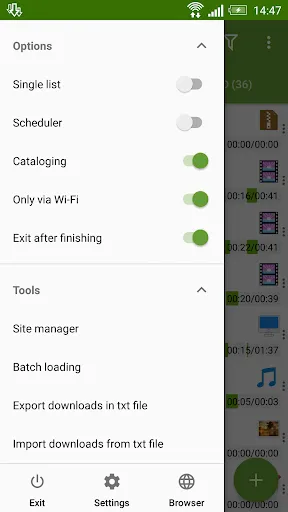
- downloading only through the internet on Wi-Fi;
- boost downloader for 2G, 3G and 4G networks;
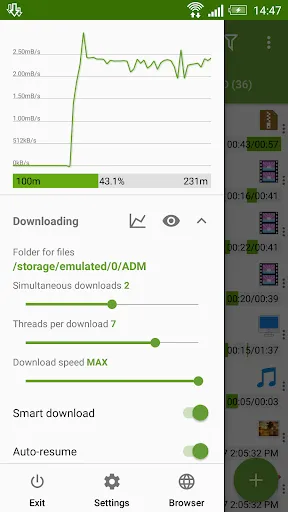
- changing the maximum speed in real time;
- video downloader and music downloader;
- resuming of interrupted downloads;
- support files larger than 2 gigabyte;
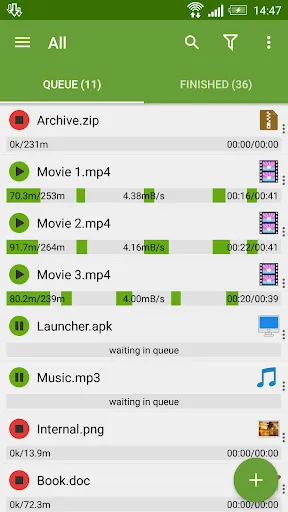
- parallel download files in queue.
Torrent downloader:
- adding torrent and magnet through Editor, clipboard, browser and file explorer;
- selection of necessary files and folders, display of their size and type, search by name, sorting;
- in Right Menu you can filter Torrents and Seeding;
- in Left menu quick options, in Settings a new section Torrent with all kinds of options;
- Properties window displays information about torrent, Site Manager supports profiles for them.
Advanced Settings:
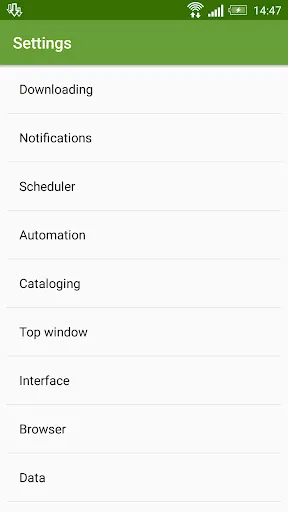
- interface customization and themes;
- select the folder for downloaded files;
- different automatic actions after finishing;
- save different file types in different folders;
- create an empty file to accelerate downloading;
- autostop process if the battery charge level is low;
- import list of links from a text file on SD-card;
- autoresume after errors and break of connection;
- planning start of downloading at right time;
- turbo mode for speed up downloading;
- getting size of file and beautiful name;
- backup list of downloads and settings;
- profiles for each type of connection;
- automatic operation on schedule;
- support quick autoadd download.
Clean Interface:
- light material design;
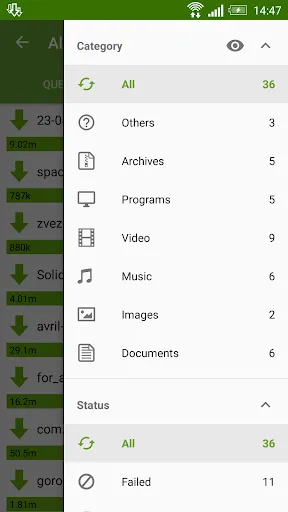
- filter by types and status;
- left menu with quick options;
- context menu for easy management;
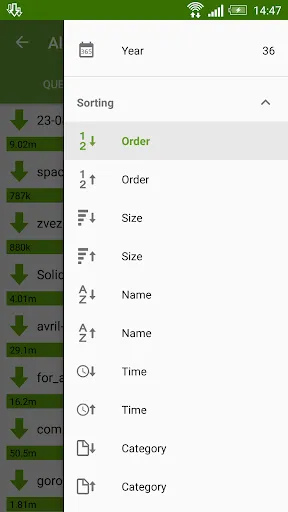
- sorting downloads by order, size and name;
- open completed files through favorite apps;
- information about downloading: speed, size, time;
- support pause, resume, restart for downloads;
- creation of advanced profiles for sites;
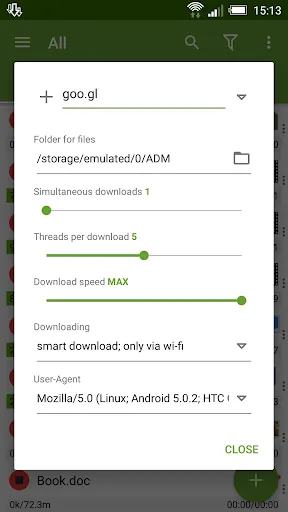
- fine-tuning for each download;
- widget on home screen.
Extended Notifications:
- icon with progress and speed in notification panel;
- transparent progress-bar on top of all windows;
- completion notification by sound and vibration.
Built-in ADM Browser:
- support of multiple tabs;
- advanced media downloader;
- list of history and bookmarks;
- easy sending file to downloader;
- easy downloader for all types of files;
- download accelerator for social networking;
- option "User-Agent" for forgery the browser.
Simple control for downloads:
- press on the download to start/stop the process;
- press on the completed download to open the file;
- long press on download to display the context menu.
Add URL links in ADM:
- press on link and from window "Complete action using" select ADM Editor;
- long press on a link to display the context menu, press "Share" or "Send" and from window "Share via" select ADM Editor;
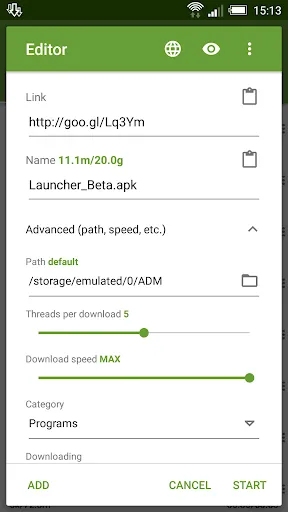
- copy link, after program intercept it from clipboard and send in ADM Editor, or use "Add" button and paste the link.
ADM is the best android download manager for you!
- downloading from internet up to five files simultaneously;
- accelerated downloading by using multithreading (16 parts)
- interception of links from android browsers and clipboard;
- download files in background and resume after failure;
- loader for images, documents, archives and programs;
- downloading to SD-card for Lollipop and Marshmallow;
- smart algorithm for increased speed of downloading;
- downloading only through the internet on Wi-Fi;
- boost downloader for 2G, 3G and 4G networks;
- changing the maximum speed in real time;
- video downloader and music downloader;
- resuming of interrupted downloads;
- support files larger than 2 gigabyte;
- parallel download files in queue.
Torrent downloader:
- adding torrent and magnet through Editor, clipboard, browser and file explorer;
- selection of necessary files and folders, display of their size and type, search by name, sorting;
- in Right Menu you can filter Torrents and Seeding;
- in Left menu quick options, in Settings a new section Torrent with all kinds of options;
- Properties window displays information about torrent, Site Manager supports profiles for them.
Advanced Settings:
- interface customization and themes;
- select the folder for downloaded files;
- different automatic actions after finishing;
- save different file types in different folders;
- create an empty file to accelerate downloading;
- autostop process if the battery charge level is low;
- import list of links from a text file on SD-card;
- autoresume after errors and break of connection;
- planning start of downloading at right time;
- turbo mode for speed up downloading;
- getting size of file and beautiful name;
- backup list of downloads and settings;
- profiles for each type of connection;
- automatic operation on schedule;
- support quick autoadd download.
Clean Interface:
- light material design;
- filter by types and status;
- left menu with quick options;
- context menu for easy management;
- sorting downloads by order, size and name;
- open completed files through favorite apps;
- information about downloading: speed, size, time;
- support pause, resume, restart for downloads;
- creation of advanced profiles for sites;
- fine-tuning for each download;
- widget on home screen.
Extended Notifications:
- icon with progress and speed in notification panel;
- transparent progress-bar on top of all windows;
- completion notification by sound and vibration.
Built-in ADM Browser:
- support of multiple tabs;
- advanced media downloader;
- list of history and bookmarks;
- easy sending file to downloader;
- easy downloader for all types of files;
- download accelerator for social networking;
- option "User-Agent" for forgery the browser.
Simple control for downloads:
- press on the download to start/stop the process;
- press on the completed download to open the file;
- long press on download to display the context menu.
Add URL links in ADM:
- press on link and from window "Complete action using" select ADM Editor;
- long press on a link to display the context menu, press "Share" or "Send" and from window "Share via" select ADM Editor;
- copy link, after program intercept it from clipboard and send in ADM Editor, or use "Add" button and paste the link.
ADM is the best android download manager for you!
游戏玩法
Advanced Download Manager应用截图
Advanced Download Manager的历史版本





编辑推荐


类似Advanced Download Manager的应用


admtorrent的应用
用户评论
+ 测评
4.2
5
4
3
2
1
A
Anastasia
2024-12-27
13
0
I've tried many download managers, but Advanced Download Manager stands out with its simplicity and speed.
N
Neil
2024-11-30
8
0
Advanced Download Manager has significantly improved my download speeds. It's simply the best!
S
Simon
2024-12-03
6
0
I appreciate how Advanced Download Manager allows me to pause and resume downloads seamlessly.
最受欢迎

Reddit
reddit Inc.

SHEIN-Shopping Online
Roadget Business PTE. LTD.

Poppo Live
Poppo Team

TikTok
TikTok Pte. Ltd.

Super Mario Odyssey
Super Mario Odyssey APK - Explore the World Like Never Before!
Embark on an exhilarating adventure w

Mobile Legends: Bang Bang FT
Công ty cổ phần phát triển công nghệ số Hồng Hà

Netflix
Netflix, Inc.

Car Parking Multiplayer 2
olzhass

Legend of Solgard
Snowprint Studios AB

X
X Corp.

Clash Royale
Supercell

Tips Dream League Soccer 2017
amorphisnguyen

Red Dead redemption 2 Mobile
Tarik EL hamdi

PUBG MOBILE
Level Infinite

Pure Sniper: Gun Shooter Games
Miniclip.com

Hole.io
VOODOO

GunboundM
DargomStudio

Plague Inc.
Ndemic Creations

Relic Bag: Shadow Hunter
Fansipan Limited

Call of Duty: Warzone Mobile
Activision Publishing, Inc.

Talking Pierre the Parrot
Outfit7 Limited

War Thunder Mobile
GAIJIN NETWORK LTD

Shadow Fight 2 Special Edition
NEKKI

Once Human
Exptional Global