SH365 icon

SH365

Version:9.5 (build 16)
SH365 QRcode
App installation is in progress
Installing...
App download will begin in a moment, please wait... If it doesn\'t, please restart the download.
Install
  • This is not the latest version. Switch to the latest versionx
  • Or use your mobile to scan the QR code to install

    Cannot install/install the app? Check now

    About SH365

    Size
    51.2 MB
    Publish at
    2024-09-22
    Version
    9.5
    Build
    16

    Other versions of SH365

    12.0 (build 20) 2025-08-19
    10.2 (build 19) 2024-11-14
    9.7 (build 18) 2024-09-28
    9.6 (build 17) 2024-09-25
    9.0 (build 15) 2024-04-16
    View more

    Introduction of SH365

    SH365: Your Ultimate Home and Office Security Solution

    Stay connected to your home or office 24/7 with SH365, the groundbreaking security app that brings your IP Camera's live feed right to your fingertips. With advanced features such as real-time monitoring, snapshot, video recording, and remote configuration, SH365 puts you in control of your property's security like never before.

    Key Features of SH365
    - Real-time Monitoring: Keep an eye on your home or office at all times with live video streaming from your IP Camera.
    - Snapshot: Capture important moments with a quick tap, saving high-quality images directly to your device.
    - Video Recording: Record videos of events or incidents and store them securely for future reference.
    - Remote Configuration: Adjust your IP Camera's settings from anywhere, anytime, using the SH365 app.

    Benefits of Using SH365
    - Enhance security and peace of mind with constant monitoring of your property.
    - Easily document incidents with snapshot and video recording features.
    - Enjoy full control over your IP Camera settings from the convenience of your smartphone.
    - Save time and effort with a user-friendly app designed for seamless security management.

    Step-by-step Instructions for Using SH365
    - Click the [Install] button or scan QR code to download and install SH365 android app on smartphone or iOS on iPhone.
    - Connect your IP Camera to your home or office network.
    - Launch the SH365 app and enter your IP Camera's credentials to establish a connection.
    - Begin monitoring your premises in real-time using the live video feed.
    - Capture snapshots or record videos as needed, and adjust your IP Camera settings remotely.

    Take Control of Your Security Today
    Don't leave your property's security to chance. Download the SH365 app now and experience the ultimate in home and office security management.

    #SH365 #HomeSecurity #OfficeSecurity #IPCamera #StayConnected
    Expand

    Screenshots of SH365

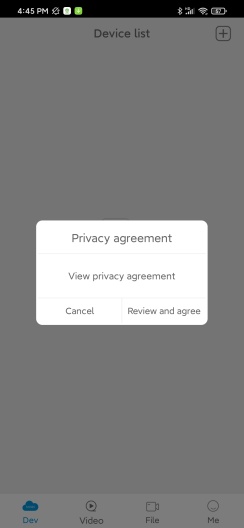
    SH365 Screenshots1
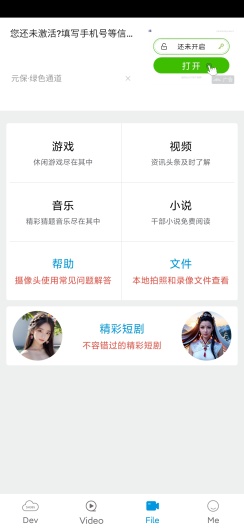
    SH365 Screenshots2
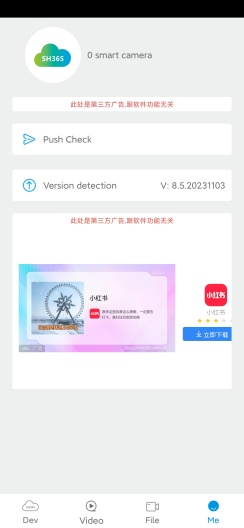
    SH365 Screenshots3
    SH365 Screenshots4
    SH365 Screenshots5

    Feedback

    Submit questions you've encountered during the process or suggestions for the app to the developer of the app to help them do better.