

Video Compressor & Editor
Bewertung
Oct 02, 2024Neuestes Update
2.8.2Version
Über Video Compressor & Editor
A full-featured and easy-to-use video toolbox, can be used to batch compress, crop, trim, cut, split, merge and rotate videos in Photo Library. Support HEVC & H.264 codec, save more storage than traditional H.264 compressor.
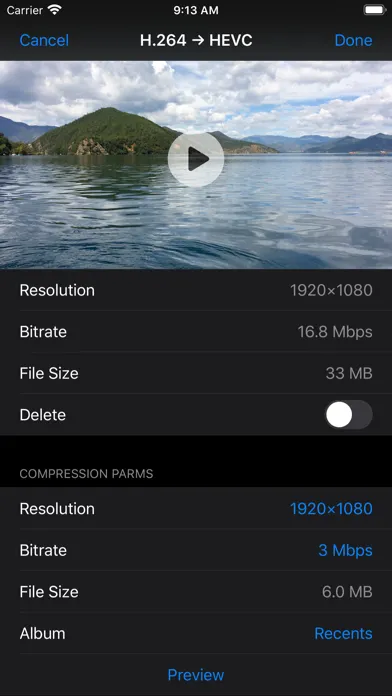
Compress Video:
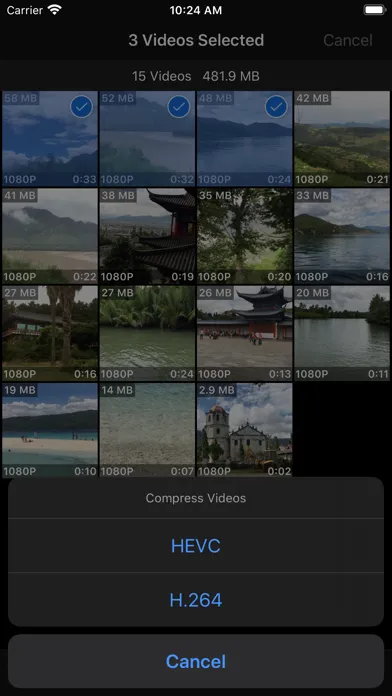
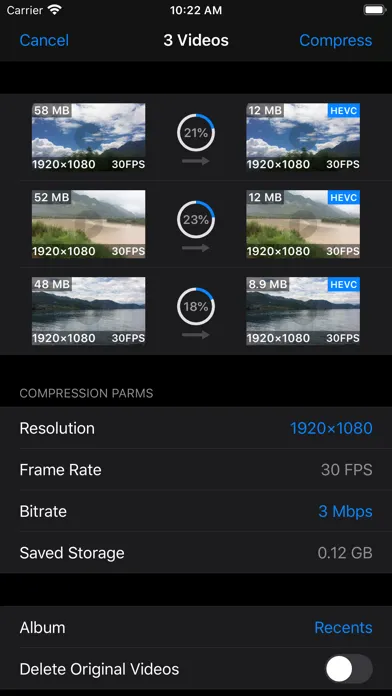
- Support batch and single video compression
- Resolution options for H.264 Compression: 4K, 1080p, 720p, 540p, 480p
- Resolution options for HEVC Compression: 4K, 1080p, 720p
- Support adjusting frame rate, 240 FPS's video can be compressed to 240/120/60/30 FPS
- Multiple bitrate options for each resolution and frame rate option
- Input any compression bitrate through keyboard
- Provide preview function for checking compressed video’s image quality
- Compressed video can be saved to a user selected album
- Retain all metadata of original video, including timed metadata info in metadata tracks
- Automatically add creation date metadata to videos without it, prevent from losing video's creation or capture date
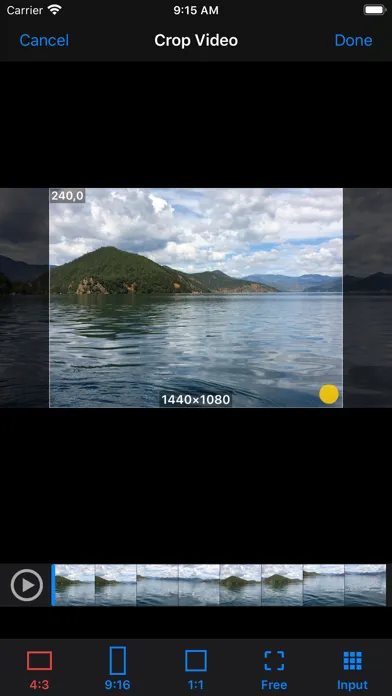
Crop Video:
- Crop video to fixed ratio’s resolution : 2:1/16:9 / 4:3 / 1:1 / 3:4 / 9:16/1:2
- Crop video to any resolution
- Input fixed corp size through keyboard
- Touch the lower right corner of the cropped video, drag to adjust it's resolution
- Touch other part of the cropped video, drag to adjust it’s position in original video
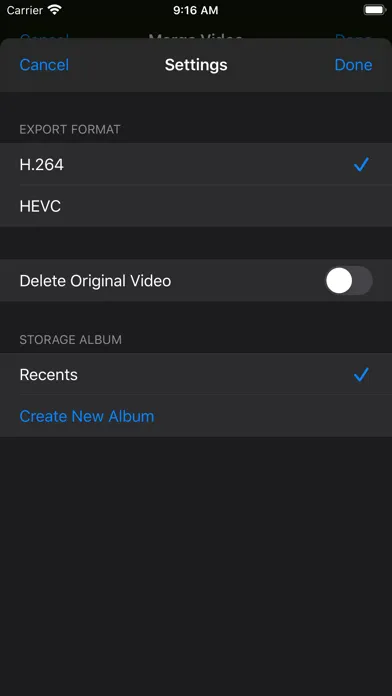
- Support setting export format, delete and storage album option for all editing functions
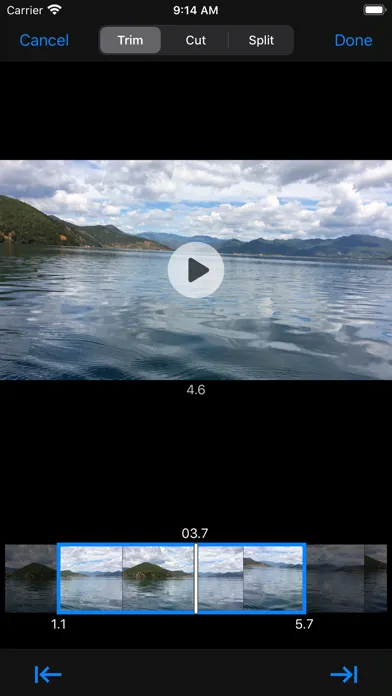
Trim and Cut Video:
- Easy scrolled video preview make trim position’s setting very convenient and accurate
- Trim precision can reach 0.1 second
- Automatically calculate and display trimmed or cut video’s duration
- Trimmed or cut video is exported in the same resolution and bitrate as original video
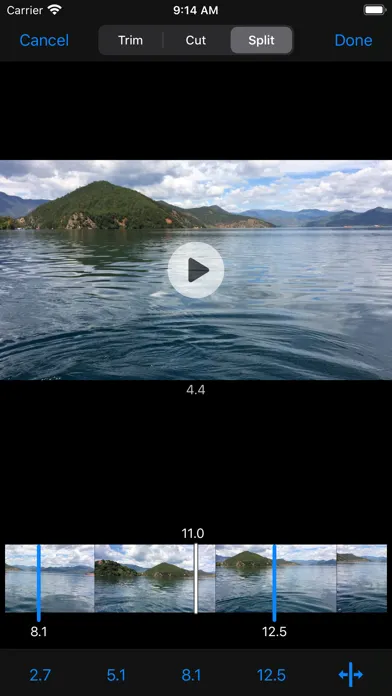
Split Video:
- One video can be split up to 5 to 7 clips, export and save to Photo Library
- Insert or remove a split point is very easy and straightforward
- Split position's precision can reach 0.1 second
- Split video clips are exported in the same resolution and bitrate as original video
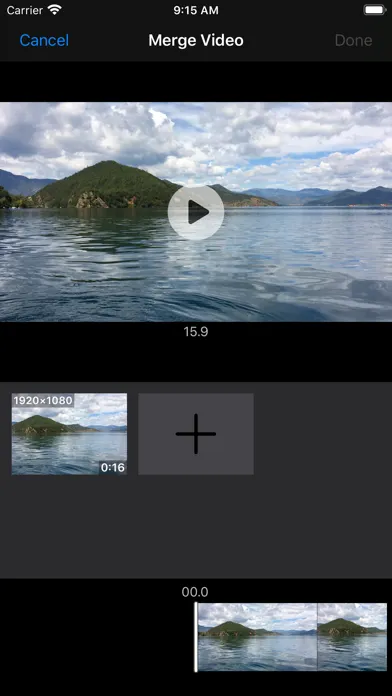
Merge Video:
- Support merging up to 6 video clips to one video
- Select and view video clips in the order of creation date and modification date
- Preview the merged video, export to camera roll instantly
Rotate Video:
- Rotate video clockwise or anti-clockwise
- Preview rotated video
Video File Management:
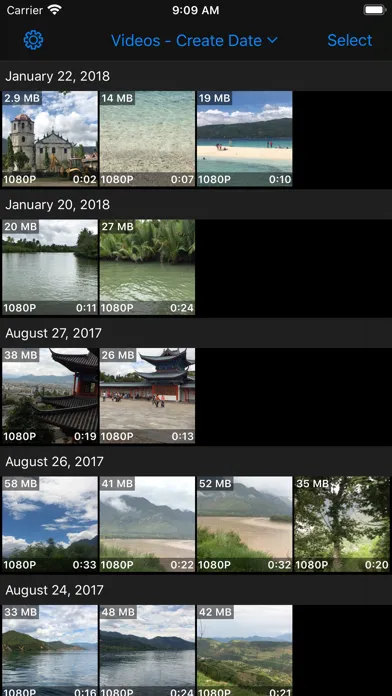
- View videos in the orders of creation date, modification date, file size and albums
- Show codec label for HEVC videos, very easy to distinguish them from H.264 videos
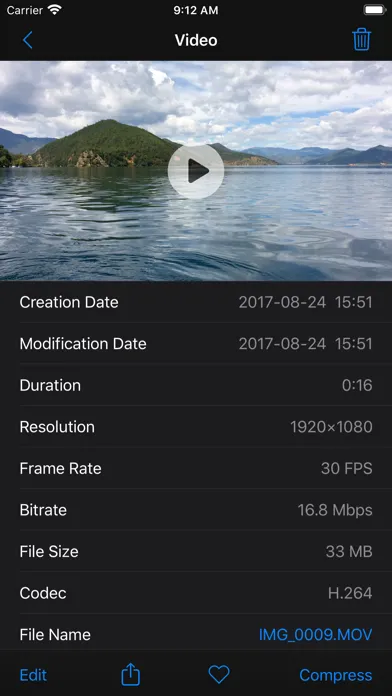
- Show video’s file, location and codec info in detail page
- Support multi-selection, share or delete multiple videos with one action
- Support download iCloud video, compress or edit in local device
In-App Purchase:
- Compression Module:remove 30 seconds duration’s restriction for batch and single video compression functions.
- Editing Module:remove 30 seconds duration’s restriction for all video editing functions.
HEVC Codec:
- The latest video coding technology adopted by Apple in iOS 11 and later version
- Has up to 40% compression improvement over traditional H.264 Codec
- Supported by models with A10 fusion or later processor
Compress Video:
- Support batch and single video compression
- Resolution options for H.264 Compression: 4K, 1080p, 720p, 540p, 480p
- Resolution options for HEVC Compression: 4K, 1080p, 720p
- Support adjusting frame rate, 240 FPS's video can be compressed to 240/120/60/30 FPS
- Multiple bitrate options for each resolution and frame rate option
- Input any compression bitrate through keyboard
- Provide preview function for checking compressed video’s image quality
- Compressed video can be saved to a user selected album
- Retain all metadata of original video, including timed metadata info in metadata tracks
- Automatically add creation date metadata to videos without it, prevent from losing video's creation or capture date
Crop Video:
- Crop video to fixed ratio’s resolution : 2:1/16:9 / 4:3 / 1:1 / 3:4 / 9:16/1:2
- Crop video to any resolution
- Input fixed corp size through keyboard
- Touch the lower right corner of the cropped video, drag to adjust it's resolution
- Touch other part of the cropped video, drag to adjust it’s position in original video
- Support setting export format, delete and storage album option for all editing functions
Trim and Cut Video:
- Easy scrolled video preview make trim position’s setting very convenient and accurate
- Trim precision can reach 0.1 second
- Automatically calculate and display trimmed or cut video’s duration
- Trimmed or cut video is exported in the same resolution and bitrate as original video
Split Video:
- One video can be split up to 5 to 7 clips, export and save to Photo Library
- Insert or remove a split point is very easy and straightforward
- Split position's precision can reach 0.1 second
- Split video clips are exported in the same resolution and bitrate as original video
Merge Video:
- Support merging up to 6 video clips to one video
- Select and view video clips in the order of creation date and modification date
- Preview the merged video, export to camera roll instantly
Rotate Video:
- Rotate video clockwise or anti-clockwise
- Preview rotated video
Video File Management:
- View videos in the orders of creation date, modification date, file size and albums
- Show codec label for HEVC videos, very easy to distinguish them from H.264 videos
- Show video’s file, location and codec info in detail page
- Support multi-selection, share or delete multiple videos with one action
- Support download iCloud video, compress or edit in local device
In-App Purchase:
- Compression Module:remove 30 seconds duration’s restriction for batch and single video compression functions.
- Editing Module:remove 30 seconds duration’s restriction for all video editing functions.
HEVC Codec:
- The latest video coding technology adopted by Apple in iOS 11 and later version
- Has up to 40% compression improvement over traditional H.264 Codec
- Supported by models with A10 fusion or later processor
Video Compressor & Editor Screenshots




Empfehlung des Herausgebers


Apps wie Video Compressor & Editor
 Live Video - Video editor : Slow motion, Photo slide show, Video trimmer, Add videos to music, Motion editor & Video filter
 Video Sound - Add music to video & Add sound to video & Free video editor and maker
 Video Editor : movie maker, photo to video maker, Trim Video, Add videos to music & Video filter for Social
 Tiny Video Compressor & Editor
 Video Compressor & Editor App
 Video Compressor & Editor
 Video Compressor & Editor Pro
 Video Album - Frame Video, Join Video, Crop Video, Rotate Video
 Video+Video - Join Multiple Video Clips Into One Single Video PRO - Video Merger
 Video Compressor: Resize Video
 Video Compressor Compact Video
 Focus Video - Video Compressor
Apps von 勇 陈


Video Compressor & Editor FAQ
Wie lade ich Video Compressor & Editor von PGYER IPA HUB herunter?
Ist das Video Compressor & Editor auf PGYER IPA HUB kostenlos zum Download?
Benötige ich ein Konto, um Video Compressor & Editor von PGYER IPA HUB herunterzuladen?
Wie kann ich ein Problem mit Video Compressor & Editor auf PGYER IPA HUB melden?
Haben Sie dies hilfreich gefunden
Ja
Nein
Am beliebtesten

Sing It - Ear TrainerA must app for every musician, singer, or just for fun.
Test,train, and improve your musical ear and

Tube PiP - PiP for YouTubeTube PiP - the ultimate YouTube companion for iOS:
Picture in Picture (PiP) Playback: Watch YouTube

Papaya Ouch!In the game Papaya Ouch!, you can experience backpack management, tower defense, TD, merge, match 2,

Lets Go VPNLets Go VPN, the most advanced VPN, is designed by a team of top developers who strive to ensure all

Paprika Recipe Manager 3Organize your recipes. Create grocery lists. Plan your meals. Download recipes from your favorite we

War Pigeons UnboundedWar is coming. Deep down in top secret military labs they have evolved, mutated - and escaped. The f

Procreate PocketApp of the Year winner Procreate Pocket is the most feature-packed and versatile art app ever design

Cowboy Westland survival runAre you ready to take part in the #1 exciting 3D western adventure? Cowboy Westland survival run mak

Max: Stream HBO, TV, & MoviesIt’s all here. Iconic series, award-winning movies, fresh originals, and family favorites, featuring

TonalEnergy Tuner & MetronomeFor musicians from pros to beginners, whether you sing, play a brass, woodwind or stringed instrumen

SkyView®SkyView® brings stargazing to everyone. Simply point your iPhone, iPad, or iPod at the sky to identi

Ninja Dash 2015Ninja Dash 2015 is the fast paced running game!On these maze fields, rush to the end of this ninja w

Tami-Live Chat&VideoTami is an app that records daily life and ideas.You can use it to record your every day, whether it

SALE Camera - marketing camera effects plus photo editorSALE Camera Help you create the best Business to consumer Stock Photos and Images. provides 300 filt

DevTutor for SwiftUI"DevTutor" is an application designed to assist developers in creating exceptional apps us

Mokens League SoccerDive into Mokens League Soccer and experience the new era of soccer gaming!
Esports for Everyone: Wh

Zombie ZZOMBIE ENDLESS RUNNER LIKES NO OTHER!WHY?* Awesome graphic quality!* Simplified control (Auto-shooti

Dead Z - Zombie SurvivalCatastrophic explosion at the Omega Labs started the apocalypse, now spreading across the Earth.
Tak

HotSchedulesHotSchedules is the industry's leading employee scheduling app because it’s the fastest and easiest

ChatGPTIntroducing ChatGPT for iOS: OpenAI’s latest advancements at your fingertips.
This official app is f

Disney StoreDisney Store is your official home for exclusive collections, designer collaborations, and one-of-a-

fight back tennisa Pong game with Tennis style, the gameplay itself is very simple, you can using Touch. Ball speed w

Dr. Mina AdlyMina Adly mobile app provides students with portable instant access to a selection of services.
Usin

iVerify BasiciVerify Basic is your gateway to enhanced device security and threat awareness, offering a glimpse i