
MataVision
Penilaian
Nov 1, 2024Pembaruan Terbaru
1.2.3Versi
Cara menginstal file .IPA
Bagikan
Tentang MataVision
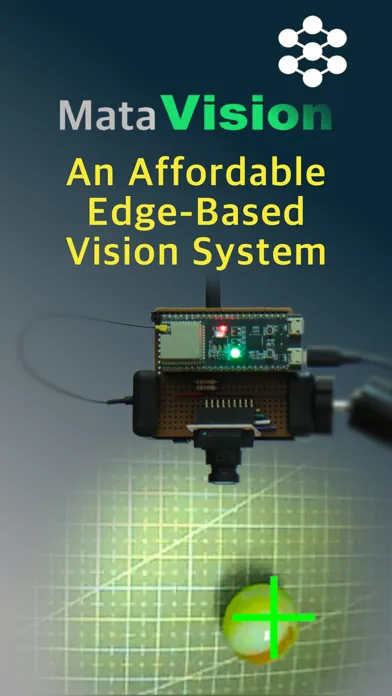
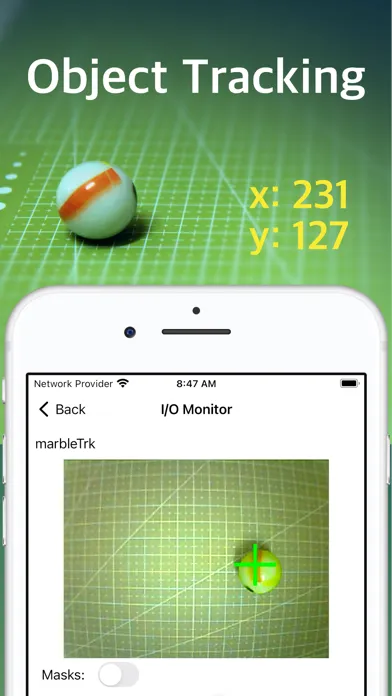
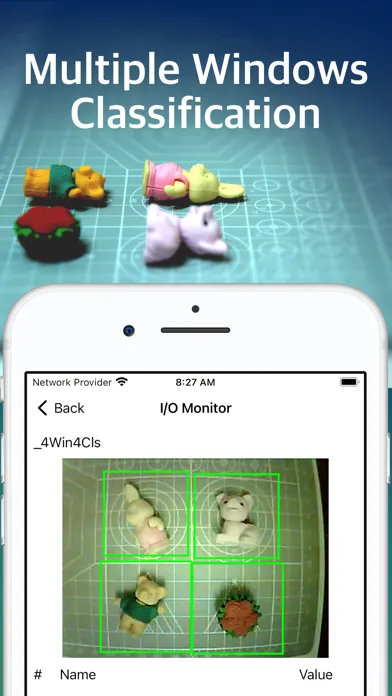
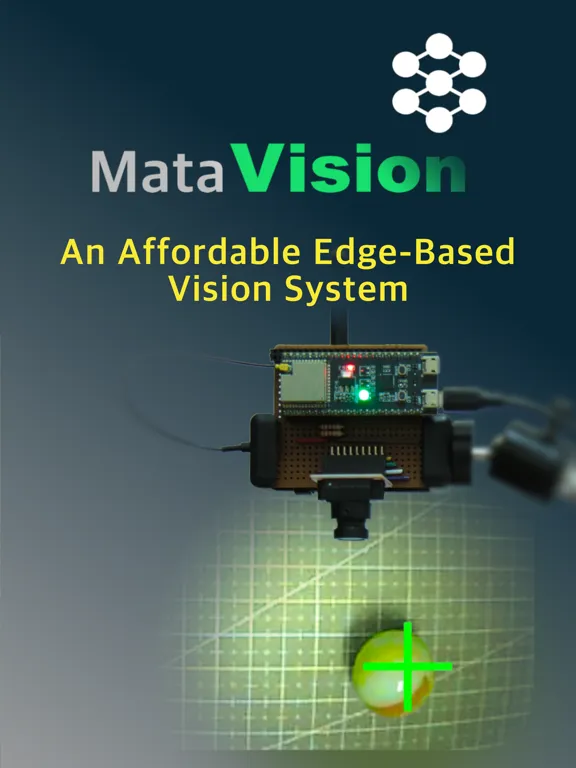
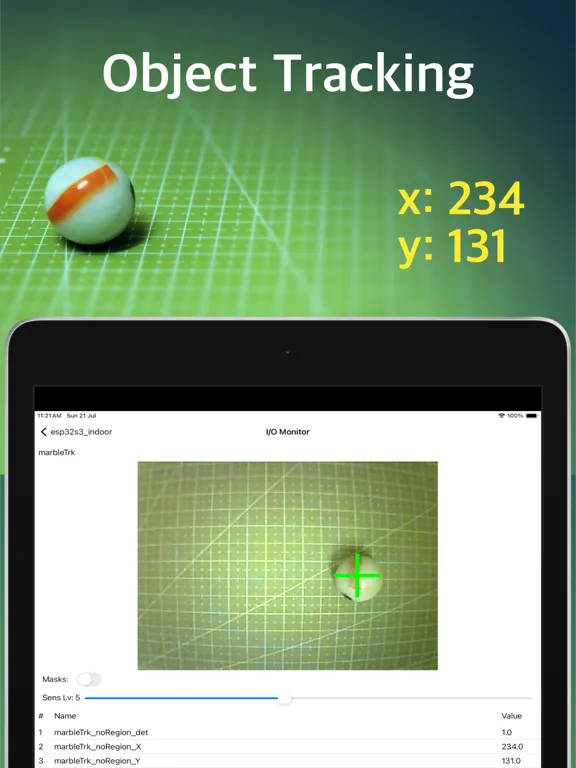
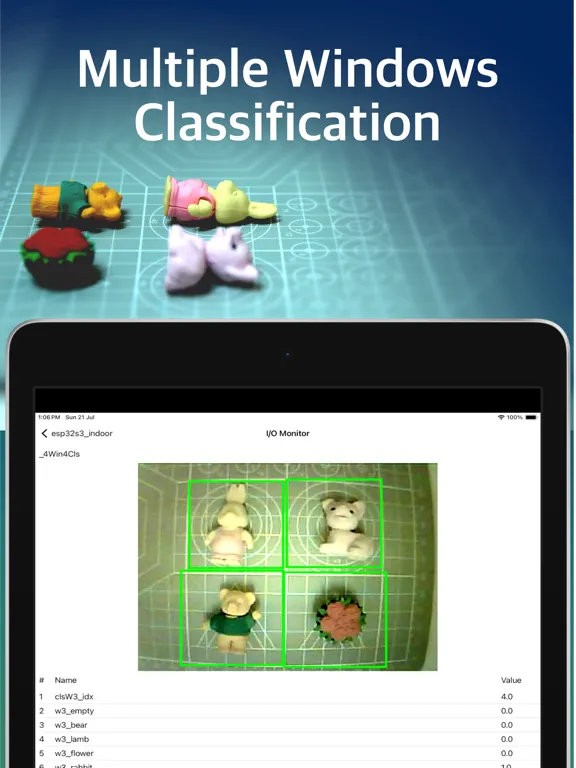
MataVision transforms your ESP32 modules into easy-to-use vision systems, providing multiple windows classification and object tracking at the edge. At its core, MataVision consists of two main components:
1. MataVision Firmware: This lightweight firmware is flashed onto your ESP32-CAM or ESP32-S3 board, transforming it into a powerful vision system.
2. MataVision iOS App: This intuitive app serves as your command center, allowing you to control and program ESP32 devices.
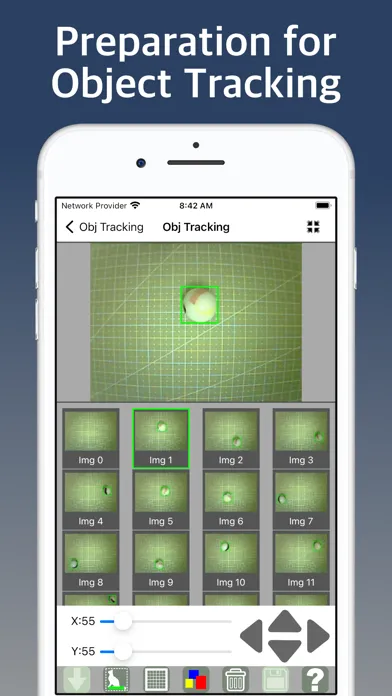
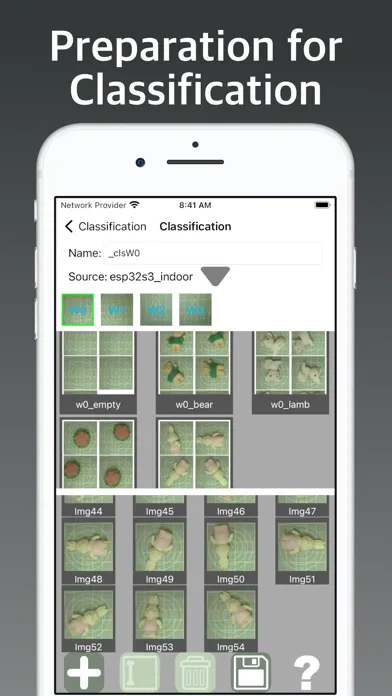
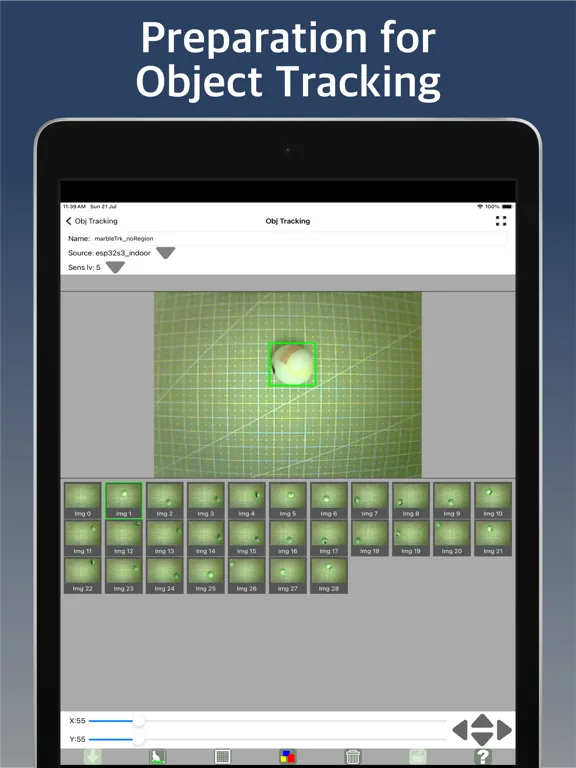
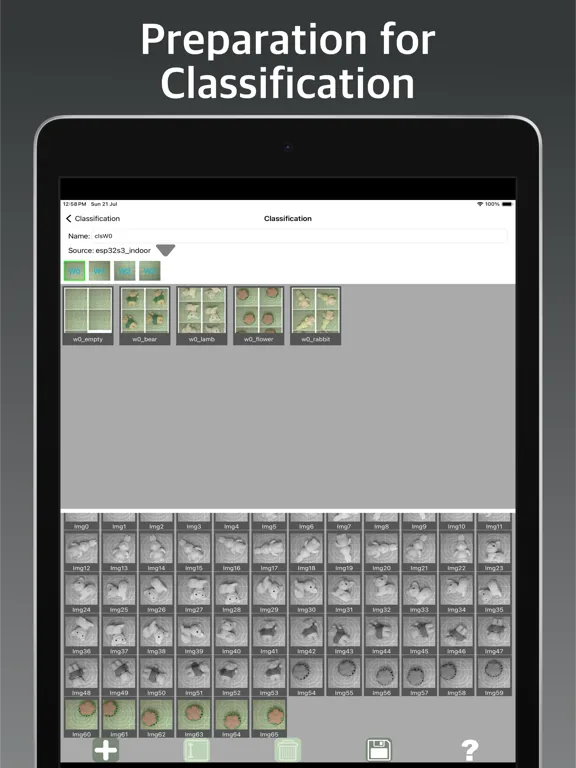
As with any vision task, collecting good representative images and carefully preparing them is crucial for successful vision training. MataVision includes elaborate, easy-to-use tools for these tasks.
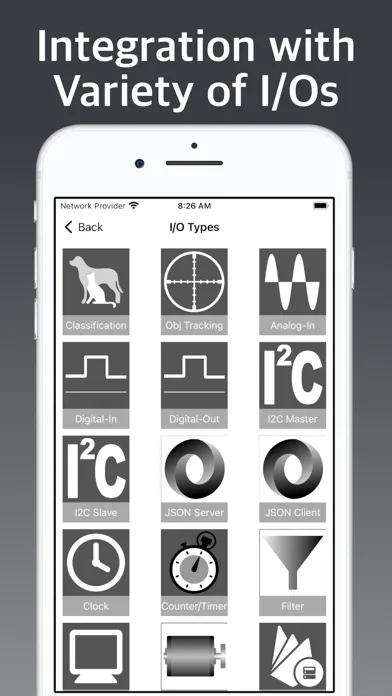
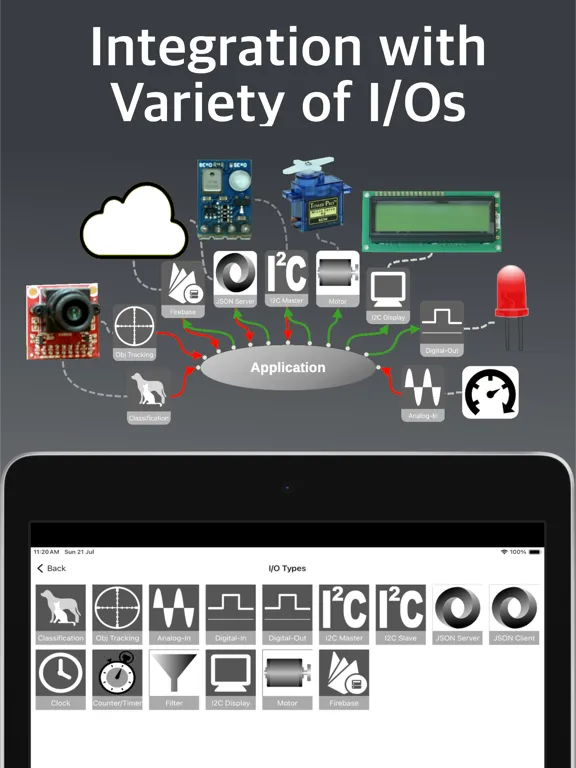
In many practical vision tasks, it is often necessary to incorporate inputs from or output data to external systems. MataVision includes a list of I/O types to enable interaction with some of the common I/O devices.
Finally, we need a method to instruct MataVision on how to integrate all the data from vision and I/O systems into something useful for our application. For this, we devised a minimal programming method.
No, you don’t have to learn a new programming language. It is just basic high school arithmetic and logic. All you need to know are:
1. A MataVision program consists of lines of Simple Logic Instructions (SLI). It executes from top to bottom and will continue to loop over these instructions.
2. An SLI instruction consists of three segments: an input value on the left, a condition in the middle, and one or more output values on the right. When the condition is evaluated to be TRUE, the value on the left will be assigned to the right.
For illustration, the following four example programs will do the same thing: turn ON the LED when the switch is pressed.
```
// Example 1
mySwitch =(True)> myLED
```
```
// Example 2
mySwitch =(1+1>1)> myLED
```
```
// Example 3
mySwitch =(1)> myLED
```
```
// Example 4
mySwitch => myLED
```
Note: Programming in MataVision is meant to allow basic controls and interactions with I/O devices. It is not suitable for creating complex applications.
A Typical Workflow
1. Attaching a camera module, such as OV7670 or OV2640, to the ESP32.
2. Optionally attaching a DS3231 RTC (Real Time Clock) module to the ESP32.
3. Flashing the MataVision Firmware onto the ESP32.
4. Connecting the MataVision iOS App to the ESP32.
5. Collecting sample images for object classification or tracking training.
6. Creating classification objects by grouping images for each class.
7. Creating object tracking objects by drawing bounding boxes on sample images.
8. Creating supporting I/O objects.
9. Writing a small program incorporating all values from vision and I/O objects into a single logic unit and uploading it to the ESP32.
1. MataVision Firmware: This lightweight firmware is flashed onto your ESP32-CAM or ESP32-S3 board, transforming it into a powerful vision system.
2. MataVision iOS App: This intuitive app serves as your command center, allowing you to control and program ESP32 devices.
As with any vision task, collecting good representative images and carefully preparing them is crucial for successful vision training. MataVision includes elaborate, easy-to-use tools for these tasks.
In many practical vision tasks, it is often necessary to incorporate inputs from or output data to external systems. MataVision includes a list of I/O types to enable interaction with some of the common I/O devices.
Finally, we need a method to instruct MataVision on how to integrate all the data from vision and I/O systems into something useful for our application. For this, we devised a minimal programming method.
No, you don’t have to learn a new programming language. It is just basic high school arithmetic and logic. All you need to know are:
1. A MataVision program consists of lines of Simple Logic Instructions (SLI). It executes from top to bottom and will continue to loop over these instructions.
2. An SLI instruction consists of three segments: an input value on the left, a condition in the middle, and one or more output values on the right. When the condition is evaluated to be TRUE, the value on the left will be assigned to the right.
For illustration, the following four example programs will do the same thing: turn ON the LED when the switch is pressed.
```
// Example 1
mySwitch =(True)> myLED
```
```
// Example 2
mySwitch =(1+1>1)> myLED
```
```
// Example 3
mySwitch =(1)> myLED
```
```
// Example 4
mySwitch => myLED
```
Note: Programming in MataVision is meant to allow basic controls and interactions with I/O devices. It is not suitable for creating complex applications.
A Typical Workflow
1. Attaching a camera module, such as OV7670 or OV2640, to the ESP32.
2. Optionally attaching a DS3231 RTC (Real Time Clock) module to the ESP32.
3. Flashing the MataVision Firmware onto the ESP32.
4. Connecting the MataVision iOS App to the ESP32.
5. Collecting sample images for object classification or tracking training.
6. Creating classification objects by grouping images for each class.
7. Creating object tracking objects by drawing bounding boxes on sample images.
8. Creating supporting I/O objects.
9. Writing a small program incorporating all values from vision and I/O objects into a single logic unit and uploading it to the ESP32.
Tangkapan layar MataVision
Tangkapan layar MataVision iPad




Rekomendasi Editor


Aplikasi Seperti MataVision

Aplikasi oleh Kwong Cheong Yee

MataVision FAQ
Bagaimana cara mengunduh MataVision dari PGYER IPA HUB?
Apakah MataVision di PGYER IPA HUB gratis untuk diunduh?
Apakah saya memerlukan akun untuk mengunduh MataVision dari PGYER IPA HUB?
Bagaimana cara melaporkan masalah dengan MataVision di PGYER IPA HUB?
Apakah Anda menemukan ini membantu
Ya
Tidak
Paling Populer

Sing It - Ear TrainerA must app for every musician, singer, or just for fun.
Test,train, and improve your musical ear and

Tube PiP - PiP for YouTubeTube PiP - the ultimate YouTube companion for iOS:
Picture in Picture (PiP) Playback: Watch YouTube

Papaya Ouch!In the game Papaya Ouch!, you can experience backpack management, tower defense, TD, merge, match 2,

Lets Go VPNLets Go VPN, the most advanced VPN, is designed by a team of top developers who strive to ensure all

Paprika Recipe Manager 3Organize your recipes. Create grocery lists. Plan your meals. Download recipes from your favorite we

War Pigeons UnboundedWar is coming. Deep down in top secret military labs they have evolved, mutated - and escaped. The f

Procreate PocketApp of the Year winner Procreate Pocket is the most feature-packed and versatile art app ever design

Cowboy Westland survival runAre you ready to take part in the #1 exciting 3D western adventure? Cowboy Westland survival run mak

Max: Stream HBO, TV, & MoviesIt’s all here. Iconic series, award-winning movies, fresh originals, and family favorites, featuring

TonalEnergy Tuner & MetronomeFor musicians from pros to beginners, whether you sing, play a brass, woodwind or stringed instrumen

SkyView®SkyView® brings stargazing to everyone. Simply point your iPhone, iPad, or iPod at the sky to identi

Ninja Dash 2015Ninja Dash 2015 is the fast paced running game!On these maze fields, rush to the end of this ninja w

Tami-Live Chat&VideoTami is an app that records daily life and ideas.You can use it to record your every day, whether it

SALE Camera - marketing camera effects plus photo editorSALE Camera Help you create the best Business to consumer Stock Photos and Images. provides 300 filt

DevTutor for SwiftUI"DevTutor" is an application designed to assist developers in creating exceptional apps us

Mokens League SoccerDive into Mokens League Soccer and experience the new era of soccer gaming!
Esports for Everyone: Wh

Zombie ZZOMBIE ENDLESS RUNNER LIKES NO OTHER!WHY?* Awesome graphic quality!* Simplified control (Auto-shooti

Dead Z - Zombie SurvivalCatastrophic explosion at the Omega Labs started the apocalypse, now spreading across the Earth.
Tak

HotSchedulesHotSchedules is the industry's leading employee scheduling app because it’s the fastest and easiest

ChatGPTIntroducing ChatGPT for iOS: OpenAI’s latest advancements at your fingertips.
This official app is f

Disney StoreDisney Store is your official home for exclusive collections, designer collaborations, and one-of-a-

fight back tennisa Pong game with Tennis style, the gameplay itself is very simple, you can using Touch. Ball speed w

Dr. Mina AdlyMina Adly mobile app provides students with portable instant access to a selection of services.
Usin

iVerify BasiciVerify Basic is your gateway to enhanced device security and threat awareness, offering a glimpse i