
Mosaic - Video & Photo Collage
Valutazione
Oct 05, 2024Ultimo aggiornamento
2.1.7Versione
Come installare il file .IPA
Condividi
Informazioni su Mosaic - Video & Photo Collage
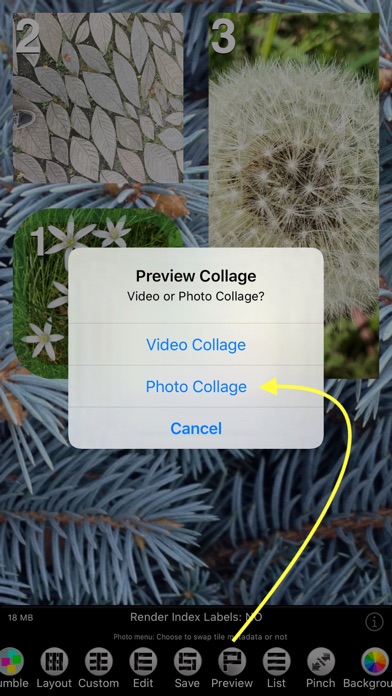
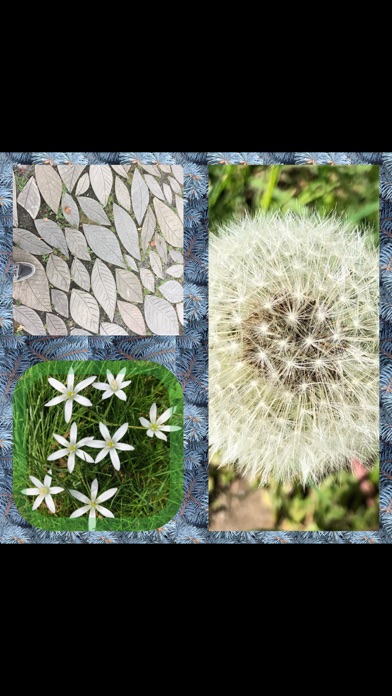
Mosaic is a versatile app that creates collages that consist of tiles, arranged according to a layout.
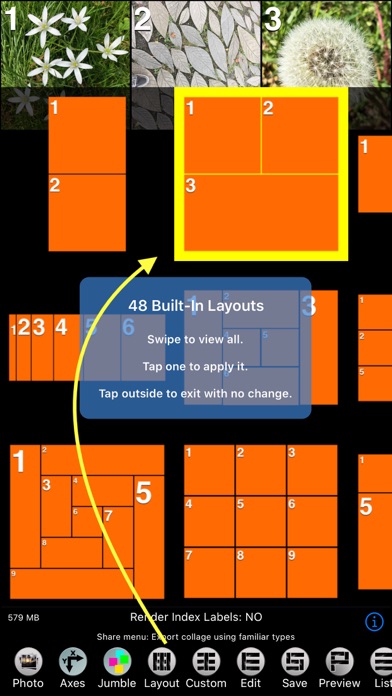
Mosaic contains 345 built-in layouts, but you can make your own in the collage editor.
Mosaic automatically creates icons for your custom layouts.
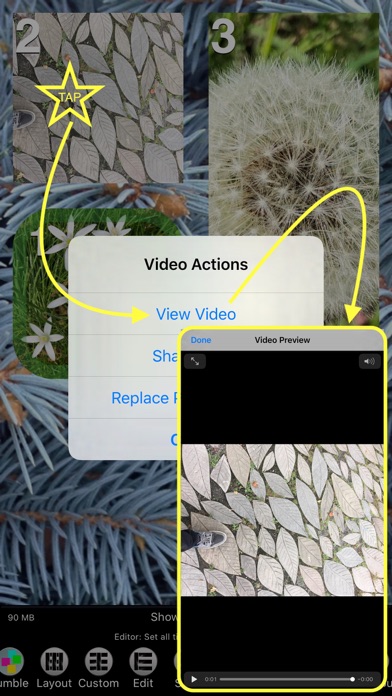
Photos & Videos: When you add a video to a tile its photo is set from the video, and vice verse. Live Photos behave similar to videos.
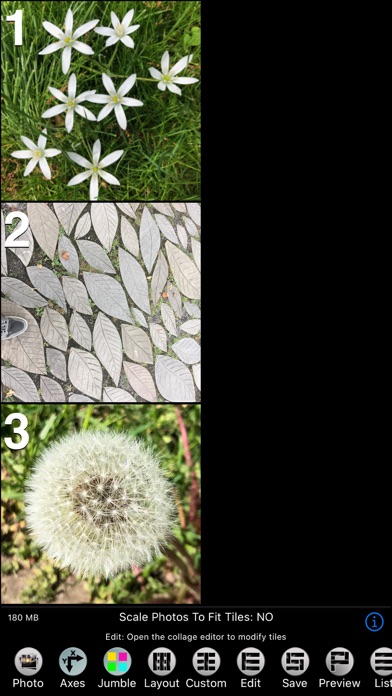
Tiles may be empty or contain a video or photo. When you add a video or photo in the main view a new tile is created with the video or photo as its contents. Empty tiles can be added to the collage in the editor, and in the editor you can also add videos or photos to empty tiles, or replace a tile's current video or photo with a new one.
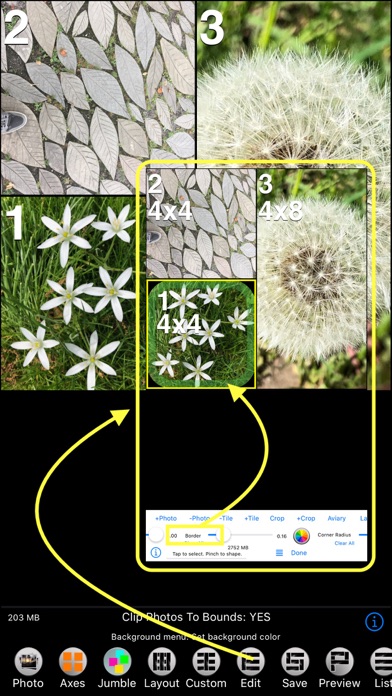
Tiles are defined in terms of a unit size, and the proportions of a tile is specified as factors of that unit size, from 1 to 10. These are called the width and height factors of the tile, and you can change them using sliders in the editor view.
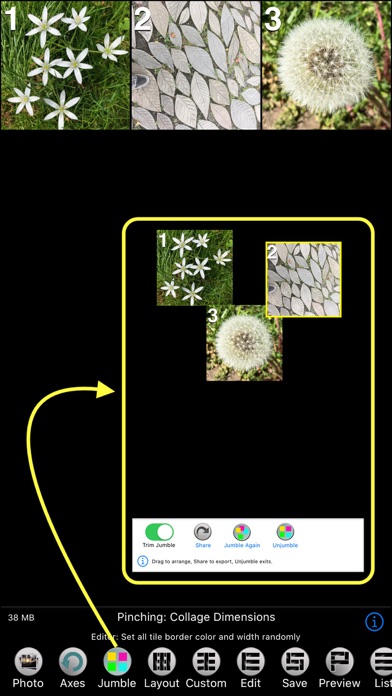
As an alternative to layouts Mosaic has a feature called "Jumble". This mode of Mosaic randomly places the centers of each tile in the view. You can then drag them around within the view.
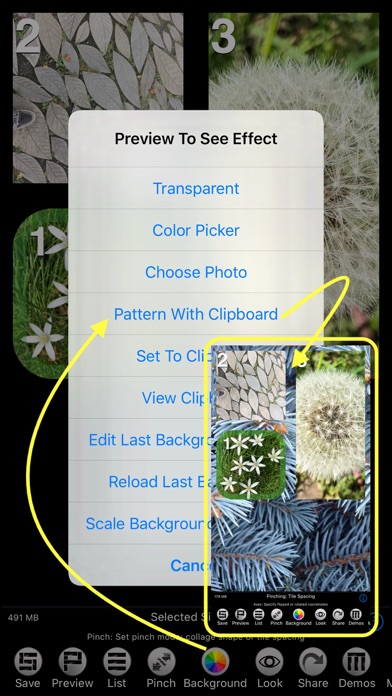
Layouts consist of collage dimensions, background color or pattern and tile spacing and all the tile data which consists of tile proportions and metadata. Metadata consists of the tiles title, border width and color, opacity (alpha), and corner size.
Title: text that is displayed as label.
Opacity: the translucency of the tile.
Border Width: defines the width of a frame for the tile.
Border Color: a color to draw the frame with, it may be partially transparent.
Corner Radius: the curvature of the corners of the frame.
The Mosaic editor is where you add and remove tiles, and set the proportions and metadata for tiles. At the top of the editor are various buttons that offer the following functionality:
+Photo: Add a video or photo to the selected tile.
-Photo: Remove a video or photo from the selected tile.
-Tile: Remove selected tile and the video or photo it contains.
+Tile: Add a new empty tile. The width an height of the new tile will match the values of the width (W) and height (H) sliders. You can set the slider values by tapping on an existing tile.
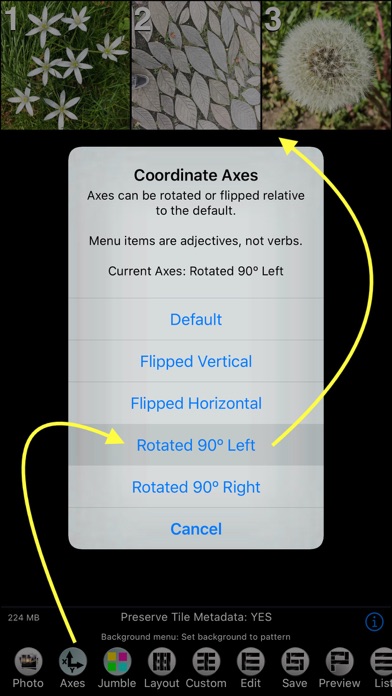
Crop: Crop, rotate or flip the selected tile’s photo. The “crop rect” is set to the same proportions as the selected tile, but you can change it by dragging on the corners, or move it by dragging anywhere else in the crop rect.
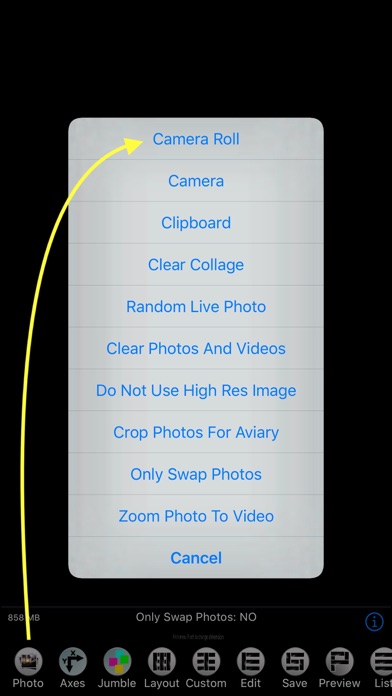
+Crop: Add a new cropped photo selected from the camera roll.
Aviary: Open the selected tile’s photo in the Aviary image editor. Unless the Photos menu option “Crop Photos For Aviary” is ON, the image provided to Aviary will be cropped to the proportions of the tile. This ensures that frames, text and other edits will not be cut off by the bounds of the tile. But if you selected the Look menu option 'Do Not Scale Photos To Fit', or 'Do Not Clip Photos To Bounds', then cropping for Aviary is not necessary.
Label: Edit and set the title of the tile.
Copy: Copy the video or photo of the selected tile to the clipboard.
Paste: Paste a video or photo from another tile into the selected tile, or a new tile if no tile is selected. The width an height of the new tile will match the values of the width (W) and height (H) sliders. You can set the slider values by tapping on an existing tile.
In addition to these there are the “random” buttons:
Size: Randomly set the proportions of all tiles.
Opacity: Randomly set the opacity, or alpha value, of all tiles..
Border: Randomly set the border width of all tiles.
Border Color: Opens a color picker to set the color the border is drawn in. The color may have its opacity set, so you can see the underlying photo if you choose a value less than 1.
Corner Radius: Determines the curvature of the the corners of the tile.
Mosaic contains 345 built-in layouts, but you can make your own in the collage editor.
Mosaic automatically creates icons for your custom layouts.
Photos & Videos: When you add a video to a tile its photo is set from the video, and vice verse. Live Photos behave similar to videos.
Tiles may be empty or contain a video or photo. When you add a video or photo in the main view a new tile is created with the video or photo as its contents. Empty tiles can be added to the collage in the editor, and in the editor you can also add videos or photos to empty tiles, or replace a tile's current video or photo with a new one.
Tiles are defined in terms of a unit size, and the proportions of a tile is specified as factors of that unit size, from 1 to 10. These are called the width and height factors of the tile, and you can change them using sliders in the editor view.
As an alternative to layouts Mosaic has a feature called "Jumble". This mode of Mosaic randomly places the centers of each tile in the view. You can then drag them around within the view.
Layouts consist of collage dimensions, background color or pattern and tile spacing and all the tile data which consists of tile proportions and metadata. Metadata consists of the tiles title, border width and color, opacity (alpha), and corner size.
Title: text that is displayed as label.
Opacity: the translucency of the tile.
Border Width: defines the width of a frame for the tile.
Border Color: a color to draw the frame with, it may be partially transparent.
Corner Radius: the curvature of the corners of the frame.
The Mosaic editor is where you add and remove tiles, and set the proportions and metadata for tiles. At the top of the editor are various buttons that offer the following functionality:
+Photo: Add a video or photo to the selected tile.
-Photo: Remove a video or photo from the selected tile.
-Tile: Remove selected tile and the video or photo it contains.
+Tile: Add a new empty tile. The width an height of the new tile will match the values of the width (W) and height (H) sliders. You can set the slider values by tapping on an existing tile.
Crop: Crop, rotate or flip the selected tile’s photo. The “crop rect” is set to the same proportions as the selected tile, but you can change it by dragging on the corners, or move it by dragging anywhere else in the crop rect.
+Crop: Add a new cropped photo selected from the camera roll.
Aviary: Open the selected tile’s photo in the Aviary image editor. Unless the Photos menu option “Crop Photos For Aviary” is ON, the image provided to Aviary will be cropped to the proportions of the tile. This ensures that frames, text and other edits will not be cut off by the bounds of the tile. But if you selected the Look menu option 'Do Not Scale Photos To Fit', or 'Do Not Clip Photos To Bounds', then cropping for Aviary is not necessary.
Label: Edit and set the title of the tile.
Copy: Copy the video or photo of the selected tile to the clipboard.
Paste: Paste a video or photo from another tile into the selected tile, or a new tile if no tile is selected. The width an height of the new tile will match the values of the width (W) and height (H) sliders. You can set the slider values by tapping on an existing tile.
In addition to these there are the “random” buttons:
Size: Randomly set the proportions of all tiles.
Opacity: Randomly set the opacity, or alpha value, of all tiles..
Border: Randomly set the border width of all tiles.
Border Color: Opens a color picker to set the color the border is drawn in. The color may have its opacity set, so you can see the underlying photo if you choose a value less than 1.
Corner Radius: Determines the curvature of the the corners of the tile.
Screenshot di Mosaic - Video & Photo Collage
Raccomandazione dell'editore
 Canva: AI Photo & Video Editor
 Proton VPN: Fast & Secure
 Booking.com: Hotels & Travel
 Too Good To Go: End Food Waste
 Waze Navigation & Live Traffic
 Stellarium Mobile - Star Map
 Ticketmaster-Buy, Sell Tickets
 Bolt: Request a Ride
 Life360: Find Friends & Family
 GetYourGuide: Travel & Tickets
 Sky Guide
 Doctolib - Your health partner
App Simili a Mosaic - Video & Photo Collage
 Photo Collage Frames - Photo Collage Maker - Grid Collage
 Grid Collage - Photo Art Collage - Photo Beauty - Picture Grid Collage
 Mosaic - Video & Photo Collage
 Mosaic Photos - Photo Mosaic
 Mosaic Camera - Mosaic Photo
 Mosaic Pro-Photo Smart Mosaic
 Amazing Photo Collage - Photo Editor With Stickers Effects & Create Photo Collage
 Photo Collage - Photo Grid & Collage Maker & Photo Stitch & Multiple Photos
 TapnSlice - Photo Collage Editor - Cut your photo into pieces to make great photo collage and pic frame
 Mosaic Photo Collage
 Mosaic - Photo Collage & Tile
 Mosaic Photo Collage Maker
App di Limit Point Software


Mosaic - Video & Photo Collage FAQ
Come faccio a scaricare Mosaic - Video & Photo Collage da PGYER IPA HUB?
Il Mosaic - Video & Photo Collage su PGYER IPA HUB è gratuito?
Ho bisogno di un account per scaricare Mosaic - Video & Photo Collage da PGYER IPA HUB?
Come posso segnalare un problema con Mosaic - Video & Photo Collage su PGYER IPA HUB?
Hai trovato utile questo suggerimento?
Sì
No
Più popolare

ChatGPTIntroducing ChatGPT for iOS: OpenAI’s latest advancements at your fingertips.
This official app is f

Google GeminiThe Google Gemini app is an AI assistant that can help supercharge your creativity and productivity.

Claude by AnthropicGet free access to the newly upgraded Claude 3.5 Sonnet – Anthropic's most advanced model yet. Wheth

GoogleDownload the Google app to stay in the know about things that matter to you. Try AI Overviews, find

CapCut - Video EditorCapCut is a free all-in-one video editing app that helps you create incredible videos.
「Easy to use」

Shop: All your favorite brandsElevate every shopping moment
Shop, track, and explore the latest trends in an all-in-one shopping

Google MapsNavigate your world faster and easier with Google Maps. Over 220 countries and territories mapped an

Uber - Request a rideJoin the millions of riders who trust Uber for their everyday travel needs. Whether you’re running a

ThreadsSay more with Threads — Instagram’s text-based conversation app.
Threads is where communities come t

Gmail - Email by GoogleThe official Gmail app brings the best of Gmail to your iPhone or iPad with robust security, real-ti

TikTokTikTok is THE destination for mobile videos. On TikTok, short-form videos are exciting, spontaneous,

WhatsApp MessengerWhatsApp from Meta is a FREE messaging and video calling app. It’s used by over 2B people in more th

InstagramLittle moments lead to big friendships. Share yours on Instagram.
— From Meta
Connect with friends,

Netflix Game ControllerPlay games on your TV with the Netflix Game Controller.
This app connects to your TV and allows you

AirbnbTHE FASTEST, EASIEST WAY TO AIRBNB
Find inspiration, plan a trip with your group, book it, and go. Y

Telegram MessengerPure instant messaging — simple, fast, secure, and synced across all your devices. One of the top 5

Spotify - Music and PodcastsWith the Spotify music and podcast app, you can play millions of songs, albums and original podcasts

DramawaveDramawave - Stream Endless Drama Shorts, Anytime, Anywhere
Welcome to Dramawave the ultimate destina

Whatnot - Live Video ShoppingWhatnot is a social marketplace where you can discover some of your favorite products like sports ca

Google ChromeDownload the new Google Chrome for your iPhone and iPad. Now more simple, secure and faster than eve

FacebookWhere real people propel your curiosity. Whether you’re thrifting gear, showing a reel to that group

XThe X app is the trusted global digital town square for everyone.
With X, you can:
Post content for

Indeed Job SearchDiscover your next job opportunity on Indeed, the free job search app designed to connect you with b

Duolingo - Language LessonsLearn a new language with the world’s most-downloaded education app! Duolingo is the fun, free app f