

VLog Cam
Penilaian
Sep 17, 2024Kemas kini terkini
1.2Versi
Tentang VLog Cam
Vlog Cam enables you to capture video clips just like time-lapse. Capture video clips in the same location and orientation easily with the assistance of previous photo overlay and orientation log. By setting clip limits, each video clip will capture with a specific length.
Vlog Cam includes Standard Camera Features:
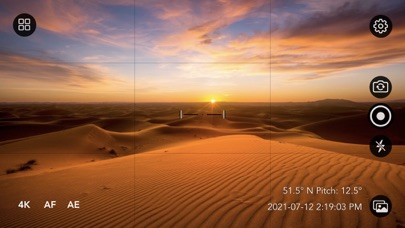
• Default highest video quality output depends on the device. Configure between HD, FHD, and 4K.
• Pinch to Zoom.
• Touch Focus.
• Touch Exposure Control.
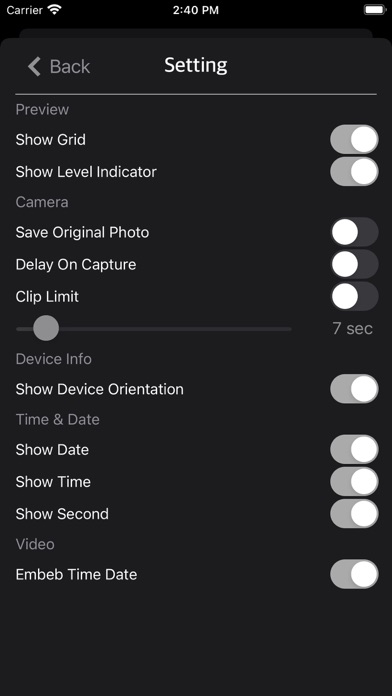
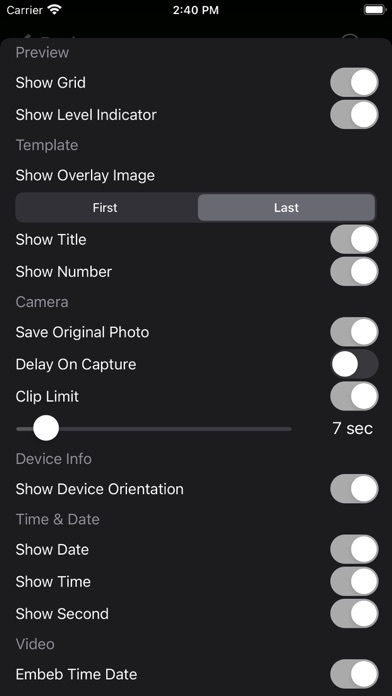
• Show/Hide Grid.
• Show/Hide Leveler.
• Enable/Disable Flash.
• Switch Front or Back Camera.
• Support Landscape or Portrait mode.
• Video capture with EXIF Data.
• Video capture with embedded time and date.
• Video clip delay start. Delays 3 seconds on button press to eliminate camera shake.
• Video clip auto stop limit. E.g., video clip auto stops at 5 seconds.
Vlog Cam Features:
• Show overlay image for position mapping.
• Enable/Disable Save Original Photo while video capture.
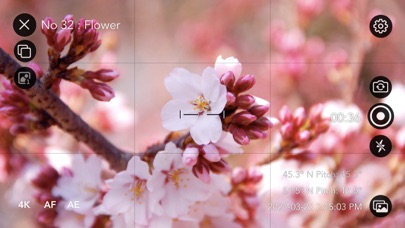
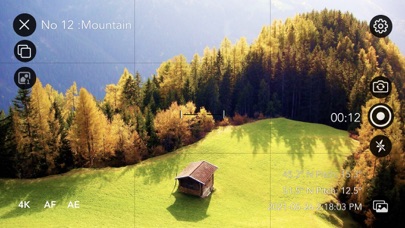
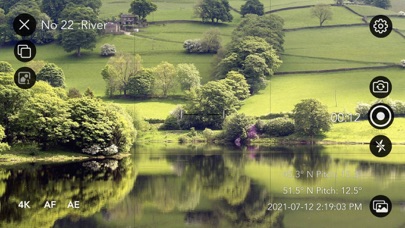
• Show/Hide Device orientation such as heading (0-360° relative to North) and device pitch angle (0° horizontal, looking up, e.g., 20.5°, or looking down, e.g., -15.6°). Useful for day-by-day reference when the device is handheld to get the same position every day.
• Show/Hide Time and Date.
Create Custom Projects:
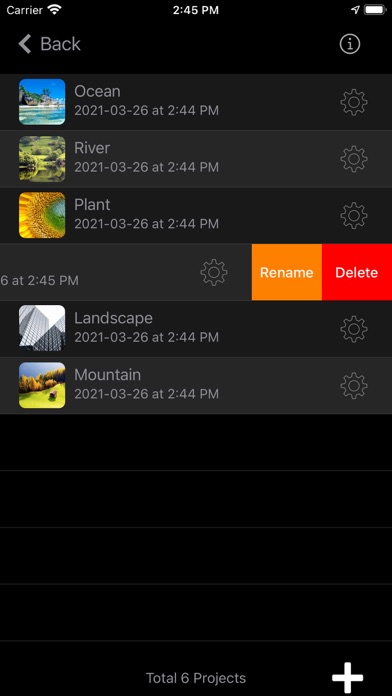
• Create projects with custom settings.
• Rename/Delete custom projects.
• Show overlay image for positioning while capturing the next video clip.
• Select first or last image for overlay.
• First overlay will always use the first captured image as an overlay reference.
• Last overlay will always use the previous captured image as an overlay reference.
• Show/Hide Capture Number.
• Show/Hide Title.
• Videos captured with custom projects are saved into a custom album in the photo library for fast and easy access. The album name matches the custom project title.
• Video clip names match the project title. E.g., Plant-12-12-2021.mp4.
Quick Start Guide:
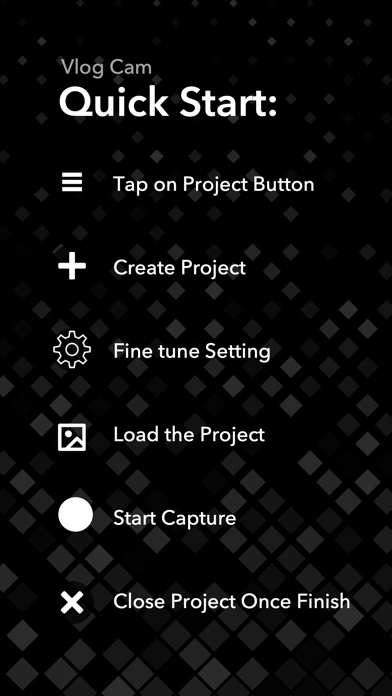
- Tap on the Project button.
- Create a project and define the capture settings.
- Tap on the project name to load the project.
- Position the camera and start capturing.
Usage Scenario:
Let's assume we are going to capture a video clip of building construction day by day.
- Start by tapping on the Project button.
- Create a project named "Building."
- Define capture settings. E.g., set clip limit to 10 seconds and other options on by default.
- Set Show Overlay Image to "First."
- Select the project "Building" and start capturing.
- The clip will stop automatically after 10 seconds.
- On the first day, the orientation and overlay image will be saved.
- On the next day, load the project "Building" again.
- An overlay will show to assist you in getting the same position.
- You can use the orientation data as a reference for positioning.
- The time and date option can be a reference if you want to capture the clip at specific times such as 9:00 AM every day.
- Captured clips will be saved automatically in the photo library.
- After the building is completed, you can join all the clips together using the iMovie app or any movie editing app easily.
- Enjoy your unique video time-lapse.
Usage:
• Creating scientific video logs, such as monitoring flora or fauna.
• Tracking the progress of building construction in the same location/position.
• Capturing landscape video clips over extended periods, ranging from months to years.
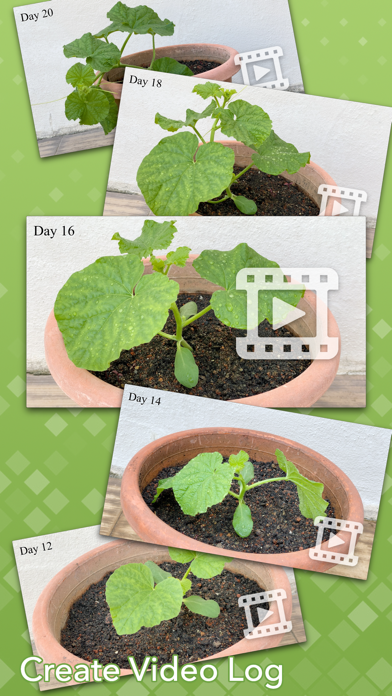
• Observing plant growth processes.
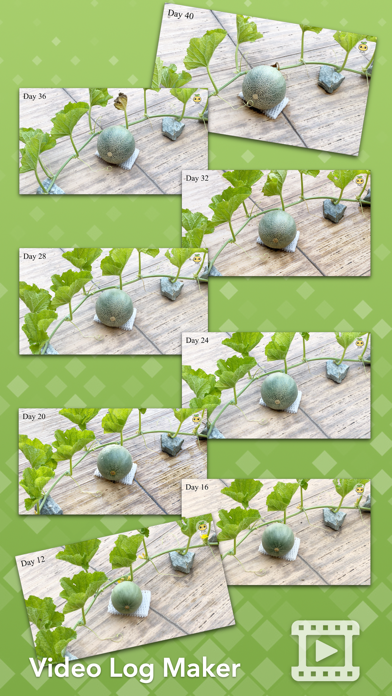
• Documenting seasonal landscape changes.
• Keeping long-duration video log diaries.
• Monitoring changes in waterfall or river levels over long periods, such as months or years.
• And many more uses, limited only by your imagination.
Tips:
• Use the overlay image feature to capture objects in the same position repeatedly.
• Device orientation is best for pinpointing object locations.
• Use the leveler to capture perfectly horizontal images.
Thanks for your support! Visit nitrio.com for more apps for your iOS devices.
Vlog Cam includes Standard Camera Features:
• Default highest video quality output depends on the device. Configure between HD, FHD, and 4K.
• Pinch to Zoom.
• Touch Focus.
• Touch Exposure Control.
• Show/Hide Grid.
• Show/Hide Leveler.
• Enable/Disable Flash.
• Switch Front or Back Camera.
• Support Landscape or Portrait mode.
• Video capture with EXIF Data.
• Video capture with embedded time and date.
• Video clip delay start. Delays 3 seconds on button press to eliminate camera shake.
• Video clip auto stop limit. E.g., video clip auto stops at 5 seconds.
Vlog Cam Features:
• Show overlay image for position mapping.
• Enable/Disable Save Original Photo while video capture.
• Show/Hide Device orientation such as heading (0-360° relative to North) and device pitch angle (0° horizontal, looking up, e.g., 20.5°, or looking down, e.g., -15.6°). Useful for day-by-day reference when the device is handheld to get the same position every day.
• Show/Hide Time and Date.
Create Custom Projects:
• Create projects with custom settings.
• Rename/Delete custom projects.
• Show overlay image for positioning while capturing the next video clip.
• Select first or last image for overlay.
• First overlay will always use the first captured image as an overlay reference.
• Last overlay will always use the previous captured image as an overlay reference.
• Show/Hide Capture Number.
• Show/Hide Title.
• Videos captured with custom projects are saved into a custom album in the photo library for fast and easy access. The album name matches the custom project title.
• Video clip names match the project title. E.g., Plant-12-12-2021.mp4.
Quick Start Guide:
- Tap on the Project button.
- Create a project and define the capture settings.
- Tap on the project name to load the project.
- Position the camera and start capturing.
Usage Scenario:
Let's assume we are going to capture a video clip of building construction day by day.
- Start by tapping on the Project button.
- Create a project named "Building."
- Define capture settings. E.g., set clip limit to 10 seconds and other options on by default.
- Set Show Overlay Image to "First."
- Select the project "Building" and start capturing.
- The clip will stop automatically after 10 seconds.
- On the first day, the orientation and overlay image will be saved.
- On the next day, load the project "Building" again.
- An overlay will show to assist you in getting the same position.
- You can use the orientation data as a reference for positioning.
- The time and date option can be a reference if you want to capture the clip at specific times such as 9:00 AM every day.
- Captured clips will be saved automatically in the photo library.
- After the building is completed, you can join all the clips together using the iMovie app or any movie editing app easily.
- Enjoy your unique video time-lapse.
Usage:
• Creating scientific video logs, such as monitoring flora or fauna.
• Tracking the progress of building construction in the same location/position.
• Capturing landscape video clips over extended periods, ranging from months to years.
• Observing plant growth processes.
• Documenting seasonal landscape changes.
• Keeping long-duration video log diaries.
• Monitoring changes in waterfall or river levels over long periods, such as months or years.
• And many more uses, limited only by your imagination.
Tips:
• Use the overlay image feature to capture objects in the same position repeatedly.
• Device orientation is best for pinpointing object locations.
• Use the leveler to capture perfectly horizontal images.
Thanks for your support! Visit nitrio.com for more apps for your iOS devices.
Tangkapan skrin VLog Cam
Cadangan Editor
 Canva: AI Photo & Video Editor
 Proton VPN: Fast & Secure
 Booking.com: Hotels & Travel
 Too Good To Go: End Food Waste
 Waze Navigation & Live Traffic
 Stellarium Mobile - Star Map
 Ticketmaster-Buy, Sell Tickets
 Bolt: Request a Ride
 Life360: Find Friends & Family
 GetYourGuide: Travel & Tickets
 Sky Guide
 Doctolib - Your health partner
Aplikasi Seperti VLog Cam


Aplikasi oleh Heng Jia Liang


VLog Cam FAQ
Bagaimana saya boleh memuat turun VLog Cam dari PGYER IPA HUB?
Adakah VLog Cam di PGYER IPA HUB percuma untuk dimuat turun?
Adakah saya perlu akaun untuk memuat turun VLog Cam dari PGYER IPA HUB?
Bagaimana saya boleh melaporkan masalah dengan VLog Cam di PGYER IPA HUB?
Adakah anda dapati ini membantu
Ya
Tidak
Paling Popular

ChatGPTIntroducing ChatGPT for iOS: OpenAI’s latest advancements at your fingertips.
This official app is f

Google GeminiThe Google Gemini app is an AI assistant that can help supercharge your creativity and productivity.

Claude by AnthropicGet free access to the newly upgraded Claude 3.5 Sonnet – Anthropic's most advanced model yet. Wheth

GoogleDownload the Google app to stay in the know about things that matter to you. Try AI Overviews, find

CapCut - Video EditorCapCut is a free all-in-one video editing app that helps you create incredible videos.
「Easy to use」

Shop: All your favorite brandsElevate every shopping moment
Shop, track, and explore the latest trends in an all-in-one shopping

Google MapsNavigate your world faster and easier with Google Maps. Over 220 countries and territories mapped an

Uber - Request a rideJoin the millions of riders who trust Uber for their everyday travel needs. Whether you’re running a

ThreadsSay more with Threads — Instagram’s text-based conversation app.
Threads is where communities come t

Gmail - Email by GoogleThe official Gmail app brings the best of Gmail to your iPhone or iPad with robust security, real-ti

TikTokTikTok is THE destination for mobile videos. On TikTok, short-form videos are exciting, spontaneous,

WhatsApp MessengerWhatsApp from Meta is a FREE messaging and video calling app. It’s used by over 2B people in more th

InstagramLittle moments lead to big friendships. Share yours on Instagram.
— From Meta
Connect with friends,

Netflix Game ControllerPlay games on your TV with the Netflix Game Controller.
This app connects to your TV and allows you

AirbnbTHE FASTEST, EASIEST WAY TO AIRBNB
Find inspiration, plan a trip with your group, book it, and go. Y

Telegram MessengerPure instant messaging — simple, fast, secure, and synced across all your devices. One of the top 5

Spotify - Music and PodcastsWith the Spotify music and podcast app, you can play millions of songs, albums and original podcasts

DramawaveDramawave - Stream Endless Drama Shorts, Anytime, Anywhere
Welcome to Dramawave the ultimate destina

Whatnot - Live Video ShoppingWhatnot is a social marketplace where you can discover some of your favorite products like sports ca

Google ChromeDownload the new Google Chrome for your iPhone and iPad. Now more simple, secure and faster than eve

FacebookWhere real people propel your curiosity. Whether you’re thrifting gear, showing a reel to that group

XThe X app is the trusted global digital town square for everyone.
With X, you can:
Post content for

Indeed Job SearchDiscover your next job opportunity on Indeed, the free job search app designed to connect you with b

Duolingo - Language LessonsLearn a new language with the world’s most-downloaded education app! Duolingo is the fun, free app f