

คะแนน
Sep 14, 2024อัปเดตล่าสุด
2.1.11เวอร์ชัน
เกี่ยวกับ mem
"Leitner's System" is a memory tool designed by Sebastion Leitner in 1972, using flash cards to memorise words or phrases. It is a simple implementation of the principle of spaced repetition, where cards are reviewed at increasing intervals.
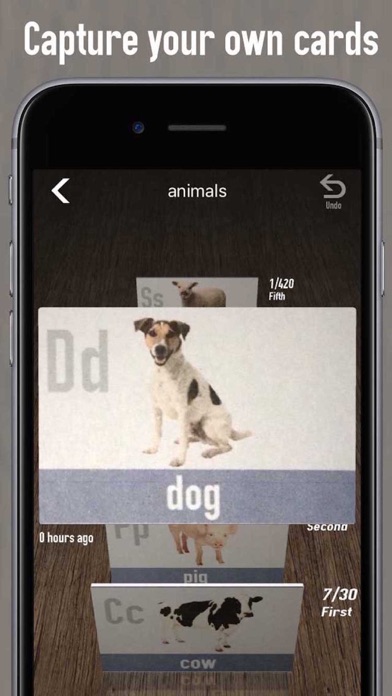
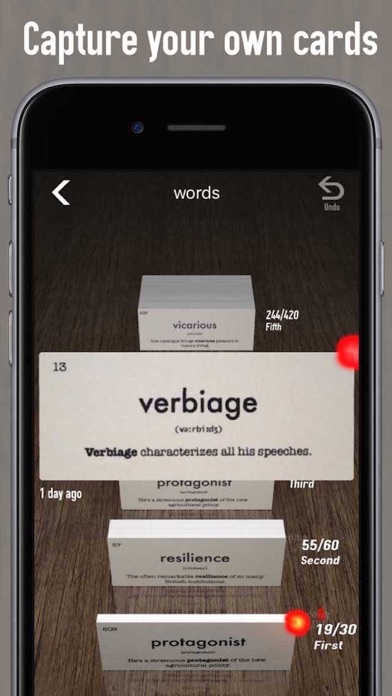
"Hand Computer" app is designed to simulate the Leitner system and is a simple, convenient and effective memory tool for any foreign language student or simply a tool to help you study and remember any subject.
When you find a word or phrase or equation you don't know, add it to a card after you have memorised it, then add the card to the first compartment.
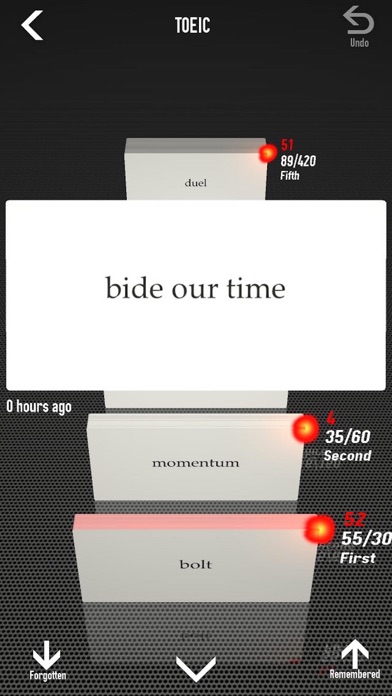
Review the cards in the first compartment a few times each day when you have time. If you still remember it, move the card to the next compartment. If you have forgotten it, put it back.
After a few days or when the second compartment is full, review the cards in that compartment. If you have forgotten anything, put it back to the first compartment.
The capacity of each compartment is optimised to recall your memory efficiently and effectively. The frequency you review each word increases as it proceeds through the compartments for more effective learning.
The last compartment can hold as many cards as you want, but it is best that you review them from time to time.
*If you are interested in this app, try "Cards" app from us.*
For more information, please read:
http://en.wikipedia.org/wiki/Spaced_repetition
http://en.wikipedia.org/wiki/Leitner_system
Launch URL scheme for this app
comcatalystwohandcomputer
Demo Video:
http://vimeo.com/84745906
• Graphically visible stored cards to motivate you.
• Non-proprietary file format... Documents are saved in plain text CSV file.
• Synchronize via Dropbox. ... You can edit documents on your Mac/PC.
• Night Mode is gentle on your eyes when studying in the middle of the night.
• Listen to the word to improve your memory.
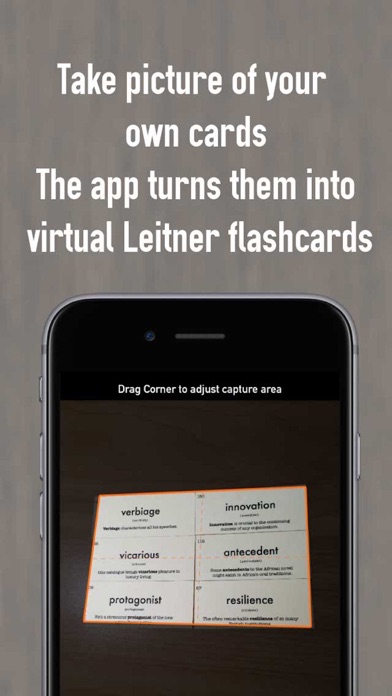
= How to scan your own cards =
1. Tap “+” button to open “Add” page
2. Tap Camera button
3. Choose “Scan Multiple Cards” then follow the guide.
= How to add multiple words using Dropbox =
Prepare Mac/PC with Dropbox installed.
Create a file like this…
--------
Word1, Its definition
Word2, Its definition
Word3, Its definition
.
.
.
--------
Save this file in Hand Computer folder in Dropbox with csv extension.
TECHNICAL INFORMATION
This application includes
Re-written in SceneKit with CAAnimation in version 2 instead of full CALayer + CoreAnimation in version 1.
59,000 lines of ObjC codes
6,900 lines of ORIGINAL Swift codes
OpenCL image processing
Supports Wacom Intuos Bamboo stylus using CoreBluetooth
"Hand Computer" app is designed to simulate the Leitner system and is a simple, convenient and effective memory tool for any foreign language student or simply a tool to help you study and remember any subject.
When you find a word or phrase or equation you don't know, add it to a card after you have memorised it, then add the card to the first compartment.
Review the cards in the first compartment a few times each day when you have time. If you still remember it, move the card to the next compartment. If you have forgotten it, put it back.
After a few days or when the second compartment is full, review the cards in that compartment. If you have forgotten anything, put it back to the first compartment.
The capacity of each compartment is optimised to recall your memory efficiently and effectively. The frequency you review each word increases as it proceeds through the compartments for more effective learning.
The last compartment can hold as many cards as you want, but it is best that you review them from time to time.
*If you are interested in this app, try "Cards" app from us.*
For more information, please read:
http://en.wikipedia.org/wiki/Spaced_repetition
http://en.wikipedia.org/wiki/Leitner_system
Launch URL scheme for this app
comcatalystwohandcomputer
Demo Video:
http://vimeo.com/84745906
• Graphically visible stored cards to motivate you.
• Non-proprietary file format... Documents are saved in plain text CSV file.
• Synchronize via Dropbox. ... You can edit documents on your Mac/PC.
• Night Mode is gentle on your eyes when studying in the middle of the night.
• Listen to the word to improve your memory.
= How to scan your own cards =
1. Tap “+” button to open “Add” page
2. Tap Camera button
3. Choose “Scan Multiple Cards” then follow the guide.
= How to add multiple words using Dropbox =
Prepare Mac/PC with Dropbox installed.
Create a file like this…
--------
Word1, Its definition
Word2, Its definition
Word3, Its definition
.
.
.
--------
Save this file in Hand Computer folder in Dropbox with csv extension.
TECHNICAL INFORMATION
This application includes
Re-written in SceneKit with CAAnimation in version 2 instead of full CALayer + CoreAnimation in version 1.
59,000 lines of ObjC codes
6,900 lines of ORIGINAL Swift codes
OpenCL image processing
Supports Wacom Intuos Bamboo stylus using CoreBluetooth
ภาพหน้าจอของ mem
คำแนะนำจากบรรณาธิการ
 Canva: AI Photo & Video Editor
 Proton VPN: Fast & Secure
 Booking.com: Hotels & Travel
 Too Good To Go: End Food Waste
 Waze Navigation & Live Traffic
 Stellarium Mobile - Star Map
 Ticketmaster-Buy, Sell Tickets
 Bolt: Request a Ride
 Life360: Find Friends & Family
 GetYourGuide: Travel & Tickets
 Sky Guide
 Doctolib - Your health partner
แอปที่คล้ายกับ mem


แอปโดย Catalystwo Limited


ยอดนิยมที่สุด

ChatGPTIntroducing ChatGPT for iOS: OpenAI’s latest advancements at your fingertips.
This official app is f

Google GeminiThe Google Gemini app is an AI assistant that can help supercharge your creativity and productivity.

Claude by AnthropicGet free access to the newly upgraded Claude 3.5 Sonnet – Anthropic's most advanced model yet. Wheth

GoogleDownload the Google app to stay in the know about things that matter to you. Try AI Overviews, find

CapCut - Video EditorCapCut is a free all-in-one video editing app that helps you create incredible videos.
「Easy to use」

Shop: All your favorite brandsElevate every shopping moment
Shop, track, and explore the latest trends in an all-in-one shopping

Google MapsNavigate your world faster and easier with Google Maps. Over 220 countries and territories mapped an

Uber - Request a rideJoin the millions of riders who trust Uber for their everyday travel needs. Whether you’re running a

ThreadsSay more with Threads — Instagram’s text-based conversation app.
Threads is where communities come t

Gmail - Email by GoogleThe official Gmail app brings the best of Gmail to your iPhone or iPad with robust security, real-ti

TikTokTikTok is THE destination for mobile videos. On TikTok, short-form videos are exciting, spontaneous,

WhatsApp MessengerWhatsApp from Meta is a FREE messaging and video calling app. It’s used by over 2B people in more th

InstagramLittle moments lead to big friendships. Share yours on Instagram.
— From Meta
Connect with friends,

Netflix Game ControllerPlay games on your TV with the Netflix Game Controller.
This app connects to your TV and allows you

AirbnbTHE FASTEST, EASIEST WAY TO AIRBNB
Find inspiration, plan a trip with your group, book it, and go. Y

Telegram MessengerPure instant messaging — simple, fast, secure, and synced across all your devices. One of the top 5

Spotify - Music and PodcastsWith the Spotify music and podcast app, you can play millions of songs, albums and original podcasts

DramawaveDramawave - Stream Endless Drama Shorts, Anytime, Anywhere
Welcome to Dramawave the ultimate destina

Whatnot - Live Video ShoppingWhatnot is a social marketplace where you can discover some of your favorite products like sports ca

Google ChromeDownload the new Google Chrome for your iPhone and iPad. Now more simple, secure and faster than eve

FacebookWhere real people propel your curiosity. Whether you’re thrifting gear, showing a reel to that group

XThe X app is the trusted global digital town square for everyone.
With X, you can:
Post content for

Indeed Job SearchDiscover your next job opportunity on Indeed, the free job search app designed to connect you with b

Duolingo - Language LessonsLearn a new language with the world’s most-downloaded education app! Duolingo is the fun, free app f