

PingPong Robot Bcoding
Đánh giá
Oct 03, 2024Cập nhật mới nhất
1.1.1Phiên bản
Cách cài đặt tệp .IPA
Chia sẻ
Về PingPong Robot Bcoding
Bcoding App
Experience simple robotic engineering sequences by creating loops with your own buttons, joysticks, music and motion makers that can be controlled with the Bcoding app program. Each robot model requires a designated link to assemble the cube. Find the parts for G1, G2, and G3 in the box. Cube is a single modular robot with controller, gyroscope, accelerometer, proximity sensor, additional sensor interface, stepper motor, battery and more.
1. How to download the Bcoding app:
Download the Bcoding app from the App Store. (App Search: Bcoding ).
2.ON/OFF and charging instructions
Press and hold the yellow power button for more than 2 seconds to turn the cube on and off. (A beep sounds)
3.Charge
3-1. Prepare the cube. Attach the parts together.
3-2.Connect the charging cable to the circular disk part of the cube.
3-3.The cube and the charger are connected by a circular magnet. More than 100 cubes can be charged at a time.
3-4.Charging time: 6 cubes/hour (charging time depends on the number of cubes).
3-5. If the cube automatically turns off or starts to delay or there is no LED indication, the battery may be low.
4. How to use the app
4-1. Install the app
Download the Ping Pong APP to your smartphone or device. (App Search: Bcoding in App Store).
4-2. Run the app
Open the Bcoding app
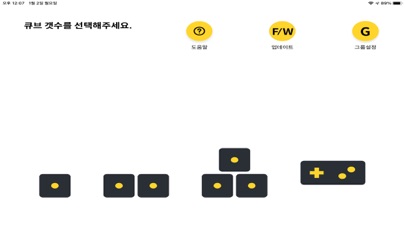
4-3. select robot model
select the Bcoding robot model.
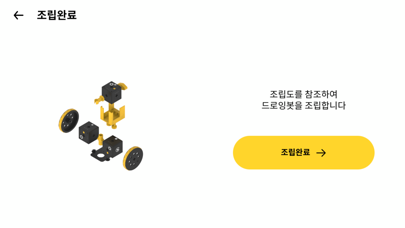
4-4. Assembly
Assemble the Bcoding model by referring to the APP image. For detailed instructions, please click the 3D Modeling Guide button.
4-5. on
After assembling the ping-pong model, press the yellow power button for more than 2 seconds to turn on all ping-pong cubes.
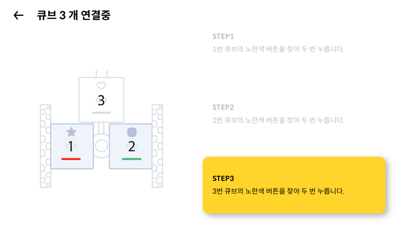
4-6. First cube pairing
Check the first cube on the app screen. Press the power button on the assembled robot in the order shown on the app screen. When the first cube connects successfully with the smartphone, a pairing signal and beep will sound.
4-7. Pairing different cubes
After pairing the app with the first cube, press the yellow power button on the remaining cubes (follow the order on the app screen).
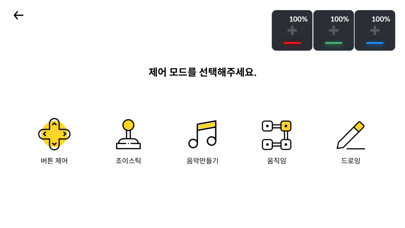
4-8. play robot
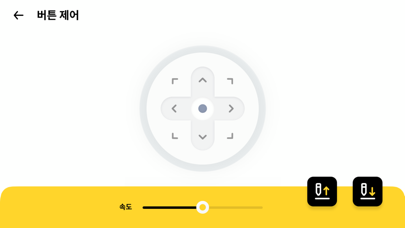
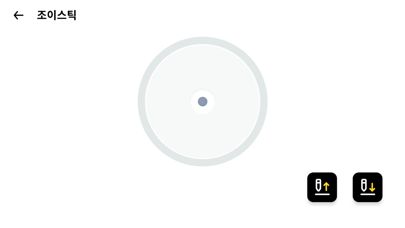
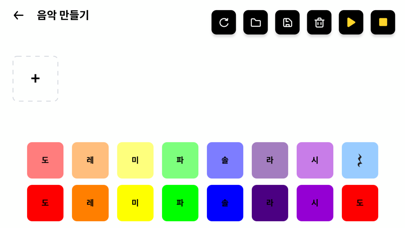
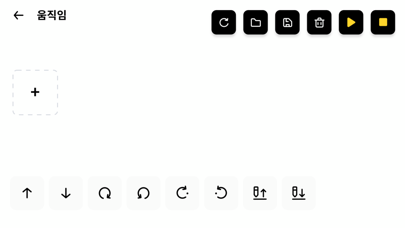
The Bcoding app provides various functions such as buttons, joystick, music mode, and motion making.
5. Cube color
When the cube is successfully connected to the smartphone, you can distinguish each cube's LED color, specifically in the following order: red, green, blue, cyan, magenta, yellow.
6. Cube Icon
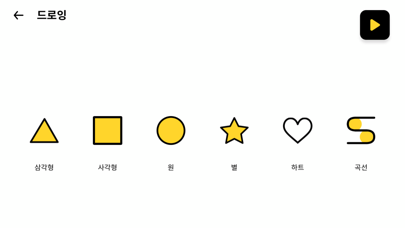
Determine the order and position of the ping-pong cubes with various icons such as squares, triangles, circles, stars and hearts.
Experience simple robotic engineering sequences by creating loops with your own buttons, joysticks, music and motion makers that can be controlled with the Bcoding app program. Each robot model requires a designated link to assemble the cube. Find the parts for G1, G2, and G3 in the box. Cube is a single modular robot with controller, gyroscope, accelerometer, proximity sensor, additional sensor interface, stepper motor, battery and more.
1. How to download the Bcoding app:
Download the Bcoding app from the App Store. (App Search: Bcoding ).
2.ON/OFF and charging instructions
Press and hold the yellow power button for more than 2 seconds to turn the cube on and off. (A beep sounds)
3.Charge
3-1. Prepare the cube. Attach the parts together.
3-2.Connect the charging cable to the circular disk part of the cube.
3-3.The cube and the charger are connected by a circular magnet. More than 100 cubes can be charged at a time.
3-4.Charging time: 6 cubes/hour (charging time depends on the number of cubes).
3-5. If the cube automatically turns off or starts to delay or there is no LED indication, the battery may be low.
4. How to use the app
4-1. Install the app
Download the Ping Pong APP to your smartphone or device. (App Search: Bcoding in App Store).
4-2. Run the app
Open the Bcoding app
4-3. select robot model
select the Bcoding robot model.
4-4. Assembly
Assemble the Bcoding model by referring to the APP image. For detailed instructions, please click the 3D Modeling Guide button.
4-5. on
After assembling the ping-pong model, press the yellow power button for more than 2 seconds to turn on all ping-pong cubes.
4-6. First cube pairing
Check the first cube on the app screen. Press the power button on the assembled robot in the order shown on the app screen. When the first cube connects successfully with the smartphone, a pairing signal and beep will sound.
4-7. Pairing different cubes
After pairing the app with the first cube, press the yellow power button on the remaining cubes (follow the order on the app screen).
4-8. play robot
The Bcoding app provides various functions such as buttons, joystick, music mode, and motion making.
5. Cube color
When the cube is successfully connected to the smartphone, you can distinguish each cube's LED color, specifically in the following order: red, green, blue, cyan, magenta, yellow.
6. Cube Icon
Determine the order and position of the ping-pong cubes with various icons such as squares, triangles, circles, stars and hearts.
Ảnh chụp màn hình của PingPong Robot Bcoding
Đề xuất của biên tập viên
 Canva: AI Photo & Video Editor
 Proton VPN: Fast & Secure
 Booking.com: Hotels & Travel
 Too Good To Go: End Food Waste
 Waze Navigation & Live Traffic
 Stellarium Mobile - Star Map
 Ticketmaster-Buy, Sell Tickets
 Bolt: Request a Ride
 Life360: Find Friends & Family
 GetYourGuide: Travel & Tickets
 Sky Guide
 Doctolib - Your health partner
Ứng dụng Tương tự PingPong Robot Bcoding


Ứng dụng bởi RoboRisen


PingPong Robot Bcoding FAQ
Làm thế nào để tải PingPong Robot Bcoding từ PGYER IPA HUB?
Ứng dụng PingPong Robot Bcoding trên PGYER IPA HUB có miễn phí không?
Tôi cần tài khoản để tải PingPong Robot Bcoding từ PGYER IPA HUB không?
Làm thế nào để báo cáo vấn đề với PingPong Robot Bcoding trên PGYER IPA HUB?
Bạn có thấy thông tin này hữu ích không
Có
Không
Phổ biến nhất

ChatGPTIntroducing ChatGPT for iOS: OpenAI’s latest advancements at your fingertips.
This official app is f

Google GeminiThe Google Gemini app is an AI assistant that can help supercharge your creativity and productivity.

Claude by AnthropicGet free access to the newly upgraded Claude 3.5 Sonnet – Anthropic's most advanced model yet. Wheth

GoogleDownload the Google app to stay in the know about things that matter to you. Try AI Overviews, find

CapCut - Video EditorCapCut is a free all-in-one video editing app that helps you create incredible videos.
「Easy to use」

Shop: All your favorite brandsElevate every shopping moment
Shop, track, and explore the latest trends in an all-in-one shopping

Google MapsNavigate your world faster and easier with Google Maps. Over 220 countries and territories mapped an

Uber - Request a rideJoin the millions of riders who trust Uber for their everyday travel needs. Whether you’re running a

ThreadsSay more with Threads — Instagram’s text-based conversation app.
Threads is where communities come t

Gmail - Email by GoogleThe official Gmail app brings the best of Gmail to your iPhone or iPad with robust security, real-ti

TikTokTikTok is THE destination for mobile videos. On TikTok, short-form videos are exciting, spontaneous,

WhatsApp MessengerWhatsApp from Meta is a FREE messaging and video calling app. It’s used by over 2B people in more th

InstagramLittle moments lead to big friendships. Share yours on Instagram.
— From Meta
Connect with friends,

Netflix Game ControllerPlay games on your TV with the Netflix Game Controller.
This app connects to your TV and allows you

AirbnbTHE FASTEST, EASIEST WAY TO AIRBNB
Find inspiration, plan a trip with your group, book it, and go. Y

Telegram MessengerPure instant messaging — simple, fast, secure, and synced across all your devices. One of the top 5

Spotify - Music and PodcastsWith the Spotify music and podcast app, you can play millions of songs, albums and original podcasts

DramawaveDramawave - Stream Endless Drama Shorts, Anytime, Anywhere
Welcome to Dramawave the ultimate destina

Whatnot - Live Video ShoppingWhatnot is a social marketplace where you can discover some of your favorite products like sports ca

Google ChromeDownload the new Google Chrome for your iPhone and iPad. Now more simple, secure and faster than eve

FacebookWhere real people propel your curiosity. Whether you’re thrifting gear, showing a reel to that group

XThe X app is the trusted global digital town square for everyone.
With X, you can:
Post content for

Indeed Job SearchDiscover your next job opportunity on Indeed, the free job search app designed to connect you with b

Duolingo - Language LessonsLearn a new language with the world’s most-downloaded education app! Duolingo is the fun, free app f