
Notification light for SamsungSymbol

Notification light for Samsung

Version:3.12 (build 2707)
Notification light for SamsungDownload QR-Code
App-Installation läuft
Installation läuft...
Die App-Installation beginnt in Kürze. Bitte warten Sie. Wenn der Download nicht automatisch startet, klicken Sie hier, um den Download manuell zu starten
Installieren

Oder scannen Sie den QR-Code mit Ihrem Handy, um die Installation abzuschließen


Über Notification light for Samsung

Größe
0 KB
Erstellungsdatum
2024-07-08
Version
3.12
Build
2707

Versionshistorie von Notification light for Samsung

3.12 (build ) 1970-01-01

Übersicht von Notification light for Samsung

You need a notification light / LED for your Samsung Galaxy S23 / S22 / Note 20 / S21 / S10 / Note 10 or A52 device?

With aodNotify you can easily add a notification light / LED directly to Samsung's Always On Display! Never miss notifications again!

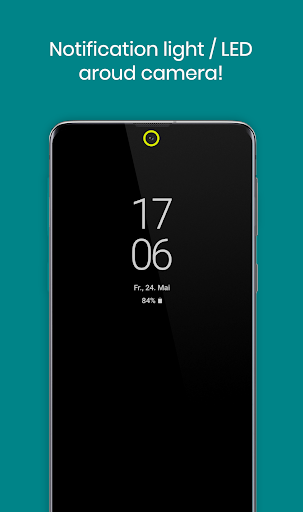
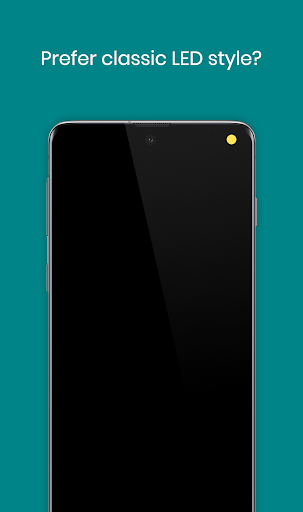
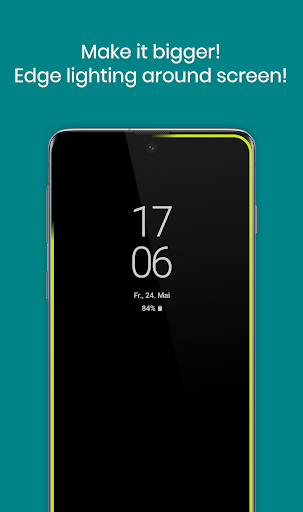
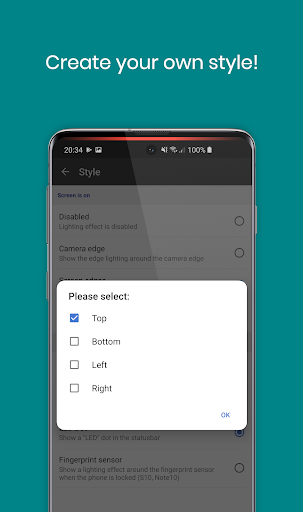
You can select different notification light styles and show the notification light around the camera cutout, screen edges or even simulate an LED notification dot in the statusbar of your Galaxy S23 / S22 / Note 20 / S21 / S10 / Note 10 or A52 series device!

Select from dozens of smooth animated light effects like led blink, neon, echo and many more!

As the notification light is integrated in Samsung's Always On Display it has minimal battery consumption and doesn't drain your battery like other apps which keep your phone awake!

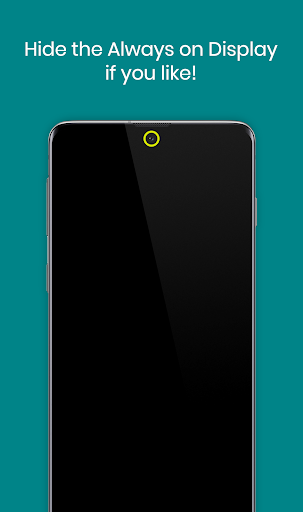
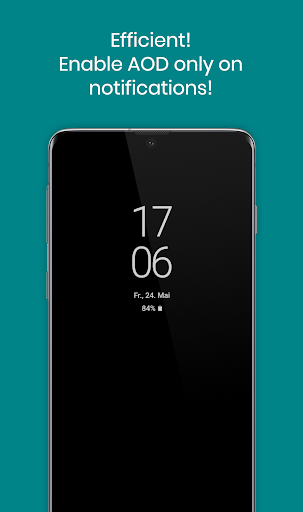
If you don't need the Always On Display, the app can also activate the Always On Display (AOD) only on notifications or show the notification light / LED even without the Always On Display!

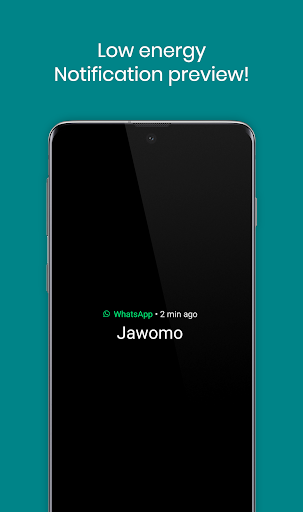
With the notification preview feature you can see the notification sender at a glance without waking your Galaxy phone!


MAIN FEATURES
• Notification light / LED for Samsung Galaxy S23, S22, Note 20, S21, S10, Note 20, A52 and others!
• Low energy notification preview
• Activate Always On Display (AOD) only on notifications
• Charging / Low battery light / LED


MORE FEATURES
• Light effects like led blink, or echo!
• Get notified without notification sound!
• Notification light styles (around camera, screen, LED dot)
• Custom app / contact colors
• ECO animations to save battery
• Interval mode (on/off) to save battery
• Night times to save battery
• Minimal battery consumption


BATTERY USAGE PER HOUR ~
• NOTIFICATION LIGHT - 3.0%
• NOTIFICATION LIGHT in INTERVAL MODE - 1.5%
• NOTIFICATION LIGHT in ECO ANIMATION - 1.5%
• NOTIFICATION LIGHT in ECO ANIMATION & INTERVAL MODE - 1.0%
• NOTIFICATION PREVIEW - 0.5%
• ALWAYS ON DISPLAY - 0.5%

Without the notification light / LED the app consumes almost 0% battery!


SAMSUNG DEVICES
• Galaxy S23 / S22 / S21+ / S21 Ultra
• S21 / S20+ / S20 Ultra
• Galaxy S8 / S9 / S10 / S10+
• Note 8 / Note 9 / Note 10 / Note 20
• A52 / A72 / A51 / A71
• A6 / A7 / A8 / A9
• A30 / A50 / A70 / A80
• C5 / C7 / C8 / C9
• M30


NOTES
• The app is not compatible with Samsungs new android 14 update. Working on a solution
• This app uses accessibility services to help people working in loud enviroments as well as hard of hearing or deaf people to get a visual notification feedback.
• Samsung may block this app with future updates!
• Please check if the app is compatible before updating phone software or always on display!
• Altough we never experienced any screen burn in issues on our test devices, we recommend to not keep the notification light / LED active for a long time! Use at you own responsibility!

"Samsung Galaxy" is a protected trademark of "SAMSUNG ELECTRONICS"

Disclosure:
The app uses the AccessibilityService API to display a floating popup to enable multitasking.

No data is collected or shared using the AccessibilityService API!
Erweitern

Screenshots von Notification light for Samsung

Notification light for SamsungApp-Screenshots1
Notification light for SamsungApp-Screenshots2
Notification light for SamsungApp-Screenshots3
Notification light for SamsungApp-Screenshots4
Notification light for SamsungApp-Screenshots5
Notification light for SamsungApp-Screenshots6
Notification light for SamsungApp-Screenshots7
Notification light for SamsungApp-Screenshots8

Feedback geben

Senden Sie den Entwicklern dieses Apps Probleme, die Sie während der Nutzung hatten, oder Vorschläge, um ihnen zu helfen, besser zu werden.