
About Control Blackmagic Camera
1. IN FIRMWARE 6.9.5v, THE BLUETOOTH API IS NOT RESPONDING TO INPUTS BY THE APP. WE HAVE CONTACTED BMD REGARDING THE ISSUE. KINDLY USE THE APP WITH 6.9.4v.
2. FOCUS CONTROL FOR BMD CAMERAS WITH EF MOUNTS (EG. BMPC 6K) IS PENDING FROM OUR END BECAUSE WE DO NOT HAVE THE CAMERA RIGHT NOW AND IT IS DIFFICULT TO RENT DURING THE PANDEMIC.
Control Blackmagic Camera app allows you to seamlessly control your Blackmagic camera, including fast access to recording, setting up exposure, white balance, lens focus and more.
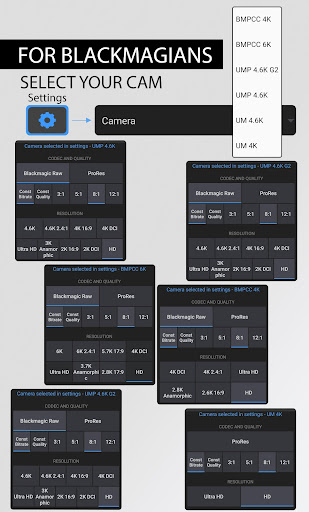
Supported Cameras: BMPCC 4K/6K, Ursa Mini, Ursa Min Pro
Features include:
- Start/Stop Recording
- Choose Recording codec/formats - ProRes and BRAW
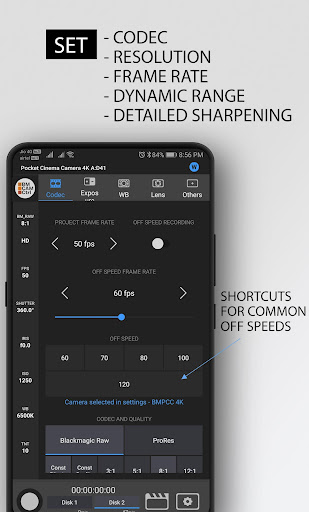
- Choose Resolution, Frame-rate, Dynamic Range, Detail Sharpening (in ProRes)
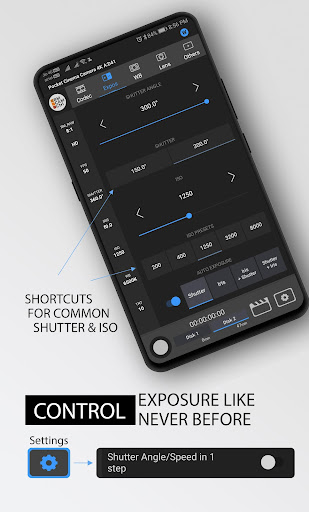
- Manage Iris, Shutter and ISO and Auto Exposure (if your lens supports)
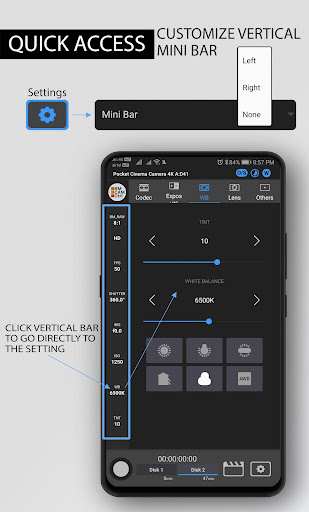
- Manage White Balance and Tint
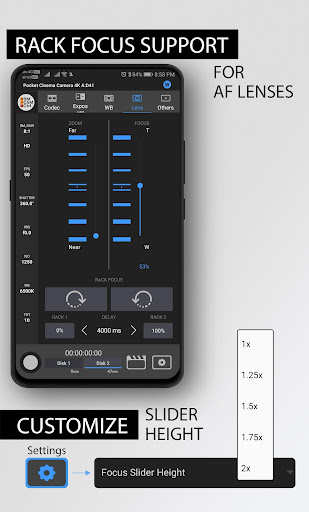
- Lens Control - Focus and Zoom (if your lens supports)
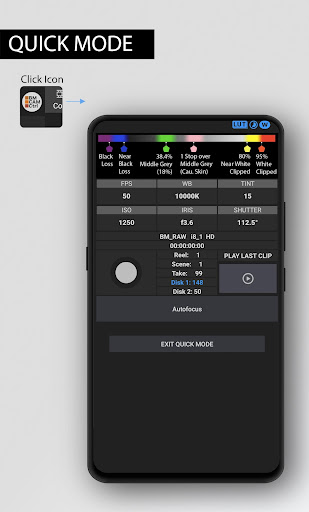
- Play last clip
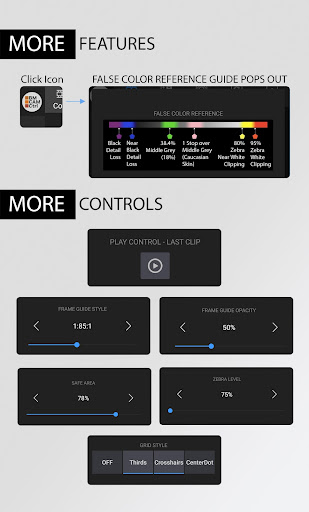
- Manage Camera LCD Frame Guides
- Manage Clip/Slate + Project and Lens Information
Exciting Features:
- Rack Focus
- Shutter Angle/Speed suggestions for selected FPS
- Single Click to toggle special off speed - 60/75/100/120
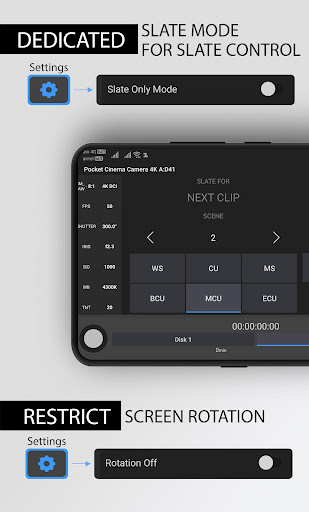
- Mobile Rotation
- Slate Mode - only Slate settings editable
- Customizable Minibar to view and speed click to a particular Setting
- Topbar indicators if enabled in camera - Off Speed, Timelapse, Windowed Mode
Requirements:
Minimum Firmware version 6.2
Bluetooth Enabled on Camera
Bluetooth Enabled on Android Mobile
Location Enabled on Android Mobile
How to use:
- Open the App - Pair your Camera - There you go
Tested only on:
– Blackmagic Pocket 4K camera
Important:
- We are not affiliated with Blackmagic Design Pty Ltd.
- We love Blackmagic Design for their inclusive approach to enhance experience of their awesome products
- BMPCC4K Camera is a trademark product of Blackmagic Design Pty Ltd.
Privacy:
This App does NOT access, store nor transmit any personal information
This App does NOT make use of any advertisement frameworks nor user trackers
Control Blackmagic Camera Screenshots
Old Versions of Control Blackmagic Camera

Editor's Recommendation


Apps Like Control Blackmagic Camera
 Control Blackmagic Camera
 Blackmagic Camera
 HD Camera - Selfie Camera & Beauty camera
 Camera Connect & Control
 Camera Pro Control
 Camera Control for Wear OS
 Beauty Camera - Selfie Camera
 Beauty Camera X, Selfie Camera
 Footej Camera - PRO HD Camera
 Beauty Camera - Selfie Camera
 DSLR HD Camera : 4K HD Camera
 Beauty Camera:Selfie Camera HD
Apps by SayEffect Tech Solutions Private Limited
Control Blackmagic Camera FAQ
1. What is the Control Blackmagic Camera app?
The Control Blackmagic Camera app is a mobile application designed to enhance the functionality of Blackmagic cameras by providing remote control capabilities and advanced camera settings. It allows users to adjust settings such as frame rate, shutter angle, ISO, and white balance directly from their mobile devices, making it easier to manage camera operations during shoots.
2. How do I download the Control Blackmagic Camera app?
You can download the Control Blackmagic Camera app from the Google Play Store for Android devices or from the App Store for iOS devices. Simply search for "Blackmagic Camera" in the respective store and tap the download button to install the app on your device.
3. Is the Control Blackmagic Camera app free to use?
Yes, the Control Blackmagic Camera app is free to download and use. It provides users with a range of features without any upfront costs. However, some advanced functionalities may require additional purchases or subscriptions, particularly for cloud storage and collaboration features.
4. What features does the Control Blackmagic Camera app offer?
The app includes various features such as the ability to remotely control camera settings, view live video feeds, and access advanced features like focus peaking and histogram displays. Users can also sync their footage to Blackmagic Cloud for easy collaboration and editing with tools like DaVinci Resolve. The app supports multiple camera setups, making it suitable for both individual and multi-camera shoots.
5. Can I use the Control Blackmagic Camera app with all Blackmagic cameras?
The Control Blackmagic Camera app is compatible with specific Blackmagic camera models. It is essential to check the app's compatibility list to ensure that your camera model is supported. The app is designed to work seamlessly with the latest Blackmagic cameras, providing users with a professional filming experience directly from their mobile devices.
User Reviews
+ Reviews
Most Popular


