

Button Mapper: Remap your keys
Sobre Button Mapper: Remap your keys
Button Mapper: Remap suas teclas
Descrição
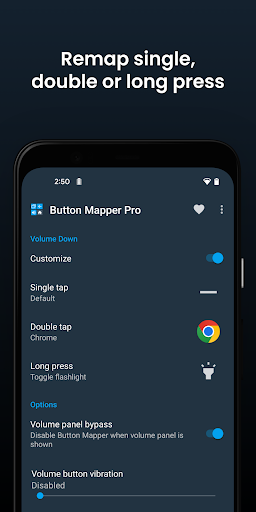
Button Mapper simplifica o remapeio de ações personalizadas para seus botões de volume e outros componentes de hardware. Remapeie botões para iniciar qualquer aplicativo, atalhos ou ações personalizadas com um pressionamento simples, duplo ou longo.
Compatibilidade
Button Mapper pode remapear quase todos os botões físicos ou capacitativos, incluindo botões de volume, botões de assistência e botões capacitivos de casa, voltar e recentes aplicativos. É compatível com muitos controleadores de jogo, controles de mídia e outros dispositivos periféricos.
Funcionalidades
- Pressionamento longo para ativar a lanterna
- Remapeio dos controles da TV
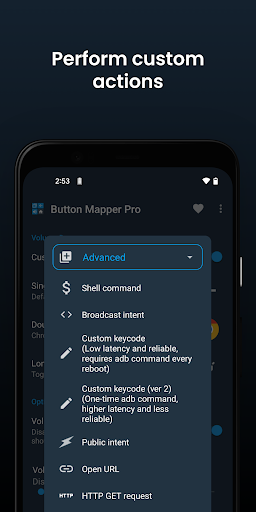
- Ativar ações personalizadas, scripts ou comandos
- Pressionamento longo para abrir a câmera e tirar uma foto
- Duplo toque para iniciar seu aplicativo favorito ou atalho
- Duplo toque para abrir as notificações
- Trocar os botões de volta e recentes (apenas para botões capacitivos)
- Ajustar a luminosidade da tela usando os botões de volume
- Pressionamento longo para ativar o modo silencioso
Versão Pro
Versão Pro desbloqueia mais funcionalidades:
- Simulação de códigos de chave (exige comando adb ou root)
- Trocar os botões de volume com a alteração de orientação
- Definir o volume de ligação como padrão em Pie ou versões posteriores
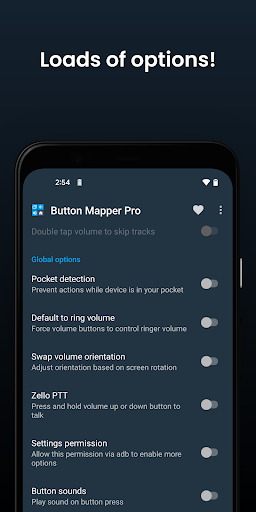
- Detecção de bolso
- Temas
- Trocar os botões de volta e recentes
- Personalização da reação tátil ( vibração ) ao pressionar ou pressionar por tempo longo
Remapeando Botões
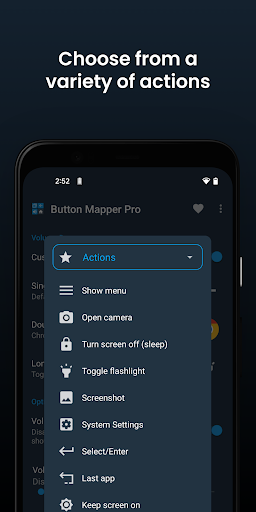
Você pode mapear ações para diversos tipos de botões:
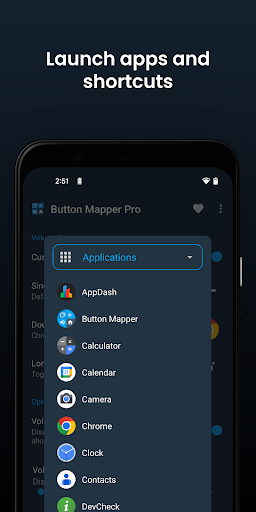
- Iniciar qualquer aplicativo ou atalho
- Desativar o botão
- Transmitir intenções (versão Pro)
- Executar scripts (versão Pro)
- Ativar a câmera e tirar uma foto
- Desligar a tela
- Ativar ou desativar a lanterna
- Acessar configurações rápidas
- Exibir notificações
- Dialogo de energia
- Capturar tela
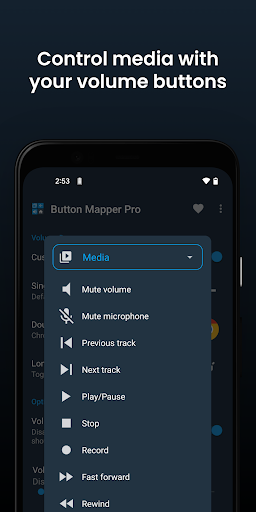
- Controle de música: faixas anteriores/seguintes e pausa
- Ajustar volume ou mutar
- Trocar de aplicativo
- Ativar ou desativar o modo silencioso
- Ajustar a luminosidade
- Ativar ações com um único toque (root)
- Ativar o botão do menu (root)
- Escolher códigos de chave personalizados (root e versão Pro)
- Comandos de root (root e versão Pro)
- Ativar ou desativar WiFi
- Ativar ou desativar Bluetooth
- Alterar a rotação
- Limpar notificações
- Compartilhar na tela dividida
- Rolagem para cima/diante (root)
Opções Adicionais
- Mudar a duração do pressionamento longo ou duplo
- Atraso no primeiro pressionamento para melhor operação de duplo toque
- Desativar Button Mapper enquanto estiver usando aplicativos específicos
Resolução de Problemas
- Certifique-se de que o serviço de acessibilidade de Button Mapper esteja ativado e permitido para funcionar no fundo.
- Button Mapper não funciona com botões virtuais (como botões suaves ou o barra de navegação) ou o botão de energia.
Privacidade
Button Mapper usa serviços de acessibilidade para detectar quando os botões físicos ou capacitivos são pressionados no seu dispositivo para remapeá-los para ações personalizadas. Não é usado para ver o que você está digitando. Button Mapper não coleta ou compartilha nenhuma informação pessoal sua, é seguro e respeita sua privacidade.
Permissões
Este aplicativo usa a permissão de Administrador de Dispositivo. (BIND_DEVICE_ADMIN) Esta permissão é usada para bloquear a tela se a ação "Desligar a tela" for escolhida. Se desejar remover esta permissão, abra Button Mapper, clique no menu (três pontos no canto superior direito) e selecione "Desinstalar".
Jogabilidade
Capturas de tela do Button Mapper: Remap your keys

Versões Antigas de Button Mapper: Remap your keys







Apps Semelhantes a Button Mapper: Remap your keys
 Button Mapper: Remap your keys4.1
 Soft Keys - Home Back Button5.0
 Soft Keys 2 - Home Back Button4.1
 Green button: Press the Button4.7
 Travel Mapper4.8
 SolarEdge Site Mapper4.6
 DigiShakti Mapper4.8
 Key Mapper GUI Keyboard4.6
 OpenOrienteering Mapper4.9
 Pavelink Thermal Mapper4.6
 GPS Photo Mapper4.8
 Proto Mapper4.7


Button Mapper: Remap your keys FAQ
Como faço para baixar Button Mapper: Remap your keys do PGYER APK HUB?
O Button Mapper: Remap your keys no PGYER APK HUB é gratuito para baixar?
Eu preciso de uma conta para baixar Button Mapper: Remap your keys do PGYER APK HUB?
Como posso relatar um problema com Button Mapper: Remap your keys no PGYER APK HUB?
Avaliações dos Usuários
+ Avaliações
Mais popular


