
Call of Duty: Mobile Review: A Full Shooter Suite with Real Storage and Spending Trade-Offs


Call of Duty: Mobile has grown far beyond the idea of a small 5v5 shooter built for phones. The current Android listing brings together classic Multiplayer, Ranked Multiplayer, League Play, Battle Royale, Zombies, and DMZ: Recon inside one client.
That range is its biggest strength. It is also the reason the game can feel crowded. New players face several modes, downloadable resource packs, loadout systems, seasonal menus, social features, and store layers before they understand which part of the package they actually enjoy.
APKHub still adds an old Season 3 suffix to package com.activision.callofduty.shooter. This review uses the durable official name, Call of Duty: Mobile, because season numbers and collaborations are temporary while the underlying game is continuously updated.
One Client, Four Very Different Shooter Rhythms
Classic Multiplayer is the fastest route into the game. Officially listed modes include Team Deathmatch, Domination, Search & Destroy, Hardpoint, and Frontline. Familiar maps such as Nuketown, Shipment, Rust, Terminal, Raid, and Hijacked keep matches readable for players who know the wider series.
Battle Royale changes the scale. Larger maps, vehicles, squad coordination, looting, and a last-team-standing objective replace the compact lane control of a multiplayer arena. Zombies shifts the focus toward cooperative survival and enemy waves.
DMZ: Recon adds an extraction structure. Players enter to complete objectives and collect loot, then need to leave successfully to keep their rewards. That makes survival and risk management more important than simply recording the highest elimination count.
These modes share weapons and Call of Duty visual language, but they reward different habits. A strong close-range Multiplayer loadout does not automatically teach Battle Royale positioning. Aggressive movement that works in Team Deathmatch can be a costly choice in an extraction mission.
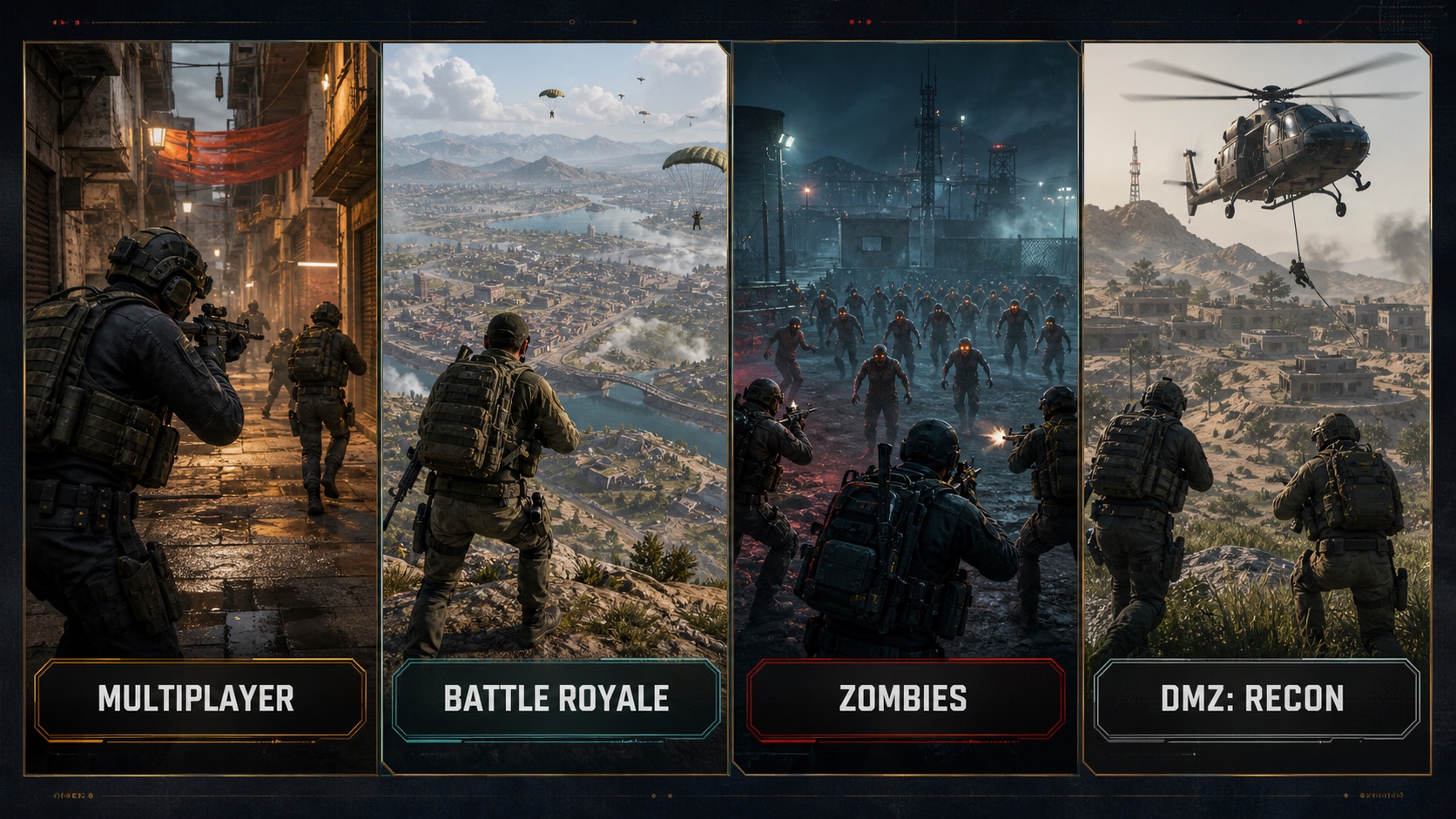
Editorial illustration: the current game is a shooter suite, not one repeated match format.
The Mobile Controls Are Flexible Enough to Reward Setup
Call of Duty: Mobile supports sprinting, sliding, mantling, aiming, firing, scorestreaks, equipment, and loadout customization on a touchscreen. The game can feel immediately familiar, but the default layout is only a starting point.
Button placement, sensitivity, aim behavior, field of view, audio cues, and the choice between simple and advanced firing controls can change how readable a fight feels. A player using a small phone may need a very different layout from someone using a large tablet.
The most useful first step is not copying a professional configuration. It is removing accidental actions. Move buttons away from the device edge if your grip causes missed inputs, keep the most frequent actions within comfortable reach, and test sensitivity in a controlled mode before changing several values at once.
Loadouts add a second layer. Weapons, attachments, perks, equipment, and scorestreaks should support a mode and play style. A flexible assault-rifle build may be easier for a new player to understand than a highly specialized setup that only works at one range.
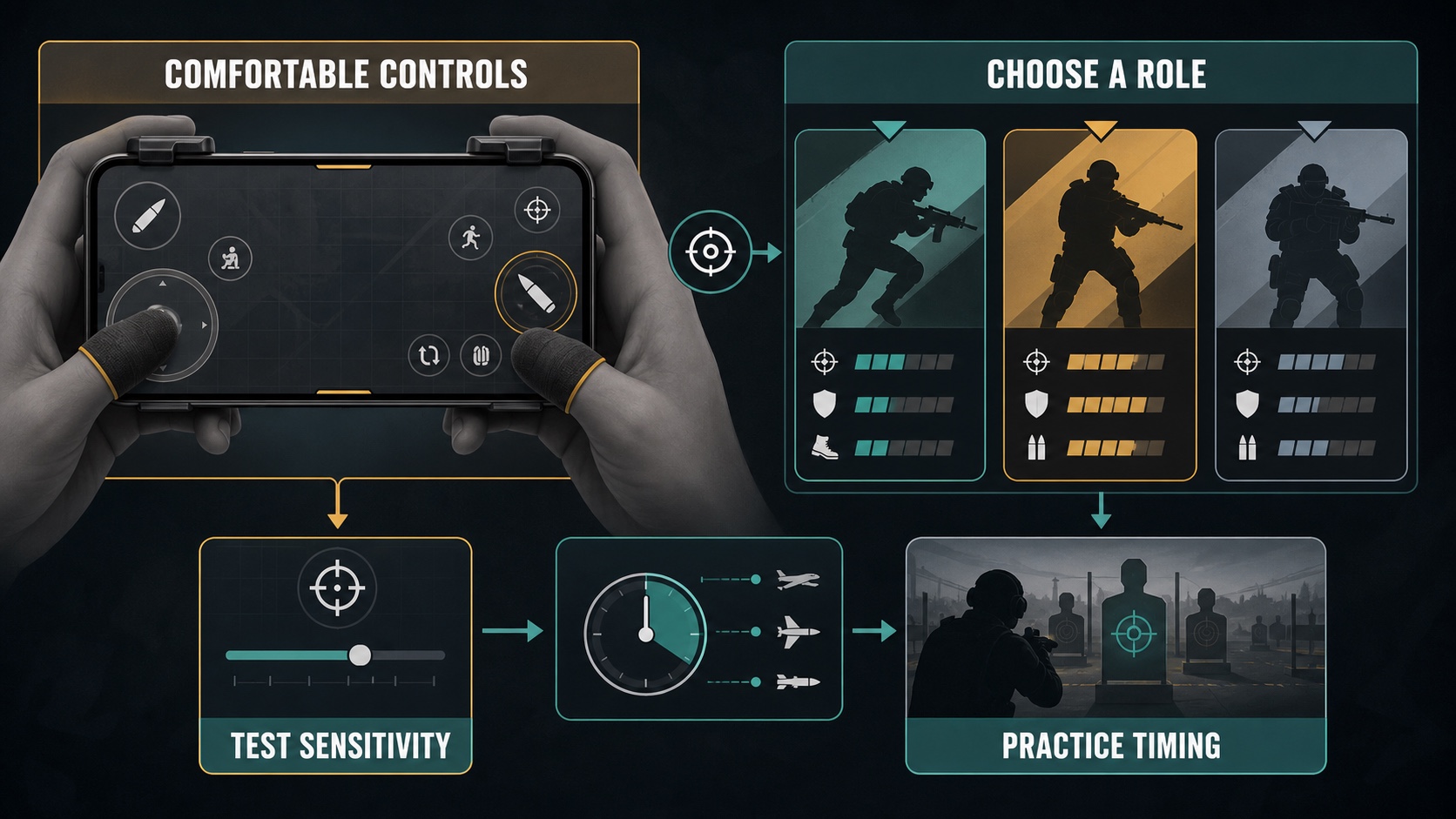
Editorial illustration: reliable controls and a coherent loadout matter more than copying a complicated setup blindly.
Download Choice Helps, but the Full Game Is Still Large
The official Google Play description says the initial download has been reduced and that players can choose additional content such as HD resources, maps, weapons, and operators. This modular approach is one of the game's most practical mobile features.
It allows a new player to install the core client, try a preferred mode, and delay optional assets. Someone who mostly plays a small set of multiplayer maps does not need to download every high-resolution resource immediately.
The trade-off is that the library can grow as more modes and content are added. A phone may have enough free space for the initial app but not for every optional pack plus future updates. Storage planning should include temporary update space as well as the final installed size.
Activision Support lists Android 6.0 or later and at least 2 GB of RAM as the minimum specification. That establishes a compatibility floor, not a guarantee of high frame rates, stable temperature, or maximum visual settings. Device chipset, available memory, storage speed, background apps, network quality, and thermal limits still matter.
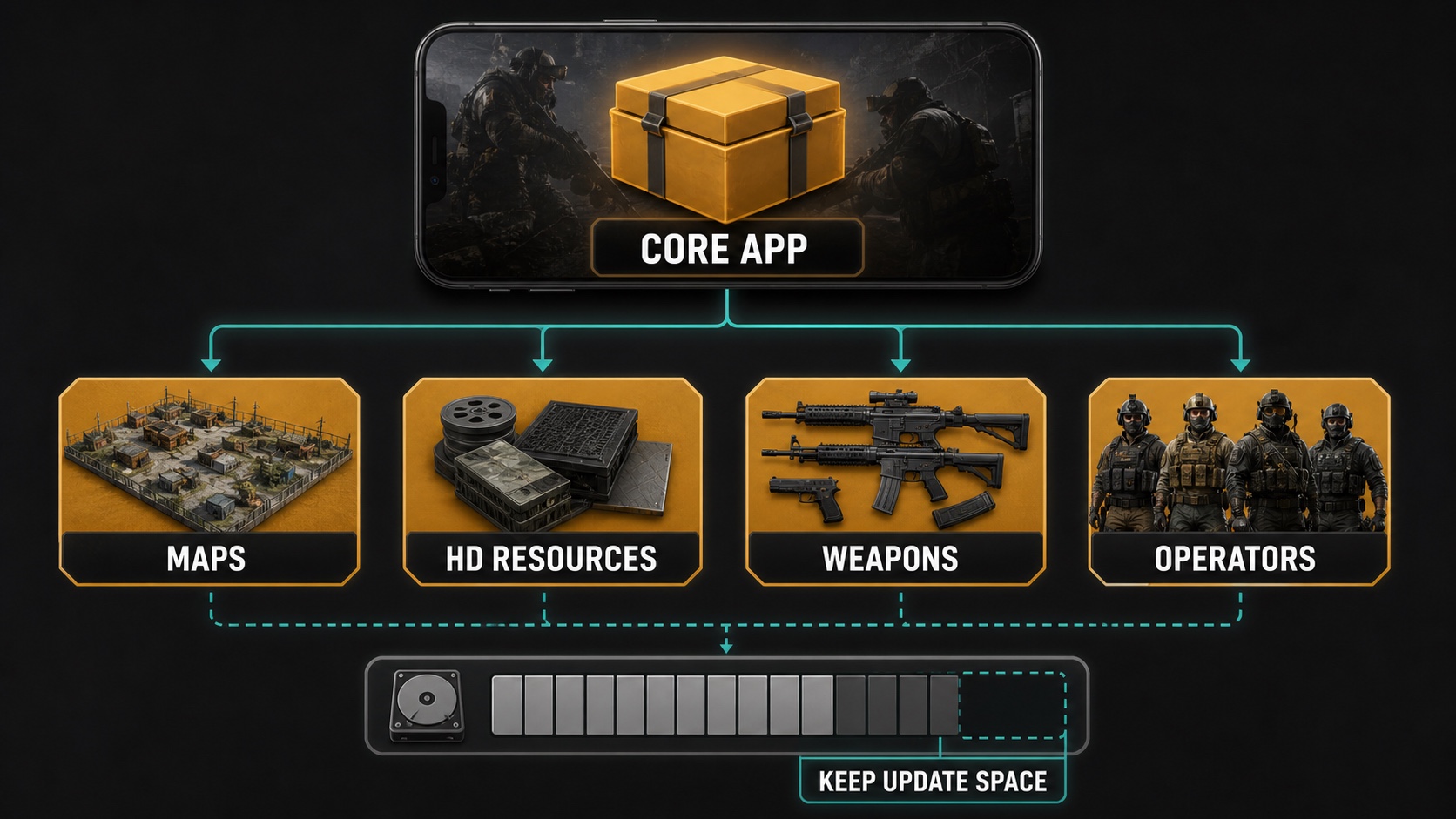
Editorial illustration: start with the content you use and add optional packs only when storage allows.
Multiplayer Depth Is Strong, but the Interface Takes Time
The game provides a broad progression environment around its matches. Ranked play, League Play, seasonal tasks, events, weapons, attachments, operators, cosmetics, and several reward tracks give returning players constant goals.
For a new player, that same density can obscure the basics. Notifications and claim buttons are not a substitute for learning map routes, objective timing, recoil behavior, and when to disengage from a bad fight.
A sensible order is to select one main mode, stabilize the control layout, learn two or three maps, and build one dependable loadout. Ranked play becomes more useful after those foundations are comfortable. Trying to optimize every seasonal menu on day one creates activity without necessarily improving play.
Regular updates are part of the product. They bring new maps, weapons, operators, events, modes, and rewards, but they can also change balance, download requirements, and interface priorities. An evergreen review can explain the system; it cannot promise that one current weapon or event will remain dominant.
The Economy Needs a Deliberate Budget
Google Play labels Call of Duty: Mobile as containing ads, in-app purchases, and random-item purchases. That label matters because the game places store offers, currencies, cosmetics, battle-pass-style progression, and limited-time rewards near its competitive modes.
It would be inaccurate to reduce the entire game to its store. Core shooting skill, map knowledge, positioning, teamwork, and loadout decisions remain meaningful. It would be equally inaccurate to pretend the commercial layer is invisible.
Players should decide what they are willing to buy before interacting with randomized offers. A displayed possibility is not a guaranteed outcome. Purchase authentication and a fixed monthly limit are especially important on a child's or shared account.
Do not treat a cosmetic collection as required progress. Choose purchases for a clear reason, compare the full price rather than the first discounted step, and avoid chasing a specific random reward after an initial result is disappointing.
Social Play and Privacy Are Part of the Package
Call of Duty: Mobile contains social features for connecting and playing with friends. Team coordination can improve objective modes, Battle Royale squads, Zombies, and extraction play. Public interaction also means voice, text, names, and behavior need active settings rather than blind acceptance.
Mute and reporting tools should be used when a player is disruptive. Do not share personal contact details in a lobby, and review friend requests rather than accepting every invitation after a match. Younger players need household rules for voice chat, private messages, purchases, and play time.
Google Play's developer-provided data-safety section says personal information may be shared with third parties. It also says the app may collect personal information, financial information, and other categories; data is encrypted in transit; and users can request deletion.
Those declarations are summaries and can vary with region, account type, age, purchases, and enabled features. Review permissions, account links, notification settings, privacy choices, and Activision's privacy portal instead of assuming that one store label describes every session.
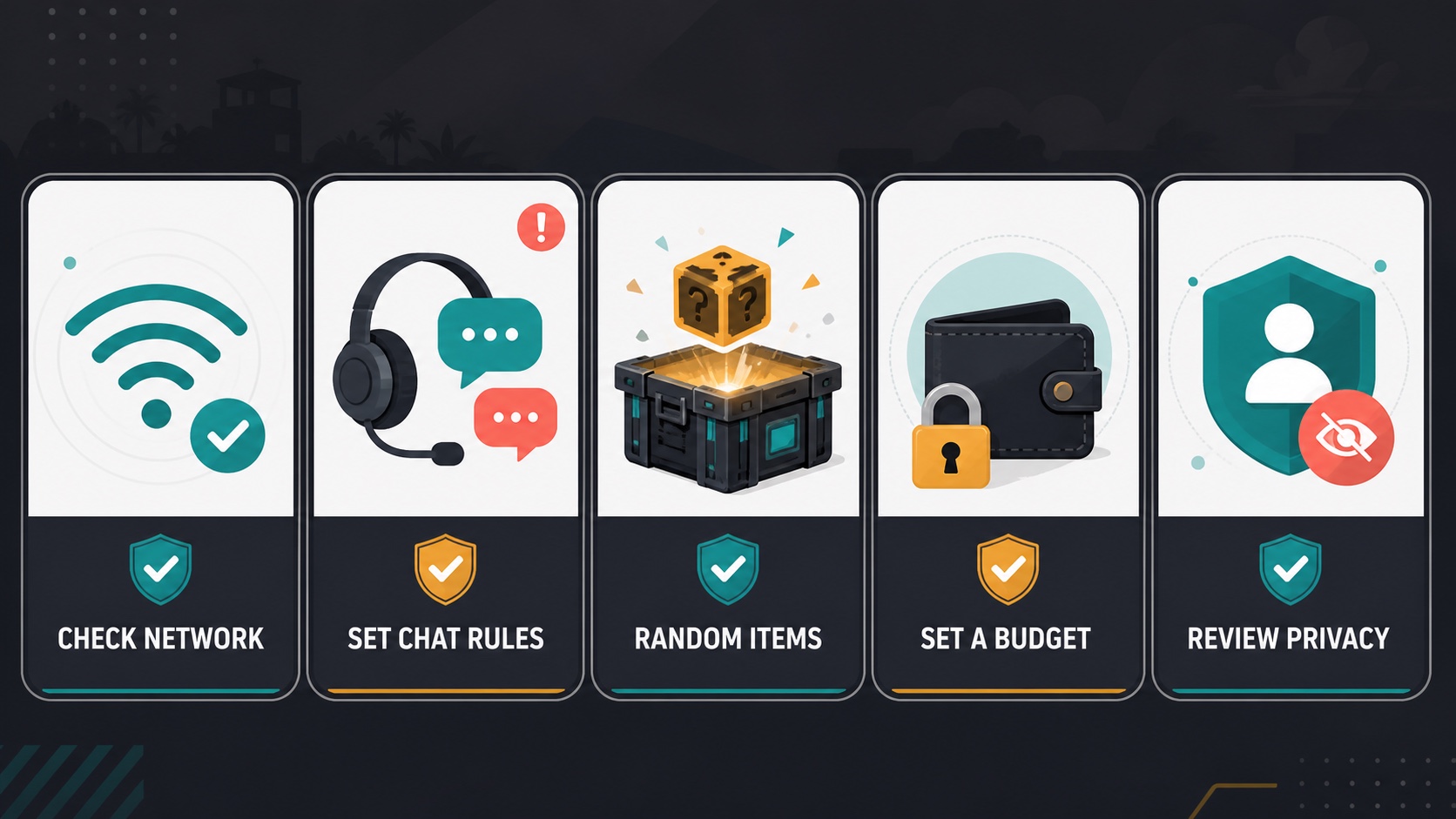
Editorial illustration: a good setup includes network planning, communication controls, a spending limit, and a privacy review.
What Call of Duty: Mobile Does Well
- It offers several distinct shooter modes in one Android client.
- Recognizable maps and weapons make the first matches easy to understand.
- Touch controls and loadouts are highly configurable.
- Modular downloads let players prioritize the content they actually use.
- Multiplayer, Battle Royale, Zombies, and extraction play support different session lengths and group sizes.
Where the Experience Can Become Heavy
- The interface contains many events, currencies, reward tracks, and notifications.
- Optional content can turn a small initial installation into a large library.
- Always-online play makes network quality part of every mode.
- Voice, text, and friend systems require active moderation choices.
- Random-item purchases and limited-time offers can encourage impulsive spending.
Who Should Play It?
Call of Duty: Mobile is a strong choice for players who want competitive gunplay and mode variety without installing several separate shooters. It works best for someone willing to tune controls, manage downloads, and spend time learning maps and loadouts.
It is less suitable for players who want an offline campaign, a minimal interface, a small permanent installation, or a premium game with no live-service economy. It can run on older Android specifications, but a minimum requirement should not be mistaken for a guaranteed high-end experience.
Final Verdict
Call of Duty: Mobile earns its place on the APKHub homepage because it offers an unusually broad shooter package. Classic Multiplayer remains immediately accessible, while Battle Royale, Zombies, ranked systems, and DMZ: Recon provide room to specialize.
The cost of that breadth is weight. Storage grows, menus compete for attention, social systems need supervision, and the store is never far from the progression loop.
Install only the resource packs you need, learn one mode before chasing every reward, and set communication and spending rules early. With those boundaries, Call of Duty: Mobile is not merely a recognizable franchise on a phone; it is a flexible shooter platform with enough depth to support very different players.


.webp?x-oss-process=image/resize,w_80/format,webp)