
The Grid Pro - Icon Pack
امتیاز
Jul 28, 2024آخرین به روزرسانی
3.2.1نسخه
چگونگی نصب فایل XAPK / APK
اشتراک گذاری
درباره The Grid Pro - Icon Pack
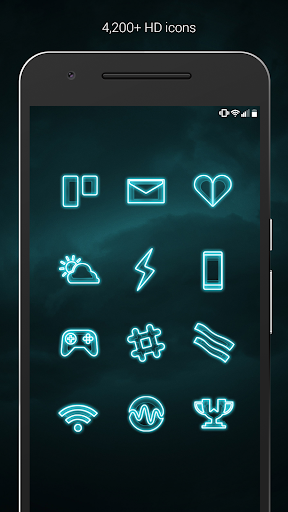
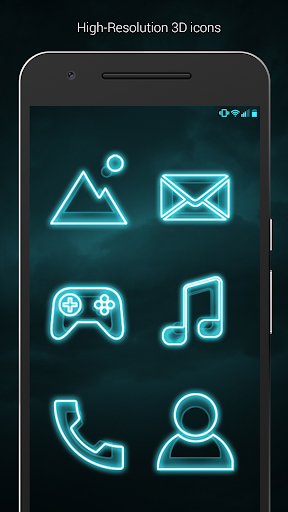
The Grid (Pro Version) is a neon blue/teal theme with a focus on Sci-Fi aesthetics with digital 3D renderings of futuristic backgrounds. Icons have transparency to blend in well with your backgrounds. Icons also feature a 3D looks and handmade designs. Custom wallpapers have variations in darkness for you to experiment with, or use your own backgrounds to create your own futuristic theme.
QUICK TIPS
You can manually edit icons in most launchers by long-pressing the icon you'd like to edit.
Widgets: If your widget stops updating, check your system or battery settings to make sure the app is exempt from battery optimization.
PRO VERSION
This is the pro version of the app. Get the free version here: https://play.google.com/store/apps/details?id=com.natewren.thegridfree
DISCLAIMER
You may need a 3rd party launcher to apply the icon pack. Please download a launcher (Nova, Evie, Microsoft, etc.) before installing.
COMPATIBLE LAUNCHERS
• Nova Launcher (Recommended)
• Microsoft Launcher (Apply via launcher settings)
• Evie Launcher (Apply via launcher settings)
• Poco Launcher
• ADW Launcher
• Yandex Launcher (Apply via launcher settings)
• Action Launcher
• Apex Launcher
• Atom Launcher
• Aviate Launcher
• Go Launcher
• Holo Launcher
• Inspire Launcher
• KK Launcher
• Lucid Launcher
• Next Launcher
• Nine Launcher
• Solo Launcher
• Smart Launcher
• Themer
• TSF
Nova is recommended for the best experience and supports icon name search when manually applying icons. For more info on searching while manually applying icons please visit https://natewren.com/manually-edit-icons/.
HOW-TO GUIDE
http://natewren.com/apply
FEATURES
• 4,000+ hand crafted flat, clean & simple neon blue/teal futuristic sci-fi HD Icons
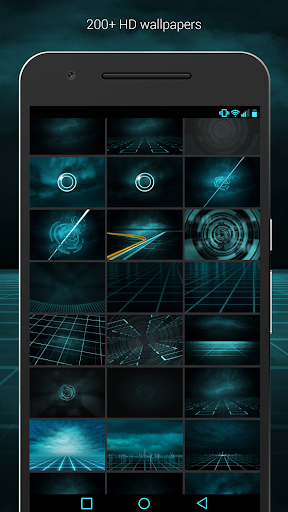
• 200+ wallpapers included. Downloadable from the cloud. Browse and save the ones you want. All wallpapers shown are included!
• XXXHDPI high definition neon blue icons included for super large HD screens. All Icons are 192x192
• Customized science fiction wallpapers. Wallpapers have been edited to show off neon electric blue/teal icons nicely.
• Most of the icons are transparent letting each show the provided futuristic sci-fi backgrounds or to show off your own futuristic/neon backgrounds.
• Contains over 4,000 different 3D neon glowing icons with many variations of default icons such as phone, contacts, camera, etc.
• Wallpaper chooser comes installed
• Request icons via "Request" tab
• Chrome, retro and neon icons work best with dark futuristic 80's wallpapers.
• Muzei support for rotating wallpapers
• New icons added regularly
WIDGETS
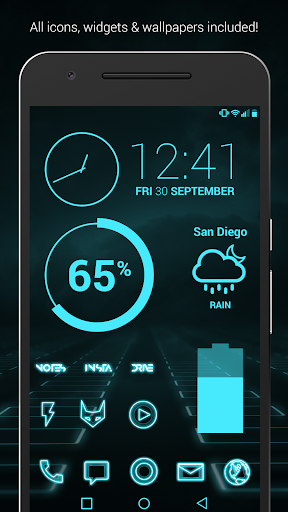
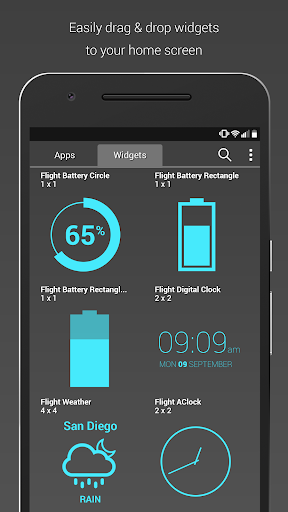
System widgets as well as editable KWGT widgets are included.
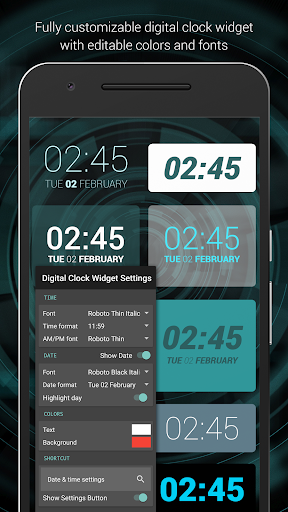
• Fully customizeable Rad Clock Widget with diagonal text
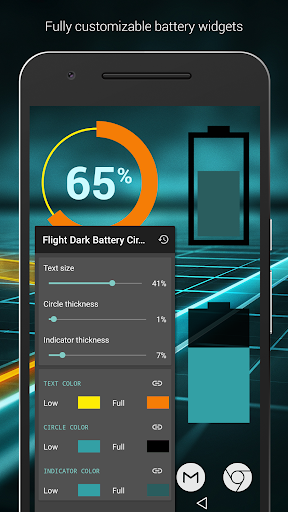
• Battery widgets
• Digital clock widgets
• Analog clock widget
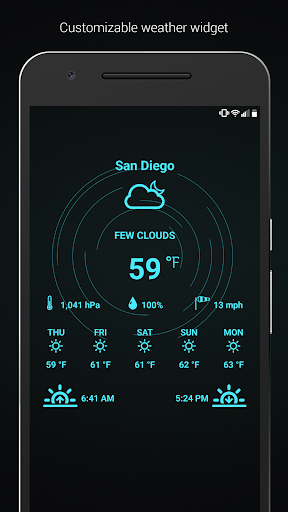
• Weather widgets
Hex used in flat colors: 47eafd
HOW TO APPLY ICONS VIA ICON PACK
1. Open the app after installing
2. Navigate to "Apply" tab
3. Select your Launcher
HOW TO APPLY ICONS VIA LAUNCHER
1. Open Launcher settings by tapping + holding on an empty area of home screen
2. Select personalization options
3. Select icon pack
FOLLOW ME
Twitter: https://twitter.com/natewren
QUESTIONS/COMMENTS
natewren@gmail.com
http://www.natewren.com
QUICK TIPS
You can manually edit icons in most launchers by long-pressing the icon you'd like to edit.
Widgets: If your widget stops updating, check your system or battery settings to make sure the app is exempt from battery optimization.
PRO VERSION
This is the pro version of the app. Get the free version here: https://play.google.com/store/apps/details?id=com.natewren.thegridfree
DISCLAIMER
You may need a 3rd party launcher to apply the icon pack. Please download a launcher (Nova, Evie, Microsoft, etc.) before installing.
COMPATIBLE LAUNCHERS
• Nova Launcher (Recommended)
• Microsoft Launcher (Apply via launcher settings)
• Evie Launcher (Apply via launcher settings)
• Poco Launcher
• ADW Launcher
• Yandex Launcher (Apply via launcher settings)
• Action Launcher
• Apex Launcher
• Atom Launcher
• Aviate Launcher
• Go Launcher
• Holo Launcher
• Inspire Launcher
• KK Launcher
• Lucid Launcher
• Next Launcher
• Nine Launcher
• Solo Launcher
• Smart Launcher
• Themer
• TSF
Nova is recommended for the best experience and supports icon name search when manually applying icons. For more info on searching while manually applying icons please visit https://natewren.com/manually-edit-icons/.
HOW-TO GUIDE
http://natewren.com/apply
FEATURES
• 4,000+ hand crafted flat, clean & simple neon blue/teal futuristic sci-fi HD Icons
• 200+ wallpapers included. Downloadable from the cloud. Browse and save the ones you want. All wallpapers shown are included!
• XXXHDPI high definition neon blue icons included for super large HD screens. All Icons are 192x192
• Customized science fiction wallpapers. Wallpapers have been edited to show off neon electric blue/teal icons nicely.
• Most of the icons are transparent letting each show the provided futuristic sci-fi backgrounds or to show off your own futuristic/neon backgrounds.
• Contains over 4,000 different 3D neon glowing icons with many variations of default icons such as phone, contacts, camera, etc.
• Wallpaper chooser comes installed
• Request icons via "Request" tab
• Chrome, retro and neon icons work best with dark futuristic 80's wallpapers.
• Muzei support for rotating wallpapers
• New icons added regularly
WIDGETS
System widgets as well as editable KWGT widgets are included.
• Fully customizeable Rad Clock Widget with diagonal text
• Battery widgets
• Digital clock widgets
• Analog clock widget
• Weather widgets
Hex used in flat colors: 47eafd
HOW TO APPLY ICONS VIA ICON PACK
1. Open the app after installing
2. Navigate to "Apply" tab
3. Select your Launcher
HOW TO APPLY ICONS VIA LAUNCHER
1. Open Launcher settings by tapping + holding on an empty area of home screen
2. Select personalization options
3. Select icon pack
FOLLOW ME
Twitter: https://twitter.com/natewren
QUESTIONS/COMMENTS
natewren@gmail.com
http://www.natewren.com
تصاویر The Grid Pro - Icon Pack
نسخههای قدیمی The Grid Pro - Icon Pack

پیشنهاد ویرایشگر


برنامههای مشابه The Grid Pro - Icon Pack


برنامههای توسط Nate Wren Design


The Grid Pro - Icon Pack FAQ
چگونه می توانم The Grid Pro - Icon Pack را از PGYER APK HUB دانلود کنم؟
آیا The Grid Pro - Icon Pack در PGYER APK HUB رایگان برای دانلود است؟
آیا برای دانلود The Grid Pro - Icon Pack از PGYER APK HUB نیاز به حساب کاربری دارم؟
چگونه می توانم یک مشکل با The Grid Pro - Icon Pack در PGYER APK HUB گزارش دهم؟
آیا این را مفید یافتید؟
بله
خیر
نظرات کاربران
+ نقد و بررسی
4.9
5
4
3
2
1
M
Mars
2025-02-17
25
0
Absolutely love The Grid Pro - Icon Pack! The variety of icons and the attention to detail are impressive. My home screen has never looked better.
R
Randal
2025-02-26
11
0
The Grid Pro - Icon Pack is a must-have for anyone who loves personalizing their phone. The icons are stylish and add a professional touch to my device.
C
Cole
2025-02-13
4
0
The Grid Pro - Icon Pack is simply outstanding. The icons are elegant and make my phone stand out. It's a fantastic addition to any device.
پرطرفدارترین

Downloader by AFTVnews
AFTVnews.com

Character AI: AI-Powered Chat
Character.AI

Google Chrome
Google LLC

YouTube
Google LLC

X
X Corp.

Telegram
Telegram FZ-LLC

Netflix
Netflix, Inc.

Tubi: Movies & Live TV
Tubi TV

Disney+
Disney

VPN Proton: Fast & Secure VPN
Proton AG

Microsoft 365 (Office)
Microsoft Corporation

Reddit
reddit Inc.

Signal Private Messenger
Signal Foundation

Vinted - Buy and sell clothes
Vinted

Grand Theft Auto: San Andreas
Rockstar Games

Football League 2024
MOBILE SOCCER

Toca Life World: Build a Story
Toca Boca

EA SPORTS FC™ Mobile Soccer
ELECTRONIC ARTS

Roblox
Roblox Corporation

Free Fire MAX
Garena International I

PUBG MOBILE LITE
Level Infinite

Fortnite
Epic Games, Inc

Free Fire: The Chaos
Garena International I

Block Blast!
Hungry Studio