

关于Support Tool
This app is capable of the following:
Timing setting to disable the supportable app overlay,
Task switching of supportable app.
Set-up
Please set up by the following procedure.
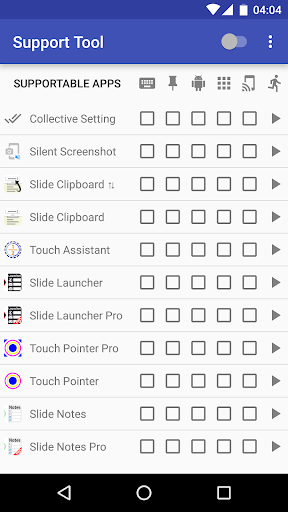
1. Turn on the switch on top-right corner in the screen of the "Support Tool".
2. Accessibility screen is opened. Please select the "Support Tool" item from the list.
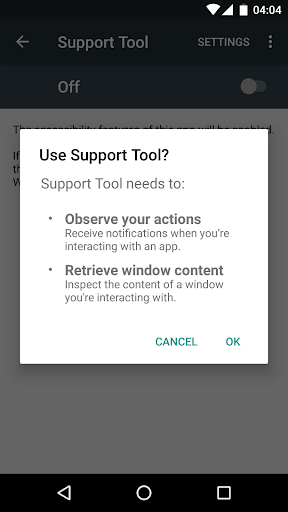
3. Turn on the switch on the top-right corner.
4. "Use Support Tool?" dialog is displayed. Then choose OK button.
In Android 5.0 or later, an error may occur.
If an error occurs, install the "Alert Window Checker" from below, please stop the app that inhibit the activation.
Alert Window Checker
https://play.google.com/store/apps/details?id=jp.sfapps.alertwindowchecker
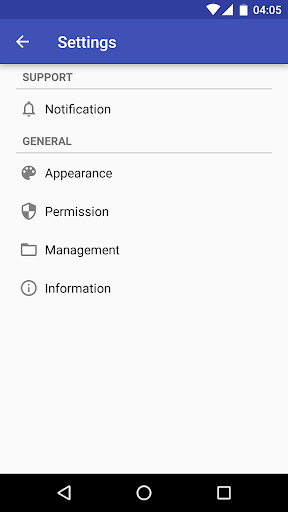
Setting Items
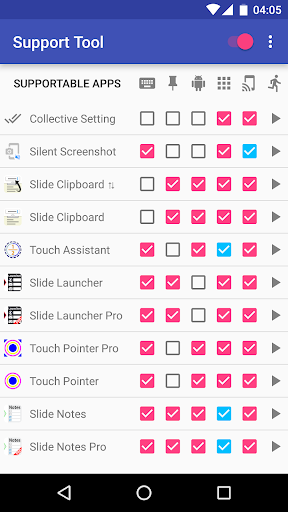
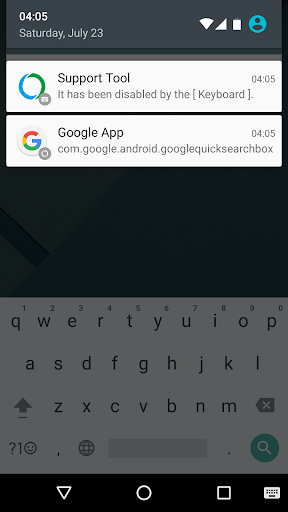
・Keyboard
If the keyboard is in use, supportable app overlay is disabled.
・Screen Pinning(Android 5.0 or later)
If the screen is pinned, supportable app overlay is disabled.
・System
If the system screen is detected, supportable app overlay is disabled.
Example: Recent apps screen, Notification screen, etc.
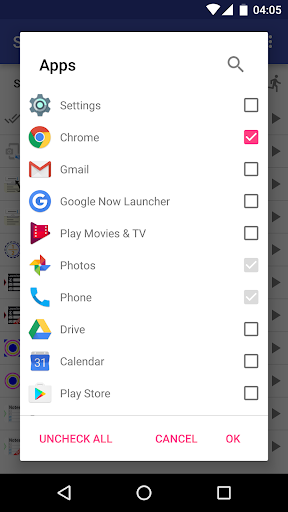
・App
If the specified app is detected, supportable app overlay is disabled.
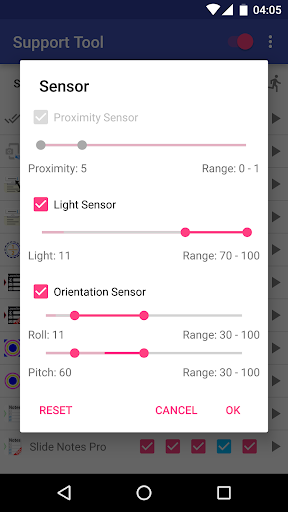
・Sensor
If the sensor value is in the specified range, supportable app overlay is disabled.
・Task Swiching
The task of supportable app is switched.
About Accessibility
This app uses accessibility.
If you activate the accessibility, please confirm the explanation, agree, and activate it.
Timing setting to disable the supportable app overlay,
Task switching of supportable app.
Set-up
Please set up by the following procedure.
1. Turn on the switch on top-right corner in the screen of the "Support Tool".
2. Accessibility screen is opened. Please select the "Support Tool" item from the list.
3. Turn on the switch on the top-right corner.
4. "Use Support Tool?" dialog is displayed. Then choose OK button.
In Android 5.0 or later, an error may occur.
If an error occurs, install the "Alert Window Checker" from below, please stop the app that inhibit the activation.
Alert Window Checker
https://play.google.com/store/apps/details?id=jp.sfapps.alertwindowchecker
Setting Items
・Keyboard
If the keyboard is in use, supportable app overlay is disabled.
・Screen Pinning(Android 5.0 or later)
If the screen is pinned, supportable app overlay is disabled.
・System
If the system screen is detected, supportable app overlay is disabled.
Example: Recent apps screen, Notification screen, etc.
・App
If the specified app is detected, supportable app overlay is disabled.
・Sensor
If the sensor value is in the specified range, supportable app overlay is disabled.
・Task Swiching
The task of supportable app is switched.
About Accessibility
This app uses accessibility.
If you activate the accessibility, please confirm the explanation, agree, and activate it.
游戏玩法
Support Tool应用截图
Support Tool的历史版本

编辑推荐


类似Support Tool的应用


SFApps的应用


用户评论
+ 测评
4.2
5
4
3
2
1
L
Leander
2024-11-29
15
0
I’ve tried many apps, but Support Tool stands out with its user-friendly interface and efficient features.
K
Kaye
2024-12-17
12
0
Support Tool has been a game-changer for me. It’s reliable, fast, and incredibly useful.
J
Jennie
2025-01-10
21
0
I can’t imagine managing my work without Support Tool. It’s an essential app for everyone.
最受欢迎

Downloader by AFTVnews
AFTVnews.com

Character AI: AI-Powered Chat
Character.AI

Google Chrome
Google LLC

YouTube
Google LLC

X
X Corp.

Telegram
Telegram FZ-LLC

Netflix
Netflix, Inc.

Tubi: Movies & Live TV
Tubi TV

Disney+
Disney

VPN Proton: Fast & Secure VPN
Proton AG

Microsoft 365 (Office)
Microsoft Corporation

Reddit
reddit Inc.

Signal Private Messenger
Signal Foundation

Vinted - Buy and sell clothes
Vinted

Grand Theft Auto: San Andreas
Rockstar Games

Football League 2024
MOBILE SOCCER

Toca Life World: Build a Story
Toca Boca

EA SPORTS FC™ Mobile Soccer
ELECTRONIC ARTS

Roblox
Roblox Corporation

Free Fire MAX
Garena International I

PUBG MOBILE LITE
Level Infinite

Fortnite
Epic Games, Inc

Free Fire: The Chaos
Garena International I

Block Blast!
Hungry Studio