
রেটিং
Oct 13, 2024সর্বশেষ আপডেট
5.4.7সংস্করণ
Pixen সম্পর্কে
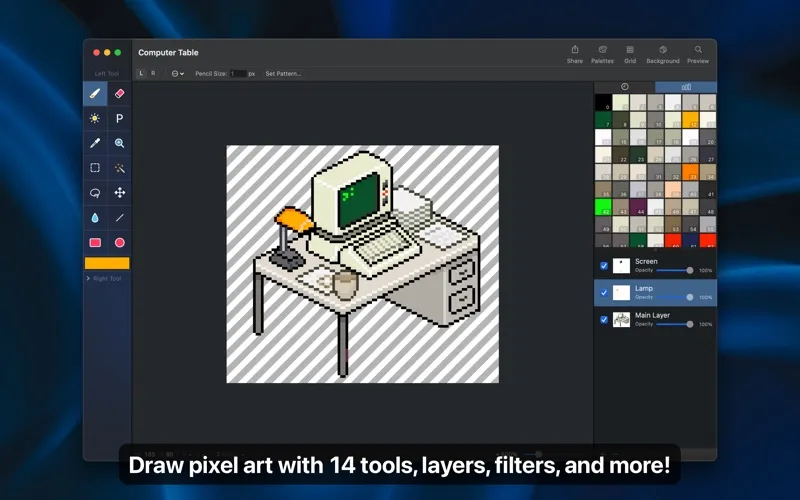
Pixen is a professional pixel art editor designed for working with low-resolution raster art, such as those 8-bit sprites found in old-school video games. Pixen packs all the tools pixel artists need in an intuitive, native interface including support for high zoom levels, animation editing, color palettes, and a lot more.
LAYERS AND FILTERS
Take advantage of the flexibility layers provide when working with complex pixel art. Change opacities, blend modes, and more to compose creative effects.
Use filters to adjust colors and post-process your artwork. Invert colors, convert to grayscale, dither, apply sepia tone, remove alpha components, palettize, pixellate, adjust hue, exposure, brightness, contrast, and more.
TOOLS
Leverage Pixen's wide array of tools when composing pixel art: Pencil, Eraser, Brightness, Text, Eyedropper, Zoom, Rectangular Selection, Magic Wand, Lasso, Move, Fill, Line, Rectangle, and Ellipse. You can even assign a different tool to the left and right mouse button. For example: pencil on the left; eraser on the right.
COLOR PALETTES
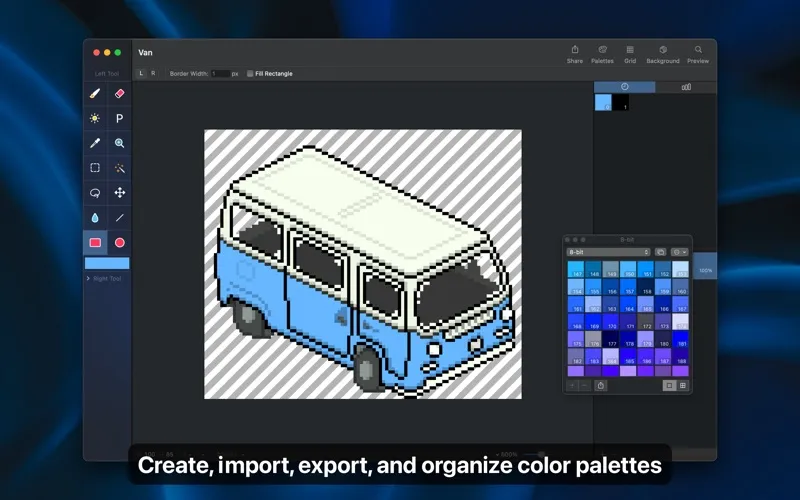
With Pixen, you can add and organize commonly-used colors into palettes. Pixen can also import and export color palettes in the Adobe Color Table, Microsoft Palette, JASC Palette, and GIMP Palette formats. You can even perform palette operations such as sorting colors, removing duplicate colors, and more, directly in the app.
ANIMATIONS
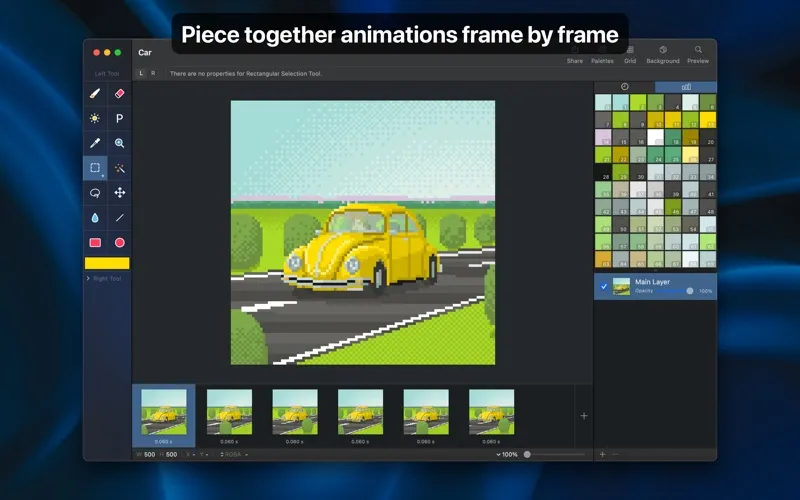
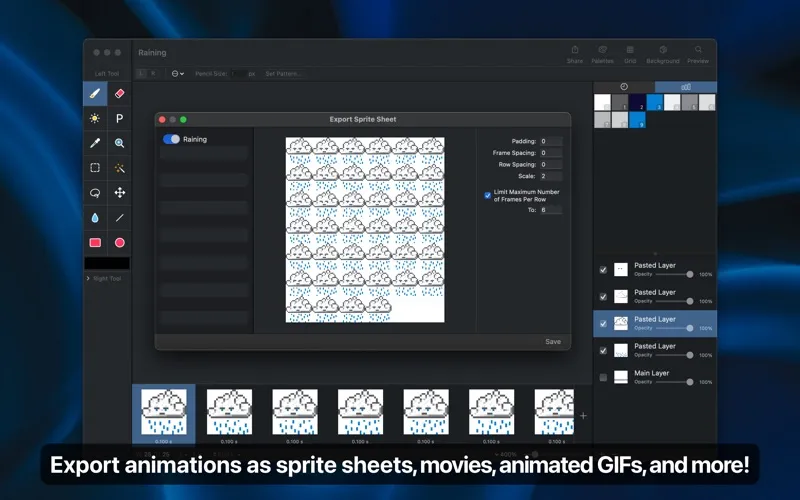
Create and arrange image frames in the filmstrip view to piece together animations. Pixen can import animations from animated GIFs, animated PNGs, and even sprite sheets! It can also export animations as animated GIFs, animated PNGs, movies, and sprite sheets.
GRID AND ALIGNMENT CROSSHAIR
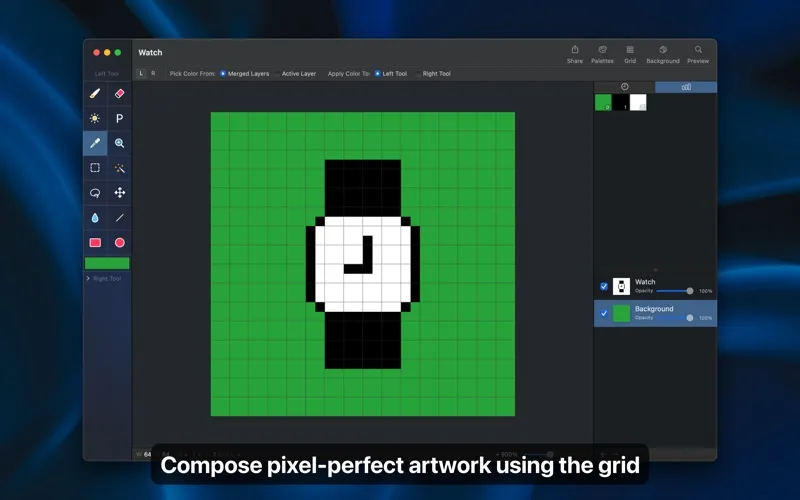
Take advantage of Pixen's grid tools to guide you in placing pixels just where you want them.
PATTERNS
Define custom patterns to use while drawing with the Pencil, Line, or Eraser tool (instead of a single pixel). You can even import patterns from 1-bit images.
PREVIEW
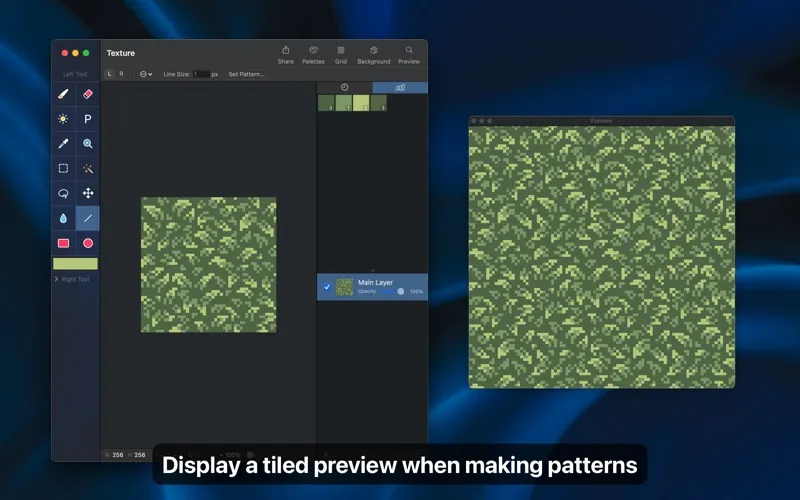
While editing at high zoom levels, use the Preview feature to view the canvas scaled out. You can even play back animations and tile small images when working on patterns.
CUSTOM BACKGROUNDS
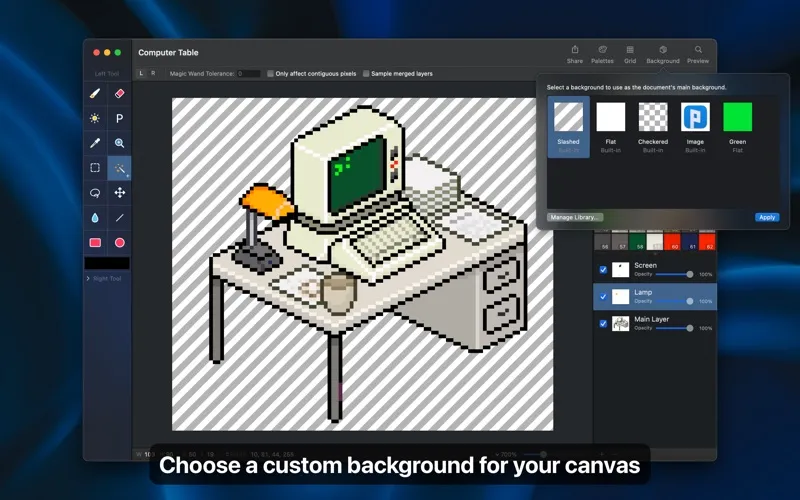
Pick a flat, striped, or checkered background to be drawn beneath the canvas. You can even set a reference image as a background.
AND A LOT MORE...
- Sync documents with Pixen for iOS over iCloud and resume your work right where you left off, regardless of device.
- Pixen works great with Sidecar and Apple Pencil. You can even customize the double tap gesture.
- Pixel Perfect mode removes extra pixels while drawing such that any drawn paths are at most 1 pixel in width. In other words, it removes the middle pixel of an L shape.
- The Welcome window makes it easy to start a new image or animation project, open recent documents, browse the documentation, and more.
- Focus on your content with Dark Mode in Pixen.
- Work with all your favorite tools in full screen mode.
- Customize tool hotkeys to ease the transition from other image editors.
- Export your artwork in PNG, JPEG, GIF, ICO, BMP, TIFF, SVG, and PSD file formats.
- Share your creations quickly and easily via AirDrop, Messages, email, and more!
- Pixen has been around for over 15 years as a native Mac app and we'd like to keep it that way.
- Pixen is compatible with both Intel and Apple Silicon Macs and takes full advantage of what macOS has to offer.
Pixen is also available for iPad and syncs documents over iCloud!
LAYERS AND FILTERS
Take advantage of the flexibility layers provide when working with complex pixel art. Change opacities, blend modes, and more to compose creative effects.
Use filters to adjust colors and post-process your artwork. Invert colors, convert to grayscale, dither, apply sepia tone, remove alpha components, palettize, pixellate, adjust hue, exposure, brightness, contrast, and more.
TOOLS
Leverage Pixen's wide array of tools when composing pixel art: Pencil, Eraser, Brightness, Text, Eyedropper, Zoom, Rectangular Selection, Magic Wand, Lasso, Move, Fill, Line, Rectangle, and Ellipse. You can even assign a different tool to the left and right mouse button. For example: pencil on the left; eraser on the right.
COLOR PALETTES
With Pixen, you can add and organize commonly-used colors into palettes. Pixen can also import and export color palettes in the Adobe Color Table, Microsoft Palette, JASC Palette, and GIMP Palette formats. You can even perform palette operations such as sorting colors, removing duplicate colors, and more, directly in the app.
ANIMATIONS
Create and arrange image frames in the filmstrip view to piece together animations. Pixen can import animations from animated GIFs, animated PNGs, and even sprite sheets! It can also export animations as animated GIFs, animated PNGs, movies, and sprite sheets.
GRID AND ALIGNMENT CROSSHAIR
Take advantage of Pixen's grid tools to guide you in placing pixels just where you want them.
PATTERNS
Define custom patterns to use while drawing with the Pencil, Line, or Eraser tool (instead of a single pixel). You can even import patterns from 1-bit images.
PREVIEW
While editing at high zoom levels, use the Preview feature to view the canvas scaled out. You can even play back animations and tile small images when working on patterns.
CUSTOM BACKGROUNDS
Pick a flat, striped, or checkered background to be drawn beneath the canvas. You can even set a reference image as a background.
AND A LOT MORE...
- Sync documents with Pixen for iOS over iCloud and resume your work right where you left off, regardless of device.
- Pixen works great with Sidecar and Apple Pencil. You can even customize the double tap gesture.
- Pixel Perfect mode removes extra pixels while drawing such that any drawn paths are at most 1 pixel in width. In other words, it removes the middle pixel of an L shape.
- The Welcome window makes it easy to start a new image or animation project, open recent documents, browse the documentation, and more.
- Focus on your content with Dark Mode in Pixen.
- Work with all your favorite tools in full screen mode.
- Customize tool hotkeys to ease the transition from other image editors.
- Export your artwork in PNG, JPEG, GIF, ICO, BMP, TIFF, SVG, and PSD file formats.
- Share your creations quickly and easily via AirDrop, Messages, email, and more!
- Pixen has been around for over 15 years as a native Mac app and we'd like to keep it that way.
- Pixen is compatible with both Intel and Apple Silicon Macs and takes full advantage of what macOS has to offer.
Pixen is also available for iPad and syncs documents over iCloud!
Pixen স্ক্রিনশট




সম্পাদকের পুনঃপ্রেরণা


Furnace Creek Software LLC এর দ্বারা অ্যাপ


সবচেয়ে জনপ্রিয়

Sing It - Ear TrainerA must app for every musician, singer, or just for fun.
Test,train, and improve your musical ear and

Tube PiP - PiP for YouTubeTube PiP - the ultimate YouTube companion for iOS:
Picture in Picture (PiP) Playback: Watch YouTube

Papaya Ouch!In the game Papaya Ouch!, you can experience backpack management, tower defense, TD, merge, match 2,

Lets Go VPNLets Go VPN, the most advanced VPN, is designed by a team of top developers who strive to ensure all

Paprika Recipe Manager 3Organize your recipes. Create grocery lists. Plan your meals. Download recipes from your favorite we

War Pigeons UnboundedWar is coming. Deep down in top secret military labs they have evolved, mutated - and escaped. The f

Procreate PocketApp of the Year winner Procreate Pocket is the most feature-packed and versatile art app ever design

Cowboy Westland survival runAre you ready to take part in the #1 exciting 3D western adventure? Cowboy Westland survival run mak

Max: Stream HBO, TV, & MoviesIt’s all here. Iconic series, award-winning movies, fresh originals, and family favorites, featuring

TonalEnergy Tuner & MetronomeFor musicians from pros to beginners, whether you sing, play a brass, woodwind or stringed instrumen

SkyView®SkyView® brings stargazing to everyone. Simply point your iPhone, iPad, or iPod at the sky to identi

Ninja Dash 2015Ninja Dash 2015 is the fast paced running game!On these maze fields, rush to the end of this ninja w

Tami-Live Chat&VideoTami is an app that records daily life and ideas.You can use it to record your every day, whether it

SALE Camera - marketing camera effects plus photo editorSALE Camera Help you create the best Business to consumer Stock Photos and Images. provides 300 filt

DevTutor for SwiftUI"DevTutor" is an application designed to assist developers in creating exceptional apps us

Mokens League SoccerDive into Mokens League Soccer and experience the new era of soccer gaming!
Esports for Everyone: Wh

Zombie ZZOMBIE ENDLESS RUNNER LIKES NO OTHER!WHY?* Awesome graphic quality!* Simplified control (Auto-shooti

Dead Z - Zombie SurvivalCatastrophic explosion at the Omega Labs started the apocalypse, now spreading across the Earth.
Tak

HotSchedulesHotSchedules is the industry's leading employee scheduling app because it’s the fastest and easiest

ChatGPTIntroducing ChatGPT for iOS: OpenAI’s latest advancements at your fingertips.
This official app is f

Disney StoreDisney Store is your official home for exclusive collections, designer collaborations, and one-of-a-

fight back tennisa Pong game with Tennis style, the gameplay itself is very simple, you can using Touch. Ball speed w

Dr. Mina AdlyMina Adly mobile app provides students with portable instant access to a selection of services.
Usin

iVerify BasiciVerify Basic is your gateway to enhanced device security and threat awareness, offering a glimpse i