

SketchUp
Rating
Sep 18, 2024Latest update
6.5.5Version
About SketchUp
The world’s most popular 3D modeler is now available for iPad.
For architects, interior designers, construction professionals, set designers, and creatives of all backgrounds, SketchUp for iPad is a powerful, intuitive 3D design and communication app. Explore everything SketchUp for iPad has to offer free for seven days, or purchase via an in-app subscription.
SketchUp for iPad Premium Features
CREATE IN 3D
-Draw in 3D using an Apple Pencil, mouse and keyboard, or multi-touch gestures.
-Autoshape turns doodles into 3D models in seconds, making it easier than ever to get started in 3D.
-Use Markup mode to create handwritten annotations overtop 3D models.
-Search millions of pre-made components, materials, and configurable objects that are freely downloadable from 3D Warehouse.
MERGE PHYSICAL AND DIGITAL WORLDS
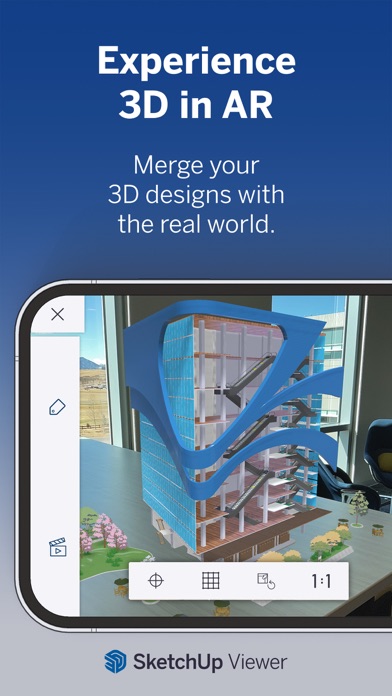
-Experience your designs in the real world with augmented reality (AR) viewing features.
-Directly import image objects and apply photo textures from your Photos library, iOS Files App, or by taking pictures using your iPad camera.
-Import satellite imagery, 3D terrain, and location information to create accurate shadow studies and design with real-world context.
WORK ON THE GO
-With unlimited cloud storage, you can seamlessly sync files across your devices – and work on them using SketchUp for iPad, SketchUp for Web, and SketchUp Pro desktop apps.
IMPORT/EXPORT
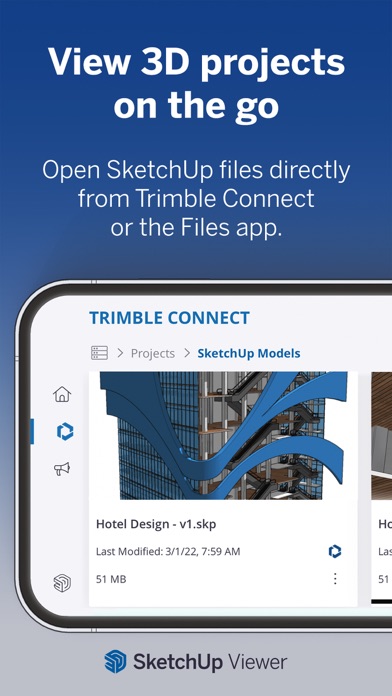
-Import SKP files from the Files app or Trimble Connect
-Export: Images, animations, and 3D Models in STL, OBJ, and USDz format
When using SketchUp on your iPad and iPhone without a paid subscription, you are still able to explore and present your 3D projects for FREE; here’s how:
-Navigate your projects using intuitive multi-touch gestures.
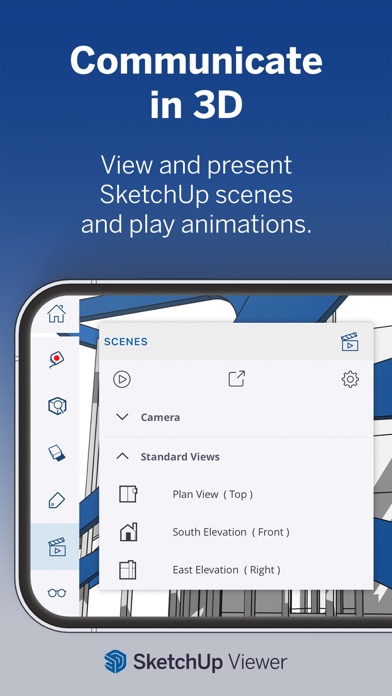
-View your projects from any of the standard views or custom scenes.
-Switch between perspective and orthographic camera views.
-Turn Tags on or off to control the visibility of parts of your model.
-Adjust the look and feel of your model by controlling Edge and Face styles, Shadows, Hidden Geometry, Section Planes, and Section Cuts.
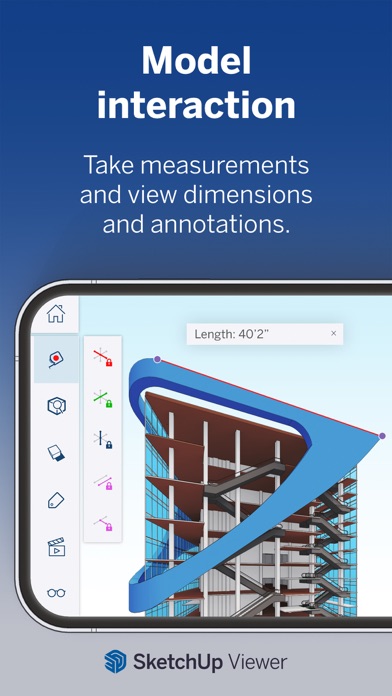
-Take measurements and get information about edge lengths, the area of faces, the volume of solids, and component and group definitions.
-Merge your models with the world around you by viewing them in augmented reality.
REQUIREMENTS
This app requires iOS 15 or higher with a minimum of 1024Mb of RAM (Retina iPads or newer, iPhone 5 or newer). For additional information and instructions, please visit the SketchUp Help Center: https://help.sketchup.com/sketchup-ipad/system-requirements
The AR model viewing feature uses ARKit and is compatible with iPhone 6s and newer, iPad Pro, or any 2017 iPad or newer.
SUBSCRIPTION DETAILS
SketchUp lets you create and edit 3D models on iPad via an in-app subscription. Payment will be charged to your iTunes Account on confirmation of purchase. Your subscription will automatically renew unless auto-renew is turned off at least 24-hours before your subscription expiration date. Your account will be charged for renewal within 24-hours prior to your subscription expiration date. You can manage your subscriptions at any time, and/or turn off auto-renew, by visiting your Account Settings after your initial purchase is complete.
If you are a SketchUp Free user, please note that you will only be able to access the free viewing features on your iPad or iPhone.
For architects, interior designers, construction professionals, set designers, and creatives of all backgrounds, SketchUp for iPad is a powerful, intuitive 3D design and communication app. Explore everything SketchUp for iPad has to offer free for seven days, or purchase via an in-app subscription.
SketchUp for iPad Premium Features
CREATE IN 3D
-Draw in 3D using an Apple Pencil, mouse and keyboard, or multi-touch gestures.
-Autoshape turns doodles into 3D models in seconds, making it easier than ever to get started in 3D.
-Use Markup mode to create handwritten annotations overtop 3D models.
-Search millions of pre-made components, materials, and configurable objects that are freely downloadable from 3D Warehouse.
MERGE PHYSICAL AND DIGITAL WORLDS
-Experience your designs in the real world with augmented reality (AR) viewing features.
-Directly import image objects and apply photo textures from your Photos library, iOS Files App, or by taking pictures using your iPad camera.
-Import satellite imagery, 3D terrain, and location information to create accurate shadow studies and design with real-world context.
WORK ON THE GO
-With unlimited cloud storage, you can seamlessly sync files across your devices – and work on them using SketchUp for iPad, SketchUp for Web, and SketchUp Pro desktop apps.
IMPORT/EXPORT
-Import SKP files from the Files app or Trimble Connect
-Export: Images, animations, and 3D Models in STL, OBJ, and USDz format
When using SketchUp on your iPad and iPhone without a paid subscription, you are still able to explore and present your 3D projects for FREE; here’s how:
-Navigate your projects using intuitive multi-touch gestures.
-View your projects from any of the standard views or custom scenes.
-Switch between perspective and orthographic camera views.
-Turn Tags on or off to control the visibility of parts of your model.
-Adjust the look and feel of your model by controlling Edge and Face styles, Shadows, Hidden Geometry, Section Planes, and Section Cuts.
-Take measurements and get information about edge lengths, the area of faces, the volume of solids, and component and group definitions.
-Merge your models with the world around you by viewing them in augmented reality.
REQUIREMENTS
This app requires iOS 15 or higher with a minimum of 1024Mb of RAM (Retina iPads or newer, iPhone 5 or newer). For additional information and instructions, please visit the SketchUp Help Center: https://help.sketchup.com/sketchup-ipad/system-requirements
The AR model viewing feature uses ARKit and is compatible with iPhone 6s and newer, iPad Pro, or any 2017 iPad or newer.
SUBSCRIPTION DETAILS
SketchUp lets you create and edit 3D models on iPad via an in-app subscription. Payment will be charged to your iTunes Account on confirmation of purchase. Your subscription will automatically renew unless auto-renew is turned off at least 24-hours before your subscription expiration date. Your account will be charged for renewal within 24-hours prior to your subscription expiration date. You can manage your subscriptions at any time, and/or turn off auto-renew, by visiting your Account Settings after your initial purchase is complete.
If you are a SketchUp Free user, please note that you will only be able to access the free viewing features on your iPad or iPhone.
SketchUp Screenshots
Editor's Recommendation
 Canva: AI Photo & Video Editor
 Proton VPN: Fast & Secure
 Booking.com: Hotels & Travel
 Too Good To Go: End Food Waste
 Waze Navigation & Live Traffic
 Stellarium Mobile - Star Map
 Ticketmaster-Buy, Sell Tickets
 Bolt: Request a Ride
 Life360: Find Friends & Family
 GetYourGuide: Travel & Tickets
 Sky Guide
 Doctolib - Your health partner
Apps Like SketchUp


Apps by Trimble Inc.


Most Popular

ChatGPTIntroducing ChatGPT for iOS: OpenAI’s latest advancements at your fingertips.
This official app is f

Google GeminiThe Google Gemini app is an AI assistant that can help supercharge your creativity and productivity.

Claude by AnthropicGet free access to the newly upgraded Claude 3.5 Sonnet – Anthropic's most advanced model yet. Wheth

GoogleDownload the Google app to stay in the know about things that matter to you. Try AI Overviews, find

CapCut - Video EditorCapCut is a free all-in-one video editing app that helps you create incredible videos.
「Easy to use」

Shop: All your favorite brandsElevate every shopping moment
Shop, track, and explore the latest trends in an all-in-one shopping

Google MapsNavigate your world faster and easier with Google Maps. Over 220 countries and territories mapped an

Uber - Request a rideJoin the millions of riders who trust Uber for their everyday travel needs. Whether you’re running a

ThreadsSay more with Threads — Instagram’s text-based conversation app.
Threads is where communities come t

Gmail - Email by GoogleThe official Gmail app brings the best of Gmail to your iPhone or iPad with robust security, real-ti

TikTokTikTok is THE destination for mobile videos. On TikTok, short-form videos are exciting, spontaneous,

WhatsApp MessengerWhatsApp from Meta is a FREE messaging and video calling app. It’s used by over 2B people in more th

InstagramLittle moments lead to big friendships. Share yours on Instagram.
— From Meta
Connect with friends,

Netflix Game ControllerPlay games on your TV with the Netflix Game Controller.
This app connects to your TV and allows you

AirbnbTHE FASTEST, EASIEST WAY TO AIRBNB
Find inspiration, plan a trip with your group, book it, and go. Y

Telegram MessengerPure instant messaging — simple, fast, secure, and synced across all your devices. One of the top 5

Spotify - Music and PodcastsWith the Spotify music and podcast app, you can play millions of songs, albums and original podcasts

DramawaveDramawave - Stream Endless Drama Shorts, Anytime, Anywhere
Welcome to Dramawave the ultimate destina

Whatnot - Live Video ShoppingWhatnot is a social marketplace where you can discover some of your favorite products like sports ca

Google ChromeDownload the new Google Chrome for your iPhone and iPad. Now more simple, secure and faster than eve

FacebookWhere real people propel your curiosity. Whether you’re thrifting gear, showing a reel to that group

XThe X app is the trusted global digital town square for everyone.
With X, you can:
Post content for

Indeed Job SearchDiscover your next job opportunity on Indeed, the free job search app designed to connect you with b

Duolingo - Language LessonsLearn a new language with the world’s most-downloaded education app! Duolingo is the fun, free app f