App Introduction:
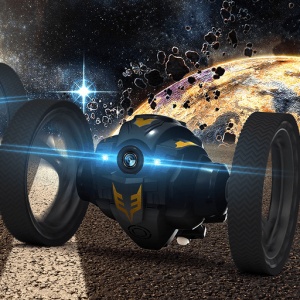
RH Bounce Car is the ultimate mobile app that brings you an immersive experience like no other. With real-time video streaming, high-resolution options, 3D functionality, and more, this app is designed to take your excitement to new heights. Get ready to explore the world from a whole new perspective!
Key Features:
- Real-time video streaming: View captivating moments as they happen with the wifi camera module.
- High-resolution options: Choose from VGA, 720P, and 1080P resolutions for crystal-clear visuals.
- Photo and video recording: Capture your favorite moments and relive them anytime you want.
- 3D function: Immerse yourself in a three-dimensional world for a truly immersive experience.
Pros and Benefits:
- Unparalleled excitement: RH Bounce Car offers an adrenaline-pumping experience that will keep you hooked.
- Stunning visuals: Enjoy breathtaking views with high-resolution video streaming and photo capture.
- Immersive exploration: The 3D function takes your adventure to the next level, making you feel like you're right there.
- Easy to use: Simply install the app, connect to the wifi camera module, and start exploring!
Step-by-Step Use Instructions:
1. Click the [Install] button or scan the QR code to download and install the Android app on your smartphone.
2. Open the app and navigate to the settings menu.
3. Connect your device to the wifi camera module.
4. Choose your desired resolution (VGA, 720P, or 1080P).
5. Start exploring the world through the real-time video streaming or capture your favorite moments with photo and video recording.
6. For an even more immersive experience, activate the 3D function and dive into a whole new dimension.
Call to Action:
Download RH Bounce Car now and embark on an exhilarating journey like never before! Unleash your adventurous spirit and witness the world from a whole new perspective. #RHbouncecar #mobileapp #adventureawaits #3Dexperience
Create Your Own PageTips.
1. This application comes from a third-party product and its content is not controlled by PGYER, so please screen it carefully and install it with caution. PGYER internal testing service platform provides application testing hosting and application crash detection services for third-party applications. PGYER only provides internal testing support for third-party applications, and does not involve any manual editing or collation, nor does it participate in the content development or external operation of any application, and does not have any affiliation with third-party applications, and does not provide any guarantee or commitment.
2. Please check the quality of applications carefully, and do not install applications from unreliable sources because of spam, emails, text descriptions, etc. Please make your own judgement and install trusted applications based on the source of the application installation link. PGYER is not responsible for the rules, policies, or specific content of applications published through PGYER or links to other sites displayed on PGYER. PGYER shall not be liable for any investment or purchase made as a result, click here to see more.
Tips.
1. This application comes from a third-party product and its content is not controlled by PGYER, so please screen it carefully and install it with caution. PGYER internal testing service platform provides application testing hosting and application crash detection services for third-party applications. PGYER only provides internal testing support for third-party applications, and does not involve any manual editing or collation, nor does it participate in the content development or external operation of any application, and does not have any affiliation with third-party applications, and does not provide any guarantee or commitment.
2. Please check the quality of applications carefully, and do not install applications from unreliable sources because of spam, emails, text descriptions, etc. Please make your own judgement and install trusted applications based on the source of the application installation link. PGYER is not responsible for the rules, policies, or specific content of applications published through PGYER or links to other sites displayed on PGYER. PGYER shall not be liable for any investment or purchase made as a result, click here to see more.