HiFier icon

HiFier

Version:1.0 (build 2026030914)
HiFier QRcode
App installation is in progress
Installing...
App download will begin in a moment, please wait... If it doesn\'t, please restart the download.
Install
  • This is not the latest version. Switch to the latest versionx
  • Or use your mobile to scan the QR code to install

    Cannot install/install the app? Check now

    About HiFier

    Size
    55.2 MB
    Publish at
    2026-03-10
    Version
    1.0
    Build
    2026030914

    wthat's new in HiFier

    修复 USB 独占播放切换歌曲时可能崩溃问题。
    Fixed may crash when changing the music in USB exclusive mode.

    Other versions of HiFier

    1.0 (build 2026031722) 和iOS 1.5.5同步 --- Sync with iOS 2026-03-18
    1.0 (build 2026031008) 解决USB独占模式长时间播放崩溃问题。 Fixed a cr 2026-03-10
    1.0 (build 2026030914) 2026-03-10
    1.0 (build 2026030911) 2026-03-09
    1.0 (build 2026030911) 2026-03-09
    View more

    Introduction of HiFier

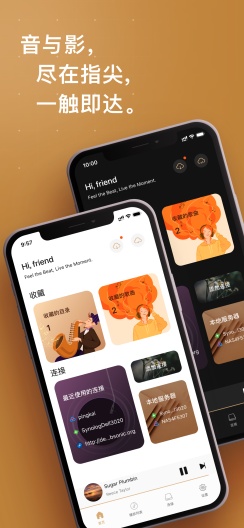
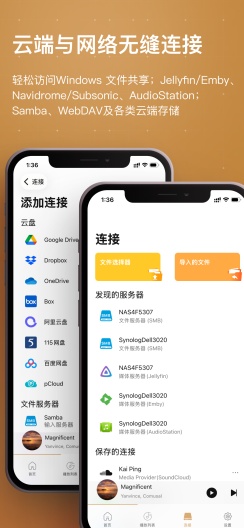
    本应用为HiFier高清媒体播放器的Android版本(非复刻版本,原作者发布),目前是内测阶段,功能正在一步一步完成,使用没有任何限制。想体验完整版可以移步苹果商店进行下载。

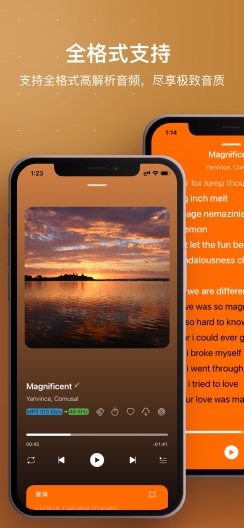
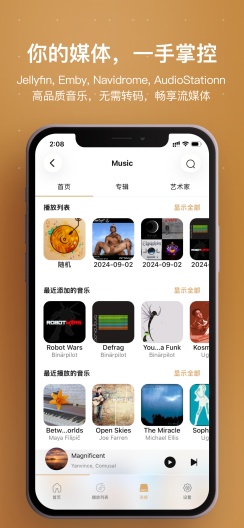
    1. 支持几乎所有音频格式,包括高解析度音频、DSD、FLAC 等。
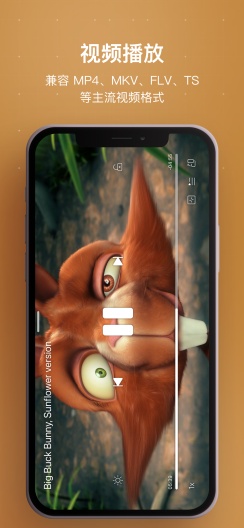
    2. 支持常见视频格式的播放,mkv,mp4,flv,ts等,支持HDR和杜比视界,视频硬解码。(杜比视界和HDR可能需要适配设备)
    3. 支持USB 独占模式;支持通过 DAC 传输 DSD(DoP)。
    4. 播放时智能缓存,节省数据,方便下次播放。
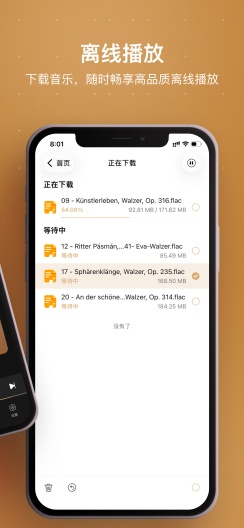
    5. 下载文件到手机本地存储,支持离线播放。
    6. 支持在线歌词和艺术封面。
    7. 管理您的最爱歌曲和播放列表。
    8. 支持多种云存储服务,Samba,WebDAV(可以挂载alist) Jellyfin,Emby,SubSonic,Navidrome和Audio Station 媒体服务器。
    9. 支持从本机中选择任意文件播放,支持从本机音乐库中播放。
    10. 支持从文件 应用中选取文件进行播放。(未测试)
    11. 支持听歌识曲。(待集成)
    12. 有声书模式下,支持倍速播放,从历史记录播放。
    13. 支持连接SoundCloud。
    Expand

    Screenshots of HiFier

    HiFier Screenshots1
    HiFier Screenshots2
    HiFier Screenshots3
    HiFier Screenshots4
    HiFier Screenshots5
    HiFier Screenshots6
    HiFier Screenshots7

    Feedback

    Submit questions you've encountered during the process or suggestions for the app to the developer of the app to help them do better.