Introduction of aSPICE: Secure SPICE Client
Need aSPICE on iOS or Mac OS X? Now available at
https://apps.apple.com/ca/app/aspice-pro/id1560593107
Please support my work and GPL open-source software by buying the donation version of this program called aSPICE Pro! Please report issues to me with the “Send email" button in Google Play before writing a review.
Release notes:
https://github.com/iiordanov/remote-desktop-clients/blob/master/bVNC/CHANGELOG-aSPICE
Older versions:
https://github.com/iiordanov/remote-desktop-clients/releases
Report bugs:
https://github.com/iiordanov/remote-desktop-clients/issues
If you have questions, you can also ask on the forum instead of in a review:
https://groups.google.com/forum/#!forum/bvnc-ardp-aspice-opaque-remote-desktop-clients
Check out bVNC, my VNC Viewer as well
https://play.google.com/store/apps/details?id=com.iiordanov.freebVNC
If your mouse pointer is not in sync with where you tap, you can use "Simulated Touchpad" input mode, or better, you can add an "EvTouch USB Graphics Tablet" to your virtual machine (when it's powered off) and then power it on. To add the Tablet:
- If configuring through virt-manager, Go to the View->Details section, and select Add Hardware->Input->EvTouch USB Graphics Tablet.
- If running your virtual machine on the command-line, you need an option similar to: "-device usb-tablet,id=input0"
aSPICE is a secure, SSH capable, open source SPICE protocol client that makes use of the LGPL licensed native libspice library. Its features include:
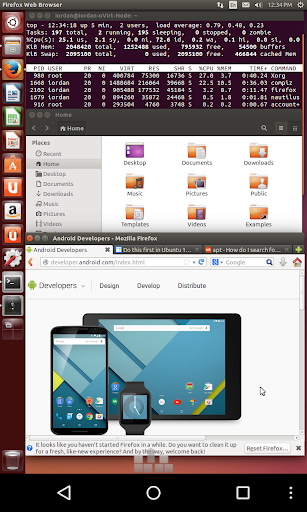
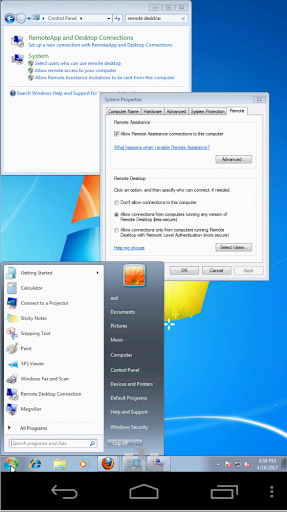
- Control any SPICE-enabled qemu virtrual machine with ANY guest OS.
- Master password support in aSPICE Pro
- MFA/2FA SSH authentication in aSPICE Pro
- USB Redirection in aSPICE Pro
- Audio support
- Multi-touch control over the remote mouse. One finger tap left-clicks, two-finger tap right-clicks, and three-finger tap middle-clicks
- Sound support (option in Advanced Settings on main screen)
- Right and middle-dragging if you don't lift the first finger that tapped
- Scrolling with a two-finger drag
- Pinch-zooming
- Dynamic resolution changes, allowing you to reconfigure your desktop while connected, and control over virtual machines from BIOS to OS
- Full rotation support. Use the central lock rotation on your device to disable rotation
- Multi-language support
- Full mouse support on Android 4.0+
- Full desktop visibility even with soft keyboard extended
- SSH tunneling for added security or to reach machines behind a firewall.
- UI Optimizations for different screen sizes (for tablets and smartphones)
- Samsung multi-window support
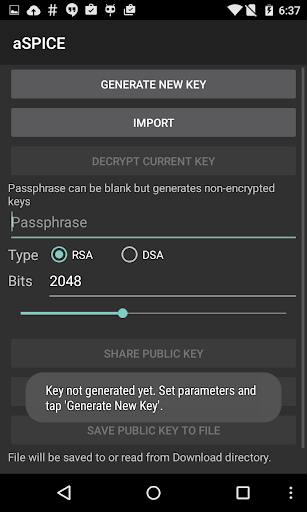
- SSH public/private (pubkey) support
- Importing encrypted/unencrypted RSA keys in PEM format, unencrypted DSA keys in PKCS#8 format
- Automatic connection session saving
- Zoomable, Fit to Screen, and One to One scaling modes
- Two Direct, one Simulated Touchpad, and one Single-handed input modes
- Long-tap to get a choice of clicks, drag modes, scroll, and zoom in single-handed input mode
- Stowable on-screen Ctrl/Alt/Tab/Super and arrow keys
- Sending ESC key using the "Back" button of your device
- Ability to use D-pad for arrows, and to rotate D-pad for some bluetooth keyboards
- Minimum zoom fits screen, and snaps to 1:1 while zooming
- FlexT9 and hardware keyboard support
- Available on-device help on creating a new connection in the Menu when setting up connections
- Available on-device help on available input modes in the Menu when connected
- Tested with Hackerskeyboard. Using it is recommended (get hackers keyboard from Google Play).
- Import/Export of settings
- Samsung DEX, Alt-Tab, Start Button capture
- Ctrl+Space capture
Planned features:
- Clipboard integration for copy/pasting from your device
Instructions for Linux by Red Hat:
http://www.linux-kvm.org/page/SPICE
Instructions for Linux by Ubuntu's Canonical:
http://askubuntu.com/questions/60591/how-to-use-spice
Code:
https://github.com/iiordanov/remote-desktop-clients