L'installation de l'application va bientôt commencer, veuillez patienter. Si le téléchargement ne démarre pas automatiquement, veuillez cliquer ici pour télécharger manuellement
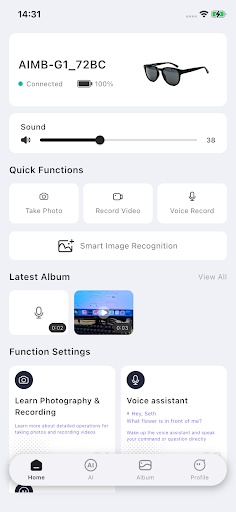
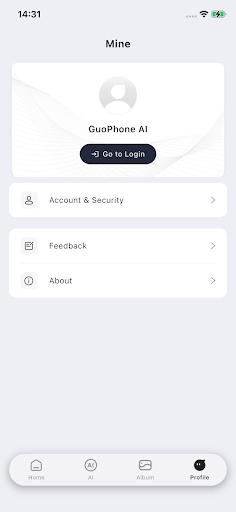
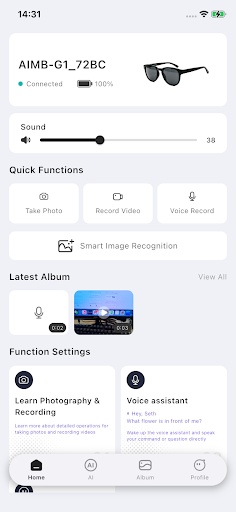
GuoPhone AI is a companion application designed specifically for smart glasses, integrating Bluetooth quick pairing, media shooting, and device management. Its interface is simple and intuitive, putting everything at your fingertips.
【Smart Connection】
• One-click Bluetooth pairing for quick connection to your smart glasses
• Automatic reconnection – no need to reset after disconnection
• Real-time display of battery level and connection status
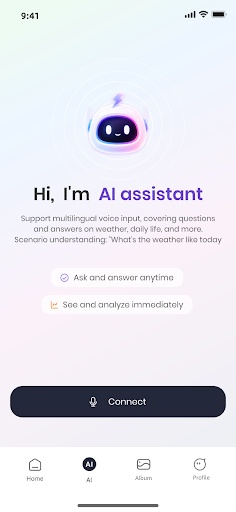
【AI Smart Assistant】
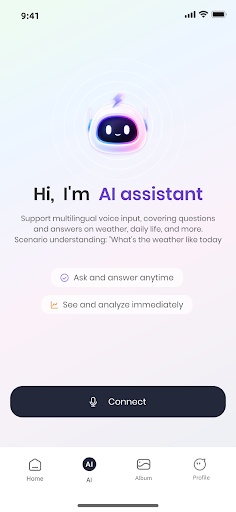
Voice-activated AI assistant for question-and-answer interaction and real-time translation
Supports one-on-one conversation mode for seamless translation while chatting
Smart note-taking automatically generates conversation transcripts and summaries
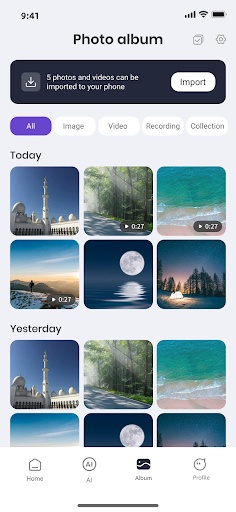
【Shooting & Album】
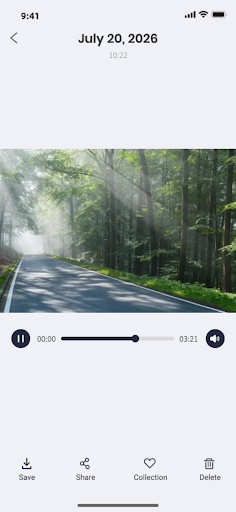
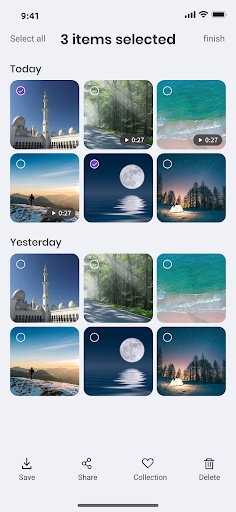
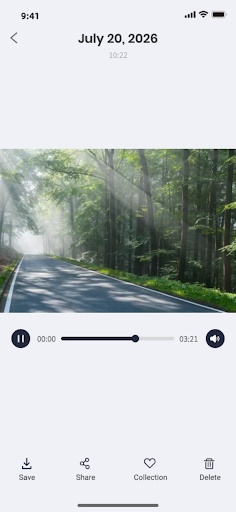
• Take photos and videos anytime with your glasses to capture life's precious moments
• Media files automatically sync to your phone's photo album
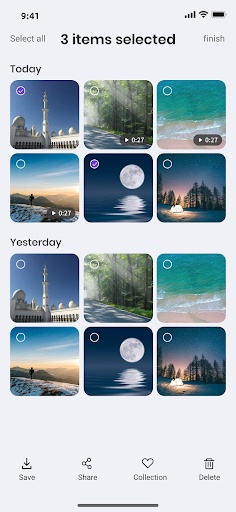
• Supports watermarking, sharing, and batch management
• One-stop management of video, photo, and audio files
【Device Management】
• Volume adjustment and recording settings at your fingertips
• Firmware OTA upgrades keep your device up-to-date
• Customizable touch gestures for your personalized interaction
PGYERConseil : 1. Cette application provient d'un produit tiers et son contenu n'est pas contrôlé par PGYER. Veuillez l'évaluer attentivement et l'installer avec prudence. La plateforme de services de test interne de PGYER fournit des services tels que l'hébergement de tests d'applications et la détection de plantages pour les applications tierces. PGYER ne fait que fournir un support de test interne pour les applications tierces, sans implication dans l'édition manuelle ou l'organisation de contenu, et sans participation au développement de contenu ou à l'exploitation externe d'applications tierces. Il n'y a aucun lien entre PGYER et les applications tierces, aucune garantie ou engagement n'est fourni.
2. S'il vous plaît soigneusement filtrer la qualité de l'application, ne jamais installer des applications avec des sources peu fiables à cause des messages texte indésirables, des messages, des instructions textuelles, etc., s'il vous plaît juger par vous - même et installer des applications fiables en fonction de la source du lien d'installation de L'application. En ce qui concerne les liens vers des applications publiées par pgyer ou d'autres sites affichés sur pgyer, pgyer n'est pas responsable des règles, politiques ou contenus spécifiques de ces programmes ou sites. Pgyer décline toute responsabilité pour tout investissement, acte d'achat qui pourrait en découler, < a href = '% s' target =' - blank '> Cliquez ici pour en savoir plus < / a >.
Conseil : 1. Cette application provient d'un produit tiers et son contenu n'est pas contrôlé par PGYER. Veuillez l'évaluer attentivement et l'installer avec prudence. La plateforme de services de test interne de PGYER fournit des services tels que l'hébergement de tests d'applications et la détection de plantages pour les applications tierces. PGYER ne fait que fournir un support de test interne pour les applications tierces, sans implication dans l'édition manuelle ou l'organisation de contenu, et sans participation au développement de contenu ou à l'exploitation externe d'applications tierces. Il n'y a aucun lien entre PGYER et les applications tierces, aucune garantie ou engagement n'est fourni.
2. S'il vous plaît soigneusement filtrer la qualité de l'application, ne jamais installer des applications avec des sources peu fiables à cause des messages texte indésirables, des messages, des instructions textuelles, etc., s'il vous plaît juger par vous - même et installer des applications fiables en fonction de la source du lien d'installation de L'application. En ce qui concerne les liens vers des applications publiées par pgyer ou d'autres sites affichés sur pgyer, pgyer n'est pas responsable des règles, politiques ou contenus spécifiques de ces programmes ou sites. Pgyer décline toute responsabilité pour tout investissement, acte d'achat qui pourrait en découler, < a href = 'https://www.pgyer.com/about/disclaimer' target =' - blank '> Cliquez ici pour en savoir plus < / a >.