Übersicht von Screen Recorder Video Recorder
V Recorder is a stable screen recorder/game recorder/video saver for android, also a powerful all-in-one video editor and photo editor.
VideoShow Recorder allows you to record game while playing, capture screen with one touch and edit video with filters, effects, music. It's our duty to offer users high quality video and clear screenshot with no rooting and no recording time limit. You can draw on the screen while recording, record phone screen with internal/external sound easily.
Powerful Recording:
- You can easily hide the recording window for frameless video while recording or capturing screen, change the aspect ratio to widescreen, vertical or square.
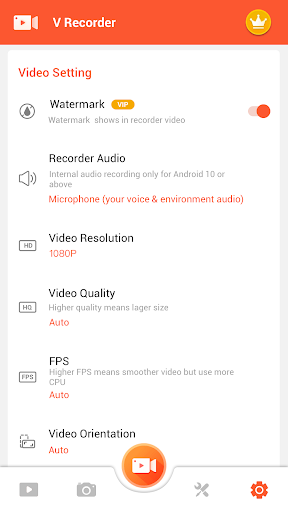
- Record internal audio, this screen recorder supports recording internal sound.
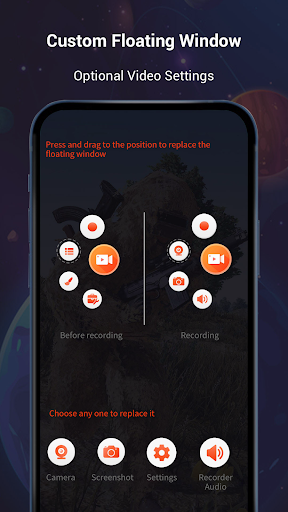
- Custom floating window: replace the default floating button with any feature you like.
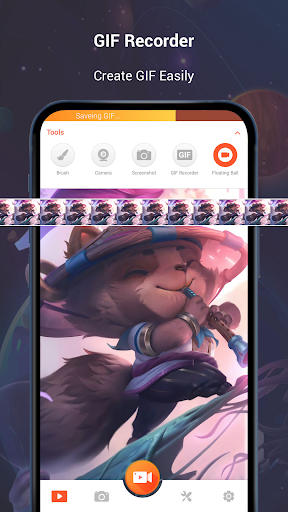
- GIF Recorder: Tap to record gif, convert video to gifs. Easy-to-use gif editor, create and edit animated gifs.
- Facecam Recorder: enable camera to capture your reactions while recording.
- It's a stable screen video recorder for you to record video, record the tutorials and capture screen.
- It only takes one touch to start recording on your phone with sound, one single tap to pause/resume at any time.
- Simple interface, easy to record games while playing, record video calls or live shows, capture screenshots, rec screen and edit images.
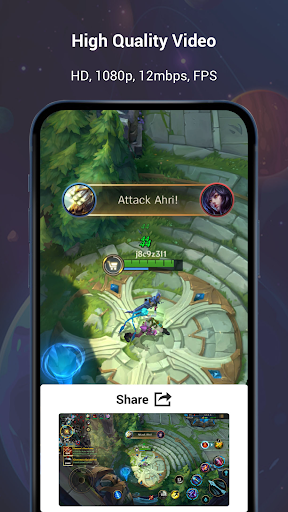
- This video capture provides high quality and customized settings, support HD video, both portrait and landscape video orientation. With this screen recorder, you can change the video settings at will to meet your needs and record clear video.
Professional Video Editing & Photo Editing:
- Trendy filters: we offer popular filters to make your videos unique.
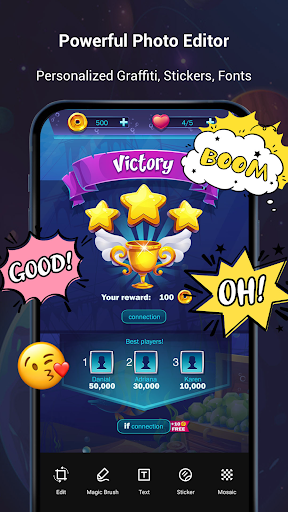
- Cute stickers: with funny stickers and GIF,you can make a popular video with simple steps.
- Themes: We provide trendy themes to fit all the occasion.
- Fully licensed music: You can download music online or add local songs from your device. You can also use voice-over, record your own voice, use sound effects such as cartoon characters/robots to make your video popular.
- Powerful video editor: reverse/rotate/trim the video you record, compress video without losing quality. Speed up or slow down your recording clips at ease.
- Speed Control: Adjust the speed of your video easily.
- Text Editing: Free to add custom fonts on your screenshot.
- Rotate and Crop: Rotate screenshot to a perfect angle. Crop photo to adapt for social media ratios.
- Magic Brush: Touch screen to draw, doodle anything you want to make an original video. You can even blur image, add mosaic to cover areas you do not want to show. Or convert video to GIF. V Recorder offers you professional editing tools to make popular videos.
Share your recording clips with friends:
- VideoShow game recorder can record your phone screen to HD mode or fast mode.
- You can also record audio from the mic automatically which makes it convenient to create a personalized video.
- It's a stable screen video recorder for you to record the tutorials on phone
VideoShow Screen recorder with audio and editor is a well functional app that captures all your precious moments with your smartphone, capture screenshots and edit images.
Disclaimer:
1. This application is not related to YouTube. It is a recording tool. Please strictly abide by YouTube's platform terms before using this application to record.
2. We respect the copyright of the owners. Please confirm that you have obtained the owners' permission or authorization before using this application for recording.
3. This application is only for your personal study and research use. The recording content should not exceed the scope of personal use.