V99 Camのアイコン

V99 Cam

バージョン:1.83 (build 33)
V99 CamのダウンロードQRコード
アプリのインストールが進行中です
インストール中...
アプリのインストールがすぐに開始されます。しばらくお待ちください。ブラウザーでダウンロードの進捗状況を確認できない場合は、こちらをクリックして手動でダウンロードしてください
インストール
  • 現在のバージョンは最新ではありません。最新バージョンをダウンロードするにはクリックしてくださいx
  • または、携帯電話でQRコードをスキャンしてインストール

    アプリのインストール/インストールを確認できませんか? 今すぐチェック

    V99 Camについて

    サイズ
    29.3 MB
    更新日
    2023-12-23
    バージョン
    1.83
    Build
    33

    V99 Camのその他のバージョン

    1.85 (build 35) 2024-03-08
    1.84 (build 34) 2024-01-16
    1.82 (build 32) 2023-12-10
    1.81 (build 29) 2023-09-22
    1.80 (build 28) 2023-04-11

    V99 Camの紹介

    V99Cam是小型网络摄像机的客户端软件,提供本地及远程实时视频浏览、实时与计划录像及录像回放等功能。

    V99Cam提供了相对同类竞品更好更强的安全机制、录像及文件存取功能。包括完整的实时视频交互控制如图像、声音等功能,以及必要的摄像机参数设置。支持设备远程消息与通知。此外,提供长期维护必要的版本更新提示与升级功能。


    V99Cam is a client software for small network cameras, providing functions such as local and remote real-time video browsing, real-time and scheduled recording, and video playback.

    Key Features:
    - Real-time video browsing: Keep an eye on your surroundings anytime, anywhere.
    - Real-time and scheduled recording: Capture every important moment effortlessly.
    - Video playback: Relive your favorite memories with just a tap.
    - Enhanced security mechanism: Rest easy knowing your privacy is protected.
    - Complete video interactive control: Adjust image, sound, and more with ease.
    - Camera parameter settings: Customize your camera to suit your needs.
    - Remote message and notification support: Stay informed about any activity.
    - Version update prompts: Enjoy long-term maintenance and continuous improvements.

    Why Choose V99Cam?
    - Unmatched Security: Our advanced security features ensure your peace of mind, making V99Cam the top choice for safeguarding your loved ones and valuables.
    - Superior Video Recording: With V99Cam, you'll never miss a moment. Capture crystal-clear videos in real-time or schedule recordings to fit your routine.
    - Seamless App Integration: Our user-friendly interface makes it effortless to navigate through the app and access all the features you need.
    - Unbeatable Performance: V99Cam outshines its competitors with its robust functionality, providing you with unparalleled video quality and file access.

    Step-by-Step Instructions:
    1. Click the [Install] button or scan the QR code to download and install the Android app on your smartphone or iOS on your iPhone.
    2. Open the V99Cam app and create your account.
    3. Connect your small network camera to the app by following the simple on-screen instructions.
    4. Customize your camera settings to suit your preferences.
    5. Start browsing real-time videos, recording, and playback effortlessly.
    6. Stay informed with remote messages and notifications.
    7. Enjoy regular version updates for continuous improvements and enhanced performance.

    Don't wait! Join the V99Cam community today and take control of your security like never before. Your peace of mind is just a click away!

    #V99Cam #SecurityCompanion #MobileApp #SafetyFirst #PeaceOfMind #DownloadNow #StayConnected #SmartSecurity #ProtectWhatMatters

    展開

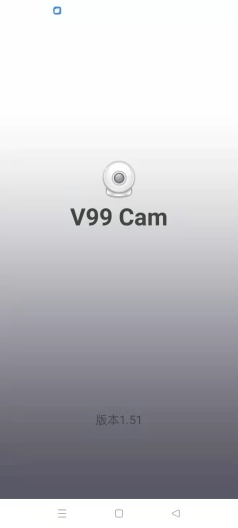
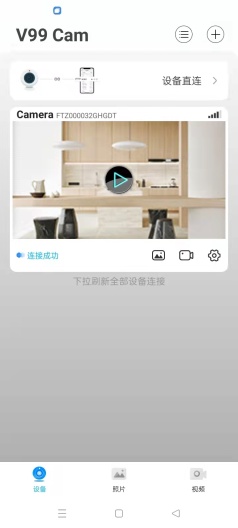
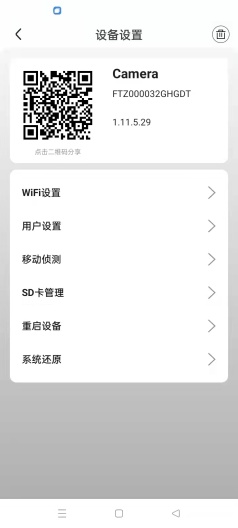
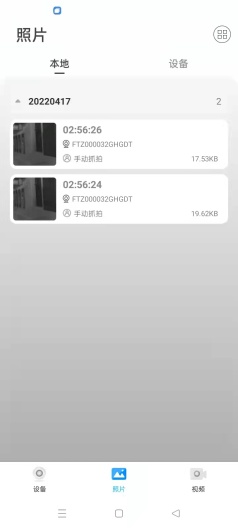
    V99 Camのスクリーンショット

    V99 Camのアプリスクリーンショット1
    V99 Camのアプリスクリーンショット2
    V99 Camのアプリスクリーンショット3
    V99 Camのアプリスクリーンショット4

    使用フィードバック

    このアプリの開発者に、使用中に遭遇した問題やアプリに対する提案を提出して、彼らがより良いものを作成するのを手伝ってください。