

| 2.4.0-240317 (build ) | 1970-01-01 |
Certainly! Below is a detailed description for the Apktool M APK file that you can use:
Apktool M - Advanced APK Management Tool
Overview: Apktool M is a powerful tool designed for Android developers and enthusiasts who wish to analyze, modify, and compile APK files with ease. It is an enhanced version of the original Apktool, adding additional features and improved usability tailored for mainstream and advanced users alike. With Apktool M, users can unpack, decode, and then recompile APK files, making it easier to customize applications, assess security, and understand app functionalities.
Key Features:
Easy APK Decompilation: Apktool M simplifies the decompilation process, allowing users to extract resources and source code from APK files quickly. This enables a thorough examination of app structures, layouts, and resources.
Resource Modification: Whether you want to change app icons, modify layouts, or edit strings, Apktool M provides a user-friendly interface to make these modifications effortlessly. The changes can then be recompiled back into the APK format.
Python Scripting: For advanced users, Apktool M supports integration with Python scripts, enabling automation of complex tasks and further customization options.
Debugging Capabilities: The tool includes features that cater to developers looking to debug their applications. It provides detailed logs and error messages that can help identify issues during the APK modification process.
Project Management: Apktool M organizes projects efficiently, allowing users to work on multiple APKs simultaneously without confusion. The file structure is maintained for easy access and modifications.
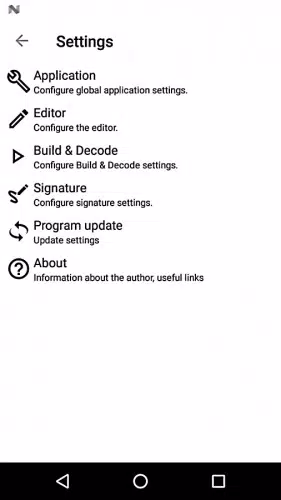
Simple UI and UX: The graphical user interface (GUI) of Apktool M is designed with user experience in mind. It is intuitive and easy to navigate, catering both to beginners and experienced users.
Supports Multiple Languages: Apktool M provides support for multiple languages, allowing non-English speakers to utilize the tool in their preferred language, enhancing accessibility.
Use Cases:
System Requirements:
How to Install:
Conclusion: Apktool M is a must-have for anyone keen on diving deep into Android app development and manipulation. Its plethora of features combined with a user-friendly interface makes it one of the go-to tools for APK decompilation and modification.
Download Apktool M today from APK.bot and unleash the potential of your Android applications!
Feel free to adjust the content to better match your target audience or specific stylistic preferences!
|
|
|
このアプリの開発者に、使用中に遭遇した問題やアプリに対する提案を提出して、彼らがより良いものを作成するのを手伝ってください。