

| 4.8.7.8 (build ) | 1970-01-01 | |
| 4.9.5.1 (build ) | 1970-01-01 |
DU Battery Saver, the world’s leading battery saver and Android power doctor & manager, is a FREE battery saving app that makes your battery last longer! Get up to 50% more battery life for Android phones or tablets! With DU Battery Saver’s smart pre-set battery power management modes, one-touch controls and healthy charge stage features, solve battery problems and extend your battery life.Presented byDU Apps Studio, DU Battery Saver is the simplest and easiest way to keep your Android phone working well when you need it, and protect against poor charging, battery hogging apps, and overlooked device settings that shorten your battery life.
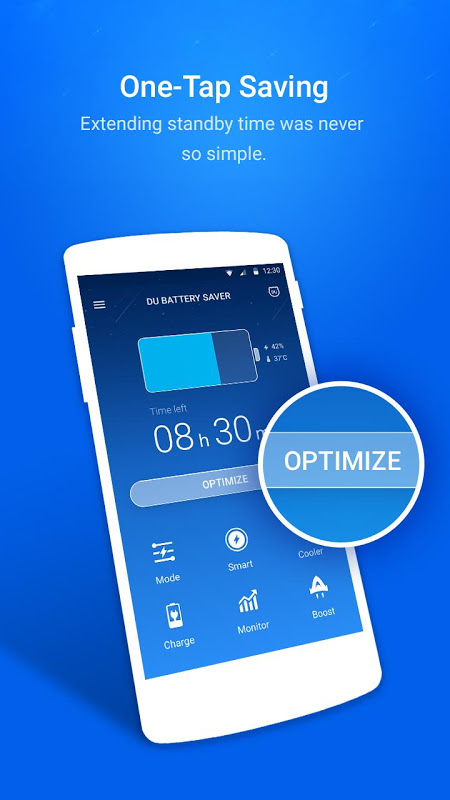
Upgrade to DU Battery Saver PRO, and get up to 70% battery power savings!Highlights of DU Battery Saver (Android power doctor & manager):★FastBattery Saver: Instantly find and solve battery problems with the “Optimize” button.
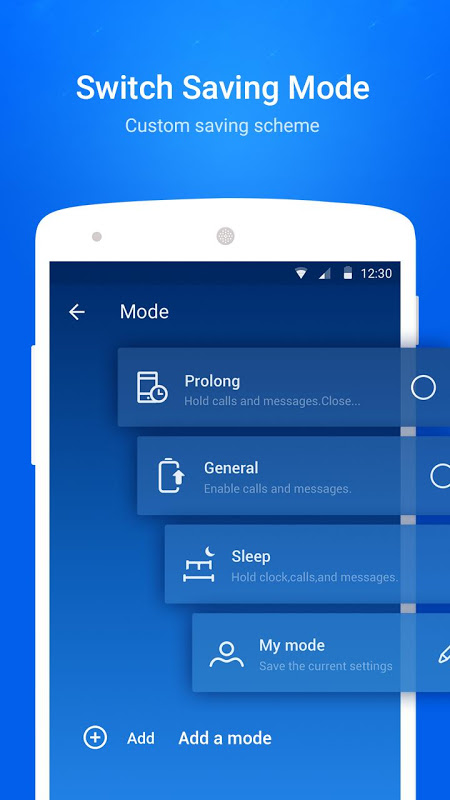
★SimpleBattery Saver: Use smart pre-set battery power management modes or create your own to get high performance and great energy savings.
★EffectiveBattery Saver: Protect your battery with healthy charging to extend life of your battery.
★ConvenientBattery Saver: The home screen “Optimize” widget allows you to stop power consumptive background apps with one tap to boost battery life.
★Easy & PowerfulBattery Saver: Extend your Android battery life by up to 50% without charging.
★GlobalBattery Saver: Supports Deutsch, Español, English, Française, Português, Português do Brasil, Pусский, Türk, Bahasa Indonesia, Italiano, العربية, ภาษาไทย, Tiếng Việt, 日本語, 한국의, 中文(简体), and 中文(繁體).
★Adapts to You:Automatically save power and energy with DU Battery Saver’s Smart Power settings (requires DU Battery Saver PRO version).Features and Benefits of DU Battery Saver (Android power doctor & manager):► ACCURATE STATUS: See exactly how much battery charge you have left with a detailed analysis of your Android apps AND hardware;
► SMART PRE-SET MODES: Choose or customize a mode that fits your energy stage;
► ONE-CLICK OPTIMIZATION: Instantly find and fix battery power consumption problems and unlock detailed settings to super-tune your energy savings;
► ANYTIME OPTIMIZATION: Manage background apps and phone hardware easily with the smart home screen widget;
► BETTER BATTERY DETAILS: View your phone’s battery power level by percentage or by time remaining;
► HEALTHY CHARGE STAGE MANAGER: Track and implement healthy charging practices in different stage s to keep your battery working its best;Must-Have PRO Features of DU Battery Saver:► INTELLIGENT MODE-SWITCHING
► AUTO-CLEAR APPS
► CPU FREQUENCY (for rooted devices only)“THE battery saving application that will increase the functionality of your phone like no other to ensure that your battery lasts longer, much longer.” – Mobiappsreview.com“It really stands out from the crowd with its great ease of use and very powerful functionality.” – Androidappsreview.comFrequently Asked Questions (FAQs):Q: What is healthy charge stage and how do I get a full charge?A:Charge your battery when it’s lower than 20% stage, and continuously charge until the 3rd stage of the trickle charging is complete. Do not overcharge or undercharge by charging in short bursts.
More questions about DU Battery Saver? Contact us atfeedback@duapps.com,Find us online:Official websitehttp://www.duapps.com; Facebook page >>>http://facebook.com/duappshttp://google.com/+duapps;http://twitter.com/duappsJOIN our beta testing community and get first-hand news of DU Apps on:http://plus.google.com/u/0/communities/108885542079732379568Download our FREE Android optimizer & cleaner masterDU Speed Boosterat:http://goo.gl/fFqWox.
|
|
Prześlij deweloperom tej aplikacji problemy, z którymi się spotkałeś podczas korzystania z aplikacji lub sugestie dotyczące aplikacji, aby pomóc im w jej ulepszeniu.