OneSync: Autosync for OneDriveícono de

OneSync: Autosync for OneDrive

Versión:6.2.4 (build 23121810)
OneSync: Autosync for OneDrivecódigo QR de descarga de
La instalación de la aplicación está en curso
Instalando...
La instalación de la aplicación está a punto de comenzar, por favor espera. Si la descarga no se inicia en el navegador, por favor haz clic aquí para descargar manualmente
Instalar

O escanee el código QR con su teléfono para instalar


Acerca de OneSync: Autosync for OneDrive

Tamaño
10.2 MB
Fecha de actualización
2024-07-05
Versión
6.2.4
Build
23121810

Historial de versiones de OneSync: Autosync for OneDrive

4.4.24 (build ) 2024-04-11
6.2.4 (build ) 2024-04-18

Introducción de OneSync: Autosync for OneDrive

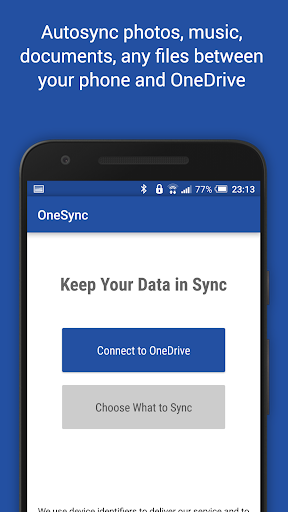
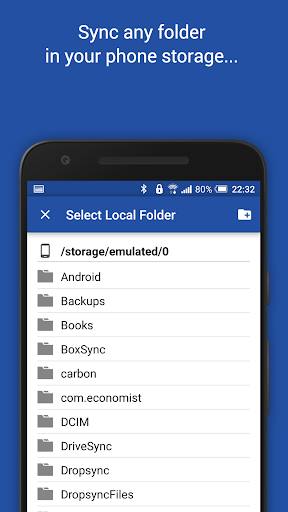
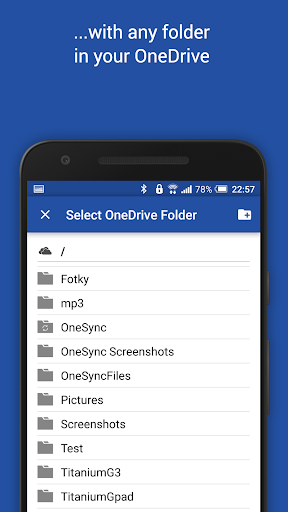
This app is an automatic file sync and backup tool. It lets you automatically synchronize files and folders with Microsoft OneDrive cloud storage and with your other devices. It is an ideal tool for photo sync, document and file backup, automatic file transfer, automatic file sharing between devices,...

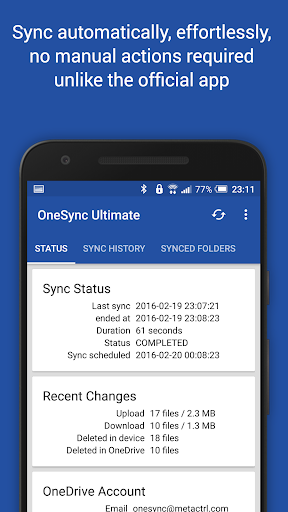
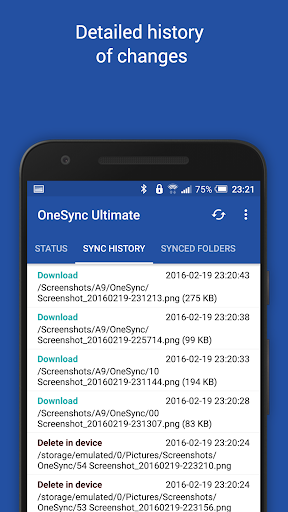
New files in your cloud account are automatically downloaded onto your device. New files in your device are uploaded. If you delete a file on one side, it will be deleted on the other side. It works across multiple devices (your phone and your tablet). If their folders are synced with the same cloud account, they will be kept in sync with each other.

This is how OneDrive works on computers but not on Android. Two-way automatic synchronization should be an essential function of the official app. For whatever reason, it is not the case. OneSync is here to fill the gap.

All file transfers and communications between user devices and cloud storage servers are securely encrypted and do not go through our servers. No outsiders will be able to decrypt, see or modify any file contents.

MAIN FEATURES

• Full two-way automatic synchronization of files and folders
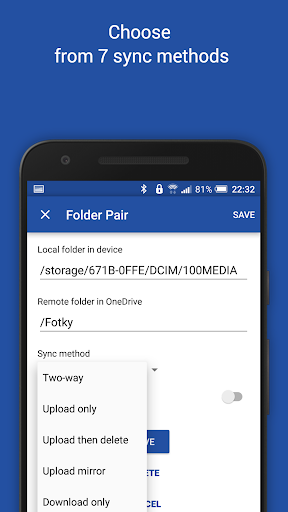
• Many sync modes. Not only two-way, you can also choose Upload only, Upload then delete, Download only, Download mirror,...
• Very efficient, consumes almost no battery
• Easy to set up. Once set up files will be kept in sync without any effort from users
• Works reliably under ever changing network conditions on your phone
• Monitors battery level, WiFi/3G/4G/LTE connectivity and adapts its behavior according to user preferences
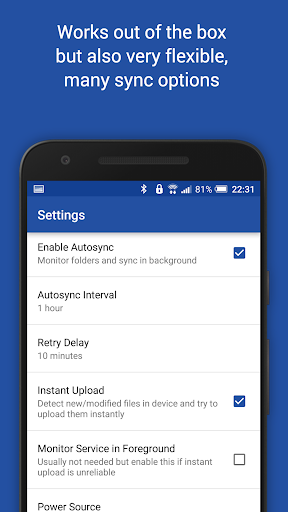
• Configurable autosync interval: 15 minutes, 30 minutes, every hour,...

If you like this app, please consider upgrading to premium version. By doing so you support the development efforts and get access to premium features. You can upgrade via in-app purchase.

PREMIUM FEATURES

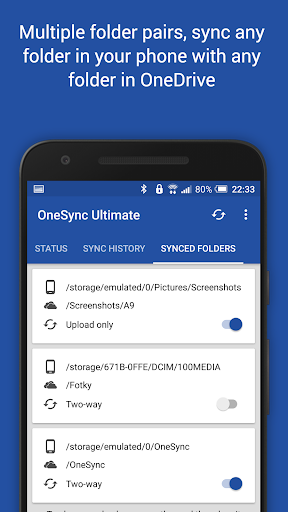
• Sync multiple pairs of folders
• Upload files larger than 10 MB
• Sync your entire cloud account with a folder in your device
• Sync with multiple accounts
• Sync with SharePoint sites
• Protect app settings with passcode
• No ads displayed in the app
• Email support by developer

SUPPORT

Please check out our website (http://metactrl.com/) for more information about the app, including User's Guide (http://metactrl.com/userguide/) and FAQ (http://metactrl.com/faq/). If you run into any issues or have suggestions for improvements, don't hesitate to email us at onesync@metactrl.com. We will do our best to assist you.
Expandir

Capturas de pantalla de OneSync: Autosync for OneDrive

OneSync: Autosync for OneDrivecapturas de pantalla de la aplicación1
OneSync: Autosync for OneDrivecapturas de pantalla de la aplicación2
OneSync: Autosync for OneDrivecapturas de pantalla de la aplicación3
OneSync: Autosync for OneDrivecapturas de pantalla de la aplicación4
OneSync: Autosync for OneDrivecapturas de pantalla de la aplicación5
OneSync: Autosync for OneDrivecapturas de pantalla de la aplicación6
OneSync: Autosync for OneDrivecapturas de pantalla de la aplicación7
OneSync: Autosync for OneDrivecapturas de pantalla de la aplicación8

Retroalimentación de uso

Envíe a los desarrolladores de esta aplicación los problemas que haya encontrado o sugerencias para mejorar la aplicación mientras la utiliza.