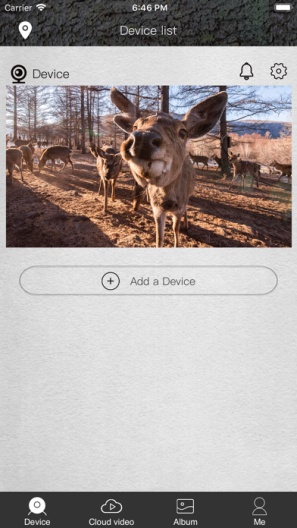
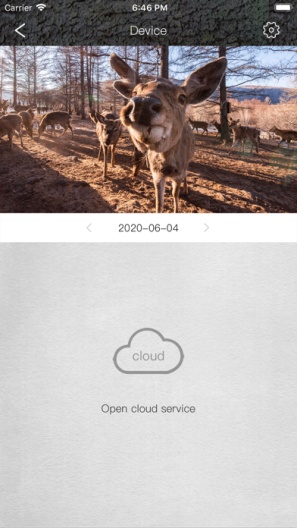
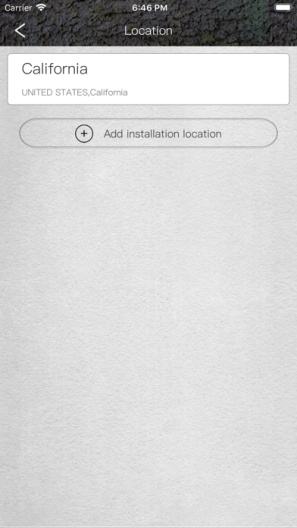
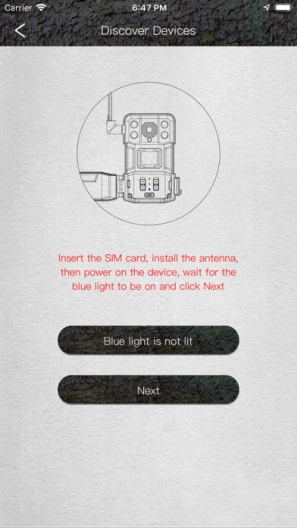
This 4G cellular trail camera has a built-in 4G LTE module and supports 4G communication. Its infrared sensor (PIR) will detect moving objects, then capture a photo or video, save it to the SD card and send a notification to the mobile APP, and the photo or video can also be transmitted to the smartphone App through the 4G network.
The trail camera supports cloud services, photos or videos can be saved in the cloud, and you can download them to your phone. The resolution of the photo stored in the SD card is 14MP, and the resolution of the photo uploaded to the cloud is VGA. The trail camera provides a period of free trial cloud service for you to experience. If you want to activate the cloud service, there is a quick guide on the APP to help you complete it.
The trail camera supports live streaming, and you can watch real-time video on your mobile phone. You can also remotely settings and control the camera on the mobile phone, so you can use it easily without having to be on site. High-power IR LEDs provide illumination at night with a range of up to 80 feet. The trail camera automatically switches between day mode and night mode. it also supports an external power supply, which allows the camera to be used outdoors for a long time.
PGYERPorada: 1. Ta aplikacja pochodzi z produktu trzeciej strony, treść nie podlega kontroli PGYER, dlatego prosimy o ostrożność i rozważną instalację. Platforma usług beta testów PGYER zapewnia usługi testowania aplikacji, wykrywania awarii itp. dla aplikacji osób trzecich. PGYER zapewnia jedynie wsparcie dla aplikacji osób trzecich, nie angażuje się w żadne ręczne edycje i porządki, ani nie bierze udziału w rozwoju treści aplikacji i działaniach zewnętrznych, nie ma żadnych powiązań z aplikacjami osób trzecich, nie oferuje żadnych gwarancji ani obietnic.
2. Proszę ostrożnie oceniać jakość aplikacji i nie instalować aplikacji pochodzących z niepewnych źródeł ze względu na spam, niechciane wiadomości e-mail, teksty itp. Proszę samodzielnie ocenić i instalować zaufane aplikacje na podstawie źródła linku do instalacji aplikacji. PGYER nie ponosi odpowiedzialności za zasady, politykę ani konkretne treści tej aplikacji lub strony wyświetlającej linki na PGYER. PGYER nie ponosi odpowiedzialności za żadne inwestycje ani zakupy związane z tym, kliknij tutaj, aby uzyskać więcej informacji.
Porada: 1. Ta aplikacja pochodzi z produktu trzeciej strony, treść nie podlega kontroli PGYER, dlatego prosimy o ostrożność i rozważną instalację. Platforma usług beta testów PGYER zapewnia usługi testowania aplikacji, wykrywania awarii itp. dla aplikacji osób trzecich. PGYER zapewnia jedynie wsparcie dla aplikacji osób trzecich, nie angażuje się w żadne ręczne edycje i porządki, ani nie bierze udziału w rozwoju treści aplikacji i działaniach zewnętrznych, nie ma żadnych powiązań z aplikacjami osób trzecich, nie oferuje żadnych gwarancji ani obietnic.
2. Proszę ostrożnie oceniać jakość aplikacji i nie instalować aplikacji pochodzących z niepewnych źródeł ze względu na spam, niechciane wiadomości e-mail, teksty itp. Proszę samodzielnie ocenić i instalować zaufane aplikacje na podstawie źródła linku do instalacji aplikacji. PGYER nie ponosi odpowiedzialności za zasady, politykę ani konkretne treści tej aplikacji lub strony wyświetlającej linki na PGYER. PGYER nie ponosi odpowiedzialności za żadne inwestycje ani zakupy związane z tym, kliknij tutaj, aby uzyskać więcej informacji.