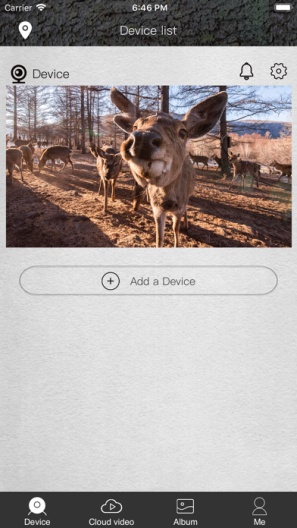
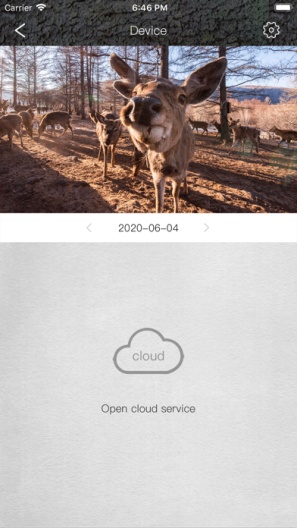
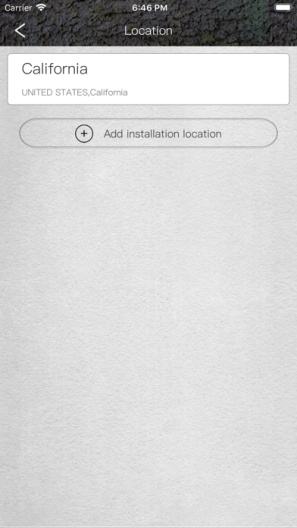
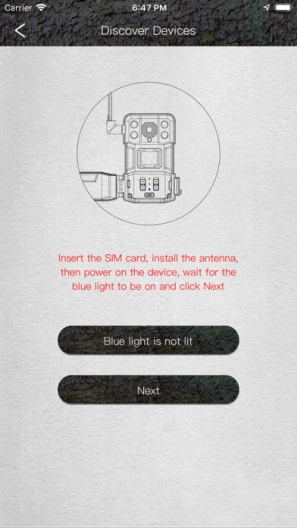
This 4G cellular trail camera has a built-in 4G LTE module and supports 4G communication. Its infrared sensor (PIR) will detect moving objects, then capture a photo or video, save it to the SD card and send a notification to the mobile APP, and the photo or video can also be transmitted to the smartphone App through the 4G network.
The trail camera supports cloud services, photos or videos can be saved in the cloud, and you can download them to your phone. The resolution of the photo stored in the SD card is 14MP, and the resolution of the photo uploaded to the cloud is VGA. The trail camera provides a period of free trial cloud service for you to experience. If you want to activate the cloud service, there is a quick guide on the APP to help you complete it.
The trail camera supports live streaming, and you can watch real-time video on your mobile phone. You can also remotely settings and control the camera on the mobile phone, so you can use it easily without having to be on site. High-power IR LEDs provide illumination at night with a range of up to 80 feet. The trail camera automatically switches between day mode and night mode. it also supports an external power supply, which allows the camera to be used outdoors for a long time.
PGYERConsejo: 1. Esta aplicación proviene de un producto de terceros y su contenido no está controlado por PGYER, por favor asegúrate de identificarlo y proceder con la instalación con precaución. La plataforma de servicios de prueba interna de PGYER proporciona servicios como alojamiento de pruebas de aplicaciones y detección de fallos en aplicaciones de terceros. PGYER solo brinda soporte para pruebas internas de aplicaciones de terceros, no participa en la edición manual ni en la organización de contenido de ninguna aplicación, tampoco participa en el desarrollo de contenido ni en la operación externa de ninguna aplicación de terceros, no existe ninguna relación asociada con las aplicaciones de terceros, y no ofrece garantías ni promesas de ningún tipo.
2. verifique cuidadosamente la calidad de la aplicación y no instale aplicaciones de origen poco confiable a voluntad debido a mensajes basura, correos electrónicos, instrucciones de texto, etc. juzgue e instale aplicaciones de confianza de acuerdo con el origen del enlace de instalación de la Aplicación. Pgyer no es responsable de las reglas, políticas o contenidos específicos de este programa o sitio para las aplicaciones publicadas a través de pgyer o enlaces a otros sitios mostrados en pgyer. Pgyer no asume ninguna responsabilidad por ninguna inversión, compra o comportamiento que se derive de esto, haga clic aquí para ver más aquí.
Consejo: 1. Esta aplicación proviene de un producto de terceros y su contenido no está controlado por PGYER, por favor asegúrate de identificarlo y proceder con la instalación con precaución. La plataforma de servicios de prueba interna de PGYER proporciona servicios como alojamiento de pruebas de aplicaciones y detección de fallos en aplicaciones de terceros. PGYER solo brinda soporte para pruebas internas de aplicaciones de terceros, no participa en la edición manual ni en la organización de contenido de ninguna aplicación, tampoco participa en el desarrollo de contenido ni en la operación externa de ninguna aplicación de terceros, no existe ninguna relación asociada con las aplicaciones de terceros, y no ofrece garantías ni promesas de ningún tipo.
2. verifique cuidadosamente la calidad de la aplicación y no instale aplicaciones de origen poco confiable a voluntad debido a mensajes basura, correos electrónicos, instrucciones de texto, etc. juzgue e instale aplicaciones de confianza de acuerdo con el origen del enlace de instalación de la Aplicación. Pgyer no es responsable de las reglas, políticas o contenidos específicos de este programa o sitio para las aplicaciones publicadas a través de pgyer o enlaces a otros sitios mostrados en pgyer. Pgyer no asume ninguna responsabilidad por ninguna inversión, compra o comportamiento que se derive de esto, haga clic aquí para ver más aquí.