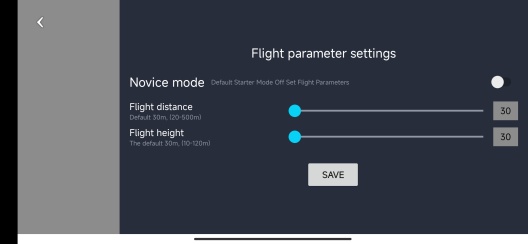
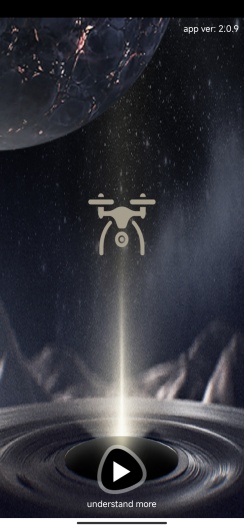
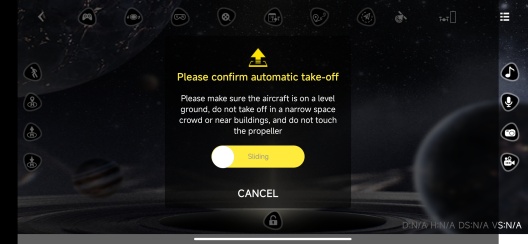
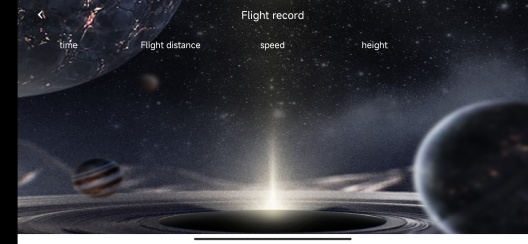
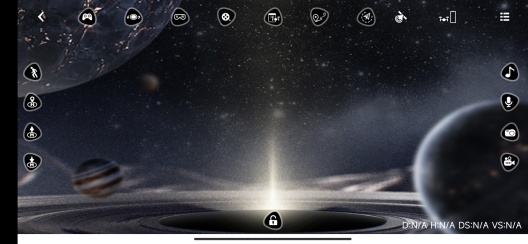
Capture breathtaking aerial footage and experience the thrill of flying like never before. Get ready to take your photography and videography skills to new heights with this cutting-edge app.
Key Features:
- High-resolution video: Choose from VGA, 720P, and 1080P resolutions to capture stunning visuals with exceptional clarity.
- Photo and video recording: Capture your favorite moments from the sky with just a tap. Preserve memories and share them with friends and family.
- Immersive 3D experience: Dive into a whole new dimension with the 3D function. Explore your surroundings from a unique perspective and feel like you're right there in the action.
Pros and Benefits:
- Unparalleled control: Take full command of your quadcopter with the VS GPS app. Enjoy precise navigation and maneuverability, ensuring smooth flights every time.
- Real-time video streaming: Witness the world from above in real-time. The WiFi camera module streams live video directly to your smartphone, providing a captivating bird's-eye view.
- Easy to use: With a user-friendly interface, the app makes it effortless for beginners and experts alike to operate the quadcopter. Start flying and capturing stunning visuals in no time.
Step-by-Step Use Instructions:
1. Click the [Install] button or scan the QR code to download and install the VS GPS app on your Android smartphone or iOS on iPhone.
2. Connect your quadcopter to the app via WiFi.
3. Launch the app and select your desired resolution (VGA, 720P, or 1080P).
4. Tap the camera icon to take photos or the video icon to start recording.
5. Explore the 3D function and immerse yourself in a whole new world of aerial photography.
Don't miss out on this incredible opportunity to elevate your photography skills and explore the world from a unique perspective. Download the VS GPS app today and unleash your creativity!
#VS_GPS #QuadcopterApp #AerialPhotography #WiFiCameraModule #FlyHigh #CaptureTheMoment #ExploreFromAbove #DownloadNow
PGYERПодсказка: 1. Это приложение поступает из продукта третьей стороны, контент не контролируется PGYER, пожалуйста, тщательно оцените и осторожно устанавливайте. Платформа внутреннего тестирования PGYER предоставляет услуги тестирования и обнаружения сбоев приложений для сторонних продуктов. PGYER предоставляет только поддержку внутреннего тестирования для сторонних приложений, не участвует в ручной редакции и сортировке, также не участвует в разработке содержания и внешнем управлении приложениями, не имеет никаких связей с сторонними приложениями, не предоставляет никаких гарантий или обещаний.2. Пожалуйста, тщательно оцените качество приложения, не устанавливайте приложения из ненадежных источников из-за спама, электронной почты, текстовых сообщений и другого содержимого. Пожалуйста, самостоятельно оцените и установите доверенные приложения в зависимости от источника установки приложения. PGYER не несет ответственности за правила, политику или конкретное содержимое этой программы или сайта, размещенного на PGYER или ссылки на другие сайты. PGYER не несет ответственности за любые инвестиции или покупки, сделанные в результате этого, нажмите здесь, чтобы узнать больше.
Подсказка: 1. Это приложение поступает из продукта третьей стороны, контент не контролируется PGYER, пожалуйста, тщательно оцените и осторожно устанавливайте. Платформа внутреннего тестирования PGYER предоставляет услуги тестирования и обнаружения сбоев приложений для сторонних продуктов. PGYER предоставляет только поддержку внутреннего тестирования для сторонних приложений, не участвует в ручной редакции и сортировке, также не участвует в разработке содержания и внешнем управлении приложениями, не имеет никаких связей с сторонними приложениями, не предоставляет никаких гарантий или обещаний.2. Пожалуйста, тщательно оцените качество приложения, не устанавливайте приложения из ненадежных источников из-за спама, электронной почты, текстовых сообщений и другого содержимого. Пожалуйста, самостоятельно оцените и установите доверенные приложения в зависимости от источника установки приложения. PGYER не несет ответственности за правила, политику или конкретное содержимое этой программы или сайта, размещенного на PGYER или ссылки на другие сайты. PGYER не несет ответственности за любые инвестиции или покупки, сделанные в результате этого, нажмите здесь, чтобы узнать больше.