

Notebook - Note-taking & To-do
Penilaian
Jul 10, 2024Kemas kini terkini
6.0.9Versi
Tentang Notebook - Note-taking & To-do
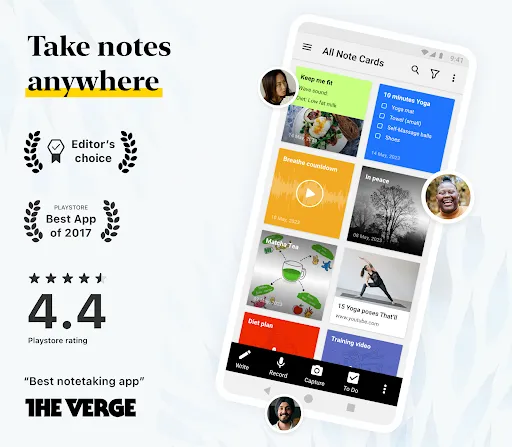
Capture ideas, organize thoughts & boost productivity with the all-in-one note-taking app! Take notes, create lists, set reminders, & collaborate seamlessly across Android, iOS, Mac, Windows & Linux. Clip web content effortlessly with web clipper extension for Chrome, Firefox, Safari & Edge. Sign in to notebook.zoho.com to view and take notes online.
TAKE NOTES
Notebook offers various note-taking methods to jot down notes and organize your thoughts.
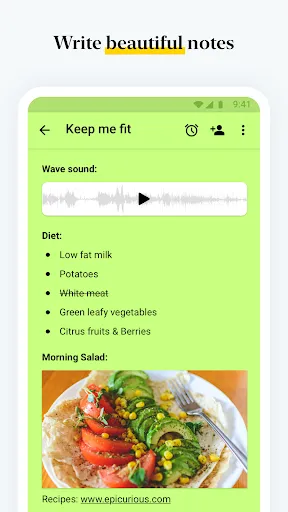
- Write notes. Start with a text, add images, checklists, and audio, all in the same text note.
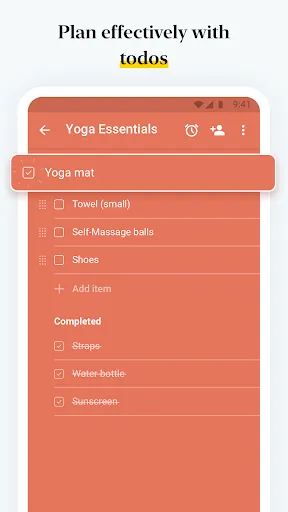
- Create checklists to get stuff done with the dedicated checklist note.
- Record voice notes with the audio note.
- Capture moments using the dedicated photo note.
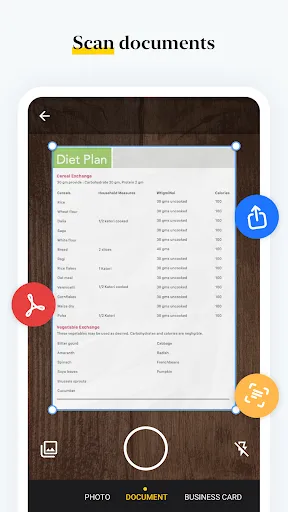
- Scan documents and business cards.
- Attach Microsoft documents, PDF, and other files.
RICH TEXT EDITOR
- Format your notes using bold, italics, strikethrough, underline, align, indent, outdent and text highlighter tools.
- Add hyperlinks, data tables, lists, ruler, quotes and codes to your notes.
- Remove formatting on your notes.
ORGANIZE NOTES
Keep yourself and your work organized.
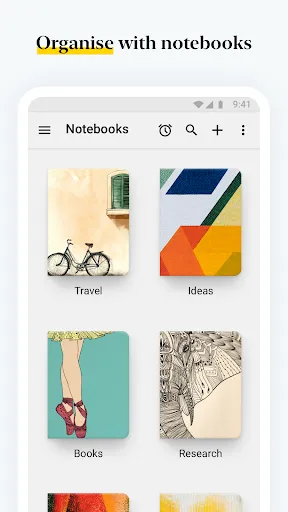
- Organize various notes into notebooks.
- Group notes together to create note stacks.
- Sort your notes alphabetically or based on time.
- Reorder your notes within a notebook.
- Move or copy your notes between notebooks.
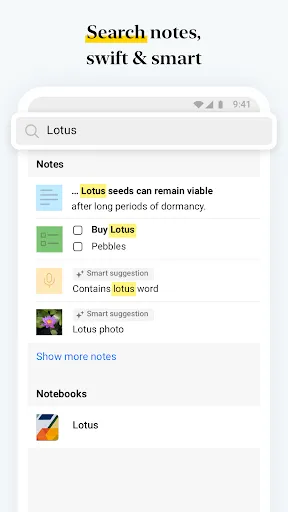
- Search within a notebook or across notebooks.
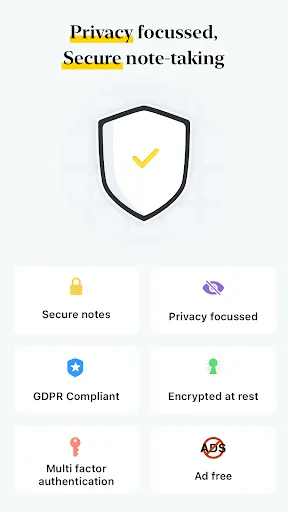
- Securely lock your note with a passcode of your choice.
- Use your Fingerprint to unlock notes.
- Link related notes to one another.
- Favorite notes to find them quickly.
- Organize your notes using tags.
SYNC ACROSS DEVICES
- Synchronize all your notes and notebooks across devices and to the cloud.
- Take a note on one device, add to it from another. Be it a device or a tablet or a computer or browser, you name it and we have your notes there.
NOTABLE GESTURES
Unlike the other colorful premium notepad apps, the intimate joy of Notebook comes from using the app.
- Swipe your notebook or note for additional information.
- Pinch to group notes into a stack.
- Flick to find the note you need.
- In list view, pinch to fold group notes like an accordion.
CUSTOMIZE YOUR NOTEBOOK
Notebook provides numerous ways to customize your notes.
- Change the color of your notes.
- Choose a notebook cover or create your own.
- View your notes in either grid or landscape style views.
SHARE YOUR NOTES
- Directly share your notes with your peers, friends others within Notebook.
- Share your notes through email and other supporting apps.
- Export notes as PDF files and share them with others.
ANDROID EXCLUSIVE
- Notebook Widget: View your last 20 modified notes and find options to create notes from the widget quickly.
- Access any notebook or note with a single click by creating a shortcut.
- Multi Window Support for mobile devices running Android 7.0 and above.
- Create notes while you're in a meeting with the Google Assistant Integration. Ask Google Assistant to ’Take Note’ to create a note instantly.
- Print any note using Google Cloud Print or any other preferred configuration.
- Quickly create notes using 'Launcher Shortcuts'. A long press on the app icon will reveal note creation options.
NOTEBOOK WEB CLIPPER
- A beautiful, customizable Reader View for more focused reading while viewing articles.
- Clip page links to create Smart Cards.
- Crop photos, screenshots and add to Notebook.
NOTEBOOK FOR STUDENTS
- Record entire lectures using Audio Card.
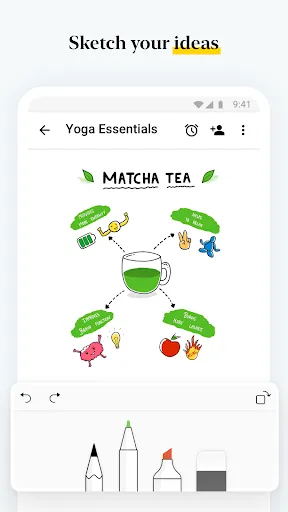
- Draw diagrams and take handwritten notes during discussions with Sketch Card.
- Scan your reference books and make them available for later.
- Clip research content and web page links using Notebook Web Clipper.
NOTEBOOK IN DAY-TO-DAY LIFE
- Stay up-to-date with your daily tasks.
- Sketch down your creativity without any second thought.
- Make Notebook your daily journal.
Notebook for Wear OS
Take notes, create checklists, and record audio on Wear OS watches with the handiest companion note-taking app.
TAKE NOTES
Notebook offers various note-taking methods to jot down notes and organize your thoughts.
- Write notes. Start with a text, add images, checklists, and audio, all in the same text note.
- Create checklists to get stuff done with the dedicated checklist note.
- Record voice notes with the audio note.
- Capture moments using the dedicated photo note.
- Scan documents and business cards.
- Attach Microsoft documents, PDF, and other files.
RICH TEXT EDITOR
- Format your notes using bold, italics, strikethrough, underline, align, indent, outdent and text highlighter tools.
- Add hyperlinks, data tables, lists, ruler, quotes and codes to your notes.
- Remove formatting on your notes.
ORGANIZE NOTES
Keep yourself and your work organized.
- Organize various notes into notebooks.
- Group notes together to create note stacks.
- Sort your notes alphabetically or based on time.
- Reorder your notes within a notebook.
- Move or copy your notes between notebooks.
- Search within a notebook or across notebooks.
- Securely lock your note with a passcode of your choice.
- Use your Fingerprint to unlock notes.
- Link related notes to one another.
- Favorite notes to find them quickly.
- Organize your notes using tags.
SYNC ACROSS DEVICES
- Synchronize all your notes and notebooks across devices and to the cloud.
- Take a note on one device, add to it from another. Be it a device or a tablet or a computer or browser, you name it and we have your notes there.
NOTABLE GESTURES
Unlike the other colorful premium notepad apps, the intimate joy of Notebook comes from using the app.
- Swipe your notebook or note for additional information.
- Pinch to group notes into a stack.
- Flick to find the note you need.
- In list view, pinch to fold group notes like an accordion.
CUSTOMIZE YOUR NOTEBOOK
Notebook provides numerous ways to customize your notes.
- Change the color of your notes.
- Choose a notebook cover or create your own.
- View your notes in either grid or landscape style views.
SHARE YOUR NOTES
- Directly share your notes with your peers, friends others within Notebook.
- Share your notes through email and other supporting apps.
- Export notes as PDF files and share them with others.
ANDROID EXCLUSIVE
- Notebook Widget: View your last 20 modified notes and find options to create notes from the widget quickly.
- Access any notebook or note with a single click by creating a shortcut.
- Multi Window Support for mobile devices running Android 7.0 and above.
- Create notes while you're in a meeting with the Google Assistant Integration. Ask Google Assistant to ’Take Note’ to create a note instantly.
- Print any note using Google Cloud Print or any other preferred configuration.
- Quickly create notes using 'Launcher Shortcuts'. A long press on the app icon will reveal note creation options.
NOTEBOOK WEB CLIPPER
- A beautiful, customizable Reader View for more focused reading while viewing articles.
- Clip page links to create Smart Cards.
- Crop photos, screenshots and add to Notebook.
NOTEBOOK FOR STUDENTS
- Record entire lectures using Audio Card.
- Draw diagrams and take handwritten notes during discussions with Sketch Card.
- Scan your reference books and make them available for later.
- Clip research content and web page links using Notebook Web Clipper.
NOTEBOOK IN DAY-TO-DAY LIFE
- Stay up-to-date with your daily tasks.
- Sketch down your creativity without any second thought.
- Make Notebook your daily journal.
Notebook for Wear OS
Take notes, create checklists, and record audio on Wear OS watches with the handiest companion note-taking app.
Permainan
Tangkapan skrin Notebook - Note-taking & To-do
Versi Lama Notebook - Note-taking & To-do





Cadangan Editor


Aplikasi Seperti Notebook - Note-taking & To-do
 GymUp PRO - workout notebook
 Suwy: notepad, notebook & memo
 Sticker Notebook: ASMR Puzzle
 Notes - Notebook, Notepad
 Notes - Notepad, Notebook
 memo pad: notebook for daily w
 Daily Journal - Diary Notebook
 Notebook Academy (NBA)
 Notepad: Notes & Easy Notebook
 Black Note - Notebook Notes
 FP Notebook
 Voice Notebook speech to text
Aplikasi oleh Zoho Corporation


Notebook - Note-taking & To-do FAQ
Bagaimana saya boleh memuat turun Notebook - Note-taking & To-do dari PGYER APK HUB?
Adakah Notebook - Note-taking & To-do di PGYER APK HUB percuma untuk dimuat turun?
Adakah saya perlu akaun untuk memuat turun Notebook - Note-taking & To-do dari PGYER APK HUB?
Bagaimana saya boleh melaporkan masalah dengan Notebook - Note-taking & To-do di PGYER APK HUB?
Adakah anda dapati ini membantu
Ya
Tidak
Ulasan Pengguna
+ Ulasan
4.1
5
4
3
2
1
T
TechEnthusiast
2022-01-03
1
0
Absolutely love Notebook - Note-taking & To-do! It's superior to any other app I've tried. Highly recommend you give it a go!
D
DiaryLover
2020-07-20
1
0
Notebook is my go-to for all diary entries. Simply the best!
N
NotebookNerd
2018-12-08
1
0
Incredible notebook with unmatched features! Try Notebook - Note-taking & To-do today. #NotebookLover #Awesome #New #Recommend
Paling Popular

Hole.io
VOODOO

Super Mario Odyssey
Super Mario Odyssey APK - Explore the World Like Never Before!
Embark on an exhilarating adventure w

Plague Inc.
Ndemic Creations

StarMaker: Sing Karaoke Songs
SKYWORK AI PTE. LTD.

Poppo Live
Poppo Team

CookieRun: OvenBreak
Devsisters Corporation

Netflix
Netflix, Inc.

TikTok
TikTok Pte. Ltd.

Legend of Solgard
Snowprint Studios AB

X
X Corp.

Clash Royale
Supercell

Tips Dream League Soccer 2017
amorphisnguyen

Relic Bag: Shadow Hunter
Fansipan Limited

PUBG MOBILE
Level Infinite

Pure Sniper: Gun Shooter Games
Miniclip.com

War Thunder Mobile
GAIJIN NETWORK LTD

Off Road 4x4 Driving Simulator
Azur Interactive Games Limited

Call of Duty: Warzone Mobile
Activision Publishing, Inc.

GunboundM
DargomStudio

Car Parking Multiplayer 2
olzhass

Talking Pierre the Parrot
Outfit7 Limited

Red Dead redemption 2 Mobile
Tarik EL hamdi

Shadow Fight 2 Special Edition
NEKKI

Reddit
reddit Inc.