Remote App Launchicona

Remote App Launch

Versione:1.0 (build 1)
Remote App Launchcodice QR per il download
L'installazione dell'app è in corso
Installazione in corso...
L\'installazione dell\'app sta per iniziare, attendere. Se il download non viene avviato automaticamente, fare clic qui per scaricare manualmente
Installare

Oppure installa scansionando il codice QR con il cellulare


Informazioni su Remote App Launch

Dimensione
1.5 MB
Data di aggiornamento
2024-07-21
Versione
1.0
Build
1

Altre versioni di Remote App Launch

1.0 (build ) 2016-11-14

Introduzione di Remote App Launch

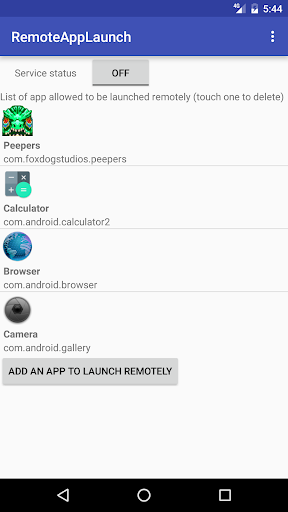
Launch apps on your android phone remotely using HTTP GET requests.

For example, to launch firefox, use your browser to request : http://yourPhoneIP:8888/start/org.mozilla.firefox

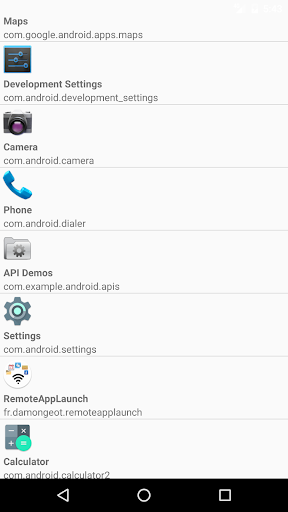
The app need to be requested by its package name (Remote App Launch will show the package name of each app on your phone, don't worry).

To stop the app remotely, you just need to switch from "start" to "stop" in the URL : http://yourPhoneIP:8888/stop/org.mozilla.firefox

Be aware that android doesn't allow a foreground app to be killed, only background processes. If you remotely launch an app that stays in foreground, it can't be killed remotely by Remote App Launch.

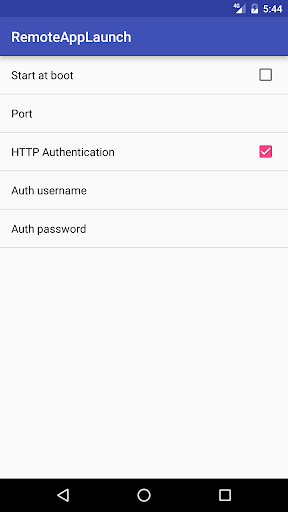
Each app you want to start remotely need to be added in a white list within RemoteAppLaunch (for security reasons). You can add one more security layer by using HTTP Authentication with a user/password needed to start/stop apps. In that case, to launch an app just use the following URL : http://username:password@yourPhoneIP:8888/start/org.mozilla.firefox
Espandi

Screenshot di Remote App Launch

Remote App Launchscreenshot dell'app1
Remote App Launchscreenshot dell'app2
Remote App Launchscreenshot dell'app3

Feedback sull'utilizzo

Invia ai creatori di questa app i problemi riscontrati durante l'utilizzo o i suggerimenti per migliorare l'app.