Remote App Launchのアイコン

Remote App Launch

バージョン:1.0 (build 1)
Remote App LaunchのダウンロードQRコード
アプリのインストールが進行中です
インストール中...
アプリのインストールがすぐに開始されます。しばらくお待ちください。ブラウザーでダウンロードの進捗状況を確認できない場合は、こちらをクリックして手動でダウンロードしてください
インストール

または、携帯電話でQRコードをスキャンしてインストール


Remote App Launchについて

サイズ
1.5 MB
更新日
2024-07-21
バージョン
1.0
Build
1

Remote App Launchのその他のバージョン

1.0 (build ) 2016-11-14

Remote App Launchの紹介

Launch apps on your android phone remotely using HTTP GET requests.

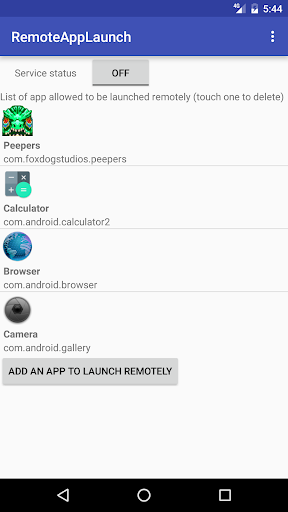
For example, to launch firefox, use your browser to request : http://yourPhoneIP:8888/start/org.mozilla.firefox

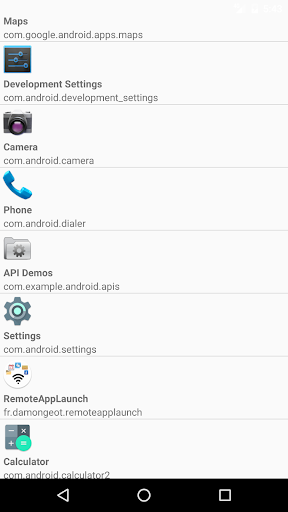
The app need to be requested by its package name (Remote App Launch will show the package name of each app on your phone, don't worry).

To stop the app remotely, you just need to switch from "start" to "stop" in the URL : http://yourPhoneIP:8888/stop/org.mozilla.firefox

Be aware that android doesn't allow a foreground app to be killed, only background processes. If you remotely launch an app that stays in foreground, it can't be killed remotely by Remote App Launch.

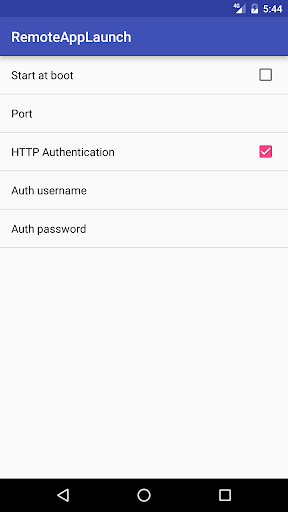
Each app you want to start remotely need to be added in a white list within RemoteAppLaunch (for security reasons). You can add one more security layer by using HTTP Authentication with a user/password needed to start/stop apps. In that case, to launch an app just use the following URL : http://username:password@yourPhoneIP:8888/start/org.mozilla.firefox
展開

Remote App Launchのスクリーンショット

Remote App Launchのアプリスクリーンショット1
Remote App Launchのアプリスクリーンショット2
Remote App Launchのアプリスクリーンショット3

使用フィードバック

このアプリの開発者に、使用中に遭遇した問題やアプリに対する提案を提出して、彼らがより良いものを作成するのを手伝ってください。