SDK (Archived)
Cordova Plugin
Install and use the Pgyer plugin in a Cordova project to enable user feedback and update checking.
The Pgyer SDK is no longer maintained. For new integrations, use the Pgyer API directly. This page is kept for projects that already integrated the plugin.
This page explains how to integrate the Pgyer plugin into a Cordova project and invoke user feedback and update checking.
Prerequisites
- A working Cordova project.
- Android and/or iOS apps registered on Pgyer, with their respective App Keys.
The App Key is the unique identifier of an app on Pgyer. Each app corresponds to one App Key, which you can find on the App management page.
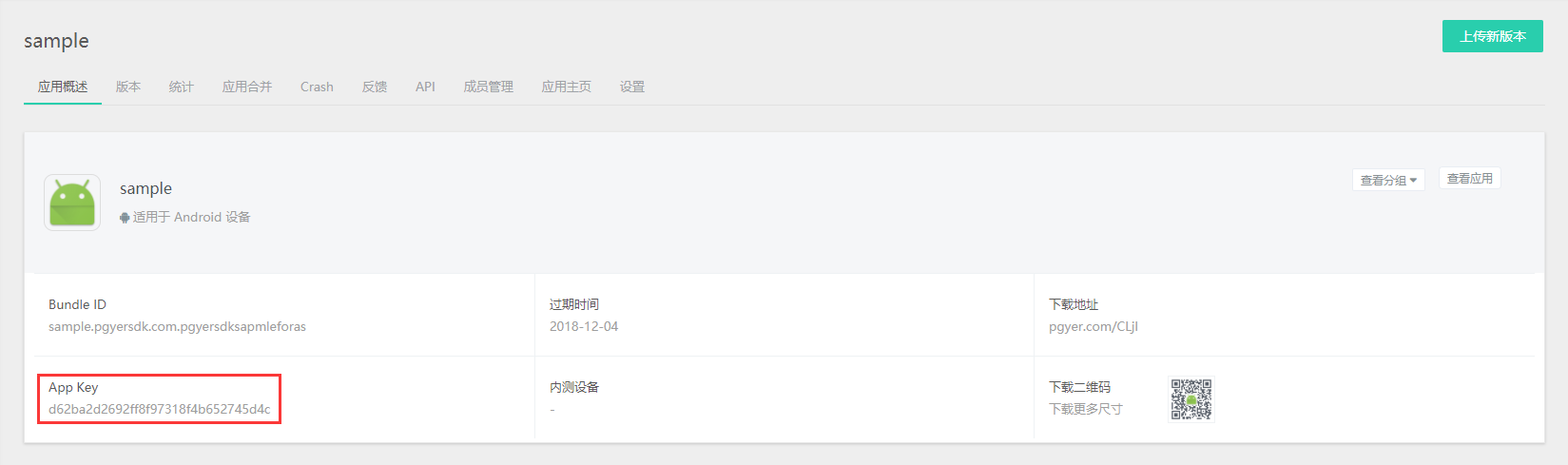
Install the Plugin
cordova plugin add pgyerplugin --variable ANDROID_APPID=[Android App Key] --variable IOS_APPID=[iOS App Key]Invoke the Features
User Feedback
cordova.exec(success, error, 'PgyerPlugin', 'showFeedback', [""]);Check for Updates
cordova.exec(success, error, 'PgyerPlugin', 'checkUpdate', [""]);Advanced Usage
For more advanced usage, modify the plugin source directly:
- Android:
PgyerPlugin.java - iOS:
PgyerPlugin.handPgyerPlugin.m
For the underlying APIs, see the Android SDK 3.0.0 Integration Guide and the iOS SDK Integration Guide.
Sample project: PgyerPluginDemo.